

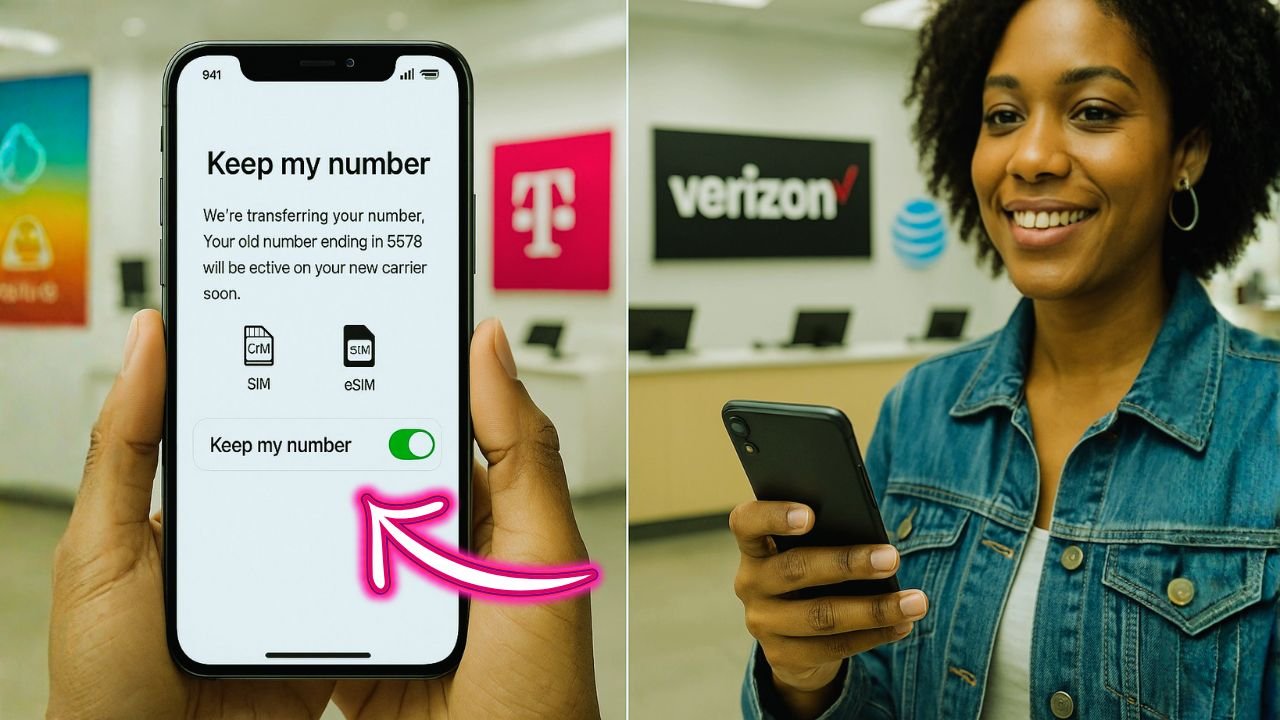
Keeping your phone number while switching carriers shouldn’t feel risky. It’s your number—your clients know it, your family has it memorized, your accounts depend on it.
Here’s the thing: number transfers (called “ports”) are routine in the U.S. When you follow a simple checklist and start the switch from the right place, you can keep service steady and your number safe.
You know what? Most hiccups come from tiny details—like a missing PIN or a mismatched billing ZIP. Nail those, and the rest is easy.
What “porting” really means
Porting is the process of moving your existing phone number from one carrier to another. The number stays yours; the network behind it changes. Good news: you don’t cancel your old carrier first—the new carrier handles that automatically once the port finishes. Canceling early is the fastest way to lose your number. Don’t do it.
Two things to keep in mind:
- Your service should stay live until the moment the new carrier completes the transfer.
- Texts and calls may wobble for a short window—usually minutes, occasionally a few hours—while routing updates.
Prep work that prevents headaches
Before you even touch a SIM:
1) Coverage and speeds
Maps matter, but nothing beats a quick real-life check. Ask a neighbor, coworker, or friend using the target carrier how service feels in your building, your commute, your favorite café.
2) Phone compatibility
Most modern phones play nicely on all three big carriers, especially if they’re “carrier-ready” or factory-ready. Still, check the IMEI on the new carrier’s site. This confirms LTE/5G band support and Wi-Fi calling features that make daily life better.
3) Money and commitments
If you’re paying off a device on your current carrier, that balance doesn’t disappear just because you move your number. You can still port, but expect a final bill. Also peek for any remaining installments or discounts that might change once you leave.
4) Timing
Pick a calm time of day. Avoid the 30 minutes before a big meeting or a flight. If you rely on two-factor codes, temporarily add a backup method (email or authenticator app) so you’re not stuck.
📖 Also Read: Bought from Apple, Financed by a Carrier: Can You Still Unlock?
The one-page porting checklist
Use this as your quick reference during the switch.
| What you need | Where you’ll usually find it | Notes that save time |
|---|---|---|
| Account number | Current carrier bill or account portal | For family plans, use the main account’s number. |
| Transfer PIN (also called port-out PIN) | Generated in your current carrier app/website or by calling support | This is not your phone’s screen PIN. It’s a special short-lived code. |
| Billing ZIP code | Your current carrier’s billing profile | Must match exactly. 12345 ≠ 12345-6789 in some systems. |
| Exact name on account | Current carrier profile | Match spacing and punctuation if possible. |
| Last 4 of SSN or passcode (if requested) | Your current account security info | Some carriers ask for this during validation. |
| Device IMEI | Phone settings (About) | Needed to check compatibility or add eSIM. |
| Email for verification | You’ll use it with the new carrier | Make sure you can access it during the switch. |
Keep this page handy. If anything fails validation, 90% of the time one of these fields is off by a character.
Step-by-step: start with the new carrier (T-Mobile, Verizon, or AT&T)
The flow is nearly the same across all three. The screens look different; the steps don’t.
Step 1: Gather your info
Have your account number, transfer PIN, billing ZIP, and IMEI ready. Keep your current service active.
Step 2: Begin the switch with your new carrier
- T-Mobile: Start a Bring-Your-Own-Device flow on their site or in store. They’ll ask for your number, current carrier, account number, transfer PIN, and billing ZIP.
- Verizon: Same idea—BYOD portal or in store. You’ll choose eSIM or physical SIM and enter your port details.
- AT&T: BYOD flow on the site or in store. Provide the same set of credentials.
Step 3: Choose eSIM or physical SIM
- eSIM: Fastest route if your phone supports it. You’ll usually scan a QR code or tap an activation link.
- Physical SIM: Still simple—insert the card when told.
Step 4: Let the port run
Your number will switch over once the old carrier confirms. Calls may flip first, then texts; or both together. If calls ring on the new carrier but texts lag, give it a short while. That’s normal during routing updates.
Step 5: Finish the setup
Set Wi-Fi calling, visual voicemail, and RCS/iMessage registration. If voicemail lives on the old carrier’s system, set a fresh greeting on the new one.
Step 6: Confirm the close-out
Your old line should auto-cancel after the number moves. You’ll see a final bill. Save confirmation emails and screenshots—handy if any prorations look off.
📖 Also Read: Military Phone Unlock: How to Use Deployment Unlock Policy & Carrier Exceptions (AT&T, Verizon, T-Mobile, UScellular)
eSIM vs physical SIM: which should you choose?
eSIM is wonderfully convenient. No card to lose, instant downloads, and easier line juggling. It also makes testing a new carrier painless—you can run a secondary line for a day or two to judge coverage, then finish the port when you’re ready.
Physical SIM still works fine and can be easier if you’re swapping between older phones or selling your device later. Either path keeps your number.
Timing tips so you don’t lose access
A smooth switch is mostly about choosing the right hour and preparing for 2FA quirks.
- Pick a quiet window. Early evening is great—stores are open if you need help, but you’re not mid-meeting.
- Add a backup for two-factor logins. Authenticator app or email fallback prevents lockouts if texts pause for a bit.
- Keep Wi-Fi handy. If mobile data blips, you’ll still receive activation emails and QR codes.
- Don’t remove the old line until told. Wait for the new carrier to confirm service is live.
Common snags and quick fixes
Wrong transfer PIN or account number
If the new carrier says “credentials invalid,” double-check the transfer PIN’s expiration and the exact account number format. For family plans, use the main account’s number, not a sub-line.
Fraud lock or port freeze
Some accounts have extra security (great for safety, awkward for timing). You may need to remove a port freeze or lift a fraud alert before the transfer starts. Your current carrier can confirm this in a minute.
Device still on a payment plan
You can still move your number. Expect a final bill for remaining installments. If you plan to trade the phone at the new carrier, bring the payoff details so pricing makes sense.
Texts delayed after calls work
Give it a bit. If it’s been a couple of hours, restart the phone, toggle airplane mode, and re-register iMessage/RCS. For Android, check the default SMS app and chat features; for iPhone, watch for the iMessage activation toast.
Visual voicemail missing
Set it up fresh on the new network. Carrier voicemail systems don’t carry over.
📖 Also Read: Enterprise & Corporate Lines: How Phone Unlocking Works on Business Accounts
Special notes for business lines and family plans
Business / corporate-liable lines
- You may need the company’s authorized contact to generate the transfer PIN and approve the move.
- Some organizations add a “port protection” feature. Ask the admin to temporarily remove it or to approve the port with the new carrier.
- If you’re transferring the number into your personal account, the number might first be released from the corporate account and then ported—two quick steps instead of one.
Family plans
- Decide which numbers move and which stay.
- If the main account holder’s number moves, remaining lines might need a new account owner. Coordinate this first to avoid surprises.
- Be crystal-clear on installment devices attached to each line.
A clear, simple timeline
Here’s a realistic picture of how long things take once you submit correct details.
| Transfer type | Typical time window | What you’ll notice |
|---|---|---|
| Mobile-to-mobile (postpaid) | Minutes to a few hours | Calls switch; texts follow soon after. |
| Mobile-to-mobile (prepaid) | Often minutes; sometimes a few hours | Similar to postpaid. Keep the old SIM active until completion. |
| Landline/VoIP to mobile | 1–3 business days (sometimes longer) | Your old service remains active until the cutover. |
| Same-day eSIM activation | 5–15 minutes once the port clears | You’ll see the new network name almost immediately. |
If you’re still stuck after a couple of hours for a standard mobile-to-mobile port, contact the new carrier’s porting team. Provide the exact error message (if any) and confirm the four fields: account number, transfer PIN, billing ZIP, and account name.
Little details that feel big later
Save a copy of your current bill. It’s proof of account details and helpful if a typo blocks the port.
Back up your phone. Switching carriers won’t erase your data, but it’s always smart—especially if you’re also changing phones.
Re-check Wi-Fi calling and emergency address. For accurate 911 routing on Wi-Fi, confirm your new carrier has the right address.
Re-pair wearables. Watches and tablets sometimes need a quick line re-add on the new carrier.
Mini walk-throughs: how it feels on each carrier
Switching to T-Mobile
You start a BYOD flow, confirm your phone works, and choose eSIM or a shipped SIM. The portal asks for your current carrier, account number, transfer PIN, billing ZIP, and your name exactly as it appears. You submit; the status flips to “processing,” then “complete.” Calls move first, then texts. Open the T-Mobile app, finish profile setup, and you’re done.
Switching to Verizon
Similar rhythm. IMEI check, choose eSIM or SIM, enter your port details. Verizon activates the line and prompts you to set up voicemail and Wi-Fi calling. If texts lag, a restart usually helps.
Switching to AT&T
Same playbook. BYOD check, credentials, eSIM/SIM. Once live, set up voicemail and look through settings for Wi-Fi calling, call forwarding, and visual voicemail.
eSIM trials and “try before you fully switch”
A neat trick: take a short eSIM trial (where available) on the new carrier while keeping your current line active. Run both in parallel for a day. Test your commute, your home office, your kid’s school pickup line. If it feels good, finish the port with confidence. If not, no harm done.
Quick troubleshooting tree (keep this handy)
- No service after scanning eSIM? Reboot, then re-add the eSIM from the carrier app or QR code.
- Can’t receive texts from a single contact? Ask them to delete your old thread and start a new one after your port completes.
- Bank codes missing? Toggle iMessage/RCS off, send one plain SMS, then turn features back on. Some services cache old routes; a clean SMS can jump-start updates.
- Still not moving? Ask the new carrier to read back what they have on file for account number, transfer PIN, billing ZIP, and name. Correct any mismatch and retry.
Light recap
Porting your number to T-Mobile, Verizon, or AT&T is straightforward when you start with the new carrier, keep your current line active, and enter four things perfectly: account number, transfer PIN, billing ZIP, and the exact name on the account. Pick a calm hour, favor eSIM if your phone supports it, and keep a backup two-factor method handy.
Honestly, that’s most of it. A few minutes of prep beats a day of stress. Ready to keep your number and get the coverage you want? What window this week feels relaxed enough to make the switch without breaking your rhythm?
FAQs
1) How do I switch phone carriers without losing my number?
Start your transfer with the new carrier (don’t cancel the old one). Have four things ready: your account number, transfer PIN, billing ZIP, and the exact name on your current account. Submit those in the new carrier’s “keep your number” flow and keep service active until the port completes. U.S. rules let you keep your number when you stay in the same general area, which is why this process is routine.
2) Can I switch from Verizon to AT&T and keep my number?
Yes. Number portability is protected in the U.S., so moving a number from Verizon to AT&T (or the other way around) is allowed as long as the number is eligible in your area. Gather your Verizon account number, the Verizon transfer PIN, and your billing ZIP, then submit them in AT&T’s switch flow—your old line auto-closes after the port.
3) What are the downsides of switching to T-Mobile?
It depends on where you live and work. T-Mobile often wins mobile speed and 5G availability in recent testing, but third-party reports also show mixed results across categories—Verizon or AT&T may lead in some reliability or coverage metrics in certain studies and regions. The smart move is to run a short eSIM trial where possible and test your daily spots before you commit.
4) What is the $800 switch deal with T-Mobile?
It’s a reimbursement program (names vary—Keep & Switch, Carrier Freedom, or similar). When you bring your number to T-Mobile and meet the terms, T-Mobile can cover up to $800 per line toward your remaining device balance via a virtual prepaid Mastercard (limits apply, usually up to 4 lines). You submit proof of your old carrier balance after activation; T-Mobile sends the prepaid card if approved. Always check current terms, since promos can change.
5) Is T-Mobile or Verizon better?
Neither wins everywhere. Recent independent reports frequently place T-Mobile on top for overall mobile performance and 5G availability nationwide, while Verizon has scored strongly in RootMetrics’ 5G reliability/speed categories and video streaming measures. Your experience is local, so let data guide you—but test your home, commute, and office with a short trial if you can.
6) Does T-Mobile pay you to switch?
They don’t pay your old carrier directly, but they do offer rebates or reimbursements to you. After you port in and meet promo terms, T-Mobile typically issues a virtual prepaid Mastercard you can use to cover what you owe elsewhere (amounts and eligibility vary). Submit your documents through T-Mobile’s rebate portal after activation.


