

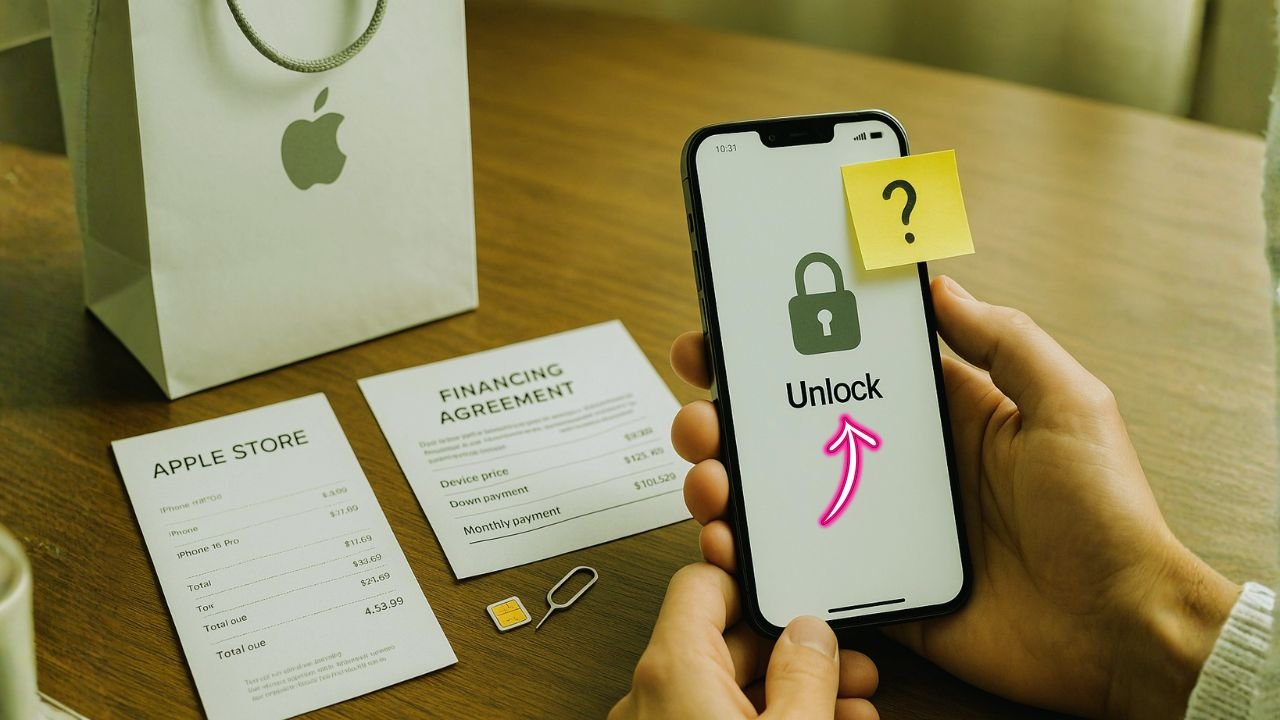
If you buy an iPhone at the Apple Store but put it on a carrier’s installment plan, can you unlock it later (or right away)? Short answer: it depends on how you financed it and which carrier rules apply. In this guide, we’ll break down every common path—Apple Card Monthly Installments, Apple’s iPhone Upgrade Program, and carrier installment plans like AT&T, T-Mobile, Verizon, and UScellular—so you know exactly what to expect, how to check your lock status, and the cleanest way to unlock with no drama.
Key Takeaways
- Who financed you matters. Apple-financed iPhones (ACMI/IUP) are generally unlocked; AT&T Installment at Apple is locked to AT&T until AT&T rules are met.
- Each carrier has different unlock gates. AT&T needs $0 balance (plus time); Verizon auto-unlocks at 60 days; T-Mobile wants 40+ days and paid-off; UScellular is about 120 days in most cases.
- Unlocking doesn’t erase your bill. You still owe payments or could lose promo credits if you cancel early.
- Plan your purchase. If flexibility is the goal, buy SIM-free or use Apple’s financing—not a carrier installment.
The Basics: What “Locked” Means (and Why It Happens)
A carrier-locked iPhone only works with that carrier until you meet its unlock rules. Carriers lock phones to reduce fraud and to make sure promo credits (those “free iPhone” offers) stick around. Unlocking doesn’t remove financing or billing—if you still owe payments, you still owe them. Unlocking simply lets you use other carriers’ SIMs/eSIMs at home or abroad.
You can check your iPhone’s status at Settings → General → About → Carrier Lock. If it says “No SIM restrictions,” the phone is already unlocked. Apple documents this wording in its support pages.
📖 Also Read: Military Phone Unlock: How to Use Deployment Unlock Policy & Carrier Exceptions (AT&T, Verizon, T-Mobile, UScellular)
How the Way You Paid Changes the Rules
1) Apple financing (ACMI) or Apple’s iPhone Upgrade Program
When you finance directly with Apple—either Apple Card Monthly Installments (ACMI) or the iPhone Upgrade Program—the hardware you walk out with is an unlocked iPhone in almost all cases. You may still choose a carrier for activation, but the device itself isn’t carrier-locked. Apple’s shopping help says the only exception is when you choose AT&T Installment Plans at Apple—those units are locked to AT&T.
Translation: If you want an unlocked iPhone but also want monthly payments, use ACMI or Apple’s Upgrade Program, not a carrier installment at checkout. Apple’s own iPhone Upgrade Program terms describe how the program works; it finances through Apple (with AppleCare+), not a carrier lock.
2) Carrier installment plan (chosen at Apple or at the carrier store)
If you pick AT&T Installment in the Apple Store checkout, your iPhone is an AT&T-locked model until you meet AT&T’s unlock rules. Apple says this plainly on the iPhone product pages and shopping help.
If you finance on T-Mobile or Verizon at their stores (or via Apple’s carrier-connected deals that tie directly to those carriers), your unlock timing follows that carrier’s policy.
Carrier-by-Carrier Unlock Rules (2025 snapshot)
Policies change, but here’s the current gist with official sources to verify.
AT&T
- Must be paid off (installment balance $0) before they’ll unlock.
- Postpaid lines usually need 60+ days since purchase and an account in good standing.
- Device must not be lost/stolen or flagged for fraud.
AT&T’s policy page lists these requirements.
What this means if you financed at Apple with AT&T Installment: Even though you “bought from Apple,” AT&T’s rules control the lock. You’ll have to pay off the phone (or early payoff) before AT&T approves an unlock.
Verizon
Phones are locked for 60 days after activation; then Verizon automatically unlocks as long as the phone isn’t flagged for fraud/loss. Financing alone doesn’t block the unlock after day 60.
Note: In mid-2025 Verizon asked the FCC to loosen the 60-day rule; for now, the 60-day auto-unlock remains the stated policy.
T-Mobile
- Postpaid: generally requires 40+ days of active service and the device paid in full.
- Prepaid: typically 365 days since activation (or $100 in refills if under a year, with limits).
- When eligible, T-Mobile says it will auto-unlock within two business days if remote unlock is supported.
UScellular
Most modern devices unlock after ~120 days of active service; the phone must be in good standing and not flagged. (UScellular’s legal page outlines the policy; third-party support summaries also reflect the 120-day norm.)
📖 Also Read: Enterprise & Corporate Lines: How Phone Unlocking Works on Business Accounts
Big-picture rule of thumb (FCC)
The FCC’s consumer guide emphasizes that carriers must provide unlocks within reasonable timelines, with modern rules targeting no later than 60 days for many providers (or otherwise consistent, reasonable windows). It’s a good baseline if you need leverage.
Common Scenarios (and Exactly What to Do)
Scenario A: “I bought at Apple with AT&T Installment. Can I unlock now?”
Not until the AT&T installment is paid off and the line has met AT&T’s time and good-standing requirements. Use AT&T’s official unlock portal once your installment balance = $0.
Steps
- Check your installment balance in your AT&T account; consider an early payoff if you need the unlock sooner.
- Make sure the phone is at least 60 days old on AT&T and the account is current.
- Submit an unlock request via AT&T’s site; watch for the confirmation email and complete the final steps.
Scenario B: “I financed with Apple Card (ACMI) but activated on T-Mobile/Verizon. Am I locked?”
No—that device is generally unlocked because you financed through Apple, not the carrier. (Exception: if you explicitly chose AT&T Installment during Apple checkout, you’re locked to AT&T.)
Steps
- Go to Settings → General → About and confirm “No SIM restrictions.”
- If a new eSIM fails to activate on another carrier, ask Apple to re-push the unlock status (rare, but happens after number transfers).
Scenario C: “I took a Verizon promo with bill credits and I’m still paying. Can I unlock?”
Usually yes after 60 days. Verizon auto-unlocks after the 60-day window even if you’re still on device payments, as long as the phone isn’t flagged and your line is active. Unlocking won’t cancel your promo credits, but canceling service early can claw back credits.
Steps
- Wait the 60-day post-activation period.
- Power-cycle and insert a non-Verizon SIM/eSIM. If it still shows locked, contact Verizon to push the unlock.
📖 Also Read: How to Unlock an iPad/iPad Pro Cellular Model (AT&T, Verizon, T-Mobile, MVNOs)
Scenario D: “I used T-Mobile EIP (installment). Can I unlock before payoff?”
For T-Mobile postpaid, you need 40+ days on T-Mobile and the device paid in full to qualify. Once eligible, T-Mobile will auto-unlock within two business days, or you can use the Device Unlock flow.
Steps
- Confirm you’ve crossed day 40.
- Pay off the EIP if not already.
- Trigger unlock in the T-Mobile account or wait for the auto-unlock.
Scenario E: “I’m on UScellular and traveling soon.”
Plan around the ~120-day window. If you’re postpaid and fully paid, call support to request an earlier unlock if available to you; otherwise, wait for the automatic unlock at about 120 days.
Why “Bought at Apple” ≠ “Unlocked” (When You Chose a Carrier Plan)
Apple sells three broad “flavors” at checkout:
- SIM-free / Unlocked – No carrier tie.
- Apple financing (ACMI / iPhone Upgrade Program) – Unlocked hardware, even though you pick a carrier for activation.
- Carrier installment at Apple – The device follows the carrier’s lock. Apple explicitly flags AT&T Installment as a locked purchase.
If you want flexibility for travel or quick carrier switches, choose SIM-free or Apple’s financing routes, not carrier installments.
Installment Plans vs Unlocking: Extra Myths to Ignore
- “Unlocking cancels my promo credits.”
Unlocking is separate from billing. On Verizon, for example, unlock occurs after 60 days regardless of financing. Credits only stop if you cancel service or break promo terms. - “Carrier must unlock as soon as I pay it off.”
Many carriers still require a time window (e.g., AT&T: 60+ days, good standing). Paying off is necessary at AT&T, but not always sufficient. - “Phones from Apple are always unlocked.”
Not if you select a carrier installment at checkout; Apple calls out AT&T Installment as locked.
Clean, Legal Paths to Unlock (Step-by-Step)
- Confirm lock status
Settings → General → About → Carrier Lock. Look for “No SIM restrictions.” - Map the right rule
- Make the account spotless Clear past-due balances; ensure there’s no fraud/lost/stolen flag. (All carriers require this.)
- Request the unlock (if it’s not automatic)
- Finish the process
Insert a different carrier’s SIM/eSIM. If you see an error, contact the original carrier to re-push the unlock or Apple to refresh activation (rare, but it happens after number transfers). Apple’s unlock article also walks through general steps.
Special Cases You Should Know
- Military deployment unlocks
Major carriers have early-unlock or account-hold options for deployed service members. Check your carrier’s military policy or bring orders when you request an exception. (AT&T/T-Mobile/Verizon list military exceptions on their policy pages.) - Insurance/claim replacements
Replacement IMEIs may not inherit the unlock flag immediately. Keep your claim paperwork; ask the carrier to add the new IMEI to your line and unlock record. - eSIM-only iPhones
Newer models lean into eSIM. Unlocked status still works the same; you’ll just add eSIMs instead of swapping physical cards. (Apple’s lineup and carrier deal pages highlight this trend.) - Switching while still getting bill credits
You can be unlocked and still stay on your original line to keep credits. If you cancel the line, those promo credits usually stop and clawbacks may apply—read your promo’s fine print.
Troubleshooting: “I Met the Rules, But It’s Still Locked”
- It’s been the required time, but nothing happened.
- Verizon: Past day 60? Power-cycle with a different SIM; if still locked, ask support to manually push unlock.
- T-Mobile: Eligible and paid off? Use the Device Unlock option; auto-unlock should occur within two business days on supported models.
- AT&T: Double-check your installment balance = $0 and submit via the unlock portal; watch for the email link to confirm your request.
- UScellular: If you’re postpaid and fully paid with no flags, ask for an early unlock; otherwise, you’ll likely wait ~120 days.
- New SIM shows “SIM Not Supported.”
This is the classic lock message. Go back to the original carrier, confirm IMEI on the line, and request a status refresh. If you recently swapped phones, ask them to update the IMEI tied to your number. - iMessage/FaceTime not activating on new carrier.
Turn iMessage/FaceTime off and on, and make sure your new carrier line is selected in Send & Receive. Activation can take a few hours.
Strategy: How to Buy Today If Unlocking Flexibility Matters
- Best option for an unlocked phone with payments:
Choose SIM-free or Apple financing (ACMI / iPhone Upgrade Program) from Apple. Avoid AT&T Installment at Apple if you want an unlocked device right away. Apple explicitly states that AT&T Installment purchases are locked to AT&T. - If you need a huge carrier promo (trade-in credits):
Read the lock policy first. For example, Verizon will unlock after 60 days automatically (even with financing), while AT&T requires the phone to be paid off before it will unlock. T-Mobile requires 40+ days and paid in full. Pick the promo that matches your travel/switch needs. - Traveling soon?
Don’t assume you’ll be unlocked in time. If your trip is within a month, buy SIM-free or Apple financing so you can add an eSIM for the country you’re visiting on day one.
FAQs
Q1) If I’m still making payments, can my carrier refuse to unlock?
AT&T can (requires paid-off). T-Mobile also requires paid in full for postpaid unlocks. Verizon will unlock after 60 days even if you’re still paying (as long as the phone isn’t flagged).
Q2) I financed at Apple with Apple Card, picked T-Mobile for activation, and my iPhone says “No SIM restrictions.” Is that normal?
Yes. Apple financing generally yields unlocked hardware. If you had chosen AT&T Installment at Apple, it would be locked.
Q3) Will unlocking cancel my monthly promo credits?
No. Unlocking is independent of billing. But canceling the line early usually stops credits and may trigger clawbacks. (Check your carrier’s promo terms.) Verizon still auto-unlocks after 60 days regardless of financing status.
Q4) Can the FCC help me if a carrier delays?
The FCC’s consumer guidance sets expectations for reasonable unlock timelines (and specific rules for some carriers). If you’ve met all requirements and get nowhere, you can file a complaint.
Q5) Does eSIM change anything about unlocking?
No—the lock is about carrier authorization, not the SIM format. Unlocked phones can hold multiple eSIMs and switch easily.
How to Phrase Your Unlock Request (Template)
“Hi, I’m requesting an IMEI unlock for my iPhone on [carrier]. The device is fully paid (installment balance $0), active for [X] days, and the account is in good standing. IMEI: [IMEI]. Please confirm unlock and push an OTA update if needed.”
Attach a screenshot of your installment balance = $0 (if applicable). For Verizon past day 60, ask for a manual unlock push if it hasn’t triggered.
Final Checklist
- Want unlocked now with monthly payments? → ACMI or iPhone Upgrade Program at Apple. (Avoid AT&T Installment at Apple if you need instant unlock.)
- On AT&T Installment? → Pay it off, wait the time window, then request.
- On Verizon? → Wait 60 days; unlock should be automatic.
- On T-Mobile? → 40+ days and paid-off, then auto-unlock within two business days or use the unlock flow.
- On UScellular? → Plan for ~120 days; call if you qualify for an earlier unlock.


