

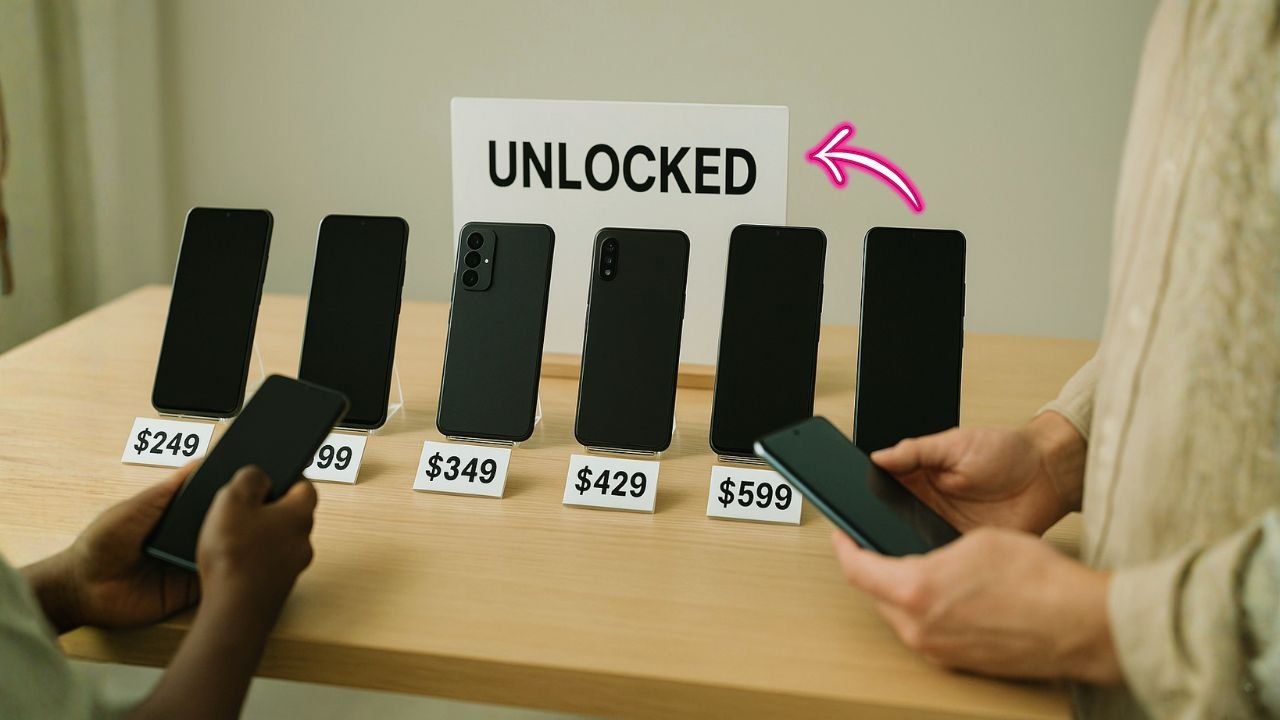
Shopping for unlocked phones for sale can feel confusing at first. There are lots of models, many price points, and different sellers claiming their devices will “work on any network.” The good news: once you know a few basics—what “unlocked” really means, how to check compatibility, where to buy safely—you can save money, switch carriers freely, and keep your phone longer.
This guide walks you through everything in plain language. You’ll learn where to find good deals, how to verify a phone is truly unlocked, what to check before you pay, and how to set it up with a physical SIM or eSIM. We’ll also cover battery health, return policies, and a simple checklist you can keep open while you shop. If you’re hunting for factory-unlocked Android phones, a refurbished unlocked iPhone, or the best unlocked phones under $300, you’re in the right place.
Key Takeaways
- Unlocked ≠ guaranteed compatibility. Always match carrier bands and confirm VoLTE support.
- Proof beats promises. Ask for IMEI, lock-screen photos, or a quick SIM-swap video.
- Certified refurb saves money. Look for battery health standards, testing reports, and 90-day+ warranties.
- Dual SIM with eSIM is worth it. It simplifies travel and juggling work/personal lines.
- Return windows matter. Even great sellers miss defects sometimes; buy with easy returns.
What “Unlocked” Actually Means
An unlocked phone is not tied to any one carrier. You can insert a SIM from another carrier—or download an eSIM—and the phone should activate without a special code. The key word is should. Some phones are sold as unlocked but still have restrictions (for example, disabled features like Wi-Fi calling with certain networks, or a region lock that needs the first activation in a specific country).
Think of “unlocked” as two parts:
- Carrier freedom: The phone isn’t restricted to a single provider.
- Network compatibility: The phone has the right antennas and bands to talk to your carrier.
You need both. A phone can be “unlocked” and still perform poorly on your carrier if it’s missing important 4G/5G bands. That’s why compatibility checks matter (more on those shortly).
📖 Also Read: iPhone 12 Pro Max Unlocked: Complete Buyer’s & How-To Guide
Why People Buy Unlocked Phones
Lower monthly bills. When you buy an unlocked phone outright, you can shop for the cheapest plan—prepaid, postpaid, or a smaller carrier (MVNO). You’re not stuck paying high rates for two or three years just because of a device installment plan.
Easy switching. Not happy with coverage? Moving to a new city? Want a limited-time promo? Just switch. With an unlocked phone, you keep your device and bring your number.
Travel flexibility. For trips, you can add a low-cost local eSIM or a travel SIM. No waiting in line at a carrier store. No roaming bill shock later.
Better resale value. Unlocked phones are easier to sell and usually fetch a higher price because buyers can bring them to almost any carrier.
Who Should Buy Unlocked?
- Deal hunters who want the best plan prices and phone choices.
- Frequent travelers who need quick eSIM swaps.
- Parents and students who want budget options and flexible plans.
- Anyone who hates contracts and wants full control over their phone and carrier.
Where to Find Unlocked Phones for Sale (Safely)
You’ll see unlocked phones at brand stores, online marketplaces, refurbishers, and local shops. Each option has pros and cons.
Direct from the manufacturer (Apple, Samsung, Google):
You’ll get genuine factory-unlocked phones with full warranty and easy returns. Prices are higher, but you gain peace of mind. Certified refurbished sections are also reliable, with batteries replaced or graded to clear standards.
Big box and electronics retailers:
These often sell new and certified refurbished unlocked phones. Look for clear return windows, a stated battery health standard, and whether the device is “open box,” “refurbished,” or “renewed.” Read the grading description; it explains expected wear.
Trusted refurbishers:
Good refurbishers replace batteries, screens (if needed), and run IMEI blacklist and activation lock checks. They should list what was tested and offer at least a 90-day warranty, ideally a full year.
Marketplaces (individual sellers):
You can find great prices, but you must do more homework. Always ask for the IMEI (to check blacklist/financing status), the battery health (for iPhone), and a photo of the Carrier Lock screen (on iPhone) or Network Unlock Status (on Android). Choose sellers with many positive reviews and a clear return policy.
Local phone repair or resell shops:
Convenient for same-day pickup and hands-on testing. Ask to insert your SIM in-store, make a call, and run a quick speed test. Confirm their returns and warranty in writing.
📖 Also Read: iPhone 13 Pro Max Unlocked: The Complete 2025 Buyer’s Guide
How to Prove a Phone Is Really Unlocked
On iPhone (fast check):
Go to Settings > General > About and scroll to Carrier Lock. If you see “No SIM restrictions,” the phone is unlocked. If you see a carrier name or an “SIM locked” note, it is not fully unlocked yet.
On Android (typical check):
Open Settings > Connections > Mobile networks and look for Network operators. If you can search and select other networks, that’s a good sign. Some models also show SIM status or Network Lock under About phone > Status. Wording varies by brand.
The ultimate test:
Insert a SIM from a different carrier (or load an eSIM from another carrier). If calls, texts, and data work—and the phone shows the new carrier name—that’s a strong confirmation.
Ask for proof before you buy:
If you’re buying online, request a short video: the seller inserts another carrier’s SIM, the phone shows the new network, and it places a quick call.
Network Compatibility: Make Sure It Works on Your Carrier
Being “unlocked” is not enough. Your phone must support your carrier’s key 4G/5G bands. If it’s missing them, you may get slow data or poor coverage. Keep it simple:
- AT&T / Cricket / many AT&T-based MVNOs: Phones need solid LTE bands (like 12/17, 2, 4, 5, 66) and support for VoLTE.
- T-Mobile / Metro / T-Mobile MVNOs: Phones that include mid-band 5G (often n41) and LTE bands 2, 4, 12, 66 usually do well.
- Verizon / Visible / Verizon MVNOs: Historically pickier. Look for phones on Verizon’s “Bring Your Own Device” whitelist with strong LTE (2, 4, 5, 13, 66) and VoLTE. Many modern unlocked phones now work fine, but it’s worth checking IMEI on the carrier’s BYOD page.
If you’re shopping international models, verify US LTE and 5G bands. Global phones sometimes miss a crucial US band. If you can, search “[model name] bands” and compare to your carrier’s main bands. When in doubt, pick the US/universal variant.
eSIM vs Physical SIM (and Dual SIM)
Physical SIM is a tiny card you slide into the phone.
eSIM is digital; you scan a QR or download a profile from the carrier.
Many newer phones support Dual SIM (one eSIM + one physical SIM, or two eSIMs), letting you run two lines at once (personal/work or domestic/travel). When buying, confirm whether the model supports Dual SIM Dual Standby (DSDS) and how many eSIM profiles it can store.
📖 Also Read: Buy iPhone 14 Pro Max Unlocked: How to Check, Activate, and Save on Service
New vs Used vs Refurbished vs Open Box
New:
Highest price, full manufacturer warranty, perfect condition.
Open box:
Customer returns with all parts. Usually excellent condition. Check if the battery is brand-new and confirm the warranty terms.
Refurbished / Renewed:
A used phone restored to good condition. Grading tells you the cosmetic state:
- Grade A / Excellent: Very minor signs of use.
- Grade B / Good: Small scratches or scuffs.
- Grade C / Fair: Noticeable wear; still fully functional.
For iPhones, ask for battery health percentage. Around 85–100% is common; under 80% may feel like frequent charging. For Android, battery health is not always shown in settings; ask what was replaced during refurbishing.
Used (private sale):
Best prices, but highest risk. You must verify IMEI, activation locks, and financing status. Insist on testing the SIM and making a call.
How Much Should You Pay? (Simple Value Guide)
Prices change all the time, but this rough guide helps you think in tiers:
- Under $200: Basic smartphones, older flagships, or mid-range models from a few years ago. Good for calls, social, light photos, and everyday apps.
- $200–$350: Best unlocked phones under $300 live here. You’ll find strong mid-range Android phones and a few older iPhones in good condition.
- $350–$600: Current mid-range and recent flagships at a discount. Great cameras and battery life become common.
- $600+: Newer flagships and high-end models. If you want the best camera, fastest processor, and long software support, you’ll usually land here.
Tip: If you care about long OS support, factory unlocked Android phones from Google and Samsung tend to get updates longer. iPhones also receive updates for many years, which makes refurbished unlocked iPhone models a solid value.
Red Flags and Safe-Buy Checklist
Blacklist risk:
Phones can be reported lost or stolen, or blocked due to unpaid bills. Use the IMEI to check blacklist status before you buy.
Activation locks:
On iPhone, make sure Activation Lock is off (the device must be removed from the previous owner’s Apple ID). On Android, check for Google account lock (FRP). If it asks for someone else’s account at setup, walk away.
Financing owed:
A phone can be technically “unlocked” but still tied to financing. If the previous owner stops paying, the carrier can blacklist it later. Ask for proof it’s fully paid.
No returns or ultra-short returns:
Legit sellers stand behind their devices. Look for at least 14–30 days and a clear warranty policy.
Vague descriptions:
If the listing doesn’t mention IMEI status, battery health (for iPhone), return policy, or whether it’s factory-unlocked, ask or avoid it.
Physical checks:
Look for bent frames, screen burn-in (on OLED), swollen back glass (battery bulge), or aftermarket parts that don’t sit flush.
Your Safe-Buy Checklist (quick scan):
- IMEI clear (not blacklisted).
- Not activation-locked (iCloud/Google).
- Fully paid off (no financing owed).
- Truly unlocked (test SIM or eSIM).
- Compatible with your carrier’s bands and VoLTE.
- Battery health acceptable (or replaced).
- Return window and warranty in writing.
- Original charger/cable listed (or plan to buy quality replacements).
Simple Steps: Set Up an Unlocked Phone with SIM or eSIM
- Back up your old phone (iCloud/Google).
- Insert your SIM or activate your eSIM using your carrier app or a QR code.
- Turn on the phone and complete the setup screens.
- Sign in to Apple ID or Google account.
- Carrier features should initialize automatically. If mobile data doesn’t work, continue.
- Check APN settings (especially on smaller carriers/MVNOs). You’ll find them under Cellular/Mobile Network > Access Point Names. If fields are blank, visit your carrier’s support page for APN details.
- Enable VoLTE/Wi-Fi Calling if your carrier supports them.
- Run a quick test: call, text, and browse the web.
- Update the OS to the latest version for bug fixes and security patches.
- Install essentials (banking, messaging, maps) and turn on Find My iPhone or Find My Device for safety.
Tips for Better Battery and Performance from Day One
- Update first, then give the phone a day to finish background indexing and app updates.
- Charge smart: keep it between roughly 20–80% when you can.
- Avoid extreme heat (hot cars, direct sun while charging).
- Turn off 5G temporarily if you’re in a weak 5G area and notice fast drain.
- Check permissions so apps don’t run constantly in the background.
Best Use Cases and Buying Angles (to Save More)
- Budget buyers: Look for last-year’s mid-range Android or the iPhone from two generations ago in Grade A/B refurbished. You’ll get great value without feeling slow.
- Camera lovers: Prioritize a recent flagship or a model known for computational photography. Unlocked lets you pick the best plan for lots of photo and cloud uploads.
- Business users: Dual SIM with eSIM keeps work and personal lines separate. Unlocked lets you change data plans when you travel.
- Kids and seniors: Unlocked gives you freedom to pick low-cost plans with limited data or unlimited talk and text.
- Frequent travelers: Choose phones with wide band support and eSIM. Load a local plan on arrival and keep your home number on standby.
Common Questions (Quick Answers)
Are unlocked phones legal?
Yes. Buying, selling, and using unlocked phones is legal. Carriers must unlock eligible phones on request once requirements are met.
Will an unlocked phone work with my carrier?
It should, if the phone supports your carrier’s bands and VoLTE. Always check the model number and IMEI on your carrier’s BYOD page.
What about 5G?
Most recent unlocked phones support 5G, but not all bands are equal. Mid-band 5G often offers the best balance of speed and range. If you care about top speeds, check your carrier’s key 5G bands and match them.
Is refurbished safe?
From reputable sellers—yes. Look for testing reports, battery replacement details, return window, and a clear warranty.
What’s better: eSIM or physical SIM?
Both work. eSIM is convenient for quick carrier swaps and travel. If you switch phones often, a physical SIM can be simpler to move around. Many phones support both.
How do I avoid buying a blacklisted phone?
Ask for the IMEI and check it before you pay. If a seller won’t share it, skip that listing.
Can I finance an unlocked phone?
Yes. Some retailers and manufacturers offer financing even for factory-unlocked devices. Just be sure you understand interest and fees.
Do unlocked phones get updates?
Yes. iPhones receive updates directly from Apple. Android updates depend on the brand; Google and Samsung are strongest on long support windows today.
What about Wi-Fi calling and visual voicemail?
Most unlocked phones support these features, but availability can vary by carrier. If they’re important to you, check your carrier’s feature list for your exact model.
Will a global model work in the United States?
Sometimes. Global phones may miss key US bands or lack certification on certain carriers. Verify before you buy.
A 3-Minute Pre-Purchase Routine
Here’s a quick flow you can follow for any listing:
- Scan the title and description for “factory unlocked,” model number, storage size, condition grade, and return policy.
- Ask for IMEI to check blacklist and financing.
- Confirm lock status (video proof, or iPhone “No SIM restrictions” photo).
- Check carrier bands for your network.
- Ask about battery health (iPhone) or whether the battery was replaced (Android refurb).
- Confirm the warranty (90 days or more is ideal).
- Place the order only when all answers are clear in writing.
After You Buy: Make It Yours
- Set a strong passcode and turn on biometrics (Face ID or fingerprint).
- Enable Find My and add recovery email/phone.
- Clean install: If you bought used or refurbished, consider a full factory reset before logging in.
- Customize notifications so only important apps disturb you.
- Set up backups (iCloud/Google Drive) on day one.
Troubleshooting: If Data or Calls Don’t Work
- Restart after inserting a SIM or activating eSIM.
- Toggle Airplane mode off/on to refresh the connection.
- Update APN settings from your carrier’s website.
- Check VoLTE and 5G toggles.
- Try another SIM (friend’s or a backup) to rule out a network issue.
- Carrier chat: Many smaller carriers can push APN or eSIM settings over the air.
Long-Tail Keyword Ideas to Target in Your Product Pages and Posts
As you build out content or store listings, naturally weave in phrases buyers search for:
- unlocked phones for sale near me
- best unlocked phones under $300
- refurbished unlocked iPhone with warranty
- factory unlocked Android phones 5G
- dual SIM unlocked phone with eSIM
- unlocked phone compatible with Verizon/AT&T/T-Mobile
- renewed unlocked phones free returns
- cheap unlocked phones for international travel
- unlocked phones for seniors with large screen
- student discount unlocked phones
Use them where they fit: headings, intro paragraphs, FAQs, and product descriptions. Keep the copy natural and helpful—search engines reward useful content.
TL;DR (One Short Paragraph)
Unlocked phones for sale give you freedom to choose any carrier, cut your monthly bill, and travel with eSIMs. Before paying, verify the IMEI, make sure it’s truly unlocked, check for activation locks, and confirm carrier bands (especially for 5G and VoLTE). Buy from sellers with clear warranties and returns, test your SIM right away, and keep a copy of the listing. Do this, and you’ll get better value, fewer surprises, and a phone you can keep for years.


