

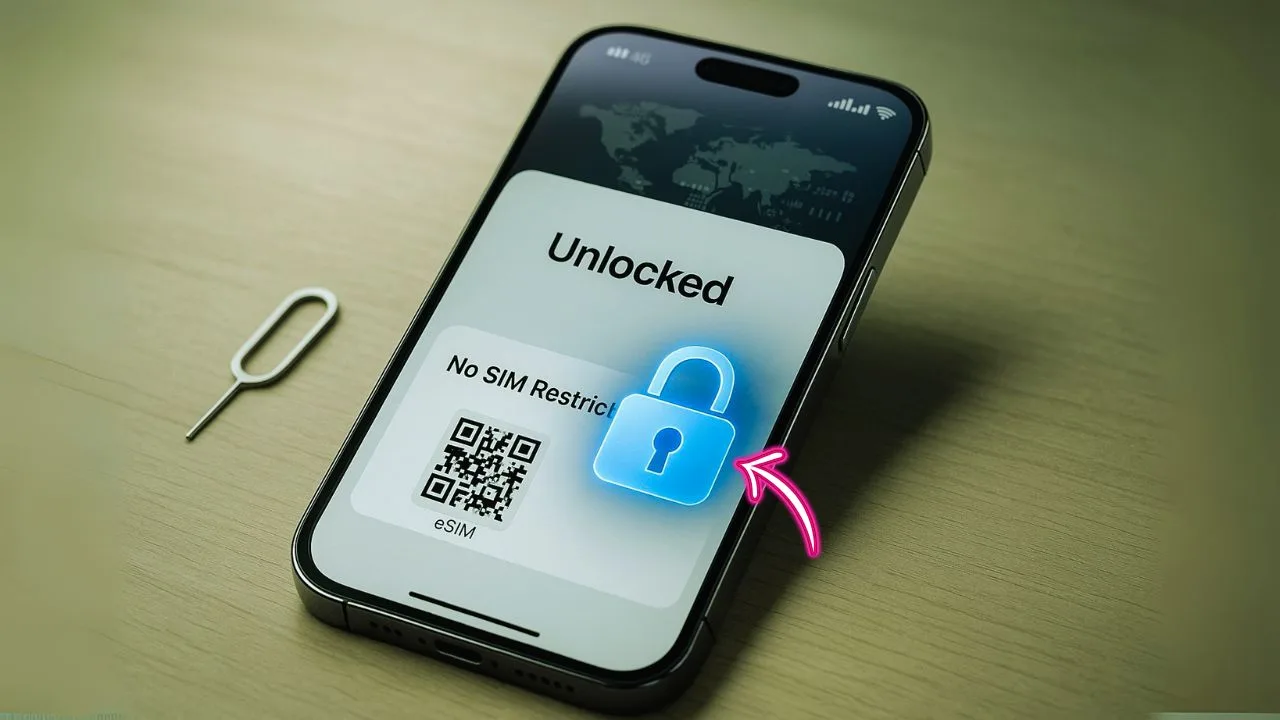
If you want an iPhone 14 Pro Max unlocked—for local carriers, travel eSIMs, or better resale value—this guide walks you through everything in simple steps. You’ll learn what “unlocked” really means, how to check your phone’s lock status, how to unlock a carrier-locked device the right way, where to buy safely, how to activate with eSIM, and how to fix common setup problems without stress. The goal is clear, practical help you can use today.
Key Takeaways
- You can buy an unlocked iPhone 14 Pro Max (256GB, Space Black) on Amazon as a Renewed/Renewed Premium deal with free delivery, making it a convenient option if you want fast shipping and easy returns.
- Apple’s Certified Refurbished units are often the safest refurb route—you typically save up to ~15%, get a full 1-year Apple warranty, a brand-new battery and outer shell, plus free delivery and returns direct from Apple.
- Gazelle frequently lists unlocked iPhone 14 Pro Max models in the mid-$500s (e.g., $534.99), giving you a low-entry price from a well-known refurb seller with standard shipping options. Pricing varies by condition and inventory.
- Best Buy carries pre-owned “Excellent” condition unlocked iPhone 14 Pro Max devices (including Space Black), so you can buy from a major retailer and sometimes pick up in store—useful if you prefer retailer-backed grading and support.
- Back Market is a high-volume marketplace for unlocked, refurbished 14 Pro Max units—often advertising up to 70% off vs. new, with free shipping, 30-day returns, and a 1-year warranty; condition grading notes (e.g., “almost no signs of wear” or “light micro-scratches”) help set expectations.
📖 Also Read: Unlocked iPhone: The Clear, Practical Guide for Everyday Buyers (2025)
What “Unlocked” Really Means (and What It Doesn’t)
An unlocked iPhone 14 Pro Max isn’t tied to one carrier. You can put any compatible SIM or activate any supported eSIM and the phone will work once it matches local network bands and service is active. You can move between carriers, pick cheaper plans, and use local data when you travel.
Unlocked does not mean:
- It bypasses Apple’s security. If Activation Lock (Find My) is on, you still need the owner’s Apple ID to use the phone after a reset.
- It will always work everywhere. You still need a carrier or eSIM that supports your model’s radio bands and features.
- It’s jailbroken or modified. A factory-unlocked iPhone is normal Apple software, just not carrier-restricted.
Good to know about the 14 series: In the United States, the iPhone 14 family ships without a physical SIM tray. It is eSIM-only. In many other countries, the 14 Pro Max supports both eSIM and a physical nano-SIM (plus dual eSIM). If your phone is a U.S. model, plan on activating service with eSIM every time.
Why People Choose an Unlocked iPhone 14 Pro Max
Flexibility and freedom. You can switch carriers for better prices or coverage without waiting for a lock period to end.
Travel made simple. Add a low-cost travel eSIM for data abroad while keeping your main number active on another eSIM. No line swaps at the store, and no long contracts.
Better resale value. “Unlocked” is a strong keyword for buyers because it saves them time and risk.
Avoid bloat and restrictions. Unlocked devices skip some carrier-specific apps and settings, and updates are often more direct.
📖 Also Read: How to Unlock an iPhone Without a Password
How to Check if Your iPhone 14 Pro Max Is Unlocked
You don’t need any special tools. Just use Settings.
- Open Settings → General → About.
- Scroll to Carrier Lock (or Network Provider Lock on newer iOS).
- If it says “No SIM restrictions,” your phone is unlocked.
- If you see a carrier name or “SIM locked,” it’s locked and must be unlocked by that carrier.
If you still aren’t sure, try adding a line from a different carrier or scan a test eSIM. If it fails with a lock message, you’ll need to request an unlock from the original carrier.
Carrier-Locked vs Activation Lock (Don’t Mix These Up)
- Carrier lock: A billing/network restriction that keeps your phone on one carrier. Carriers can remove it if you meet their rules.
- Activation Lock (Find My): A security feature tied to an Apple ID. Only the original owner can remove it by signing out of their account or removing the phone from their iCloud devices list.
A phone can be carrier-unlocked but still Activation-Locked—and unusable to you after a reset. Always check both.
How to Unlock a Carrier-Locked iPhone 14 Pro Max (Legit Steps)
Each carrier has its own rules, but the pattern is similar:
1) Meet basic requirements.
- The device is paid off (or you’ve completed the required active days on prepaid).
- The account is in good standing (no fraud flags or past-due balances).
- The device hasn’t been reported lost or stolen.
2) Request the unlock from the original carrier.
- Postpaid lines often unlock automatically once you qualify, but you can contact support to confirm.
- Prepaid lines usually require manual requests plus proof you’ve met the usage days.
3) Wait for confirmation, then activate.
- With eSIM, you’ll either see the lock disappear in Settings or you’ll be able to add a new eSIM from another carrier.
- If you restored the phone, you might see the unlock complete during setup.
Pro tip: If you bought the phone used and it’s still locked, ask the seller for the original carrier and account status. If the phone has an unpaid balance or a lost/stolen report, official unlock won’t go through. Walk away from those deals.
Buying an Unlocked iPhone 14 Pro Max: New, Refurbished, or Used?
You have three common paths: new factory-unlocked, certified refurbished, or private-party used.
Factory-unlocked (new).
Best for peace of mind. You get Apple warranty (region rules vary), reliable battery health, and a clean history. In the U.S., this will be eSIM-only.
Certified refurbished.
A strong value if it includes a warranty, battery health standard, and return window. Look for clear testing steps and a charger policy. Read battery health minimums—ideally 90%+ for premium refurbs, but policies vary.
Used (private-party).
Cheapest—also riskiest. Always check:
- Activation Lock: Have the seller remove the device from their Apple ID on the spot.
- Carrier Lock: Verify “No SIM restrictions” in Settings → About.
- IMEI status: Use a reputable IMEI checker to confirm it’s not reported lost or blocked.
- Model region: If you need a physical SIM, avoid a U.S. model (eSIM-only).
- Battery health: On the phone, Settings → Battery → Battery Health & Charging. Lower health means shorter life and possible throttling.
📖 Also Read: Simple Ways To Activate A New Phone Without A SIM Card
Will an Unlocked iPhone 14 Pro Max Work on My Carrier?
Usually yes, but you still need compatible bands and supported features (VoLTE, Wi-Fi Calling, 5G bands). Most major carriers support the 14 Pro Max very well. Smaller carriers and MVNOs often piggyback on big networks and also work fine.
Coverage still matters. An unlocked phone can still struggle if your carrier lacks good coverage in your area. Check a carrier’s map, read local reviews, and try a month-to-month plan before committing.
eSIM on the iPhone 14 Pro Max: What to Expect
The 14 series is the first iPhone generation where U.S. models removed the SIM tray entirely. The good news is eSIM is fast:
- You can add a plan by scanning a QR code, using a carrier app, or tapping “Convert to eSIM” if you’re moving from a physical SIM on a compatible model.
- You can store multiple eSIM profiles and switch between them in Settings, though only a certain number can be active at once (model/region dependent).
- For travel, buy a prepaid eSIM online, scan the QR, and turn it on when you land.
Tip: Before you switch carriers or travel, take screenshots of your current eSIM details and keep your carrier’s support contact handy, just in case you need to re-provision.
Step-by-Step: Set Up an Unlocked iPhone 14 Pro Max with eSIM
- Connect to Wi-Fi first. eSIM activation needs internet.
- On the iPhone, go to Settings → Cellular → Add eSIM.
- Choose Use QR Code or Use Carrier App.
- Follow the prompts. Your plan downloads and activates in a minute or two.
- Name the line (e.g., “Primary,” “Travel”).
- If you have two lines, set which one handles voice, data, and iMessage/FaceTime by default.
- Test calls and data.
If data doesn’t load right away, toggle Airplane Mode for five seconds, then turn it off. If texts fail, toggle iMessage off and on in Settings → Messages, then wait a few minutes.
Dual-Line Life: Using Personal + Travel or Work + Personal
The iPhone 14 Pro Max handles Dual SIM via eSIM smoothly. A few tips:
- Data line vs. voice line: Pick one eSIM for data and one for calls, or keep both active and switch on the fly.
- Roaming control: For travel, keep your home line on for text and calls, but switch data to the travel eSIM to avoid roaming fees.
- Contact labels: Give each line a clear label so you always know which number you’re using.
Common Problems (and Easy Fixes)
“SIM Not Supported” or “eSIM Can’t Be Activated.”
- Double-check Carrier Lock status in Settings → About.
- Make sure you’re scanning the right QR for your phone number and plan.
- If you restored from another phone, ask the carrier to re-provision the eSIM.
- Toggle Airplane Mode or restart your phone after activation.
No data or slow data after switching carriers.
- Turn Cellular Data off and on.
- Reset Network Settings (Settings → General → Transfer or Reset → Reset → Reset Network Settings). This also clears Wi-Fi passwords.
- Verify your plan is active and paid. If needed, remove and re-add the eSIM from the carrier app.
Can’t receive texts after moving your number.
- Turn iMessage and FaceTime off, wait 30 seconds, and turn them back on.
- Make sure your line is set for iMessage and FaceTime in their settings pages.
Activation Lock after a factory reset.
- Only the previous owner can remove it. Ask them to sign out on the phone or remove it from their iCloud devices list at iCloud.com. Don’t buy unless this is cleared.
Should You Pay for a Third-Party Unlock?
For modern iPhones, the only reliable and safe unlock is the official carrier unlock. Third-party “instant unlock” services often rely on methods that are blocked, temporary, or risky. You could lose money and still end up locked. If a phone is flagged lost/stolen or has unpaid debt, third-party services won’t fix that in a legitimate way.
Stick to official channels:
- Ask the original carrier to unlock once you qualify.
- If you’re buying used, buy it already unlocked and verify in Settings on the spot.
Smart Shopping Checklist for “iPhone 14 Pro Max Unlocked”
When you’re about to buy, do these quick checks in person if possible:
- Open Settings → General → About → confirm “No SIM restrictions.”
- Confirm Activation Lock is off: Settings → [your name] → Find My → Find My iPhone off, or have the seller erase and set up to the Hello screen with no Apple ID prompt.
- Check Battery Health. Stronger is better; remember batteries are wear items.
- Confirm Model Region (U.S. model = eSIM-only). If you need a physical SIM, avoid U.S. models.
- Inspect for damage, camera haze, display burn, and test speakers, mic, and Face ID.
For online purchases, use sellers with clear return windows, warranties, and written proof the phone is unlocked.
How to Move from a Physical SIM Phone to Your eSIM-Only iPhone 14 Pro Max
If your old phone uses a physical SIM and your new 14 Pro Max is a U.S. eSIM-only model:
- Install your carrier’s app or contact support to convert your line to eSIM. Many carriers give a “Transfer to eSIM” button in their app.
- On your new iPhone, go to Settings → Cellular → Add eSIM and follow the flow.
- Leave both phones on and nearby during transfer.
- After the new eSIM is active, your old physical SIM will go inactive. Test calls and data.
Using an Unlocked iPhone 14 Pro Max for International Travel
- Buy a travel eSIM before you fly or at the airport. You can usually choose data-only plans by country or region.
- Keep your home eSIM active for texts and calls (or voicemail), but turn off data roaming on it.
- Set Default Data Line to the travel eSIM in Settings → Cellular.
- When you return, switch your Default Data Line back to your home plan and disable the travel eSIM.
Performance, Cameras, and Battery on an Unlocked Phone
Unlock status has zero effect on the A16 chip, ProMotion display, or the triple-camera system. An unlocked iPhone 14 Pro Max performs exactly like a locked one. Battery life depends on health, settings, and coverage—not on whether the phone is unlocked. Keep your iOS updated and use Optimized Battery Charging for best long-term results.
Safety, Warranty, and Returns
- Warranty follows Apple’s regional rules and the device’s original purchase region. If you buy refurbished, check the seller warranty too.
- Keep your receipt and any unlock confirmation emails.
- Use a case and screen protector—Pro Max glass is tough but not invincible.
FAQs: Quick Answers People Ask Before Buying
1) Can the iPhone 14 Pro Max be unlocked?
Yes. You can buy it factory-unlocked, or you can ask the original carrier to remove the carrier lock once eligibility is met. To check status on the phone: Settings → General → About → Carrier Lock (or Network Provider Lock); if it says “No SIM restrictions,” it’s unlocked. Note: U.S. models are eSIM-only, which doesn’t affect unlock status but does change how you activate service.
2) How much can I get for an unlocked iPhone 14 Pro Max?
Resale depends on storage, battery health, condition, and accessories. As reference points, major refurb sellers list unlocked 14 Pro Max units roughly in the mid-$500s and up, and Apple’s Certified Refurbished pricing sits higher due to its new battery/shell and 1-year warranty. Expect private-party sale prices to land between those ranges depending on condition and storage.
3) Why is the iPhone 14 Pro Max not sold anymore?
Apple discontinues prior-year Pro models when new Pros launch. The 14 Pro Max was discontinued on September 12, 2023 alongside the iPhone 15 Pro line announcement.
4) Are iPhone 14 Pro Max still sold?
Apple no longer sells it new, but you can still buy it refurbished from Apple (with a 1-year warranty, new battery and outer shell) and from reputable refurb marketplaces/retailers. Inventory varies by storage and color.
5) What are common problems with the 14 Pro Max?
Most issues are routine for any flagship over time: eSIM activation/provisioning hiccups when switching carriers, occasional network or iMessage/FaceTime activation delays after plan changes, normal battery-health wear after heavy use, and the usual risks of cosmetic wear or accidental damage. These are typically solved with carrier re-provisioning, network-settings reset, and standard iOS troubleshooting; none are unique deal-breakers for the model.
6) What year will the iPhone 14 Pro Max stop working?
There’s no “off” date. Two timelines matter:
- Software support: Based on Apple’s historical cadence, the 14 Pro Max is expected to receive iOS updates into ~2029, after which it should still work but won’t get major new iOS versions.
- Hardware lifespan: With a healthy battery replacement and normal care, hardware commonly outlives software support—apps and services will gradually drop support years later, not all at once.
The Bottom Line
If you want choice, savings, and easy travel, an unlocked iPhone 14 Pro Max is the way to go. Verify “No SIM restrictions” in Settings, make sure Activation Lock is off, and plan for eSIM activation—especially on U.S. models. Buy from trustworthy sources with clear return policies, and you’ll enjoy a powerful phone that can follow you to the best plan, at home or abroad.


