

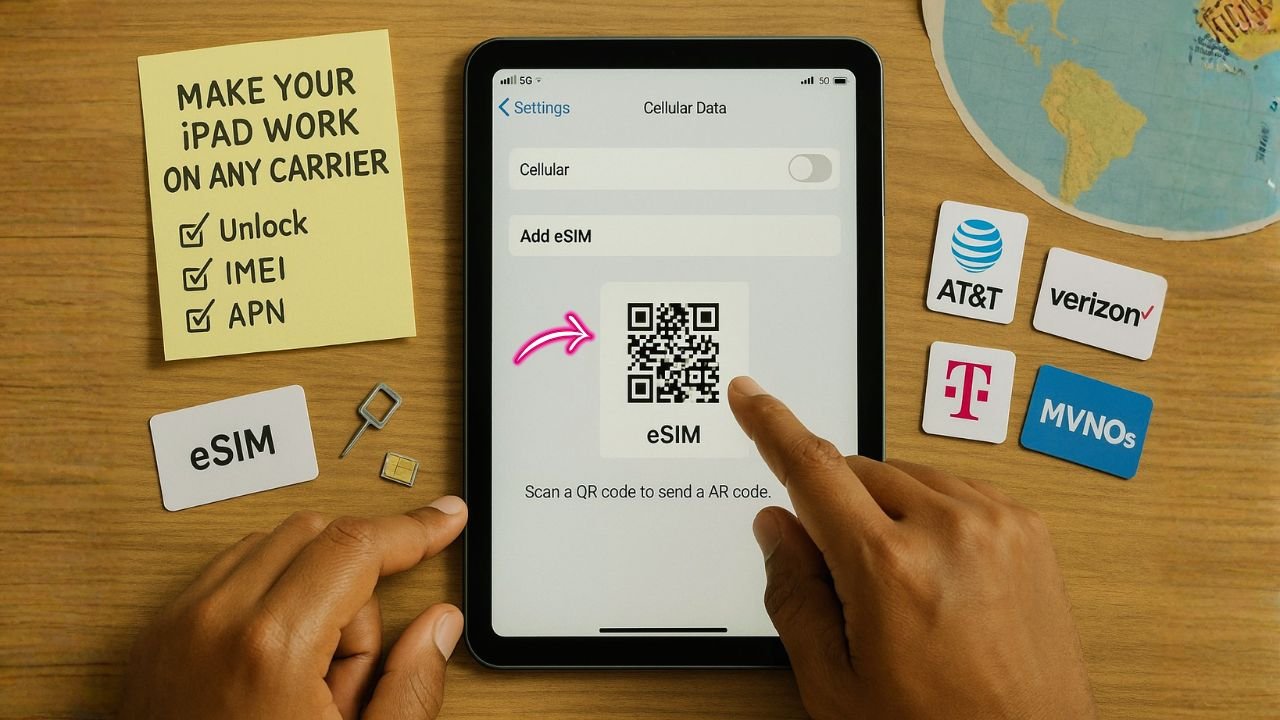
Got an iPad or iPad Pro with cellular and a carrier name stuck in the settings? You just want it to work anywhere—on a local data SIM, an eSIM for travel, or that affordable MVNO plan your friend keeps raving about. The process isn’t mysterious, but the rules do vary by carrier. Here’s the thing: once the carrier’s conditions are met, the “carrier hold” can be lifted and your tablet becomes way more flexible.
Honestly, most of the headaches come from not knowing the specific timeline or proof each company wants. So let’s map it out, step by step, with plain talk, quick checks, and a couple of tiny gotchas called out before they trip you up.
What “locked” means on iPad (and what it doesn’t)
When an iPad is carrier-locked, it’s restricted to one network (for example, bought from AT&T and can’t use Verizon or T-Mobile until it’s unlocked). Unlocking removes that restriction so you can use any compatible SIM or eSIM.
There are a few different “locks,” and mixing them up causes headaches:
- Carrier lock (network lock): Controls which carriers you can use. This is what you’re unlocking in this guide.
- Activation Lock (iCloud): Apple’s anti-theft lock tied to the owner’s Apple ID. It has nothing to do with carrier service and must be removed by the owner or with Apple’s help and proof of purchase. Don’t buy a used iPad that still shows Activation Lock during setup.
- SIM PIN/PUK: A security code on the SIM/eSIM itself. If you enter the SIM PIN wrong too many times, you’ll be asked for a PUK code from your carrier. This isn’t a carrier unlock; it simply restores access to the SIM.
📖 Also Read: Samsung Region Lock vs Carrier Lock: How to Use Your Galaxy Abroad
How to check if your iPad is locked
The simplest test is to try a SIM/eSIM from another carrier. If you see “SIM not supported” or “Invalid SIM,” it’s locked. Apple also provides a quick software check similar to iPhone: go to Settings > General > About and look at Carrier Lock / Network Provider Lock. If you see “No SIM restrictions,” the device is unlocked. (Wording varies slightly by iPadOS region.)
If you still aren’t sure—especially on older models—your carrier can confirm the lock status by IMEI.
iPad vs. iPhone: what’s different?
Functionally, the unlock process is similar. You request the unlock from the carrier that originally sold or locked the device, meet their eligibility rules, and the carrier flips a switch on Apple’s servers. iPad supports eSIM widely, so after unlocking you can add plans via Carrier Activation, QR code, Find a new plan in Settings, or a carrier app—handy for travel or switching to an MVNO without visiting a store.
📖 Also Read: Best Buy Unlocked Phones
U.S. carrier unlock rules for iPad (2025 snapshot)
Carrier policies evolve, but here’s where things stand now for tablets and iPads on the Big Three. Always match your situation (postpaid vs. prepaid, paid-off vs. financed).
AT&T
AT&T publishes clear criteria and now highlights that eligible Apple devices on AT&T Wireless may unlock automatically once requirements are met. Core points: device purchased 60+ days ago, paid in full (no installment balance), not reported lost/stolen, and the account can’t be past due. AT&T Prepaid still requires six months of paid service. You can also submit a manual request on their unlock portal if it hasn’t auto-unlocked.
What this means for iPad: If you bought an iPad from AT&T on installment, pay it off first. If it’s prepaid, expect the six-month rule. Once eligible, it may unlock automatically—or you can request it.
Verizon
Verizon’s rule is simple: devices are locked for 60 days after purchase/activation. After that, Verizon automatically removes the lock as long as the device isn’t flagged as lost, stolen, or fraudulent. This policy applies to phones and generally to tablets sold by Verizon as well.
What this means for iPad: Keep active service for 60 days after purchase, then it should unlock without you doing anything. If it didn’t, contact Verizon support and reference their published policy.
Note: In 2025, Verizon asked the FCC to loosen the 60-day unlocking rule. That debate doesn’t change today’s published rule; as of now, Verizon still auto-unlocks after 60 days.
T-Mobile
T-Mobile automatically and remotely unlocks eligible devices within two business days once they meet the criteria (time on network, account in good standing, etc.). If your device doesn’t support remote unlock, they provide instructions. You can check status in your T-Mobile account.
What this means for iPad: If your iPad was sold by T-Mobile, keep it active long enough to meet their eligibility window (varies by account type). Once eligible, expect an automatic unlock.
MVNOs (Visible / TracFone and others)
Visible (Verizon MVNO): Visible aligns to a 60-day lock, with automatic unlock after 60 days of paid service and ordinary usage for devices purchased from Visible.
TracFone family (Straight Talk, Total, etc.): Use their centralized portal to check/submit unlocks; policies depend on brand and device age.
General rule of thumb: Most MVNOs mirror the host network’s timing (often ~60 days for Verizon-based and a set active-use period for others), with the device needing to be paid off and not flagged for fraud.
📖 Also Read: How to Use the Device Unlock App for T-Mobile & MetroPCS
Carrier timelines and rules—fast comparisons
Names change, policies get updated, and business/Prepaid lines sometimes have extra hoops. These snapshots reflect current public pages as of October 15, 2025; always cross-check if you’re close to eligibility.
| Carrier / brand | Minimum active service window | Other common requirements (summary) | Source |
|---|---|---|---|
| Verizon (postpaid & prepaid) | 60 days after paid activation, with ordinary usage | Device not reported lost/stolen; fraud checks apply | Verizon policy pages. |
| AT&T | Typically after device is paid off and 60+ days on account (business rules shown; consumer mirrors the same ideas) | Account in good standing; not reported lost/stolen | AT&T support. |
| T-Mobile (postpaid) | ~40 days active service (company language varies by plan type) | Paid off; good standing | T-Mobile policy + industry summaries. |
| T-Mobile (prepaid/Metro) | 365 days since activation (or $100 refills path on some legacy lines) | Not reported lost/stolen; line limits may apply | T-Mobile policy; Metro policy. |
| TracFone brands (MVNO under Verizon) | Must meet TracFone’s eligibility checks | Device on and in working condition; not lost/stolen | TFW policy site. |
A quick 2025 note: Verizon has asked the FCC to loosen the 60-day federal requirement on its side; outcome pending as of mid-2025. This matters if you’re reading news and wondering why people mention longer holds. Policy pages still show 60 days when you meet normal usage.
Step-by-step: unlock your iPad the right way
The exact screens vary a bit by carrier, but this flow works in almost every case.
1) Confirm the lock and gather essentials
- Check Settings > General > About > Carrier Lock / Network Provider Lock (look for “No SIM restrictions”). If it’s still locked, continue.
- Find your IMEI/IMEI2 (About screen).
- Make sure the device isn’t tied to Activation Lock (Settings > Your Name; sign out if selling), and that any SIM PIN is known so you don’t trigger a PUK request later.
2) Check you meet the carrier’s eligibility
- AT&T: 60+ days since purchase, installment paid off, bill current; Prepaid requires 6 months’ service.
- Verizon: 60 days of service from purchase/activation, then automatic unlock.
- T-Mobile: Eligible devices auto-unlock within two business days after criteria are met.
- Your MVNO: Look up its policy; many match the host network’s timing. TracFone brands use their portal; Visible is 60 days.
3) Request (or wait for) the unlock
- If your carrier auto-unlocks, simply leave it active until the window passes. Then restart and check Carrier Lock again.
- If it’s not auto-unlocked, submit a request on your carrier’s portal (AT&T example linked) and watch your email for status.
4) Finish the unlock on iPad
For most Apple devices, the unlock is applied silently by Apple’s servers. If you’re instructed to erase and restore (older iOS behavior on some models), back up first. AT&T notes some older iPhones occasionally needed a reset, but most modern iPads do not.
5) Test with another SIM or add an eSIM
- Insert a different carrier’s physical SIM (if your iPad has a tray) or
- Add an eSIM via Settings > Cellular Data > Add a New Plan, then scan a QR code from your new carrier or use Find a new plan / carrier app.
If it activates without error, you’re unlocked.
Adding eSIM on an unlocked iPad (post-unlock)
One reason an unlocked iPad is so flexible is eSIM. You can:
- Use Carrier Activation (the carrier pushes an eSIM to your iPad automatically if supported).
- Scan a QR code from your carrier or travel eSIM provider.
- Find a plan directly in Settings or via a carrier app.
To add a plan later: Settings > Cellular Data > Add a New Plan > Use QR code (or choose your provider from the list). Verizon, for example, has a knowledge base for adding an iPad eSIM if you’re bringing the device to their network.
Moving to an MVNO after you unlock
After unlocking, you can bring your iPad to carriers like Visible, Total by Verizon, Cricket, Boost, US Mobile, and others—assuming their LTE/5G bands and eSIM support line up with your model.
- Check compatibility: Many MVNOs have IMEI checkers.
- Understand plan types: Some MVNOs sell data-only plans for tablets; others allow you to add a tablet line to a phone account at a discount.
- Watch for carrier features: Hotspot support, international data, and throttling policies can vary a lot.
For Verizon-based MVNOs like Visible, the unlock expectation matches Verizon’s 60-day policy window. For TracFone brands, use the official portal for eligibility and requests.
Buying a used iPad? Do this first.
Used deals are great, but verify both the carrier lock and Activation Lock before paying:
- Power it on and begin setup. If you see an Activation Lock screen asking for the seller’s Apple ID, the device is still tied to their account. The seller must remove it (in-person or remotely via iCloud > Find Devices > Erase > Remove from Account). Avoid “bypass” tricks; they block Apple services.
- Once you reach the Home Screen, insert your SIM or add your eSIM. If the iPad shows “SIM not supported” or “No SIM,” it may be carrier-locked or the SIM is inactive. Apple’s troubleshooting article covers these messages and basic steps like restarting or checking with your carrier.
- Ask the seller which carrier originally sold the iPad. You’ll need that info if you must request an unlock later.
Travel tips: use a local eSIM on iPad (and keep your home plan)
Unlocked iPads shine on trips. Many carriers (and travel eSIM providers) let you add a local data eSIM just for the trip while you keep your home plan installed and turned off. In Settings > Cellular Data, you can toggle which plan is active. Apple’s iPad guide notes that on supported models, you can sign up for service in the country you visit right from the iPad.
If your iPad is still locked and you’re traveling soon, request the unlock now. If you can’t meet eligibility in time, your carrier’s international day passes or roaming add-ons are the safest fallback.
Common errors and easy fixes
“SIM Not Supported” after unlock
Occasionally, a device that should be unlocked still throws this message. Restart, update iPadOS, and try again. If it persists, contact the original carrier; they can re-push the unlock to Apple’s servers. Apple’s support doc for “Invalid SIM/No SIM” covers the basics.
PUK required
That’s the SIM’s personal unblock key—not a carrier unlock. Get the PUK from your carrier’s account portal or support, enter it carefully, and you’re back in.
Activation Lock on a used iPad
The previous owner must remove it. If they’re unavailable, Apple may help with original proof of purchase. Don’t pay for third-party “bypass” services.
Frequently asked questions
Do carriers charge to unlock an iPad?
In the U.S., major carriers generally do not charge to unlock if you meet the policy requirements (time on network, paid off, good standing). If a device is financed or flagged for fraud, requests are denied until resolved. See your carrier’s policy page for details.
How long does the AT&T unlock take?
AT&T says unlock approvals can arrive within minutes, but allow up to 48 hours in some cases. Apple devices on AT&T may also auto-unlock once eligible.
My Verizon iPad hit 60 days and still isn’t unlocked. What now?
Restart and check Carrier Lock again. If it still shows locked, contact Verizon support and reference the published 60-day policy for tablets/phones.
How do I add an eSIM after unlocking?
Go to Settings > Cellular Data > Add a New Plan. Scan your carrier’s QR code, select a plan in Settings if available, or use the carrier’s iPad app. Apple’s iPad guides cover all these methods.
Will an unlocked iPad work on any network?
It removes the lock, but compatibility still depends on bands and carrier support. U.S. iPad models usually work across the Big Three and many MVNOs. Always run the IMEI check on your new carrier before switching.
Does unlocking affect warranty or updates?
No. Official carrier unlocking doesn’t change your warranty or software update path. iPadOS updates still come from Apple.
Practical checklist (keep it simple)
- Verify no Activation Lock.
- Check Carrier Lock in Settings. If locked, identify the original carrier.
- Confirm you meet that carrier’s rules (time on network, paid off).
- Wait for the automatic unlock or submit the carrier’s unlock request.
- Add a new SIM/eSIM and test data.
The Final thoughts
Unlocking an iPad isn’t mysterious. It’s a policy checklist followed by a switch your carrier flips on Apple’s side. Once it’s unlocked, the iPad becomes far more useful—cheap data on trips, easy carrier hopping, and flexible MVNO options. If you hit a snag, it’s usually one of three things: the device isn’t paid off yet, the 60-day/eligibility window hasn’t passed, or Activation Lock is still on. Work through the list and you’ll be set.


