

If you bought a phone in the United States, there’s a good chance it started life carrier-locked. That lock keeps the device tied to one provider for a period of time. When you meet your provider’s rules, they’ll remove the lock so you can use any compatible SIM or eSIM. This long, plain-English guide explains who can unlock, what the requirements are by carrier, and how to avoid common roadblocks. It’s written for everyday readers, but it goes deep enough for power users and repair/wholesale pros.
We’ll cover the “big four” (AT&T, Verizon, T-Mobile, UScellular) and the most-asked prepaid brands (Cricket, Metro by T-Mobile, Boost Mobile, TracFone family). You’ll also see how current FCC efforts may change the landscape, and what “paid off,” “fraud flags,” and “lost/stolen” mean in practice.
Quick Answer
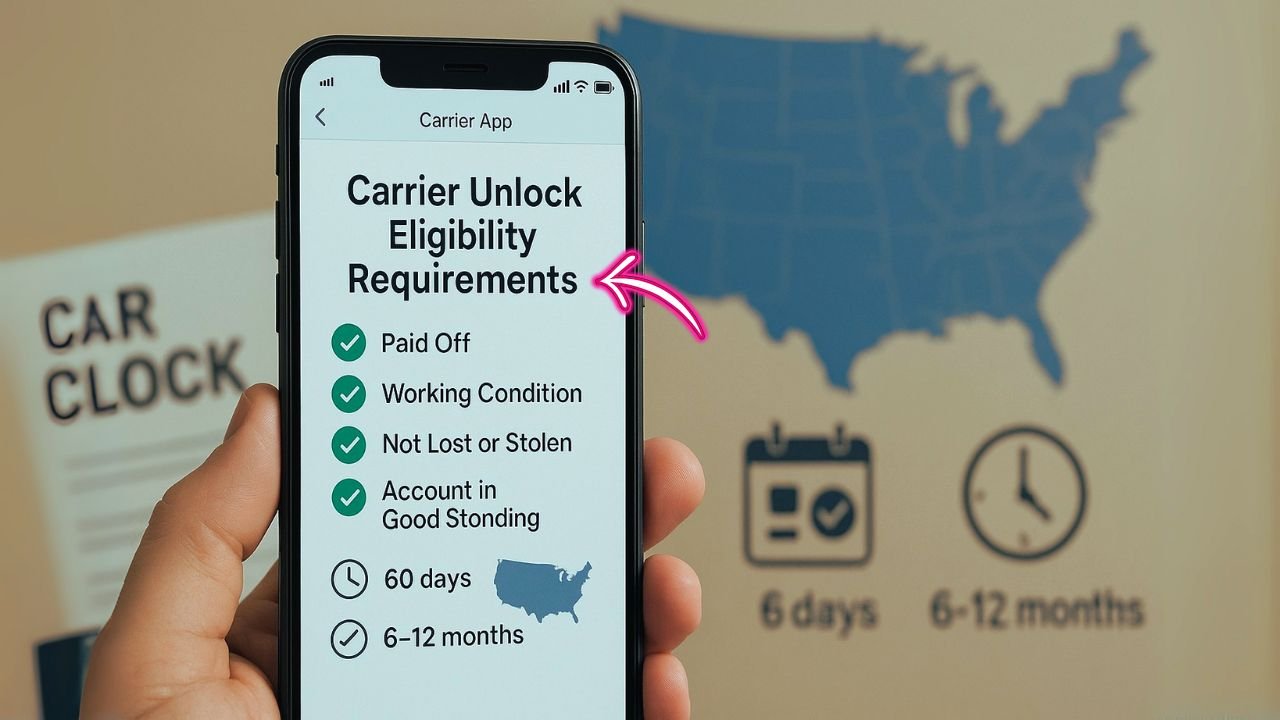
In the US, your phone can be carrier-unlocked when it’s working, not reported lost/stolen or tied to fraud, your account is in good standing, and the device is fully paid off. Most postpaid phones become eligible around 60 days after activation; many prepaid brands require 6–12 months of paid use. To unlock, check your carrier’s policy, submit an unlock request (online form, app, or support), and restart the phone after approval.
US Carrier Unlock Requirements — Quick Reference (2025)
Most postpaid phones unlock in 40–60 days once they’re paid off; prepaid lines usually need 6–12 months of paid service (Cricket 6 mo, Metro 12 mo, Boost 12 mo). Unlocks are either automatic (Verizon/T-Mobile) or done via a portal/app (AT&T, Cricket, brand support). In all cases the device must work, not be lost/stolen, and the account must be current.
| Carrier | Postpaid | Prepaid | How to unlock |
|---|---|---|---|
| AT&T | ~60+ days & paid off | N/A / varies | Online portal |
| Verizon | 60 days auto | ~60 days auto | Auto; contact if not |
| T-Mobile | 40+ days & paid off | 365 days (or $100 refills) | Auto/app (then restart) |
| Cricket | — | 6 months active | myCricket app |
| Metro | — | 365 days active | Account/app/support |
| Boost | — | 12 months active | Auto after eligible |
| TracFone fam. | — | Brand rules vary | Brand portal/support |
📖 Also Read: What Is OEM Unlocking in Developer Mode?
Key Takeaways
- Eligibility hinges on five basics: the phone must work, not be lost/stolen or flagged for fraud, be fully paid off, tied to an account in good standing, and meet the carrier’s time-on-network rule.
- Timelines differ by plan type: most postpaid devices are eligible at about 60 days; many prepaid brands require 6–12 months of paid service before unlocking.
- Original carrier must unlock it: carriers generally unlock only devices they sold/activated; if the phone came from another carrier, request the unlock from that original provider.
- Some unlocks are automatic: Verizon and T-Mobile often auto-unlock once you qualify; others (like AT&T, Cricket) may require an online form or in-app request—then restart the phone.
- Unlock ≠ full compatibility: unlocking lets you use other SIMs/eSIMs, but features like 5G bands, VoLTE/Wi-Fi Calling, and MMS depend on the device’s hardware and the new carrier’s network.
What “carrier unlock” actually means
A carrier unlock (also called SIM unlock, network unlock) is a software setting on your phone that lets it accept SIMs/eSIMs from other networks. It doesn’t bypass iCloud/Google Account locks. It doesn’t remove MDM from a company phone. It doesn’t fix blacklist issues. It just removes the carrier restriction so the radio can register on other networks. T-Mobile describes this as enabling your device “to use with another carrier,” and notes that it’s different from roaming.
Why phones ship locked
Carriers lock new devices to fight early resale fraud and to protect discounts they offer on financed phones. That’s why most unlock policies have time requirements and account-in-good-standing rules. Verizon, for example, uses a simple “locked for 60 days” rule and then auto-unlocks as long as the device isn’t flagged for fraud or theft.
The national backdrop: FCC & industry commitments (what’s changing)
For years, unlocking was guided by CTIA’s Consumer Code—a voluntary commitment that, among other things, pushed carriers to publish clear policies and to unlock prepaid phones no later than one year after activation.
In 2024, the FCC proposed a nationwide rule to require every carrier to unlock phones within 60 days of activation, with fraud exceptions. That proposal (an NPRM) is still working through the process, but it shows where policy may land. As of January 2025, the FCC’s consumer guide still explains that carriers may keep phones locked for a short period (such as 60 days) to prevent theft and fraud.
There’s also active debate: in May–July 2025, Verizon asked the FCC to lift or loosen its specific 60-day mandate, arguing the time window isn’t enough to deter fraud; others opposed the idea. That doesn’t change your eligibility today, but it’s useful context.
Quick glossary (in plain words)
- Auto-unlock vs. app-based unlock: Some carriers unlock automatically at eligibility; others require steps in an app or via support.
- Active line requirement: The phone must be used on the carrier’s network for a set number of days.
- Paid in full: Any device installment plan or lease is fully paid.
- Good standing: Your account can’t be past due, and there can’t be unpaid balances from a closed account.
- Lost/stolen/fraud: If a device is reported lost, stolen, or tied to fraud, carriers won’t unlock it.
📖 Also Read: How to Unlock iPhone 17 Pro Max from Any Carrier for Free
US carrier unlock rules (2025): the essentials
AT&T (postpaid and prepaid)
Core rules (postpaid):
- Device must be 60+ days old, paid in full, and not reported lost/stolen/fraud.
- Account must be in good standing; if the line/account was canceled, any balance must be $0.
- AT&T provides an online unlock portal; you can submit with your IMEI even without an AT&T number.
Prepaid nuance: AT&T’s prepaid devices historically required 6 months of active service; AT&T also emphasizes that the device can’t be active on another account. Always check the portal—AT&T publishes current details there.
Where to request: AT&T Device Unlock site.
Verizon (postpaid and prepaid)
- Most Verizon devices are locked for 60 days after purchase/activation and then auto-unlock if the device isn’t flagged for fraud or theft.
- For prepaid, Verizon says 60 days of paid activation and ordinary usage; then devices auto-unlock.
- After that initial window, Verizon states it does not re-lock phones.
No action needed in most cases; unlock happens automatically unless there’s a fraud/loss flag.
T-Mobile (postpaid and prepaid, includes Sprint-legacy lines)
General eligibility:
- Device must be sold by T-Mobile, not lost/stolen/blocked, and account must be in good standing.
- Postpaid: Device active on T-Mobile for at least 40 days on the requesting line; if financed/leased, it must be paid in full; any canceled-account balance must be $0.
- Prepaid: Either 365 days since activation or more than $100 in refills on that line if under 365 days; also a limit of no more than 2 unlocks per line in the last 12 months.
- Process: If eligible and the device supports remote unlock, T-Mobile auto-unlocks within two business days. Otherwise, you may get a notification with next steps.
UScellular
- Won’t unlock devices reported lost, stolen, or fraudulent.
- Can’t unlock devices sold by other carriers.
- Notes legacy 4G LTE phones launched before Feb 1, 2016; some can be unlocked via software update. (Newer devices are typically sold unlocked or are unlockable under policy.)
Cricket Wireless (AT&T prepaid)
- Phone must be active on Cricket for at least 6 months of paid service on that device; not reported lost/stolen; device tied to a legitimate account.
- Most Android devices are unlocked using the myCricket app (tap Unlock Device).
Metro by T-Mobile (prepaid)
- Must be purchased from Metro; not lost/stolen/blocked.
- 365 days must have passed since activation for unlock eligibility. Metro lists military exceptions.
Boost Mobile (prepaid)
- For eligible prepaid devices and customers in good standing, Boost unlocks one (1) year after initial activation (and after reasonable payment/usage requirements).
- Boost says it will automatically unlock remotely within two business days of becoming eligible. (See PDF policy for details.)
📖 Also Read: Activation Lock vs. Carrier Unlock on iPhone: Don’t Confuse the Two
TracFone family (TracFone, Straight Talk, Total, Simple Mobile, etc.)
- Devices must be in working condition, not lost/stolen, with no fraud indicators.
- TracFone’s policy includes an unlock upon request when minimum service criteria are met; it also describes cases where a fee (up to $300) may apply if you haven’t met minimum service time, plus special provisions for customers in certain programs. Always check the exact brand sub-policy at time of request.
Universal rules and edge cases (what trips people up)
1) The device must be yours to unlock
Carriers generally unlock only the devices they sold (or that are in their database). If your phone came from another carrier, ask the original carrier for the unlock. UScellular states this plainly.
2) Lost/stolen or fraud flags block unlocking
Every carrier refuses unlocks if the device is reported lost/stolen or tied to fraud. This protects consumers and the market from trafficking. AT&T, Verizon, T-Mobile, UScellular, Cricket, Metro and TracFone all reference this.
3) Financed or leased phones must be paid off
If you financed with monthly payments or used a lease/upgrade program, finish paying before you can unlock. T-Mobile calls this out explicitly for postpaid; the same concept applies for other carriers.
4) Auto-unlock vs. “tap to unlock”
- Verizon: auto-unlocks after 60 days (assuming no fraud flags).
- T-Mobile: auto-unlocks within two business days after eligibility (if the device supports remote unlock).
- Cricket: unlock via myCricket app for most Android models.
5) Prepaid clocks are longer
Prepaid brands often require 365 days (Metro, T-Mobile prepaid path) or 6 months (Cricket). TracFone family has its own timelines and fee options. Boost lists 1 year. These are brand policies, not federal law—check at request time.
6) Military exceptions
Deployed military personnel can request early unlocks with documentation. T-Mobile’s policy discusses this; other carriers offer similar accommodations.
How to check if your phone is already unlocked
- iPhone: Settings → General → About → Carrier Lock. If it says No SIM restrictions, you’re unlocked. T-Mobile’s guide shows this phrasing.
- Android: Insert a SIM from a different carrier or look for Network Unlock options in Settings. Some devices use a built-in Network Unlock menu; older models may use a Device Unlock app. T-Mobile’s instructions list brand-specific paths.
Step-by-step: requesting an unlock the smart way
- Find your IMEI/EID
Dial *#06# or check Settings → About. You’ll need this for web forms and support tickets. - Sign in and check status
- AT&T: use the Device Unlock website to check and submit.
- T-Mobile: check unlock status in your account or T-Life/T-Mobile app; eligible devices often auto-unlock.
- Verizon: generally auto-unlocks at 60 days, so just confirm the date; contact support if you think you passed the window.
- Cricket: use the myCricket app and tap Unlock Device.
- Metro/Boost/TracFone family: review policy pages and contact support if your device isn’t automatically unlocking at the listed milestone.
- Resolve eligibility blockers
- Try again and restart
Device-type notes (Apple Watch, iPad, hotspots, Pixels, Samsungs)
- Apple Watch / some tablets on T-Mobile are sold unlocked; others (hotspots, some tablets) may need an unlock code—you’ll have to contact support.
- Google Pixel on T-Mobile may use a Device Unlock (Pixel) app to complete the unlock, even after eligibility.
- Samsung / Motorola / LG / OnePlus: newer models often have a Network Unlock menu; choose Permanent Unlock.
Bring-your-own-device reality check
Unlocking doesn’t guarantee full feature compatibility. VoLTE/VoNR, Wi-Fi calling, MMS group messaging, and 5G bands vary. Before switching carriers, run a compatibility checker or test with a prepaid SIM/eSIM. T-Mobile links to a compatibility checker for bring-your-own devices.
Troubleshooting (fast answers to sticky problems)
“I met the time rule, but my phone didn’t unlock.”
For auto-unlock carriers (Verizon, T-Mobile), check dates and fraud/loss flags. If everything looks clean, contact support with your IMEI and proof of purchase. Verizon and T-Mobile both outline auto-unlock behavior after eligibility.
“The app says ‘Not eligible’ but I already paid off the phone.”
Give it a billing cycle or two business days if the carrier says auto-unlock after eligibility; ensure the account balance is $0 and installments are fully closed. T-Mobile notes a two-business-day remote unlock window.
“It’s a company phone with MDM.”
An MDM profile is separate from a carrier lock. Even unlocked, your employer can restrict usage. Ask IT to remove MDM if you own the device now.
“The device asks for a network unlock code.”
Some older Android models and hotspots still use codes. Your carrier provides them free when you qualify (e.g., some T-Mobile tablets/hotspots).
My phone is blacklisted or shows fraud.”
Unlock won’t fix this. You need the original owner/carrier to resolve the lost/stolen or fraud report first. Every carrier blocks unlocks in these cases.
“I’m military and deploying soon.”
Ask for a military exception. T-Mobile documents this; others offer similar accommodations with deployment orders.
Policy snapshots by brand (what to remember)
- AT&T: 60+ days old, paid off, clean history; request via online portal.
- Verizon: locked 60 days, then auto-unlocks if clean; prepaid similar with 60 days of paid activation.
- T-Mobile (postpaid): 40 days active on the line + paid off + good standing; auto-unlock within 2 business days when eligible. Prepaid: 365 days, or $100 in refills if under 365 days; 2 unlocks/line/12 months.
- UScellular: won’t unlock lost/stolen/fraud; can’t unlock phones from other carriers; legacy pre-2016 devices may need an update.
- Cricket: 6 months of paid service; unlock through myCricket app.
- Metro by T-Mobile: 365 days since activation; military exceptions.
- Boost Mobile: 1 year after initial activation; auto-unlock within 2 business days after eligibility.
- TracFone family: service-time rules and fee options; must be working, not lost/stolen, no fraud.
How the proposed FCC 60-day standard could help you
If the FCC finalizes the 60-day universal rule, every carrier would follow the same, simple timeline for both prepaid and postpaid (with fraud exceptions). That would reduce confusion and close the gap between brands that currently require 6–12 months on prepaid plans. Follow the FCC proceeding to see when (and how) the rule becomes final.
FAQ
Do I have to pay to unlock?
No—when you meet the policy, carriers unlock for free. Third-party paid services exist, but they are unnecessary for standard, eligible cases.
Can unlocking void a warranty or break features?
Unlocking done by the carrier does not void warranties. Some features may not work on a different network if band support or carrier features differ.
Will Verizon/AT&T/T-Mobile unlock a phone from another carrier?
No. Ask the original carrier that sold the phone. UScellular also states it cannot unlock other carriers’ devices.
I bought a used phone. How do I know if it’s clean?
Check Carrier Lock / SIM restrictions in Settings (iPhone) or test with another SIM. Ask the seller for proof of paid-off status and a clean IMEI history.
Can a financed phone be used on another carrier before payoff?
Usually no. Carriers require payoff before unlocking on postpaid lines, and they may restrict unlocking on canceled accounts until balances are $0. T-Mobile calls this out explicitly.
Practical tips to get your unlock on time
- Calendar your date: Add 40/60/180/365-day reminders based on brand.
- Keep the line active: Don’t swap the SIM to another phone during the eligibility window if your carrier ties unlock to the requesting line.
- Finish payments early: If you can, pay off the device a few days before the date you plan to switch.
- Screenshot eligibility: In the T-Mobile app or account portal, keep a screenshot of “eligible” status.
- Use the official path: AT&T portal, Verizon’s automatic window, T-Mobile’s remote unlock/app path, Cricket’s in-app unlock.
The bottom line
Carrier unlocking in the US is straightforward when you know the rules: meet the time requirement, make sure the phone is paid off, keep the account clean, and avoid devices with loss/fraud flags. The big carriers now automate most of the process. Prepaid timelines are longer, but they’re clearly published. And if the FCC’s 60-day standard becomes final, expect the system to get even simpler.
If you’re planning a switch, check your date and your balance today. If the clock has already run out, you might discover you’re just one restart or one app tap away from an unlocked phone.


