

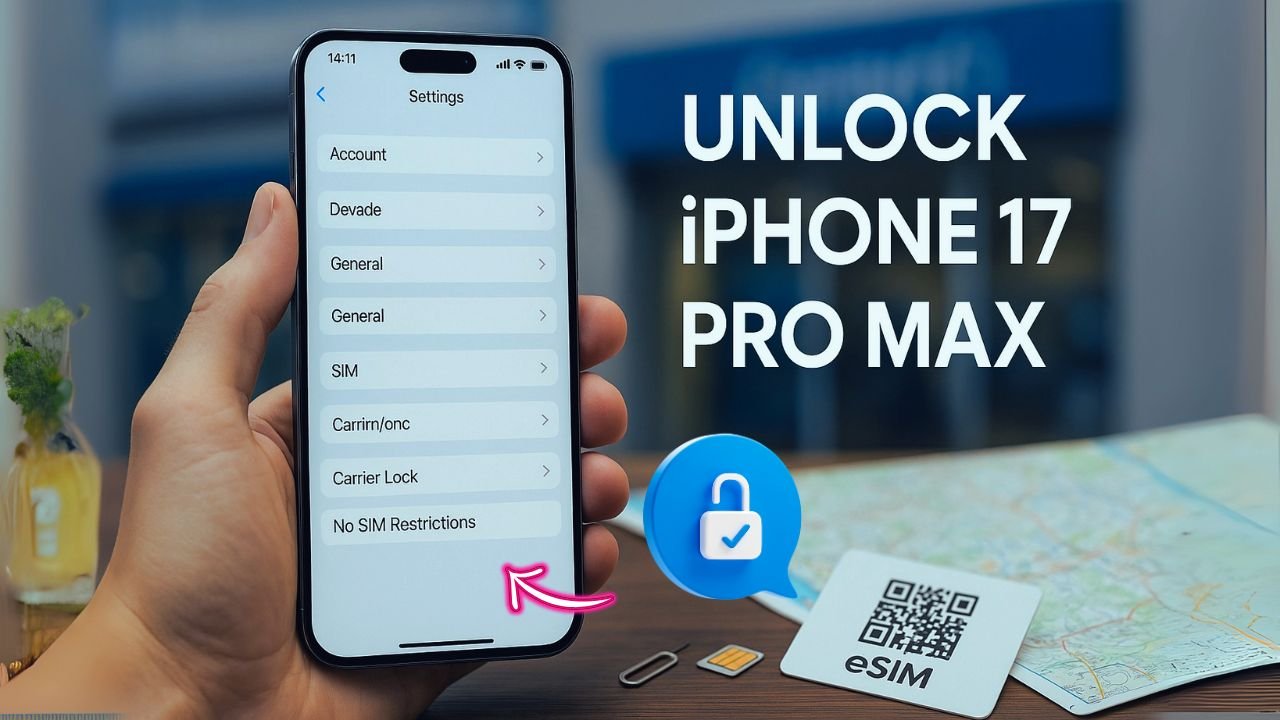
If you just bought an iPhone 17 Pro Max and it says “SIM Not Supported,” you’re dealing with a carrier lock. The good news: most iPhones can be unlocked for free once you meet a few simple rules. This guide shows you how to do it the right way—no paid codes, no shady apps, and no risk to your warranty. We’ll cover the official paths for AT&T, Verizon, T-Mobile, and popular MVNOs, plus what to do if you switched carriers, financed the phone, or moved overseas.
Key Takeaways
- Only the original carrier can unlock an iPhone for free. Submit an official unlock request to the carrier that locked the device; once approved, Apple updates your status and the phone unlocks during activation. This can take anywhere from minutes to a few days.
- Check lock status in Settings first. Go to Settings → General → About → Carrier Lock. If it shows “No SIM restrictions,” your iPhone is already unlocked; any other message means it’s still locked.
- Have your identifiers ready. Carriers will ask for your IMEI (dial *#06# or find it in Settings → General → About). If you plan to use eSIM, keep the EID handy as well.
- Call or chat with your carrier to confirm eligibility. They’ll tell you if the device is paid off, clean (not lost/stolen), and past any minimum time-on-network. If you qualify, the carrier will process the unlock at no cost.
- Avoid third-party “unlock” services and forums. iPhones don’t use user-entered codes; unofficial services often just resell carrier requests or fail entirely. Stick to the carrier’s official process for a safe, permanent unlock.
What “Carrier Unlock” Really Means
An iPhone can be locked to one network. When it’s unlocked, it can use any compatible SIM or eSIM worldwide. The lock lives in your carrier’s database and in Apple’s activation servers—not in a setting you can change. That’s why a factory reset doesn’t remove a carrier lock. Only the carrier that locked it can flip it to “Unlocked” in Apple’s system.
Important: This is different from Activation Lock (Find My / Apple ID). Activation Lock protects the phone from theft and asks for the owner’s Apple ID after a reset. Carrier unlock and Activation Lock are separate. You can have a fully unlocked phone that is still Activation-Locked to an Apple ID, and vice versa.
Quick Check: Is Your iPhone 17 Pro Max Locked?
You don’t need special tools. Use one of these:
- Settings Method
Go to Settings > General > About. Find Carrier Lock.- “No SIM restrictions” = already unlocked.
- Anything else = locked.
- Try Another SIM/eSIM
Insert a SIM from a different carrier (or add an eSIM). If you see “SIM Not Supported” or can’t complete activation, it’s locked. - Ask Your Carrier
If you’re still unsure, contact your carrier’s support chat or store. Ask: “Is my iPhone eligible for an unlock?” They’ll check the IMEI.
Tip: Find your IMEI at Settings > General > About (you’ll see IMEI and EID for eSIM). Keep these handy when you request an unlock.
📖 Also Read: Activation Lock vs. Carrier Unlock on iPhone: Don’t Confuse the Two
The Only Free, Safe, and Permanent Method
The official way is always through the carrier that locked the phone. They send an unlock request to Apple. Apple updates your device status. Then your iPhone re-activates as unlocked the next time it contacts Apple servers (happens during setup or when you insert a different SIM).
Why not buy a code or app? iPhones do not use user-entered unlock codes like many Android phones. Any site selling “iPhone unlock codes” is either reselling carrier requests or running a scam. Stick to the carrier process—it’s free when you’re eligible and permanent.
Common Eligibility Rules (What Carriers Usually Require)
These are the typical requirements you’ll see. Exact wording can vary, but the ideas are the same:
- The phone must be paid off. If you financed it, finish the installments or pay the balance.
- No fraud or blacklist flags. The IMEI must be clean (not lost, stolen, or tied to fraud).
- A short time on network. Most carriers wait a set number of days from purchase/activation before unlocking. This helps prevent fraud.
- Active account in good standing. Bills current, no past-due holds.
- Original owner advantage. It’s easiest for the person who bought the phone from the carrier. If you purchased second-hand, it can still be unlocked, but the original carrier rules still apply.
How Long Does It Take?
Most approved unlocks finish in minutes to a few days. You won’t get a code—just a message saying your unlock is complete. After that, pop in a new SIM or add an eSIM and activate. If it still shows locked, do a quick Settings > General > Transfer or Reset > Reset > Reset Network Settings, then try again. Worst case, back up, erase, and set up again with the new SIM/eSIM.
📖 Also Read: How Much Does It Cost To Unlock A T-Mobile iPhone?
Step-by-Step: Unlock by Carrier (Free, Official Paths)
AT&T (Including Former AT&T Prepaid and Some MVNO Devices)
- Check payoff & eligibility. Make sure the installment plan is complete and there are no account issues.
- Gather info. You’ll need the IMEI and possibly the AT&T number the phone was tied to.
- Submit the unlock request. Use AT&T’s official unlock portal or contact support chat. Select “Non-AT&T customer” if you bought it second-hand.
- Watch for email confirmation. Open the confirmation email and click the link to verify the request.
- Wait for approval. Once approved, insert a different carrier SIM or add an eSIM and complete activation.
AT&T prepaid phones often require a minimum active time (historically 6 months), but check your exact plan. Some prepaid iPhones get earlier unlocks if fully paid and clean.
Verizon
Verizon generally auto-unlocks most postpaid iPhones after a short lock period from purchase/activation, as long as the account is in good standing and the device isn’t flagged. If you’re past that window and still locked:
- Confirm eligibility with support chat or by phone.
- Ask for a manual unlock if the auto-unlock didn’t trigger.
- Activate with your new SIM/eSIM once they confirm it’s unlocked.
If you financed through Verizon, make sure your payoff is complete.
T-Mobile (and Legacy Sprint)
T-Mobile unlocks when you meet account tenure and payoff rules. You can request via support or sometimes inside Settings > General > About > Carrier Lock flow when the account qualifies.
- Payoff and activity check. Ensure the device is paid off and the account is in good standing.
- Request the unlock through T-Mobile support or store.
- Complete the unlock by inserting a new SIM/eSIM. If you see errors, reset network settings and retry.
For legacy Sprint devices migrated to T-Mobile, rules can look a bit different. If support agents see your IMEI as eligible, they’ll process the unlock the same way.
📖 Also Read: How To Unlock A Samsung Phone To Any Network For Free
MVNOs (Visible, Mint, US Mobile, Spectrum Mobile, Xfinity Mobile, etc.)
MVNOs ride on bigger networks (Verizon/T-Mobile/AT&T) but often keep their own unlock policies. The path is the same:
- Contact the MVNO’s support with your IMEI.
- Meet their time-on-network and payoff rules.
- They submit to Apple and you complete activation with the new SIM/eSIM.
If you’re stuck, ask which host carrier your MVNO uses and whether they can escalate through that channel.
International Travelers: Timing Your Unlock
If you’re flying soon and want to use a local SIM/eSIM abroad, request your unlock at least two weeks before your trip. That gives time to clear any holds and process the request.
Pro tip: Even when unlocked, not all networks use the same 5G bands. Your iPhone 17 Pro Max supports a wide set, but data speeds can vary by country and carrier. If one local eSIM is slow, try another provider’s plan.
eSIM vs Physical SIM on iPhone 17 Pro Max
Your iPhone supports eSIM, which lets you download plans without a card. Unlocked status applies to both physical SIM and eSIM. After your unlock is complete:
- To add an eSIM: Settings > Cellular > Add eSIM and follow the QR/code from the carrier.
- Keep your home line active and add a travel eSIM for data only. You can switch default data line in Settings > Cellular.
What If You Bought It Second-Hand?
You can still get a free unlock if the phone is eligible, but the unlock must go through the carrier that locked it originally. Steps:
- Find the original carrier. Insert different SIMs to see which one activates. If none, ask the seller or use the carrier’s IMEI checker if available.
- Request an unlock from that carrier. You may need the prior account holder’s help if there’s a balance due.
- Ask for a “paid off” letter/receipt if you cleared a balance. Keep proof.
- Complete activation after approval.
If the device was reported lost/stolen, the carrier will refuse. In that case, return the phone if you can. Blacklist status can’t be “unlocked.”
Avoid These Traps
- “Instant code” websites. iPhones don’t use user codes.
- IMEI “cleaning” services. These try to remove fraud flags in databases. Many are illegal or temporary.
- Profiles or “unlock apps.” Configuration profiles don’t unlock the phone.
- Paid “whitelisting.” Usually someone claiming inside access. It’s risky and often reversed.
Stick to the carrier route. It’s free when eligible and permanent.
Troubleshooting: After Approval, It Still Looks Locked
Try these in order:
- Toggle Airplane Mode for 10 seconds, then off.
- Reset Network Settings: Settings > General > Transfer or Reset > Reset > Reset Network Settings.
- Reinsert SIM or delete/re-add eSIM and try activation again.
- Sign out/in of Apple ID (Settings > [your name] > Sign Out; sign back in).
- Full backup and erase: Back up to iCloud/Computer, then Settings > General > Transfer or Reset > Erase All Content and Settings. Set up with the new SIM/eSIM inserted.
- Contact the carrier and ask them to re-push the unlock to Apple’s servers. Provide your IMEI and EID if requested.
Edge Cases and How to Handle Them
You Still Owe a Balance
Most carriers won’t unlock until the phone is paid off. Ask about payoff options. Once paid, request the unlock the same day and provide proof.
Business/Corporate Lines
Some corporate accounts follow different rules. Ask your IT admin or account manager to submit the request.
Government/Lifeline/ACP Devices
Some providers have longer lock periods for discounted phones. Check their written policy. Once you hit the time limit and the account is in good standing, the unlock is still free.
You Moved to Another Country
You don’t have to be in the USA to unlock a US-locked iPhone. Contact the original carrier via chat or international support numbers. Have your IMEI, EID, and proof of purchase ready.
“Device Not Found” or “IMEI Not Recognized”
If the carrier’s system can’t find your IMEI, verify the number, make sure your iPhone is indeed from that carrier, and ask a human agent to manually open a ticket. If needed, try another support channel (phone, store visit, social media support handle).
Free Unlock Checklists (By Situation)
You’re the Original Owner on Postpaid
- Payoff complete? Account current?
- Contact carrier and ask for unlock.
- Insert new SIM/eSIM and activate.
You’re on Prepaid
- Check minimum active days requirement.
- Ask support to review eligibility.
- Complete the unlock after approval.
You Bought Used
- Identify the original carrier.
- Confirm clean IMEI and payoff.
- Ask carrier for unlock as “non-customer” if needed.
- Activate with your new SIM/eSIM.
The Bottom Line
There’s one clean, permanent, and free path: ask the carrier that locked the phone to unlock it. Meet the rules (paid off, clean IMEI, a little time on network). They push the unlock to Apple, and your iPhone 17 Pro Max becomes “No SIM restrictions.” From there, use any SIM or eSIM you want—at home or abroad.
If you hit a snag, don’t panic. Confirm payoff and account status, reset network settings, try activation again, and reach a live agent to re-push the unlock. With the steps above, most people get it done without paying a cent.
FAQs
Can I carrier unlock my iPhone myself?
No, you cannot fully unlock an iPhone on your own. Unlike some Android devices, iPhones don’t use user-entered unlock codes. The unlock process must be requested through your carrier, who then notifies Apple to update your device’s status in their servers. Once approved, your iPhone will automatically unlock when you insert a new SIM or eSIM.
Can I ask my carrier to unlock my phone for free?
Yes. If you meet the carrier’s eligibility requirements—such as paying off the phone, having a clean IMEI, and completing the minimum active time—your carrier is required to unlock your iPhone for free. This is the only official and permanent method of unlocking.
Can I jailbreak my iPhone to unlock carrier?
Jailbreaking your iPhone does not remove a carrier lock. Jailbreaks only modify the iOS software, while carrier locks are controlled by the carrier’s database and Apple’s activation servers. Attempting to unlock through unauthorized software can harm your phone and void warranties without actually unlocking the device.
Can I unlock an iPhone that’s locked?
Yes, as long as the iPhone meets the original carrier’s requirements. Even if you bought the phone second-hand, it can usually be unlocked for free once the account balance is paid off and the IMEI is clean. The unlock must always be requested from the carrier that locked the phone originally.
How much does it cost to unlock a carrier-locked iPhone?
Official carrier unlocks are free. Carriers cannot charge you if you meet their requirements. Third-party services that claim to unlock iPhones usually charge a fee, but these are unnecessary and often unreliable, since the actual unlock still depends on carrier approval.
Is it illegal to unlock a carrier-locked phone?
No, it is not illegal. In the United States and many other countries, unlocking is completely legal. In fact, the FCC requires carriers to provide an unlock option once customers meet the eligibility requirements. Unlocking your iPhone is your right as a consumer.


