

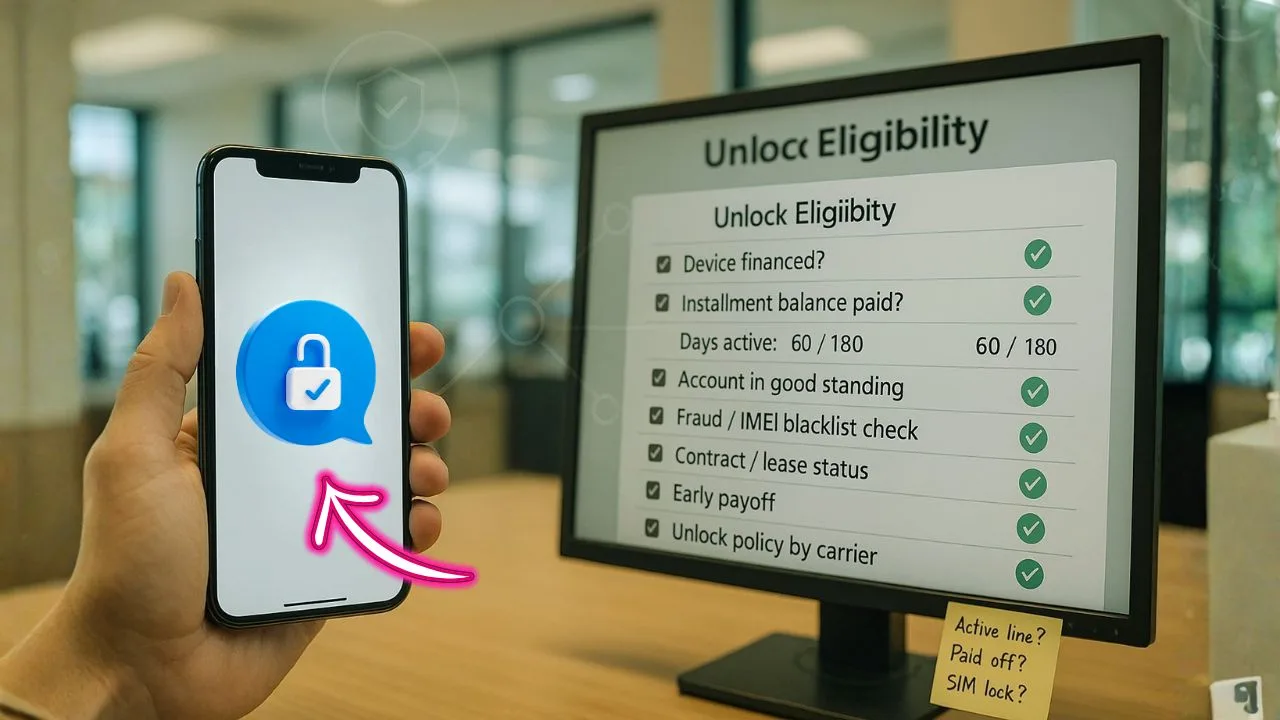
Buying a new phone with monthly payments feels easy—click, approve, done. Then a friend says, “Careful… phones on installments can be stuck to one network.” Now you’re wondering: if I finance through Affirm or Klarna, can I later use this phone on another carrier? And what exactly do carriers check before they remove that network tie?
Here’s the thing: how you finance the phone matters less than who sold it and which rules apply to that device’s IMEI. You can absolutely get a phone that’s free to use elsewhere after a short waiting period—or you can get one that stays tied to a single network until some strict boxes are ticked. The difference is in the details.
You know what? Let’s keep this simple and human.
TL;DR:
Affirm and Klarna only handle payments—whether a phone can be released from one network depends on who sold it and the device variant. Carriers typically look for a minimum time active, a clean account, any carrier installment paid off, and a clean IMEI before removing the tie. Paying off BNPL alone doesn’t change eligibility. Want easy switching later? Choose an open-market model; carrier/MVNO promo phones follow that provider’s rules.
Quick Primer — Financing vs. Unlocking
Two different systems
Think of financing and unlocking as two separate gates:
- Financing (Affirm/Klarna): This is your payment plan. It decides how you pay for the device over time. It can be at a retailer (Best Buy, Amazon, manufacturer stores) or sometimes at checkout on carrier sites. Paying on time keeps your loan healthy and avoids fees or interest, depending on the plan.
- Unlocking (Carrier): This is a network permission. It lets your phone accept SIM cards from other carriers. The carrier controls this permission if the phone is carrier-locked. Even if you pay off your BNPL plan early, your device may remain locked until it meets the carrier’s unlock rules.
Why paying off BNPL doesn’t auto-unlock
BNPL providers like Affirm or Klarna aren’t the ones that lock or unlock your phone. The lock sits with the carrier (or, less often, with the manufacturer on specific partner models). So, a “paid in full” status with BNPL does not flip the carrier’s unlock switch. You still need to meet the carrier’s criteria and submit an unlock request.
📖 Also Read: 5G Home Internet Gateways: Can You Unlock Them? What Actually Works
What Carriers Actually Check Before Unlocking
Carrier rules vary, but the checklist below covers what most of them use in some form. If you pass each point, your approval odds go way up.
1) Device ownership and payoff status
Carriers want the phone to be paid off—not just with BNPL, but with them, if the phone is on an Equipment Installment Plan (EIP) or lease. Sometimes you’ll have two separate balances: one with the BNPL provider (because you bought from a retailer) and one with the carrier (if you also used the carrier’s own installments to subsidize the price). The phone must be fully paid in full in the system that owns the lock.
Tip: If you bought from a retailer using Affirm or Klarna and the phone is sold as carrier-locked, the carrier will still require their own unlock rules to be met. Your BNPL payoff alone doesn’t count as “carrier paid off” unless the carrier itself shows the device balance as $0.
2) Minimum active time on network
Many carriers require a minimum service period (for example, several weeks or months) before unlocking—even if the device is paid off. This rule helps reduce fraud and “hit and run” activations. If you just activated the line last week, the system may auto-deny the request until that time passes.
Reality check: The time window isn’t the same across carriers, and sometimes prepaid vs. postpaid rules differ. Always check the exact requirement for your plan type.
3) Account in good standing
If your account has past-due balances, chargebacks, or suspensions, unlock requests may get blocked. Carriers often require the account to be current, with no billing issues, before they approve.
4) No fraud or blacklist flags
If a phone is reported lost, stolen, or involved in fraud, it will be blacklisted, and unlocking won’t happen. This flag lives in shared databases carriers consult. If you bought a secondhand phone and it’s blacklisted, you’ll need to resolve it with the seller or request a return.
5) Original purchase type and plan
Phones purchased as part of special promos (e.g., “free with bill credits,” “BOGO,” or a bill-credit subsidy) may have unlock timing rules tied to the promotion. Even if you pay a BNPL plan elsewhere, the promo’s conditions still apply, because the carrier is giving you credits over time to offset the device cost.
6) Proof of ownership
In rare cases, support may ask for proof (receipt, invoice, IMEI on box) if there’s a mismatch in their system. Keep digital receipts and screenshots of the order page. This saves time.
📖 Also Read: Hotspot Unlock & MiFi Unlock: The Complete Guide (Including Verizon Jetpack Unlock)
How Affirm/Klarna Financing Interacts with the Lock
The simple truth
Affirm, Klarna, and similar providers control how you pay. They do not control when a carrier unlocks. Your unlock eligibility hinges on:
- Who locked it (usually the carrier),
- Whether their rules are satisfied, and
- Whether their database shows your device as eligible right now.
Common BNPL scenarios
Scenario A: Retailer BNPL + Carrier lock
You bought from a big retailer using Affirm/Klarna. The listing says “locked to Carrier X.” Even if you pay Affirm off early, the unlock still goes through Carrier X’s rules. You must activate it on Carrier X (if required), keep service for the required time, make sure the carrier shows the phone as paid in full (if they’re financing any part), then request the unlock.
Scenario B: Manufacturer store + BNPL
Some manufacturer stores sell models that are “carrier-unlocked” at checkout. If your model was sold as unlocked, great. BNPL doesn’t impact that status. But double-check the actual SKU: a “carrier variant” may look identical but still be locked until the carrier releases it.
Scenario C: Carrier website + BNPL
If you used BNPL directly on a carrier’s website, that financing is often just one part of a bundle (line activation, promo credits, and the carrier’s EIP). The unlock rules will almost always follow the carrier’s policy, including minimum active time and payoff.
“Paid Off but Still Locked”—Why That Happens
The database lag
Systems don’t always sync instantly. You might pay off a balance and see “paid” in your BNPL app, but the carrier’s system hasn’t refreshed the device status yet. It can take a bit of time for the “eligible to unlock” flag to flip. If it’s been more than a few business days, contact support and ask them to manually refresh the device record.
Two balances, two worlds
If you paid off Affirm/Klarna (retailer), but the carrier still shows an outstanding EIP or promotional bill credits in progress, your unlock may be blocked. You’ll need to settle the carrier’s EIP or reach the promo’s time requirement.
Minimum service rule not met
Even at $0 balance, many carriers want a minimum number of days of active service first. If you just switched, unlocking may be denied until that timer runs out.
📖 Also Read: Wi-Fi Calling, VoLTE & 5G After Unlock: Feature Compatibility & Fixes
How to Check Your Unlock Status (Step by Step)
Step 1 — Confirm your model and lock type
Open Settings → About → IMEI and note the IMEI. Also check the original product page or receipt. Was it sold as “locked to Carrier X” or “factory unlocked”? That one line sets your path.
Step 2 — Ask the carrier what they see
Contact the carrier’s support (chat or call) and ask:
- Is my device paid off in your system?
- Does my line meet the minimum service time for unlocking?
- Are there any promo conditions that delay unlock?
- Is my account in good standing with no pending issues?
If they confirm you’re fully eligible, ask them to submit the unlock or tell you how to do it in the app/portal.
Step 3 — Check for blacklist flags
If something feels off (e.g., support says it’s blocked but can’t explain), run an IMEI check with a reputable service. You’re looking for lost/stolen or financed flags. If you see a problem, go back to the seller or carrier with proof.
Step 4 — Request the unlock
Carriers usually unlock over the air. iPhones often unlock after you insert a different carrier’s SIM or connect to Wi-Fi; Android devices may need you to enter a code or reboot. The carrier will provide steps.
Quick decision table you can screenshot
| Where you buy | Payment method | Model type | Starts tied to one network? | When it can be used elsewhere |
|---|---|---|---|---|
| Carrier store/site | Carrier installment | Carrier-branded | Usually yes | After minimum active time, account in good standing, and any payoff; IMEI must be clean |
| Big-box/online with BNPL (Affirm/Klarna) | BNPL | Carrier-branded | Usually yes | Same as above (follows carrier criteria) |
| Big-box/online with BNPL (Affirm/Klarna) | BNPL | Open-market | Usually no | Typically ready once set up; ensure compatibility with target network |
| Manufacturer store with BNPL | BNPL | Open-market | Usually no | Typically ready once set up; check band support and carrier features |
| MVNO promo phone | Varies | Often carrier-tied | Often yes | After MVNO’s time-on-service and clean account conditions |
Tip: “Open-market” here means a model sold without a single-carrier tie.
Does Early Payoff Help?
Yes—if the remaining blocker is device balance. If the only thing stopping the unlock is “you still owe $X,” then paying early can let the carrier flip eligibility. But early payoff won’t speed up requirements linked to time on network or promo schedules. Those are clocks you can’t skip.
What About Prepaid Phones?
Prepaid unlock rules are often different from postpaid. Many prepaid phones have a minimum usage period before unlocking. Even at $0 balance, that clock still matters. Read your plan’s unlock terms or ask support to spell them out.
Military Deployment, Travel, and Exceptions
Some carriers provide deployment unlocks for active-duty service members or temporary travel unlocks for short international trips. These are exceptions with documentation requirements. If this applies to you, ask support specifically about “deployment unlock” or “temporary travel unlock.” Have your docs ready.
After the Unlock — Will Everything Work?
Network bands and features
Unlocking lets the phone accept other SIMs, but it doesn’t add missing bands or profiles. If your new carrier uses bands your device doesn’t support, you might get weaker signal or slower data.
Features like VoLTE, Wi-Fi Calling, 5G, and Visual Voicemail depend on device firmware and carrier support. Most modern iPhones and many newer Androids work fine after an unlock, but older or carrier-specific models can be quirky. If a feature doesn’t appear, check the new carrier’s APN settings and ask whether your exact model is on their “fully supported” list.
Denied Unlock? Fix It With This Plan
1) Get the real reason
Ask the agent to read the exact denial reason from the system. “Not eligible” is too vague. Push for specifics: balance due, minimum days not met, fraud flag, or promo credits still in progress.
2) Solve the blocker
- Balance due: Pay off the carrier’s EIP or lease.
- Time window: Mark the date you’ll be eligible and set a reminder.
- Account issue: Clear past-due amounts, then request again.
- Promo credits: Ask if paying the remaining balance today removes the promo constraint. Sometimes it does; sometimes you must ride out the promo period.
3) Ask for a manual refresh
Once the blocker is fixed, request a manual eligibility refresh. Agents can re-sync your device record so the system recognizes your new status.
4) Escalate gently if needed
If everything checks out and you still get a denial, ask for a supervisor or escalate through the carrier’s online unlock form with supporting documents (receipt, order number, account number, IMEI).
Best Practices Before You Buy With Affirm or Klarna
Read the product page closely
Look for the exact words: “carrier locked,” “factory unlocked,” “open market,” “carrier variant.” A few words here decide your future unlock process.
Confirm the unlock policy upfront
If the listing says “locked to Carrier X,” go find Carrier X’s unlock policy. Note the payoff, time requirement, and account standing rules. Save them.
Keep your receipts and IMEI
Store digital copies. If anything gets stuck, these documents help support link your purchase to the device fast.
Plan for promos wisely
Promo bill credits that lower your monthly device cost often stretch across many months. Leaving early usually means you must pay the remaining device balance. That may delay the unlock until you settle it.
A Clear, Simple Unlock Checklist
- Identify your lock: Was the phone sold as locked? If yes, which carrier?
- Verify payoff in the right system: If the carrier holds the lock, the carrier’s device balance must read $0.
- Meet the time rule: Stay active for the required days/months.
- Fix account issues: No past-due balances or suspensions.
- Request the unlock: Use the carrier’s app, website, or support chat.
- Follow activation steps: For iPhone, insert a new SIM or connect to Wi-Fi; for Android, enter the code or reboot as directed.
Do these in order and your odds of a smooth unlock go way up.
The Bottom Line
Here’s the short story: Affirm or Klarna don’t create the network tie—and they don’t remove it. The seller and the device variant set the rules. Carriers typically check time active, a clean account, and a clean IMEI before they lift the restriction. Buy an open-market model if you want easy flexibility later; if you pick a carrier-specific deal, expect a waiting window and a checklist.
Got a specific model in mind? Tell me the exact seller, model number, and where you plan to use it next. I’ll help you sanity-check the path so your next SIM swap feels boring—in the best way.
Frequently Asked Questions (FAQ)
Affirm runs a soft eligibility check and doesn’t name a single bureau for the check itself. However, as of April 1, 2025, Affirm began furnishing pay-over-time loans to Experian, and as of May 1, 2025, to TransUnion—so your activity can appear at those bureaus. The soft check for prequalification won’t ding your score.
Affirm uses a soft credit inquiry (no score impact) and evaluates factors like your credit history, existing obligations, account standing, and identity verification. Approval and APR offers are “subject to an eligibility check.”
Thousands of retailers do—both online and in-store—including categories like electronics, home, apparel, and more. You’ll see Affirm at checkout, and it’s also available via Apple Pay at many merchants on iOS 18+ (where supported). Examples and category lists are on Affirm’s site and roundups like Business Insider.
Yes—soft checks are typical and don’t affect your score. Klarna notes it may perform a soft credit check depending on the product; longer-term financing can involve more review. Affirm’s prequalification is a soft pull as well.


