

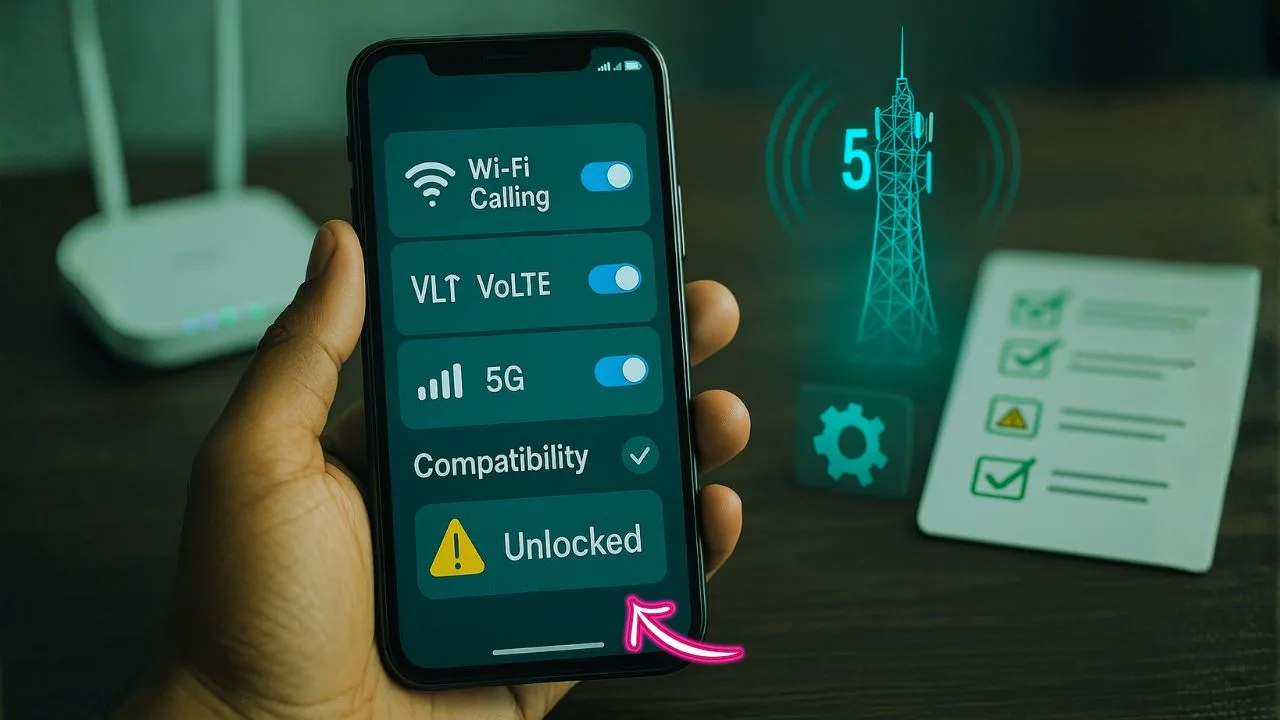
You got your phone freed from one carrier and popped in a new SIM. Calls work. Data flows. Then a small headache shows up—no Wi-Fi Calling, flaky VoLTE, or 5G that refuses to light up. Annoying, right?
Here’s the thing: feature support isn’t only about hardware. It’s a three-way handshake between your device, its software profile, and the network you’re trying to use. The good news? Most issues are fixable with a few smart checks.
You know what? Let’s keep it simple and practical. We’ll cover what matters, why it breaks, and how to fix it without turning your weekend into a troubleshooting marathon.
TL;DR:
Unlocking only removes the SIM lock—it doesn’t add bands or new radios—so Wi-Fi Calling, VoLTE, and 5G can “disappear” after a carrier switch if your line isn’t IMS-provisioned, your plan doesn’t include the feature, your device SKU/region isn’t whitelisted, or your phone lacks the carrier’s bands.
Fix most issues by updating iOS/Android and carrier settings, power-cycling, re-inserting the SIM or re-downloading the eSIM, toggling VoLTE/Wi-Fi Calling/5G off→on with an airplane-mode reset, and doing a Network Settings Reset; then confirm APN values and ask your carrier/MVNO to push IMS provisioning for your IMEI.
iPhone usually works after a carrier-settings prompt; Samsung can be gated by CSC/region; Pixels are BYOD-friendly but still need the right bands. MVNO policies vary (some restrict Wi-Fi Calling or 5G), and international use depends on local bands and roaming rules. If your hardware lacks a required 5G band, no software tweak can add it—but LTE/VoLTE will still deliver reliable calling and data. Bottom line: verify bands + plan + provisioning, run the quick fix flow, and most BYOD devices regain full features fast.
What Actually Changes After You Unlock a Phone
Unlocking removes the SIM lock that restricts your phone to one carrier. It doesn’t rewrite hardware, radios, or firmware. That means:
- Your phone’s supported bands stay the same.
- Your device model (and region variant) stays the same.
- The software features your manufacturer enabled for your region usually stay the same.
So why do features disappear? Because Wi-Fi Calling, VoLTE, and 5G are tied to carrier profiles and whitelists. Your new carrier needs to recognize your phone model and push the right settings. If they don’t, the toggles either hide or fail to activate.
Quick Definitions (So We’re on the Same Page)
Wi-Fi Calling (VoWiFi): Routes voice calls and texts over Wi-Fi when cellular is weak. Great for basements, dorms, and rural homes.
VoLTE (4G Calling): Keeps calls on 4G/LTE instead of dropping to 3G/2G. You get clearer audio and simultaneous voice + data.
5G: Newer radio standard for faster speeds and lower latency. There are flavors (low-band, mid-band, mmWave), and your phone must support the exact bands your carrier uses.
Will Wi-Fi Calling, VoLTE, and 5G Work After Unlock?
Usually yes—if the device model, firmware region, and carrier all align. These three controls matter most:
- Bands & Hardware: Your phone must support the carrier’s frequency bands (for LTE/5G). If the band isn’t in the radio, no software fix can add it.
- Carrier Whitelist (IMS Provisioning): Carriers approve specific device variants for IMS features (the behind-the-scenes stack powering Wi-Fi Calling and VoLTE). If your exact model isn’t on their list, those switches may be hidden.
- Software Region / Firmware (Branding & CSC): Some phones ship with region-locked features. For example, a carrier-branded build might hide certain toggles when used with another SIM until a carrier settings update is applied.
Good news: Many carriers now actively support BYOD and auto-provision IMS once you insert a SIM or eSIM and reboot. If not, a few targeted fixes usually sort it out.
Don’t Miss It:
- iPhone Refurbished Unlocked: The Smart Way to Save Without Sacrificing Quality
- How to Unlock Motorola Phone Free with IMEI Numbe
- Unlocked iPhones for sale — the friendly buyer’s guide you actually need
How to Check Support Before You Switch
A little homework prevents a lot of stress:
- Look up your exact model number (not just “S23” or “iPhone 15”). Manufacturers ship different regional SKUs with different bands.
- Compare carrier bands to your device: low-band, mid-band, and mmWave for 5G; core LTE bands for VoLTE coverage.
- Ask the carrier (or MVNO) if your model is VoLTE/Wi-Fi Calling approved. BYOD lists are often published. MVNOs sometimes mirror the main carrier’s list, but not always.
- Use the carrier’s IMEI checker to confirm compatibility and whether advanced features are supported.
- Check APN setup pages for your MVNO and note any IMS or “Enhanced 4G LTE” instructions.
Fixes When Features Don’t Show Up (Start Here)
1) Update Everything First
Update your OS, carrier settings, and the Carrier Services app (on Android). Power cycle the phone after updates.
2) Re-insert SIM / Re-download eSIM
This forces the device to request the correct carrier profile again. For eSIM, delete the plan, reboot, and add it fresh from your carrier.
3) Turn Features Off and On (in Order)
- Disable Wi-Fi Calling and VoLTE.
- Toggle Airplane Mode on for 30 seconds, then off.
- Re-enable VoLTE, then Wi-Fi Calling.
- For 5G, switch the Preferred Network Type to LTE only, then back to 5G Auto.
4) Reset Network Settings
This clears stale profiles without erasing personal data. You will need to re-join Wi-Fi networks and re-add VPNs.
5) Manually Add/Correct APN
Most phones pull APNs automatically, but MVNOs can be picky. Make sure APN matches the MVNO’s latest guide. Don’t add random fields you don’t understand.
Wi-Fi Calling Not Working After Unlock (Real-World Fixes)
Symptom: Wi-Fi Calling toggle missing or call never switches to Wi-Fi.
Try this:
- Connect to a stable Wi-Fi network first. Open a lightweight site to confirm.
- Ensure VoLTE/Enhanced 4G is ON. Many carriers require VoLTE for Wi-Fi Calling eligibility.
- For iPhone: go to Settings > Cellular > Wi-Fi Calling and toggle on. If missing, visit Settings > General > About to trigger a Carrier Settings Update if available.
- For Android: Settings > Network & Internet > Mobile network > Advanced. Look for Wi-Fi Calling. If hidden, insert the SIM again and reboot. Some Samsung models require Settings > Connections > Wi-Fi Calling.
- If on an MVNO, contact support and ask them to provision IMS and enable Wi-Fi Calling on your line. Provide IMEI if asked.
- Try a different Wi-Fi network (some enterprise routers block SIP/IMS).
- Reset network settings and re-download the eSIM or re-insert the SIM.
If it still won’t appear: Your device variant may not be on the carrier’s Wi-Fi Calling whitelist, or your firmware region doesn’t include the toggle for that network.
VoLTE Missing or Calls Drop to 3G/2G
Symptom: Calls connect but data drops; HD Voice option is missing; no simultaneous voice + data.
Fix path:
- Confirm LTE bands supported by your phone match the carrier’s footprint. If you’re camping on fringe or unsupported bands, VoLTE can fail.
- Ask the carrier to check VoLTE feature provisioning on your line. Carriers sometimes disable VoLTE for certain prepaid/MVNO plans unless requested.
- Update carrier settings; reboot.
- On Android, verify IMS Registration Status (varies by brand; often under Phone Information screens). If IMS = “Not Registered,” provisioning is incomplete—ask support to push it.
5G Not Showing Up After Switching Carriers
Symptom: You only get LTE even in a known 5G area.
Checklist:
- Is your plan 5G-enabled? Some BYOD plans default to LTE unless you upgrade.
- Does your device SKU support the carrier’s 5G bands? A global model might lack a local mid-band.
- Toggle to 5G Auto (or 5G On) in network settings, then back to Auto.
- Update OS and carrier settings; reboot.
- In dense urban zones, move outside or closer to a window and test again. 5G, especially mmWave, is location-sensitive.
- If on an MVNO, confirm they actually allow 5G access on your specific plan.
Brand-Specific Notes (Because Details Matter)
iPhone
iPhones are generally the smoothest for BYOD. Once you insert a new SIM/eSIM, iOS prompts a Carrier Settings Update.
- For Wi-Fi Calling, go to Settings > Cellular > Wi-Fi Calling.
- For 5G, use Settings > Cellular > Voice & Data and select 5G Auto.
- If iMessage or FaceTime activation fails after switching, toggle Send & Receive off/on, confirm your phone number shows under Apple ID, and ensure carrier balance (some carriers require a small SMS charge for activation).
Samsung (Galaxy)
Samsung uses regional CSC profiles. A device branded for one carrier/region can hide IMS options with another.
- Ensure your model number matches carriers in your region.
- Update firmware using official channels only.
- On many Galaxy phones, Wi-Fi Calling lives at Settings > Connections > Wi-Fi Calling; VoLTE is Settings > Mobile Networks > 4G Calling/VoLTE.
Google Pixel
Pixels are friendly to BYOD, but certain regional SKUs miss bands.
- Update the Carrier Services app.
- Re-insert SIM to trigger IMS provisioning.
- Wi-Fi Calling and 5G typically appear automatically once provisioned.
OnePlus, Motorola, and Others
Some models require carrier intervention to enable IMS. If toggles are missing, ask support to verify VoLTE/VoWiFi/5G provisioning for your IMEI.
eSIM, Dual-SIM, and Feature Conflicts
eSIM makes switching easy, but it adds settings complexity:
- If two lines are active, only one can be Default for Cellular Data. 5G usually follows the data line.
- Wi-Fi Calling settings can be unique per line—enable them on the line you want to route calls over Wi-Fi.
- If calls default to the wrong line, set Default Voice Line properly or use Allow Cellular Data Switching to let the phone choose the stronger network for data.
MVNO vs Main Carrier: Why It Matters
MVNOs (carriers that rent network access) can have different policies:
- Some don’t support Wi-Fi Calling on certain plans or only for whitelisted devices.
- 5G access may be plan-restricted.
- Roaming & VoLTE rules can differ.
If you’re on an MVNO and features won’t appear, check their BYOD compatibility page and ask support to confirm IMS provisioning for your IMEI.
International & Travel Considerations
Unlocked phones are great for travel SIMs—but features vary by country:
- VoLTE roaming is not universal. Even if your device supports VoLTE, the visited network may not allow it for your carrier or MVNO.
- Wi-Fi Calling abroad depends on carrier policy; some block it outside home country, others allow it freely.
- 5G bands shift by region. A U.S. device may miss key bands in the EU or Asia (and vice versa). LTE usually saves the day if 5G fails.
Advanced (Safe) Tweaks That Actually Help
- Reset Network Settings: Clears stale carrier profiles and DNS.
- Re-download eSIM: Clean slate for IMS provisioning.
- APN Refresh: Use the official APN and only the fields your carrier requires.
- Carrier App Login: Some carriers/MVNOs finalize provisioning once the app sees your IMEI + SIM together on data.
- Try a New SIM: A damaged or old SIM can block 5G or VoLTE activation.
A note of caution: Avoid third-party “unlock tools” or unsupported firmware flashing just to surface a toggle. You can break IMS entirely or violate regional rules. Stick with official updates and carrier-backed methods.
Fast symptom → cause → fix
| Symptom | Likely cause | Try this |
|---|---|---|
| Wi-Fi Calling toggle missing | Carrier bundle not applied | Update carrier settings; reinsert SIM/eSIM; reboot |
| Toggle shows but calls fail on Wi-Fi | IMS not registering | Reset Network Settings; eSIM re-provision; confirm plan eligibility |
| Calls drop to 3G/2G | VoLTE not provisioned | Ask carrier to enable HD Voice/VoLTE; verify on test menu (Android); try LTE-only mode briefly |
| 5G never appears | Band mismatch or plan flag missing | Check coverage map; confirm plan includes 5G; update firmware; re-provision line |
| MMS fails after SIM change | APN mismatch | Reset APN to default; re-enter official APN; toggle airplane mode |
| Works in one city, not another | Local bands differ | Compare local 5G/LTE bands; prioritize VoLTE stability first |
When to contact support (and what to say)
Be direct and specific; agents move faster when you name the feature and the line:
- “Please confirm that HD Voice/VoLTE, Wi-Fi Calling, and 5G are enabled on my line ending in -1234.”
- “Can you refresh my provisioning and push the latest carrier settings?”
- “My phone is compatible; can you confirm it’s on your approved list for VoLTE?”
- “I just added an eSIM; please check IMS registration on your side.”
If you’re asked to wait, politely request a network reprovision and try an eSIM reissue. Honestly, that combo fixes more than you’d expect.
A small tangent that circles back
Ever notice how two identical phones act differently on two lines from the same carrier? That’s provisioning in action. One line has every flag switched on, the other is missing a tiny toggle buried in a back-end screen. It feels random—until you ask the right question.
Fast Fix Flow (If You Only Read One Section)
- Update OS + carrier settings → reboot
- Toggle features (Wi-Fi Calling, VoLTE, 5G) off/on → airplane mode reset
- Reset network settings
- Re-insert SIM / re-download eSIM
- Confirm plan supports Wi-Fi Calling/VoLTE/5G
- Contact carrier/MVNO to provision IMS for your IMEI
This sequence restores Wi-Fi Calling, VoLTE, or 5G for most unlocked phones.
The Bottom Line
Feature stability after a carrier change isn’t magic—it’s setup. Check the plan. Update the carrier bundle. Reset network settings. Re-provision the line (eSIM works wonders). Confirm IMS registration. And if 5G still ghosts you, think bands and coverage, not just icons.
Want a sanity check on your exact phone and carrier? Tell me your model, current software version, and carrier name. We’ll map the quickest path to Wi-Fi Calling, VoLTE, and 5G that actually stay on.
Frequently Asked Questions (FAQ)
VoLTE stands for “Voice over LTE.” It lets your phone place calls on the 4G/LTE data network instead of falling back to older 3G/2G. You get clearer audio (HD Voice), faster call setup, and the ability to use data while you’re on a call. Many carriers now require VoLTE since older networks are being retired.
Yes—if you have spotty cellular coverage at home, work, or school, turn it on. Wi-Fi Calling routes your calls and texts over your Wi-Fi network, so conversations stay clear even when cell signal is weak. Just connect to a stable Wi-Fi, enable the toggle in Settings, and keep VoLTE on as many carriers require it for Wi-Fi Calling to work.
Keep it on. With VoLTE enabled, calls sound better and you can browse, navigate, or use apps while talking. Turning it off usually forces calls onto older networks, which can be slower, lower quality, or not even available in some areas.
Most modern smartphones are VoLTE-ready, including recent iPhones, Samsung Galaxy, Google Pixel, OnePlus, and Motorola models. Compatibility also depends on your exact model number and the carrier’s approved list. If VoLTE isn’t showing, update your OS and carrier settings, reinsert the SIM or re-download the eSIM, then ask your carrier to confirm VoLTE provisioning for your IMEI.
You may get poor call quality, dropped calls, or no calling at all where older networks have been shut down. Data will still work on LTE, but voice service can suffer. The practical fix is to use a VoLTE-capable phone or switch to a carrier that still supports your device—though that’s getting rare as 3G/2G are phased out.
No. VoLTE uses the cellular LTE network for voice. Wi-Fi Calling uses your Wi-Fi internet connection for voice and texts when cell signal is weak. They work together: keep VoLTE on for most places, and enable Wi-Fi Calling for homes, offices, or basements where Wi-Fi is stronger than cellular.


