

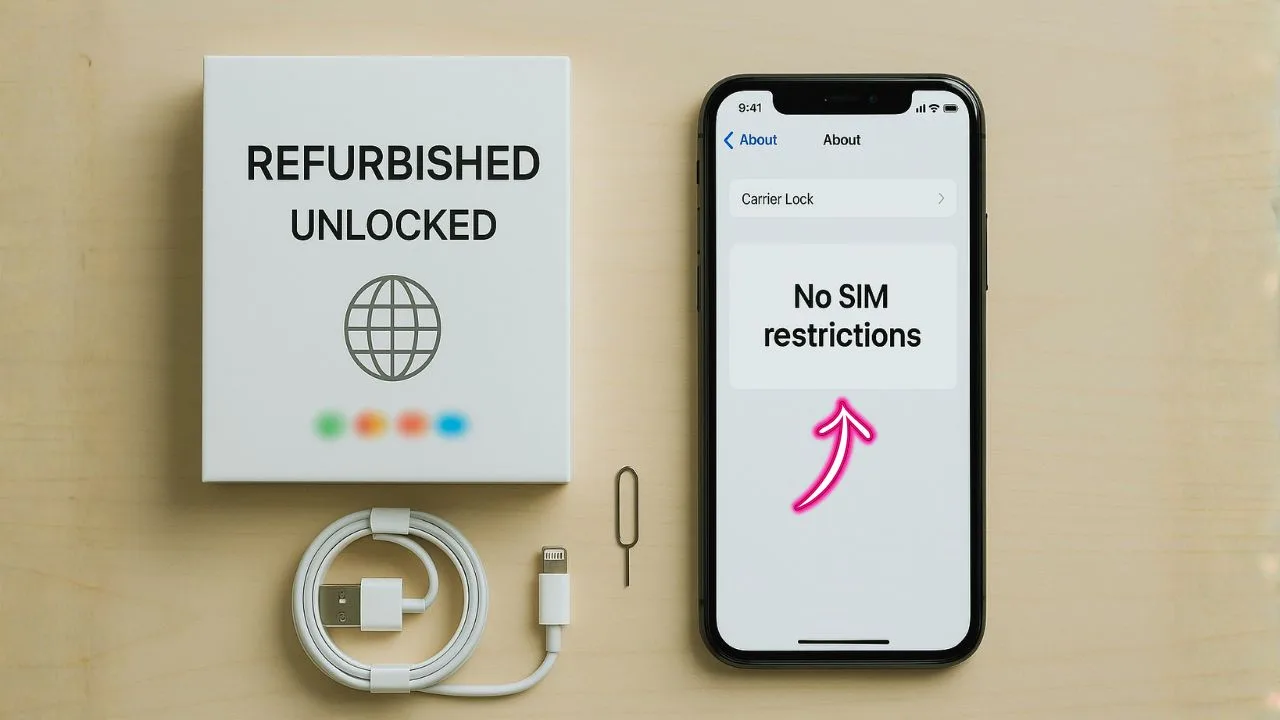
If you want an iPhone that feels premium without paying full price, a refurbished unlocked iPhone is a sweet spot. It’s tested, cleaned, repaired when needed, and then sold ready to use with the carrier you choose. In plain words: you keep the Apple experience and drop a big chunk of the cost. This guide breaks down what “refurbished” and “unlocked” really mean, how to check quality, which models fit different needs, and the small details (battery health, eSIM, warranty, IMEI checks) that protect your money.
TL;DR:
A refurbished unlocked iPhone lets you keep the full Apple experience for less money while staying free to switch carriers or add travel eSIMs. Buy from reputable programs (ideally certified) that disclose battery health, provide a clean IMEI, confirm a true factory unlock, and include a written warranty plus a 14–30 day return window. Check the refurb grade, battery ≥85–90%, storage that fits your needs (128GB+ for most), and make sure the model supports your carrier’s bands and 5G/eSIM if you want them.
Recent models offer the best longevity for iOS updates and resale value; older models still work but may miss the newest features. Bottom line: verify IMEI + warranty + return policy, and you’ll get premium performance, flexibility, and sustainability without the full-price sting.
What “Refurbished” Means (and What It Doesn’t)
A refurbished iPhone isn’t just a used phone someone boxed up and resold. It’s a device that’s been inspected, cleaned, reset, and tested. Any failing parts—like the battery, display, or charging port—are fixed or replaced before it’s sold again.
Refurbished usually falls into two broad buckets:
- Manufacturer/Certified Refurbished: Restored using approved parts and processes, often with a warranty. Think “Certified Refurbished iPhone unlocked” and you’re on the safest track.
- Seller/Marketplace Refurbished: Good deals exist here, too, but quality depends on the seller. Look for clear grading, test reports, and a written warranty.
“Refurbished” doesn’t mean beaten up. Many units come from returns, lease upgrades, or corporate refreshes. A lot of them have light wear only.
What “Unlocked” Actually Means
An unlocked iPhone works with many carriers. You can pop in a physical SIM or set up an eSIM and switch carriers without waiting for anyone to approve it. That’s perfect for travelers, deal hunters, and people in areas with patchy coverage who want the freedom to move.
Two quick notes:
- Carrier lock vs. region lock: “Unlocked” refers to carrier freedom. Region rules (rare on iPhones compared to some Android models) are different. For most buyers, “unlocked” is what matters.
- Blacklist status: An iPhone can be unlocked yet still blocked due to unpaid bills or being reported lost. Always IMEI-check before buying.
Why People Choose a Refurbished Unlocked iPhone
Savings without losing the Apple experience. You still get iOS updates, the App Store, FaceTime, iMessage, AirDrop—everything that makes an iPhone an iPhone.
Flexibility. Try different carriers, test a cheaper plan, add a travel eSIM, or resell later with fewer strings attached.
Sustainability. Extends the life of great hardware and keeps electronics out of landfills.
Value options. You can step up a model year or two (better camera, better screen) while paying what a budget phone costs.
📖 Don’t Miss It:
- How to Unlock Motorola Phone Free with IMEI Numbe
- Unlocked iPhones for sale — the friendly buyer’s guide you actually need
- Keep iMessage and FaceTime Working After You Switch Carriers on a SIM-Free iPhone
Glossary of Common Refurb Grades
Sellers use grades to describe cosmetics. These aren’t universal, but here’s the vibe:
- Grade A / Excellent: Very minor wear, near-new look.
- Grade B / Good: Small scratches or faint scuffs; nothing major.
- Grade C / Fair: Noticeable wear; works fine but shows use.
Grades talk about looks. Function should be fully tested no matter the grade. Always read the test checklist.
Battery Health: The One Number Everyone Checks
Battery health matters because it affects your day. iPhones report Maximum Capacity (%) in Settings. As a simple rule:
- 90–100%: Great
- 85–89%: Solid for most people
- Below ~85%: Expect shorter life; consider a replacement soon
Some certified programs replace the battery if it’s below a threshold. If not, ask for the health % and whether it can be replaced at a discount. Battery swaps are common and keep a refurbished unlocked iPhone feeling like new.
Storage and Performance: Pick What Fits Your Life
Photos, videos, apps, and offline downloads eat storage fast. If you shoot lots of 4K or keep big games, 128GB or 256GB is a safe minimum. For light users who stream more than they store, 64GB is okay on older models—but it fills up quickly.
On performance, Apple chips are strong for years. Even older models handle daily tasks, social media, and light gaming. If you edit video or want long software support, aim for recent chip generations.
5G, LTE, and Band Support
A refurbished unlocked iPhone can still be fast. Here’s how to think about it:
- 5G: Great for future-proofing and crowded areas. Not a must for everyone, but nice to have.
- LTE: Still perfectly fine for calls, maps, social media, and streaming.
- Band support: Unlocked helps, but make sure your model supports the bands your carrier uses—especially if you buy a global model or travel a lot.
If your plan isn’t 5G-heavy or your area lacks coverage, you won’t miss much. But if pricing is similar, choosing a 5G-capable model is smart.
eSIM, Dual SIM, and Travel Freedom
Most modern iPhones support eSIM, and many support Dual SIM (one physical SIM + one eSIM, or dual eSIM on newer models). That means:
- Keep your personal line but add a travel eSIM for data abroad.
- Run work and personal numbers on the same phone.
- Switch plans quickly without visiting a store.
Ask the seller to confirm: “Does this refurbished unlocked iPhone support eSIM and Dual SIM?” It usually does, but it’s worth checking.
Cameras, Displays, and Everyday Feel
Even older iPhones take sharp photos, handle night shots decently, and record reliable video. The big jumps across models come from:
- Night mode and stabilization updates
- Ultra-wide and telephoto lenses
- HDR and sensor size improvements
On displays, OLED models produce deeper blacks and punchier colors. But Apple’s LCD screens are also crisp and easy on the eyes. Think about how you use the phone: photos, Netflix, games, or mostly messages and maps?
How to Vet a Refurbished Unlocked iPhone (Step by Step)
- Read the listing carefully. Look for model number, storage, color, battery health %, and refurb grade. Check the warranty length.
- Ask for an IMEI/serial check. You want clean IMEI (not blacklisted) and no Activation Lock tied to someone else’s Apple ID.
- Confirm unlock status. It should say “factory unlocked” or “permanently unlocked.” Avoid “eligible to unlock later.”
- Verify parts and repairs. Are parts genuine or high-quality equivalents? Are there Face ID/Touch ID warnings? On iOS, you can see “Parts and Service History.”
- Check return policy. A 14–30 day return window is common. You need time to test cellular reception, Wi-Fi, Bluetooth, and battery.
- Coverage for the essentials. Warranty should cover the big stuff: power on/off issues, camera problems, charge port, microphone, speaker, and random shutdowns.
Where People Usually Buy (and What to Look For)
You’ll find refurbished unlocked iPhones from certified refurbishers, marketplaces, big retailers, and direct owner-to-owner platforms. Regardless of source, focus on:
- Written warranty (not just “we got you”)
- Clear grading and test checklist
- Battery health disclosure
- Proof of unlock + IMEI clean
- Hassle-free returns
A lower price without these protections can cost more in the end.
Model-Picking Guide (Quick, Honest Advice)
- Best value sweet-spot: Recent-gen iPhones with 5G, strong chips, and good cameras. They age well and hold value.
- Budget choice: One or two generations older with 128GB storage and decent battery health. Great for students, kids, or light users.
- Camera lover: Models with Night mode, sensor-shift stabilization, and multiple lenses.
- Power user: Pro models with better displays, more RAM, and extra camera features.
- Longevity: Newer chips = more iOS updates. If you plan to keep it 3–5 years, lean newer.
Set-Up Tips for a Refurbished Unlocked iPhone
- Start fresh or restore? If your last phone was buggy, try a fresh install to avoid carrying issues forward. Otherwise, iCloud restore is quick.
- eSIM transfer: Many carriers support eSIM Quick Transfer. If you use a physical SIM today, you can usually convert later.
- Activation check: Sign in with your Apple ID, turn on Find My, and test iMessage and FaceTime right away.
- Security first: Enable Face ID/Touch ID, a strong passcode, and App Tracking Transparency to control data sharing.
Hidden Costs to Watch
- Cases and screen protectors: Small money, big protection.
- Battery replacement later: Budget for it if health is mid-80s.
- Carrier plan changes: 5G plans may cost more. Check your plan before you assume speeds.
Common Myths—Cleared Up
“Refurbished equals risky.”
Not if you buy from a reputable source with a warranty and a clean IMEI.
“Unlocked means every feature works on every carrier.”
Unlocked gives freedom, but band support and certain carrier features (like Wi-Fi calling or visual voicemail) depend on the carrier and model. Most major features work widely, but it’s smart to double-check.
“A battery under 90% is useless.”
Not true. 85–89% is still fine for many people. Heavy users may want 90%+ or a battery swap.
Troubleshooting Checklist (If Something Feels Off)
- Weak signal? Try a different SIM or eSIM, update carrier settings, and test in another location. If it still drops, contact the seller.
- Battery drains fast? Reset settings, check background app refresh, and test one full day in Low Power Mode. If the phone still struggles and battery health is low, plan a replacement.
- Face ID/Touch ID issues? Check “Parts and Service History.” If recent repairs weren’t done properly, use your warranty.
- Activation Lock prompt? The previous owner didn’t remove their Apple ID. Ask the seller to release it or return the device.
Who a Refurbished Unlocked iPhone Is Perfect For
- Deal hunters who want top-tier hardware at a mid-tier price
- Travelers who swap eSIMs and chase better data deals abroad
- Families equipping kids or parents with reliable devices
- Small businesses standardizing on iPhone without straining budgets
- Anyone who cares about sustainability and hates waste
The Final Take
A refurbished unlocked iPhone gives you the Apple experience at a smarter price. You keep quality and support; you gain flexibility with carriers and travel; and you help the planet a bit by reusing great hardware. Just shop with a checklist: warranty, battery health, IMEI clean, true factory unlock, and a clear return policy. Do that, and you’ll end up with a phone that feels premium on day one and stays dependable for years.
Frequently Asked Questions (FAQs)
If you want the safest buy, start with Apple Certified Refurbished: every iPhone gets full functional testing, a new outer shell and battery, a 1-year Apple warranty, and 14-day returns—basically as close to new as it gets.
Great alternatives with solid guarantees include Amazon Renewed (90-day guarantee; 1-year for Renewed Premium) and Back Market (built-in 1-year warranty and 30-day returns).
Yes—if you buy from a reputable refurbisher with a written warranty. Certified programs (Apple, Amazon Renewed Premium, Back Market) pair big savings with testing, warranty coverage, and easy returns, which lowers your risk. Apple’s program is the gold standard (new shell + battery + 1-year warranty), while Amazon Renewed Premium and Back Market also offer strong protection windows.
There isn’t a single universal “most trusted,” but Apple Certified Refurbished is the most conservative choice thanks to Apple’s own parts/process and warranty. If you need more inventory or lower prices, Amazon Renewed (Premium) and Back Market are widely used—just verify the exact warranty/return terms on the listing you’re buying.
No iPhone suddenly “stops working,” but some models stop getting the newest iOS. In 2025, iOS 26 supports iPhone 11 and newer (and SE 2/3), meaning XR/XS/XS Max don’t get iOS 26—they remain usable but miss the latest features and security timeline.
After the iPhone 17 launch (September 2025), Apple and retailers cut iPhone 16 prices and layered on promos to clear inventory. You’ll see $/£100 official price drops in some regions and additional retailer or bank-card discounts; meanwhile, the iPhone 17 launched at the same price tiers as last year (with more storage), pushing iPhone 16 pricing down further.
As of October 20, 2025, the oldest models that run the current iOS 26 are the iPhone 11 family and the iPhone SE (2nd gen). If you’re on XR/XS, you’ll top out at iOS 18.


