

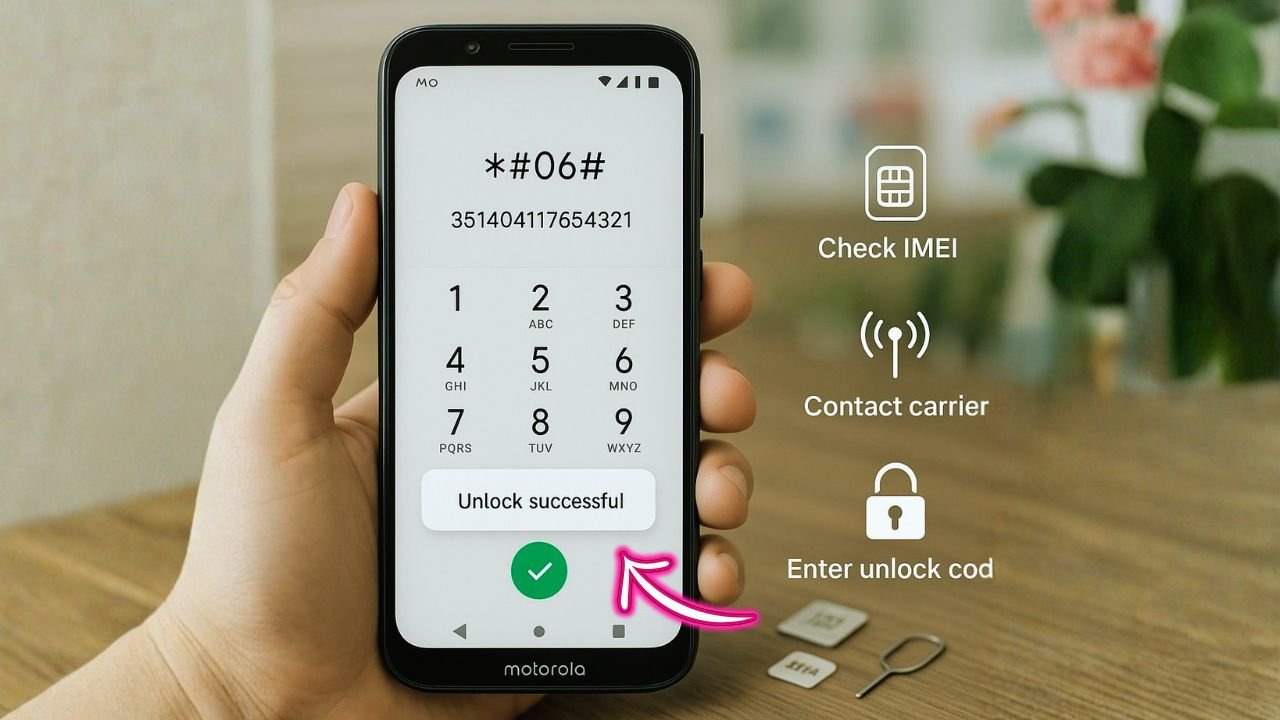
Want to pop in a new SIM and go? You can request a carrier release using nothing more than your IMEI—no shady tools, no cables, no hassle. The trick is knowing who can give you the code, what rules apply, and how to enter it the right way the first time.
You know what? Most folks get stuck because they start with random code generators. Don’t. The clean, $0 path runs through the current carrier, and your IMEI is the key that opens the door.
Let me explain—step by step, in plain 2025.
Key Takeaways
- Your IMEI is the key — submit it to the original carrier to request a free carrier release when eligibility rules are met (active time, paid balance, not reported lost).
- Two clearance methods exist many Motorola models use a numeric code, while some carriers (like T-Mobile/Metro) use an in-phone app that flips the IMEI to cleared.
- Go slow on the code screen — use IMEI1 on dual-SIM phones, enter the code exactly, and avoid multiple failed tries; if attempts are blocked, ask support to reset the counter.
- After approval, finish setup insert the new SIM, add the correct APN if data doesn’t work, and check bands/eSIM activation to get service running smoothly.
What a carrier lock is really doing
A carrier lock is like a digital gate tied to your phone’s IMEI—that unique 15-digit number your device broadcasts. The network checks your IMEI against its database. If it sees “not cleared,” it stops other SIM cards from working. Once the carrier marks your IMEI as cleared, the phone accepts other SIMs. Simple idea; lots of confusion.
Why IMEI matters: the carrier doesn’t care about your model name first; it cares about the IMEI entry in its system. That’s what flips from restricted to open.
When a release is free—and when it isn’t
Most carriers will clear a device at no charge when basic rules are met. Typical rules (simplified):
- The phone has been active on that network for a minimum period.
- The account is in good standing (no past-due balance).
- The device isn’t reported lost or blocked.
- For financed units, payments are settled.
If you meet the rules, the request costs $0. If you don’t, third-party services exist, but results vary and fees apply. We’ll stay on the official, free path here.
📖 Also Read: Unlocked iPhones for sale — the friendly buyer’s guide you actually need
Quick prep that saves you time
- Find your IMEI
- Dial
*#06#and note the 15-digit number (IMEI1 on dual-SIM models). - Or go to Settings → About phone → IMEI.
- Confirm the original network
- Use the SIM currently working in the phone.
- If you bought it used, ask the seller which network it came from, or check paperwork/receipts.
- Check eligibility
- Sign in to your carrier account and view device status.
- Look for “eligible for code” or similar wording.
- Back up your data
- Releases don’t wipe data, but if you later reset the phone for troubleshooting, you’ll be glad you backed up.
Keep this on a sticky note: IMEI + account login + bill paid = same-day approval in many cases.
📖 Also Read: Keep iMessage and FaceTime Working After You Switch Carriers on a SIM-Free iPhone
How to request the release code by carrier (U.S. examples, but the flow is similar worldwide)
The exact buttons differ by region, but the logic doesn’t: log in → submit IMEI → wait for approval → receive code or app-based clearance.
AT&T (including many MVNOs riding its network)
- Use the online request portal with your IMEI and contact details.
- If the phone is active on your AT&T account, approval can be faster.
- You’ll receive a code by email plus steps to enter it.
T-Mobile (and Metro by T-Mobile)
- Many newer models don’t use numeric codes. They use a built-in app that sends a clearance request to the server.
- With an active line and an eligible device, you open the app, tap a button, and the IMEI flips to cleared.
- If the app fails, contact support with your IMEI; they can re-sync your device profile.
Verizon
- Most postpaid phones clear automatically after a short active period.
- If yours still shows restricted, chat or call support and provide your IMEI for a quick manual fix.
Boost, Cricket, UScellular, and others
- Process is similar: an account portal or a support chat where you submit your IMEI.
- For prepaid lines, a minimum active time is common; ask support if you’re unsure.
Outside the U.S.? Your local carrier follows the same rhythm: IMEI check, rule check, then code or server-side clearance.
Entering the SIM network PIN on a Motorola phone
When you place a different carrier’s SIM into the phone, one of two things happens:
- Code entry screen appears
- You’ll see a prompt like “SIM network unlock PIN” (wording varies).
- Enter the code you received from the carrier exactly as shown.
- Tap OK/Confirm.
- If correct, the status bar will find the new network within a minute or two.
- No code screen; app-based clearance instead
- On T-Mobile/Metro (and some partner carriers), open the preinstalled carrier device app.
- Make sure Wi-Fi or mobile data is on.
- Tap Permanent (or Allow) and wait for success.
Important: Most Motorola models allow only a limited number of attempts (often 5–10). If the code fails once, stop and re-check the IMEI and the code letter-for-letter. A hard block (“PUK blocked” style) is fixable, but it adds steps.
📖 Also Read: Android eSIM-to-eSIM Transfer After Carrier Release (Samsung & Pixel) Without Downtime
Common errors and how to fix them fast
“Network unlock request unsuccessful” or “SIM network PIN blocked”
- Double-check you used IMEI1 (not IMEI2) for dual-SIM models.
- Power off, reseat the SIM, power on, try again.
- If you exhausted attempts, contact the carrier to reset the counter.
“Invalid code”
- Confirm you didn’t mix up characters (O vs 0, l vs 1).
- Make sure the code matches your exact IMEI. Codes are not reusable across devices.
The phone says cleared, but no signal
- APN settings might be missing. Go to Settings → Network & Internet → Mobile network → Access Point Names and add the new carrier’s APN (check the carrier’s help page).
- Check bands: most modern Motorola phones support wide LTE/5G bands, but if you imported a device, some bands may be absent in your region.
- Try Manual network selection once, then flip back to Automatic.
eSIM not activating after clearance
- Use the carrier’s QR or activation app with Wi-Fi on.
- If it stalls, remove any old eSIM profiles you don’t need, reboot, and start fresh.
A tiny table you can screenshot
| Situation | What you do | Expected result |
|---|---|---|
| Eligible postpaid phone, same owner | Submit IMEI via account portal | Approval within hours; code or server flip |
| Prepaid phone, still within minimum time | Keep line active until minimum hits | Then submit IMEI for $0 clearance |
| Bought used, don’t know carrier | Test with different SIMs or ask seller; check receipts | Identify original network; request via that carrier |
| Code entered, no service on new SIM | Add APN; test another SIM; check bands | Data and calls start working |
Travel angle: why this effort pays off
Picture landing in Toronto or Dhaka. Local SIMs are cheap. Roaming isn’t. Once your IMEI is cleared, you can drop in a local SIM, scan an eSIM QR, or grab a travel eSIM plan and be online in minutes. No surprises, just data, calls, and maps when you need them.
Bonus: resale value climbs when a phone can accept more networks. People like freedom.
Light security note vs. screen locks
Carrier status and screen security live in different worlds:
- Carrier status decides which networks your phone can join.
- Screen PIN/pattern/password decides who can open your phone.
Factory resets remove screen locks (with data loss), but they don’t clear the carrier gate. Only the carrier (or the app tied to it) changes that IMEI flag.
Quick eSIM + Motorola quirks
- Many newer Motorola phones accept both physical SIM and eSIM. If you keep two profiles (say, home and travel), label them clearly.
- After clearance, activate eSIM on Wi-Fi, then toggle which profile is active for data vs. voice.
- If one profile keeps stealing “Preferred for data,” set Preferred SIM manually in Settings → Network & Internet.
What about third-party code sellers?
They exist. Some are legit. Some aren’t. If you’re eligible with your carrier, the official route is free and safer. Third parties make sense only when the original network refuses and you understand the risk and cost. If you go that way, read reviews carefully and be ready for delays.
A clear, copy-paste checklist
- Grab IMEI with
*#06# - Sign in to the original carrier account
- Confirm eligibility (time active, bill paid, not blocked)
- Submit IMEI request (portal, chat, or app)
- Wait for code or server approval email/notification
- Insert a different carrier SIM and follow the prompt
- If needed, add APN and test calls/data
- Save the approval email for your records
The Bottom Line
Here’s the thing: your IMEI is the passport. When the original carrier marks it cleared, the phone stops arguing about which SIM you use. That change is free when your account and timing line up—and it’s the most reliable way to gain network freedom without headaches.
Honestly, that’s the whole story. Find the IMEI, request the clearance, enter the code (or tap the app), add the APN, and you’re done. If you’re stuck, tell me the carrier and model, and we’ll sort it out together.
FAQs
Q1. What is the master code to unlock a Motorola phone for free?
There isn’t a universal “master” code. Each phone has a unique carrier-generated code (often called NCK) linked to its IMEI. If you’re eligible, your carrier provides this at no cost or clears the device server-side through an app.
Q2. Can I unlock my phone myself for free with IMEI?
Yes—through the original carrier. Check eligibility (active time, paid balance, not reported lost), submit your IMEI, then follow their steps. You’ll either get a numeric code by email or an in-phone approval via a carrier app. No paid tools required when you qualify.
Q3. What is the 16 digit unlock code for Motorola?
That’s the network code some carriers issue. Length varies by carrier/model (often 8–16 digits). It’s unique to your IMEI, so don’t guess. Too many wrong tries can block further attempts until support resets the counter.
Q4. Can a Motorola phone be unlocked?
Yes—most models can be cleared once the carrier marks the IMEI as eligible. Exceptions include devices flagged as lost/blocked or still on a mandatory service term/financing hold.
Q5. How to remove lock from Motorola?
Two different “locks”:
- Carrier restriction: Request an IMEI-based clearance from the original carrier; then insert a different SIM and follow the prompt or app.
- Screen security (PIN/pattern/password): You’ll need a factory reset (data loss) and, if prompted, the original Google account to pass FRP. Carrier status doesn’t change with a reset.
Q6. What is the subsidy unlock code?
It’s another name for the Network Control Key (NCK)—the code a carrier issues (based on your IMEI) to let the phone accept other networks. Some networks skip codes entirely and approve the device through a built-in app instead.


