

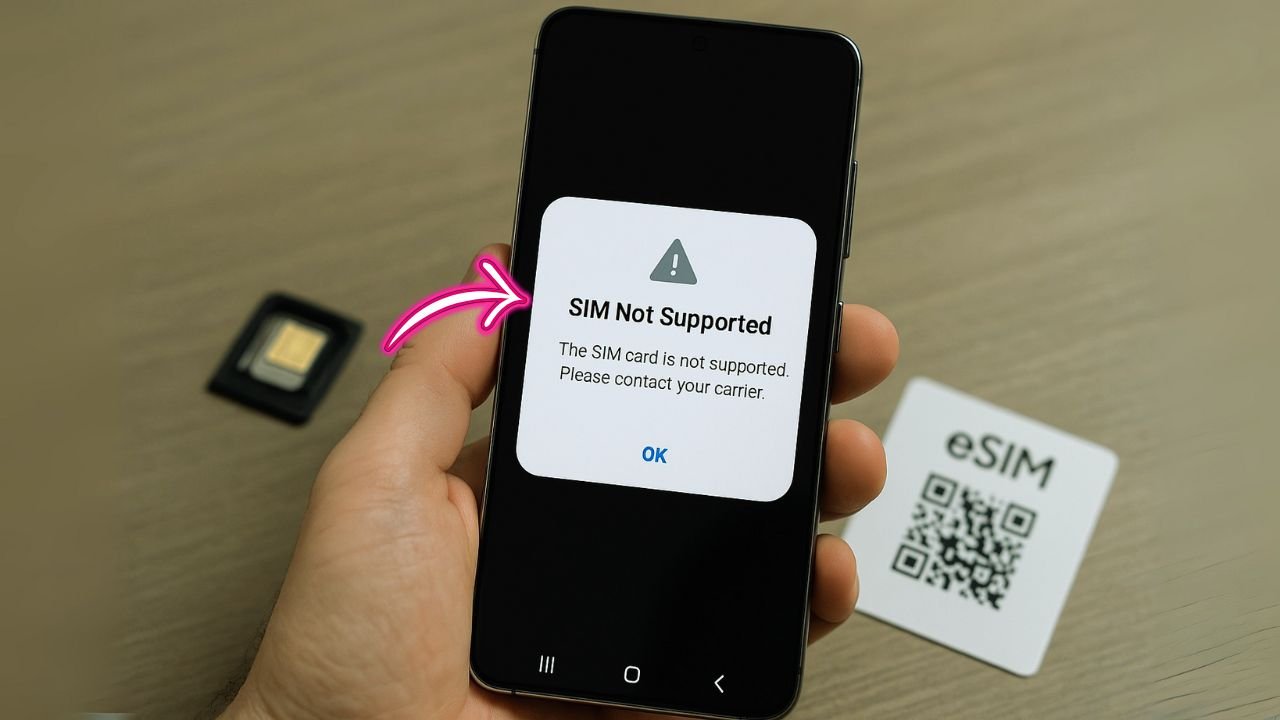
If you picked up a used Spectrum Mobile phone but don’t have access to the original owner’s account, unlocking can feel confusing. The good news: there are clean, legitimate paths to an unlock—no shady tools, no risky “factory services.” In this guide, I’ll explain exactly how Spectrum’s lock works, what must be true about the phone, and every workable route to get it unlocked when you don’t control the first account it was activated on. We’ll also cover special cases (lost/stolen flags, outstanding balances, iPhone vs. Android behavior, eSIM, international use) and give you step-by-step plans you can actually follow today.
TL;DR
- Unlocking a Spectrum Mobile phone without the original account holder is almost never possible.
- The only official path is for the original owner to request the unlock after all rules are met: paid in full, account in good standing, 60 days of Spectrum service, not lost/stolen.
- Third-party “IMEI unlock” services are risky, often fail when a balance is owed, can waste your money, and may void warranty.
- If you bought it locked from a marketplace, pursue a refund/claim if the seller didn’t disclose the lock status.
- Check the IMEI (*#06#) for blacklist status; if flagged lost/stolen, it won’t activate on U.S. networks.
- Best move: contact the seller/original owner to clear any balance and submit the official unlock request—or return the device.
Quick Take (Why this matters)
Spectrum Mobile locks devices for a short period and enforces a few requirements (paid off, active for 60 days, account in good standing, not lost/stolen). Once those are met, Spectrum unlocks devices, often automatically.
If you don’t have the original account, your path depends on the phone’s status (paid vs. unpaid, fraud checks). Some phones you can simply activate on your own Spectrum line for 60 days and then unlock; others require action from the original owner (like paying off financing).
U.S. policy momentum favors easy, time-bounded unlocks (commonly 60 days), so the rules are increasingly standardized—but device debt and fraud flags still block unlocks.
📖 Also Read: Boost Infinite vs. Boost Mobile: Which One Lets You Unlock Faster?
How Spectrum’s Lock Actually Works
Spectrum Mobile (which uses Verizon’s network) follows a familiar pattern: devices sold by Spectrum stay locked for a minimum period and until certain conditions are met. In plain language, your phone needs to be paid off, active on Spectrum for at least 60 days, on an account in good standing, and not reported lost/stolen or linked to fraud. Once eligible, Spectrum unlocks the phone—often automatically—so you can use other carriers’ SIMs or eSIMs.
This 60-day window is consistent with broader U.S. unlocking expectations and the industry trend toward simpler, time-limited locks (the FCC has repeatedly discussed standardization around 60 days). Verizon itself (Spectrum’s network partner) also uses a 60-day window before auto-unlocking, barring fraud or theft. This context helps when you’re assessing what’s realistic on a Spectrum-branded phone.
The Core Truth When You Don’t Have the Original Account
When you don’t control the original Spectrum account, everything hinges on the device’s status:
- Is it fully paid off?
If the phone was financed and still has a balance on the original account, unlocks are blocked until that balance is cleared. Spectrum requires the phone to be paid in full. - Has it completed 60 days of Spectrum service?
Spectrum requires at least 60 calendar days of active service before an unlock. If the phone is otherwise clean (no fraud/loss flags; paid off), you can generally meet the 60-day requirement on your Spectrum line—no need to access the prior owner’s account. - Any fraud/blacklist flags?
If a phone is reported lost or stolen (or tied to fraud), it will not be unlocked and may be blocked from activation on U.S. carriers. This isn’t something you can “work around.” - Is the account in good standing?
Unlocks won’t proceed if the linked account has unpaid bills or chargebacks. If the device is still technically tied to the previous owner’s delinquent account, Spectrum will not unlock it until the account is settled.
📖 Also Read: Samsung S24 Says ‘SIM Not Supported’ After a Switch? Try This
Scenario Planner: Choose the Path That Matches Your Phone
Scenario A: The phone is fully paid, not reported lost/stolen, but still locked
Your path: Activate it on your Spectrum line for 60 days, then request (or wait for) the unlock.
Why this works: Spectrum’s policy requires 60 calendar days of activity on Spectrum plus paid-off status and good standing. If those are true, unlocks are doable even without the original account.
Action plan (A):
- Put a Spectrum Mobile SIM/eSIM in the phone and activate service.
- Use the phone normally for at least 60 calendar days. Keep your Spectrum account in good standing.
- After Day 60, check for an automatic unlock or contact Spectrum to finalize it. Some devices update carrier status on Apple/Google servers in the background; others might need a quick support nudge.
Scenario B: The phone is not paid off (previous owner still owes money)
Your path: The original account holder must pay off the device—or you must return the device and recover funds. Spectrum won’t unlock a device with an outstanding balance.
Action plan (B):
- Ask the seller for proof of payoff or a written confirmation from Spectrum.
- If they won’t (or can’t) pay it off, request a refund—an unpaid device won’t unlock.
- Avoid any third-party “instant unlock” services that claim to bypass the payoff requirement; these are risky and often fail. (They can also lead to relocks or account issues later.)
Scenario C: The phone shows lost/stolen or fraud flags
Your path: There isn’t one. You can’t unlock or legitimately use a blacklisted device on major U.S. networks. Return it if possible.
Scenario D: You don’t know the status (paid? flagged? 60 days?)
Your path: Check first—then pick Scenario A, B, or C.
Action plan (D):
- Check IMEI status with a reputable checker (GSMA/CTIA-based tools are best) to detect lost/stolen or blacklist flags.
- Ask Spectrum via chat/phone to confirm whether the IMEI is paid off and eligible for activation/unlock after 60 days of service, provided you open your own Spectrum line. (They may not share account-owner details, but they can tell you what’s possible with that IMEI.)
📖 Also Read: AT&T Unlock During Military Deployment
iPhone vs. Android: What the Unlock Looks Like
iPhone
For iPhones, carrier lock status lives on Apple’s activation servers. Once Spectrum processes an eligible unlock, Apple updates the device’s status. You usually see Settings > General > About > Carrier Lock: “No SIM restrictions.” If you don’t, insert a non-Spectrum SIM or toggle cellular/eSIM to trigger a fresh activation check.
Android (Samsung, Google Pixel, Motorola)
Android phones apply unlocks through carrier systems or OEM tools. After Spectrum confirms eligibility and pushes the unlock, you may see it take effect after a reboot, SIM swap, or a brief carrier update. (Some Samsung models show a “Network unlocked” toast; others just accept any SIM afterward.) If it doesn’t take, contact support to resend the unlock signal.
What About eSIM?
eSIM doesn’t change eligibility rules. If the device is locked to Spectrum, only Spectrum eSIM profiles will activate. After the device is unlocked, you can add eSIMs from other carriers (domestic or international). For iPhones, go to Settings > Cellular > Add eSIM and scan the new carrier’s QR or use their app. The unlock must be complete first.
Why So Many Guides Say “60 Days”
You’ll see “60 days” everywhere for a reason. The FCC has pushed for consistent, consumer-friendly unlocking standards, and Verizon (the network Spectrum uses) follows a 60-day lock by default for postpaid devices, auto-unlocking afterward unless the device is lost/stolen or fraudulent. Spectrum’s policy mirrors the same timing and conditions (paid-off, good standing). That’s why your cleanest route without the original account is often: activate on Spectrum yourself, complete the 60 days, and unlock.
Step-by-Step: Unlocking Without the Original Account
Step 1: Verify the IMEI is Clean
- Use a reputable IMEI checker to confirm there’s no lost/stolen or fraud flag.
- If flagged, stop. Return the phone if you can. No carrier will unlock it.
Step 2: Confirm Paid-Off Status (or Resolve It)
- Ask the seller for proof the phone is paid in full.
- If the device still shows a balance on the original account, Spectrum won’t unlock it. The seller must pay it off first.
Step 3: Start Service on Your Spectrum Account
If the IMEI is clean and paid, put the phone on your Spectrum line and use it for at least 60 calendar days. Keep your account current.
Step 4: Request/Confirm the Unlock
After ~60 days, Spectrum often unlocks eligible devices automatically, but you can contact support to confirm or to push the update if it hasn’t appeared.
Step 5: Test With Another Carrier
- Insert a non-Spectrum SIM (or add a non-Spectrum eSIM).
- iPhone should show No SIM restrictions; Android should accept the new network without errors. If not, reboot and re-check; then contact Spectrum support to resend the unlock.
FAQs
“Can I unlock it faster than 60 days?”
If the device meets all criteria and Spectrum’s policy allows it, sometimes devices unlock right after payoff if the 60-day requirement was already satisfied on any Spectrum account (yours or the previous owner’s). If you’re starting from scratch on your new line, expect to complete the 60 days. Some carriers (and proposed FCC rules) center on this 60-day standard to deter fraud while preserving consumer choice.
“The phone is financed and the seller ghosted me.”
Unfortunately, there’s no legitimate bypass. Without payoff, Spectrum won’t unlock the phone. Recover funds or return the device.
“What if the phone was reported lost/stolen after I bought it?”
It will be blacklisted and often cannot even be used on Spectrum. Contact the marketplace or payment platform for buyer protection options.
“Isn’t Spectrum legally required to unlock?”
Carriers are required to unlock once conditions are met; they can impose reasonable requirements like time-bound locks (e.g., 60 days), account good standing, and no fraud/loss. The FCC has repeatedly discussed standardizing this at 60 days across the board; Spectrum’s current policy aligns with those norms.
“Do business/corporate lines follow different rules?”
Enterprise and bulk-purchased devices sometimes have additional restrictions. If the phone came from a business plan, ask Spectrum to check if any enterprise policy applies to that IMEI before you buy or activate.
“Will future FCC changes help me?”
The FCC has proposed uniform 60-day unlocking and automatic unlocks for capable devices. If finalized, it can make outcomes more predictable. But debt and fraud flags will still block unlocks.
Buying a Used Spectrum Phone Safely (So You Don’t Get Stuck)
- Ask for IMEI upfront and check it for blacklist/fraud.
- Request proof of payoff (receipt or Spectrum confirmation).
- Avoid “too good to be true” prices. Deep discounts often mean debt or fraud risk.
- Use buyer-protected platforms (with return/refund options).
- Activate quickly after purchase to surface any problems while you can still return it.
Travel & eSIM After Unlock
Once unlocked, you can pop in local prepaid SIMs or load low-cost travel eSIMs for trips abroad. This is one of the biggest benefits of getting the unlock done properly—no roaming bill shock, and you can switch data plans in minutes from the airport Wi-Fi. (On iPhone, Settings > Cellular > Add eSIM; on Android, check Network & Internet > SIMs.) Unlock must be complete first.
Troubleshooting After the Unlock
- iPhone still shows a lock?
Go to Settings > General > About and wait a few seconds for “Carrier Lock” to refresh. Insert a different carrier SIM/eSIM or toggle Airplane Mode to force a recheck of Apple’s servers. - Android still rejects other SIMs?
Reboot, toggle mobile network, or clear carrier services cache (varies by model). If it persists, ask Spectrum to re-push the unlock.
Red Flags: Avoid These Pitfalls
- “Instant unlock” sellers that claim to bypass financing or fraud flags—these are typically scams or short-lived hacks that can relock later.
- Blacklisted devices—even if they seem to work on Wi-Fi, they won’t become usable on mainstream U.S. carriers.
- No proof of payoff—assume unpaid until proven otherwise.
The Bottom Line
You don’t need the original account to unlock a Spectrum Mobile phone if the device is clean (not lost/stolen), paid off, and completes the 60-day Spectrum service requirement on an account in good standing. In many cases, that can be your account. Where people get stuck is when a phone is still financed or flagged; in those cases, there is no legitimate shortcut—the original owner must settle the balance or you should pursue a return. Following the steps in this guide will help you identify your exact scenario, avoid costly dead ends, and get to a reliable, permanent unlock the right way.


