

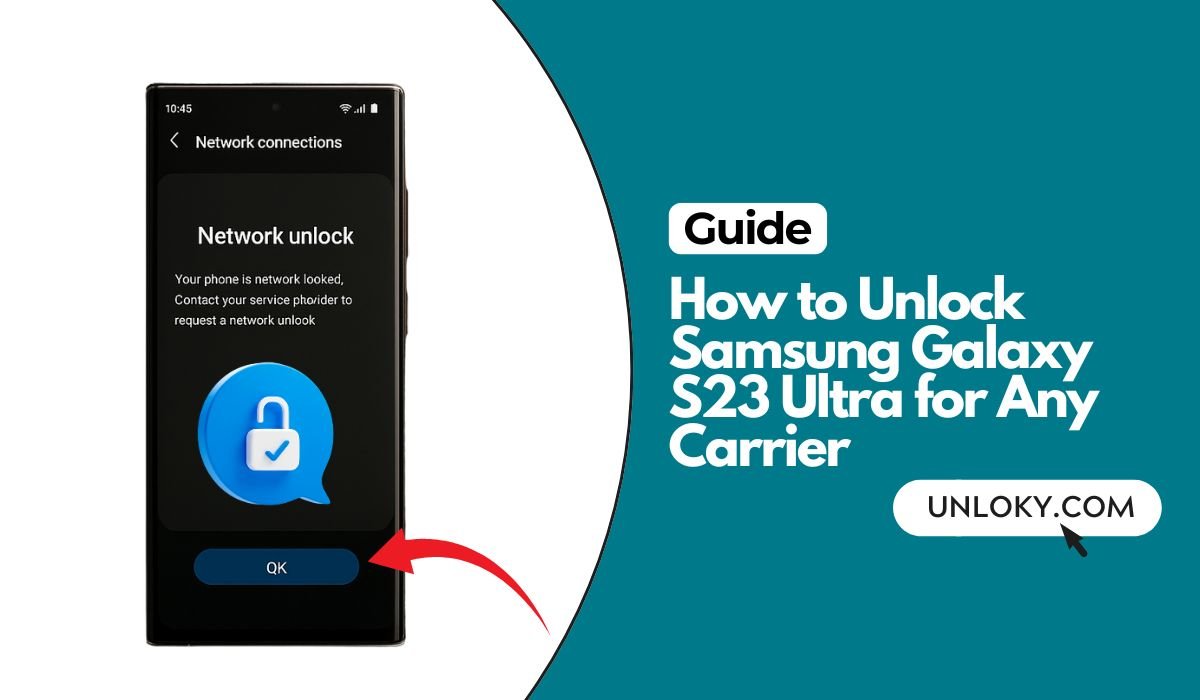
Unlocking your Galaxy S23 Ultra opens the door to cheaper plans, better travel options, and the freedom to switch networks whenever you want. In this guide, we’ll walk through every safe, legal method to get your S23 Ultra unlocked for use on any compatible carrier—without confusing jargon. You’ll learn how to check your lock status, meet your carrier’s unlock rules, request an unlock the right way, add eSIMs, fix common errors, and confirm everything worked.
Key Takeaways
- You can’t “force-unlock” a Spectrum S23 Ultra. Carrier locks are controlled on the carrier’s servers—only the original provider can permanently remove the lock. Third-party codes or hacks won’t work reliably and can risk your device.
- Confirm lock status first. On the phone, go to Settings > Connections > More connection settings > Network unlock (or insert a different carrier’s SIM/eSIM). If you see prompts like “SIM network unlock PIN,” it’s still locked.
- Unlock must go through Spectrum (the original carrier). Contact Spectrum support or visit a store, explain the situation, and request an official unlock once eligibility is met (paid off, good standing, not reported lost/stolen).
- If there’s an unpaid balance, only the original account holder can fix it. Carriers won’t unlock phones tied to active debt or fraud flags—track down the seller/previous owner to settle the account, then the carrier can unlock.
- After unlock, test by manually selecting networks. Turn off automatic network selection and scan; try connecting (e.g., to T-Mobile). If it won’t register on other networks, it’s likely still locked or needs APN/network settings updated.
Why unlock your S23 Ultra?
An unlocked S23 Ultra lets you:
- Pop in any compatible SIM or add an eSIM for local data when you travel.
- Switch to low-cost MVNOs (Mint, Visible, Cricket, Google Fi, etc.) without buying a new phone.
- Improve resale value because more buyers can use the phone.
Important: Samsung doesn’t lock phones. Carriers do. That means the correct, reliable path to unlock is through the original carrier (or it happens automatically when you meet their rules). Samsung’s own support explains that you must contact the carrier or retailer that locked the device to request the unlock.
First, confirm if your S23 Ultra is already unlocked
Before doing anything else, check your phone’s status. The fastest tests:
- Insert a SIM from another carrier (or add an eSIM)
If calls/data work, you’re likely unlocked. If you see a message like “SIM network unlock PIN” or “SIM not valid,” the phone is still locked. - Use Android Settings
Go to Settings > Connections > More connection settings > Network Unlock. If your device shows “Network locked” or similar, it’s locked. Some carriers expose a Network unlock page that also initiates the unlock once eligible. - Ask your carrier
Calling or chatting with the original carrier is definitive. Industry guidance also recommends the “try another SIM” method as the most reliable quick check.
📖 Also Read: How to Unlock Samsung Galaxy S22 Ultra for Any Carrier
Know your exact model and SIM options
The S23 Ultra has several model codes. Common ones include SM-S918U / U1 (USA), SM-S918B/DS (international), SM-S918W (Canada). Most variants support one physical nano-SIM plus eSIM; some international/region-specific units may differ (for example, certain Hong Kong/China models have limited or no eSIM support). Check your Settings > About phone for the model, and verify eSIM availability in Settings > Connections > SIM manager (look for Add eSIM). Samsung’s eSIM how-to pages outline the menu path, and note that availability varies by carrier and country.
If you’re thinking of switching countries or carriers, also confirm your network band compatibility for 5G/LTE (U.S. vs. global models have differences). Tools like FrequencyCheck and CACombos list supported bands by model so you can match them to your target network.
Carrier rules you must meet (U.S. majors)
Each carrier sets unlock rules. Here are the current highlights for U.S. networks (postpaid unless noted). Always check account standing, payoff status, and whether the device is reported lost/stolen.
Verizon (postpaid & prepaid)
Devices are locked for 60 days after purchase/activation, then unlocked automatically (unless marked lost/fraud). You don’t need to enter a code.
AT&T (postpaid & prepaid)
Postpaid: Device must be 60+ days from purchase, fully paid off, not flagged, and account current. Unlocks are requested via AT&T’s portal and many Apple/Google models unlock automatically once eligible.
Prepaid: Requires 6 months of paid AT&T service before unlock.
Use AT&T’s official unlock portal when you’re ready.
T-Mobile (postpaid & prepaid brands)
Postpaid: Device must have at least 40 days of active service on the line and be paid off; T-Mobile then remotely unlocks eligible devices, typically within two business days.
Prepaid/Metro by T-Mobile: Metro usually remote-unlocks after eligibility, but newer policy changes mean 365 days if activated after May 1, 2024 (previously 180). Expect an automatic unlock within two business days once eligible.
U.S. Cellular
UScellular states you must bring an unlocked device for BYOD, and their unlock policy page indicates automatic unlock after a period (commonly cited as 120 days). If you hit a snag, contact support.
Regulatory note (context): The FCC has proposed a uniform 60-day unlock requirement across carriers; as of now, it’s a proposal, not a universal rule. Some carriers support it; others oppose changes, so always follow your carrier’s current policy until any new rule is finalized.
📖 Also Read: How to Unlock iPhone 16 Pro Max for Any Carrier
Step-by-step: Unlock your S23 Ultra the right way
Step 1: Gather the basics
- Find your IMEI: Dial *#06# or go to Settings > About phone and copy your IMEI.
- Confirm the original carrier: If you aren’t sure, check your purchase records or ask your current provider.
Step 2: Make sure you’re eligible
- Paid off? If you financed the phone, pay the remaining balance.
- Enough days of service? See the carrier timelines above (e.g., Verizon 60 days, T-Mobile 40 days postpaid, AT&T 60 days postpaid, AT&T Prepaid 6 months, Metro 365 days).
- Clean status: If a device is reported lost/stolen or involved in fraud, it won’t be unlocked. (You can check a second-hand phone’s status with the CTIA Stolen Phone Checker.)
Step 3: Request the unlock (by carrier)
Verizon
No request usually needed—unlock is automatic at day 61. If it doesn’t reflect, contact Verizon to review your account.
AT&T (postpaid/prepaid)
Go to the AT&T unlock page and submit your IMEI. Watch your email for approval and completion steps.
T-Mobile (postpaid)
If your Samsung supports remote unlock, T-Mobile unlocks it automatically within two business days after you meet eligibility. If not, you may see a notification with next steps; you can also use the on-device Network Unlock option when it appears.
Metro by T-Mobile (prepaid)
Devices unlock automatically within two business days of eligibility; if your phone can’t be unlocked remotely, look for an on-device message explaining how to finish.
U.S. Cellular
UScellular indicates automatic unlock after its service period; if needed, contact support to complete the process.
Tip for T-Mobile Samsung phones
T-Mobile’s device pages outline Temporary Unlock (lasts 30 days, handy for trips) and Permanent Unlock. If you see these options on your S23 Ultra, follow the prompts.
Step 4: Finish up and test
After the carrier confirms unlock:
- Restart your phone.
- Insert the new SIM or add the new eSIM.
- Try a call and mobile data.
- If data doesn’t work, update APN settings in Settings > Connections > Mobile networks > Access Point Names (your new carrier can provide APN values).
How to add or move an eSIM on the S23 Ultra
Your S23 Ultra can store multiple eSIM profiles (only one active at a time alongside a physical SIM). To add an eSIM:
- Go to Settings > Connections > SIM manager > Add eSIM.
- Scan your carrier’s QR code or enter activation code.
- Follow on-screen steps and wait for activation.
Move an eSIM from another Galaxy: Use SIM manager > Add eSIM > Transfer SIM from another device and follow the prompts on both phones. (Note: the new phone must be unlocked to complete the transfer.)
Using your unlocked S23 Ultra on MVNOs (Mint, Visible, Cricket, Google Fi, etc.)
Once unlocked, you can switch to MVNOs for better pricing:
Cricket (AT&T network): Cricket locks new devices to its network for 6 months; to bring your own unlocked S23 Ultra, just insert the SIM/eSIM and go.
Metro by T-Mobile: If you buy the phone from Metro, expect the 365-day policy. BYOD unlocked phones can be used right away.
Boost Mobile: Unlocks one year after activation for devices purchased from Boost; BYOD unlocked phones work immediately.
Google Fi Wireless: Phones sold by Fi or the Google Store are already unlocked (and Fi explicitly says so). Your unlocked S23 Ultra also works on Fi.
Pro tip: Before switching, double-check 5G/LTE band support for your specific model against the MVNO’s underlying network (T-Mobile, AT&T, Verizon). Use a band checker to be safe.
📖 Also Read: How to Unlock iPhone 14 Pro Max for Any Carrier
Common messages and what they mean
“SIM network unlock PIN” – Your phone is carrier-locked. You need the carrier to unlock it (not a SIM PIN/PUK). Samsung clarifies that network locks are managed by carriers.
“SIM not valid / SIM not recognized” – Often means the device is locked or the SIM is faulty. Try another SIM, then contact the carrier if it persists.
Temporary unlock worked, but now I’m locked again – Temporary network unlocks (like T-Mobile’s 30-day option) expire. Request a permanent unlock once eligible.
Buying used? Protect yourself first
- Run the IMEI through the CTIA Stolen Phone Checker to make sure it’s not reported lost/stolen or blacklisted.
- Inspect the model number (Settings > About phone) to confirm it supports your target carrier’s bands (especially for 5G). Use a reputable band checker.
- Avoid paying for random “IMEI checks” or “instant unlocks” from unverified sites. Industry sources caution those results can be inaccurate or risky; always defer to your carrier for unlocking.
Travel made easy: run dual lines on one phone
With an unlocked S23 Ultra:
- Keep your home carrier on the physical SIM and add a local eSIM for cheaper data abroad.
- Add the eSIM via Settings > Connections > SIM manager > Add eSIM, using the QR code your travel eSIM provider gives you.
- Remember: only one eSIM can be active at a time on most Samsung phones, but you can swap profiles in SIM manager when needed.
Troubleshooting after unlocking
If your new SIM/eSIM still doesn’t work:
- Reboot the phone after inserting the SIM or activating eSIM.
- Manually select a network in Settings > Connections > Mobile networks > Network operators.
- Update APN values provided by the new carrier.
- Reset network settings if needed (this clears saved Wi-Fi/Bluetooth).
- Confirm the phone supports the right 4G/5G bands for your area/model.
Quick carrier cheat-sheet (2025 snapshot)
- Verizon: 60-day automatic unlock (postpaid & most prepaid).
- AT&T: Postpaid unlock at 60+ days; Prepaid unlock after 6 months; request via portal.
- T-Mobile: Postpaid unlock after 40 days; remote unlock within ~2 business days once eligible.
- Metro: 365 days for devices activated after May 1, 2024; remote unlock when eligible.
- UScellular: Automatic unlock after service period; BYOD must arrive unlocked.
FAQs
Is unlocking legal and safe?
Yes. U.S. carriers provide unlocking at no extra charge once requirements are met. The FCC also pushes for consumer-friendly rules; a uniform 60-day rule is proposed (not yet universal). Always unlock through the original carrier.
Will unlocking wipe my data or void my warranty?
No. Carrier unlocking doesn’t erase data and doesn’t void manufacturer warranty. (Still, back up your phone before any major change.)
What’s the difference between “factory unlocked” and “carrier unlocked”?
“Factory unlocked” (e.g., Samsung.com/Google Store) means the phone ships unlocked. “Carrier unlocked” means the carrier removed the network restriction after purchase.
Do I need a code to unlock my S23 Ultra?
Usually no. Modern carrier unlocks are server-side and automatic once you qualify (especially Verizon and T-Mobile). If a code is ever required, the carrier provides it.
Can I use an international S23 Ultra in the U.S.?
Often yes, but check 5G/LTE band compatibility for your specific model (e.g., SM-S918B vs. SM-S918U). Some regions (e.g., certain Hong Kong variants) have eSIM limitations. Verify before you buy.


