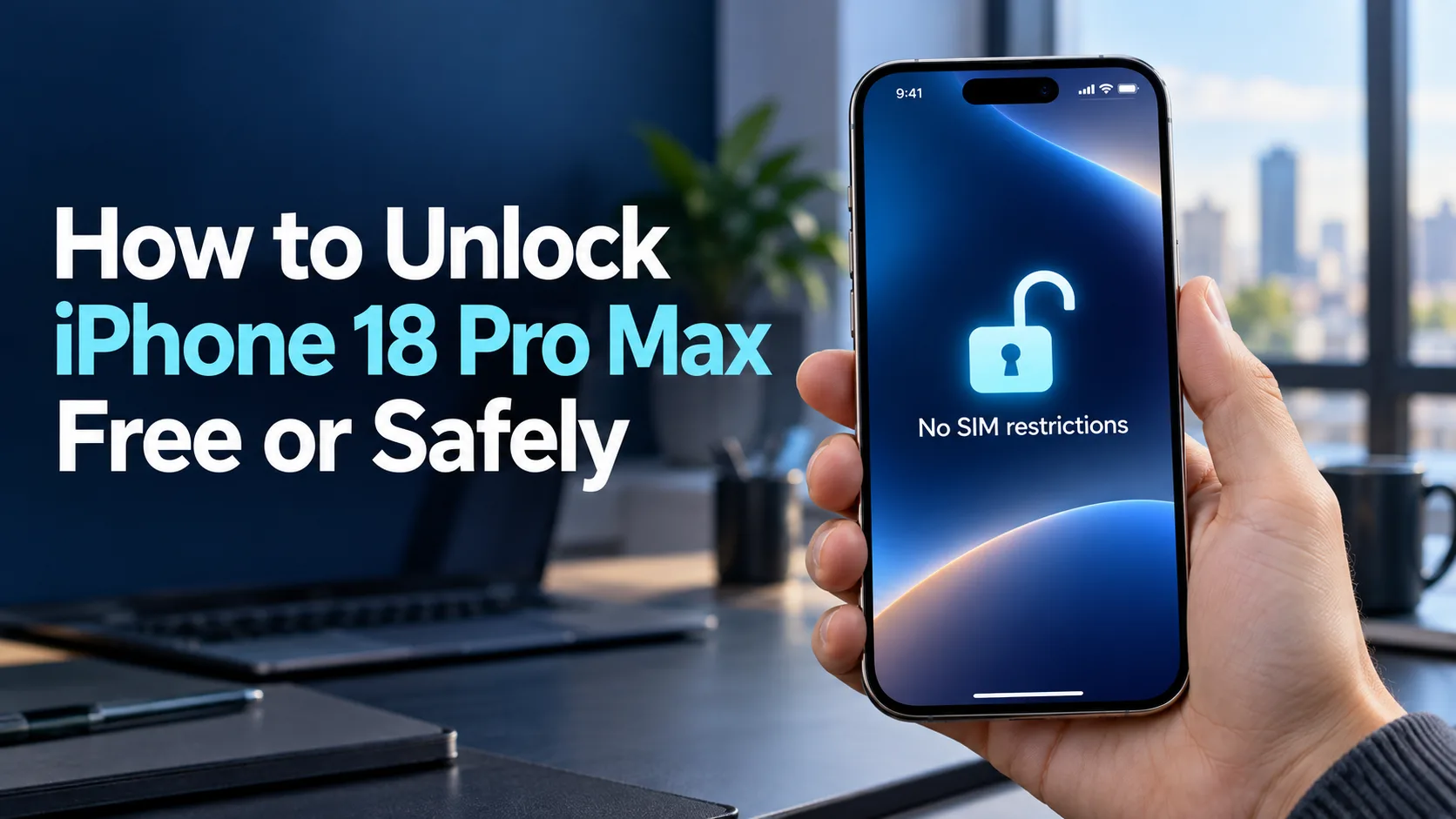
To unlock your iPhone 18 Pro Max for another carrier, start by checking whether it has a network restriction. Your carrier’s eligibility rules determine whether it can be removed.
The safest route is an official carrier unlock, which may be free once your phone qualifies. Open Settings → General → About → Carrier Lock. If you see “No SIM restrictions,” it’s already unlocked. Otherwise, contact the carrier responsible for the lock; Apple cannot remove it. Apple’s unlock guide explains the process.
What Unlocking Your iPhone Actually Means
A carrier unlock removes a restriction that prevents your phone from activating on another provider. It can help you change plans, add a travel line, or prepare the device for another owner.
It doesn’t create a new service plan or guarantee that every network will accept the phone. The next carrier still needs to support your device and activate service.
The US iPhone 18 Pro Max uses eSIM rather than a physical SIM card, according to Apple’s technical specifications. An eSIM is a digital SIM built into the phone, so instructions telling US owners to insert another carrier’s SIM card don’t fit this model.
A carrier lock is also different from a forgotten screen passcode or Activation Lock. Activation Lock links a device to its owner’s Apple Account through Find My. Removing a network restriction won’t remove that ownership protection.
Why Unlocking Matters Before You Switch or Travel
Unlocking gives you more room to choose service based on coverage, price, and your daily needs. It’s useful when your current plan costs too much or another network works better where you live.
For travel, an unlocked iPhone can use a compatible local or international eSIM provider. You can also keep your home line alongside a travel line, subject to the plans and settings you choose. Apple’s international eSIM guide explains these options.
Timing matters more than many buyers expect. If you need another network for a trip next week, check eligibility before buying a travel plan or paying off the device.
For a used purchase, ask the seller to confirm the unlock before you pay. A promise that the phone “can be unlocked later” leaves you responsible for resolving whatever blocks the request.
Three Routes to an Official Carrier Unlock
Automatic unlocking after eligibility
Some carriers unlock eligible devices without a separate request. T-Mobile says it remotely unlocks supported devices within two business days after they qualify. AT&T also says eligible Apple devices on its wireless plans should unlock automatically.
This route suits you if you’ve met the requirements and have no urgent deadline. Check the device’s status rather than assuming the lock disappeared when your last payment posted.
Requesting help through the carrier
Use the carrier’s official website, account support, or customer service when the phone remains locked or eligibility is unclear. Ask for a specific reason if the request is denied.
This approach is especially useful for a used phone, a closed account, or an unlock that appears stuck. Keep the request number and ask when you should follow up.
Automatic and assisted unlocking lead to the same goal. The distinction mainly affects how much follow-up you need.
Resolving a requirement before trying again
Sometimes the next step is paying the remaining device balance, completing a required service period, or correcting an account record. An unlock request alone won’t satisfy those conditions.
Ask the carrier which requirement remains and the earliest date the phone could qualify. If several conditions are outstanding, get the full list before making a payment.
This route fits readers who can wait. If you need another network immediately, compare the alternatives below before spending money.
What to Check Before You Spend Anything
The carrier responsible for the restriction
Start with the carrier that sold or locked the phone. The provider you want to join may help check compatibility, but it isn’t necessarily responsible for removing the existing restriction.
For a secondhand device, ask for the original purchase receipt and carrier name. Don’t rely only on the network name currently shown on the screen.
Device payments and promotional credits
A free unlock doesn’t mean a free payoff. If you still owe money on the phone, that balance may need to be paid before the device qualifies.
Before paying early, ask what happens to any remaining promotional credits. Request the payoff amount and the effect on your offer in writing, then compare that cost with the benefit of switching now.
Purchase dates and active-service requirements
Carrier policies count time differently. A purchase-age requirement isn’t the same as a rule requiring active service on a particular line.
Ask which date starts your waiting period and whether any service interruption affects it. Keep your receipt and activation confirmation so you can challenge an incorrect date.
Account standing and device history
An overdue account or a lost, stolen, or fraud-related record can affect eligibility. For example, AT&T requires qualifying devices to be paid off and free of lost, stolen, or fraud reports; current customers also need a bill that isn’t past due.
If a seller’s device has a problem you can’t resolve, consider the return window. Don’t let repeated promises of a future unlock carry you past your refund deadline.
Compatibility with the next provider
Unlocking and compatibility are separate checks. Verizon expressly notes that an unlocked device may have limited functionality—or may not work—on another network.
Ask your intended provider to check the phone before buying service. This deserves extra attention for imported devices or plans with limited eSIM support.
Benefits and Drawbacks of Unlocking
- More plan choices: You can consider other compatible providers without replacing the phone.
- More travel options: A supported local or international eSIM may suit your trip better than your home plan’s roaming option.
- Easier handoffs: Confirmed unlock status gives a future owner clearer information about the device.
Benefits
- Eligibility can delay your plans: Paying off the phone may leave another requirement outstanding.
- Switching can involve separate costs: Review device debt, the new plan, and any effect on promotional credits.
- Other restrictions still matter: Account protection, device history, and network compatibility need separate attention.
Drawbacks
The practical value depends on what you’ll do next. If you’re happy with your current service, there may be little reason to accelerate payments just to unlock early.
How to Unlock iPhone 18 Pro Max Safely
Check the Carrier Lock entry in Settings. If the problem is a forgotten screen passcode or an ownership screen during setup, use the appropriate Apple recovery process instead of submitting a network unlock request.
Find the IMEI under Settings → General → About. This number identifies the device for carrier checks. Apple’s device identification guide also explains where to find the EID, which a provider may request for eSIM setup. Copy identifiers carefully and share them through official support channels.
Ask: “Does this phone meet every unlock requirement? If not, which requirement remains, and when can it qualify?” Have your purchase details ready. If the phone came from another person, explain that before creating a new account or paying for service.
Save the carrier’s email, chat transcript, or case number. Distinguish between a phone that qualifies, a request that has been submitted, and an unlock that has finished. Apple notes that completing a request may take a few days.
Connect to Wi-Fi and follow the new provider’s instructions. Depending on its setup method, you may use Settings → Cellular → Add eSIM, a QR code, an app, or a carrier activation notification. Then test mobile data with Wi-Fi off and test calls if your plan includes them. Apple’s eSIM setup guide covers the supported activation methods.
Avoid spending time on “secret unlock codes” or repeated reset attempts. The useful question is whether the carrier has completed the authorization for your specific device.
How Major US Carrier Requirements Compare
The requirements to unlock your iPhone depend on the carrier and your account type. Before requesting an unlock, check your device balance, purchase or activation date, and account status.
Unlock an iPhone on AT&T
Your iPhone must have been purchased more than 60 days ago and paid off in full. It also cannot be active on another AT&T account or reported lost, stolen, or involved in fraud. If you’re a current customer, your bill must not be past due.
Eligible iPhones on AT&T Wireless should unlock automatically. If yours still shows a carrier restriction after meeting the requirements, contact AT&T or submit an official unlock request.
See AT&T’s device unlock requirements.
Unlock an iPhone on T-Mobile
For a postpaid account, your iPhone must have been active on the requesting line for at least 40 days. Any financing or lease payments must be satisfied, and the account must be in good standing. The device must also meet T-Mobile’s other eligibility rules.
T-Mobile automatically unlocks devices that support remote unlocking within two business days of becoming eligible. If that period passes and your iPhone remains locked, ask support to check which requirement or processing step is holding it up.
See T-Mobile’s device unlock policy.
Unlock an iPhone on Verizon Postpaid
Under Verizon’s current postpaid policy, devices purchased directly from Verizon unlock automatically when purchased at full retail price or paid off in full. A device reported lost or stolen must have that report cleared before it can unlock.
Your payment method can affect the timing. Verizon requires a secure payment method for immediate unlocking and states that using a Verizon Gift Card can delay unlocking by 35 days. If you’re preparing for a trip or carrier switch, confirm the timing before paying.
See Verizon’s device unlocking policy.
Unlock an iPhone on Verizon Prepaid
Verizon prepaid devices must complete 365 days of paid, active service before the carrier automatically removes the lock. Devices considered stolen or fraudulently purchased are excluded.
This requirement is based on qualifying service, so don’t assume that owning the phone for a year is enough. Ask Verizon to confirm your eligible date before purchasing another carrier’s plan.
See Verizon’s prepaid unlocking requirements.
Don’t apply an old Verizon 60-day guide to a new purchase. Confirm the current policy and the payment method’s effect before arranging an urgent switch.
Alternatives When Your Phone Cannot Unlock Yet
If the carrier confirms that your device isn’t eligible, choose an alternative based on how soon you need service.
| Alternative | Best fit | Main limitation | Cost or effort |
|---|---|---|---|
| Keep using the original carrier | You can wait for eligibility | Doesn’t provide immediate network choice | Existing service costs continue |
| Use your carrier’s roaming option | A trip starts before unlocking is possible | Destination, data, and usage terms vary | Check your plan or travel-pass price |
| Use a separate unlocked phone | You need another network immediately | Requires another device | Borrowing or buying, plus service |
| Return or exchange a locked purchase | The seller promised an unlocked device | Depends on return terms | Keep evidence and act before the deadline |
Your current carrier’s international roaming may be available without switching to another provider’s eSIM. Check its destination coverage and charges before departure.
For a short trip, compare the total cost and effort of each route. An early payoff may make little sense if your main need is a few days of mobile data.
For a used phone advertised as unlocked, resolving the sale may be more practical than taking responsibility for the previous owner’s account problem.
Common Concerns to Check
“The phone is paid off, but it still shows locked.”
A zero balance may satisfy only one requirement. Review the waiting period, account standing, and payment processing conditions with the carrier.
Keep your payoff receipt handy. Ask support to identify the remaining condition instead of simply submitting the same request again.
“My new eSIM won’t activate.”
First separate the carrier-lock question from the activation problem. If the phone already shows unlocked, ask the new provider to check its eSIM assignment and device details.
Record the exact error message. A failed setup attempt alone doesn’t tell you which part of the process went wrong.
“The seller says an IMEI check proves everything is fine.”
Treat that as one piece of information. Ask what the check actually covers and have the intended carrier verify whether it can activate the device.
For a purchase you haven’t completed, request a live view of the phone’s settings and written terms describing its unlock status. Preserve the listing and receipt.
“A website guarantees an instant unlock.”
Ask what service it actually provides and what happens if the carrier rejects the request. A paid status report is different from a completed unlock.
Because Apple identifies the carrier as the authority for network unlocking, a website’s promise shouldn’t replace official confirmation.
Protect Your Account and Check Service Afterward
Don’t give an unlock seller your Apple Account password, device passcode, or verification codes. Apple’s scam prevention guidance warns against sharing those credentials or following suspicious requests to change security settings.
Keep full device identifiers out of public posts and screenshots. Provide them privately when the carrier needs them to investigate your request.
If you want to keep your number, ask the new provider how to coordinate the transfer before canceling anything. Treat device unlocking, number transfer, and plan cancellation as separate tasks.
For two active eSIMs, review which line handles calls and which supplies mobile data. A travel plan may be data-only, and leaving your home line active may involve separate roaming charges.
Before deleting a working eSIM, ask the provider whether you’ll need a replacement activation code. Keeping a working connection during troubleshooting can make support easier.
The Best Next Step for Your iPhone
Check your phone’s lock status, then ask the responsible carrier to confirm eligibility and completion. If it qualifies, use the official process before considering any paid assistance.
If it doesn’t qualify, get the exact reason and earliest eligible date. Choose between waiting, using existing service, or resolving a locked purchase based on your deadline and total cost.
An official unlock can be free when the phone meets the carrier’s rules. T-Mobile explicitly offers eligible device unlocking without a fee. You may still need to pay an existing device balance or complete required service; those obligations are separate from an unlock charge.
It depends on the carrier and device history. AT&T allows noncustomers to request an unlock for a qualifying device, but that doesn’t remove its eligibility requirements. If the previous owner must resolve an account issue, ask the seller to handle it or consider returning the phone.
A reset doesn’t replace the carrier’s authorization. Apple includes backup-and-restore steps for certain situations after the carrier confirms an unlock, so erasing first isn’t a shortcut. Follow support instructions and protect your data before any erase operation.
An eSIM from another carrier requires the phone to be unlocked. Your existing carrier’s roaming service is a separate option and may still meet your travel needs. Compare its coverage, data allowance, and charges before buying another plan.
Use Apple’s account or device recovery instructions instead of a carrier unlock request. Apple’s forgotten-passcode reset process can erase the phone, so review backup options first. Activation Lock is a separate ownership check and may still require the linked Apple Account after an erase.