TL;DR — The Honest Quick Answer
Let’s Clear Up the Biggest Misconception First
If you searched for “Apple Watch Ultra unlock code,” I have slightly annoying news and slightly great news.
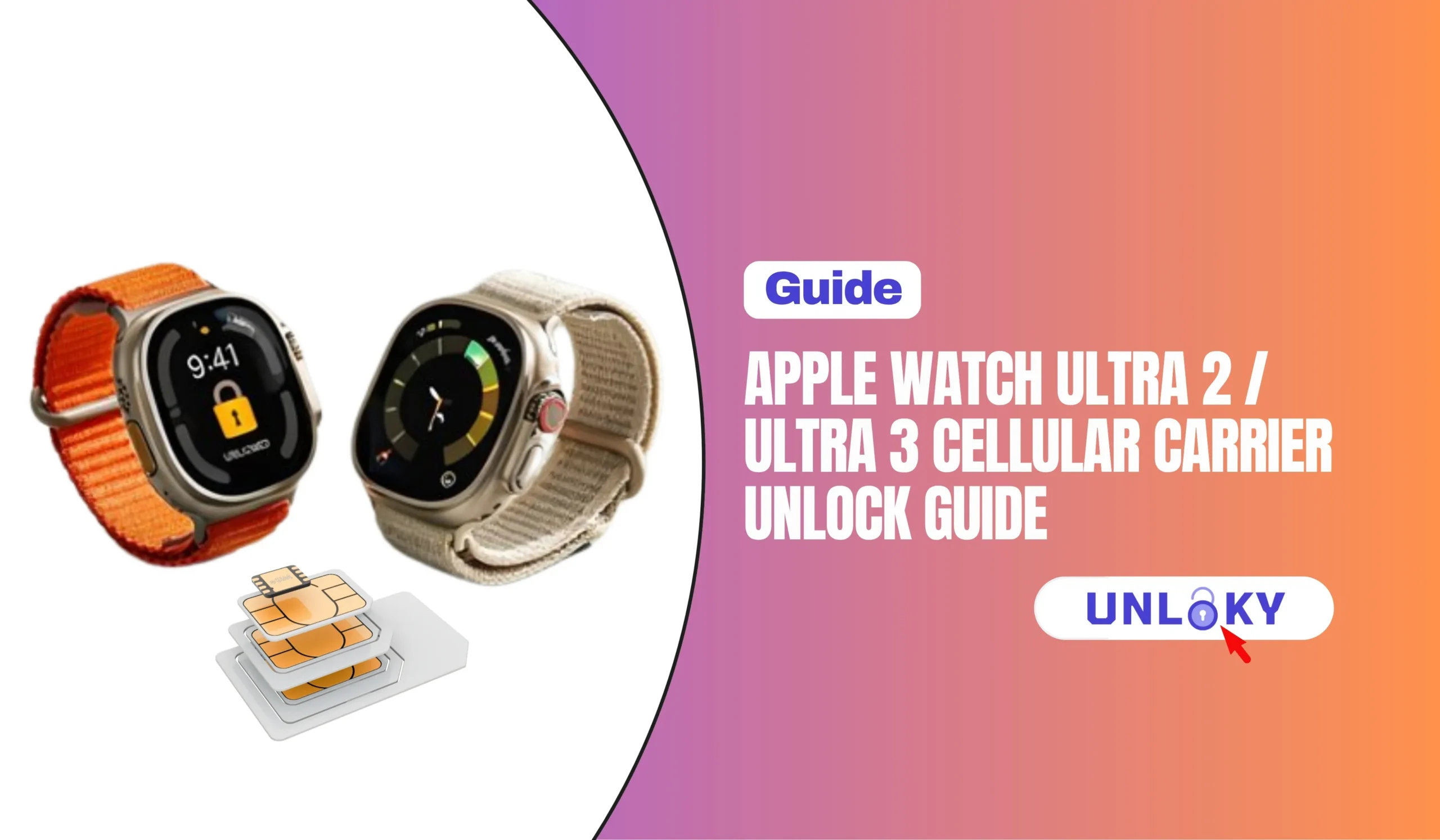
The annoying news: that code doesn’t exist. Unlike a phone, the Ultra 2 and Ultra 3 have no SIM tray, no unlock code field, and no carrier-lock screen you can poke at. There is nothing to type in.
The great news: you probably don’t need one. T-Mobile’s own unlock page says flatly that Apple Watches are sold unlocked, and AT&T’s device unlock page says the same thing. Buy one from Apple and it’s unlocked by definition. So for most people reading this, the watch hardware was never the problem.
What people are usually running into is one of four completely different things, and they get lumped together under the word “locked.” Let’s separate them, because the fix is different for each one.
1. The paired iPhone is carrier-locked (this is the real one, 80% of the time). 2. The old carrier’s eSIM plan is still sitting on the watch and needs removing. 3. The watch was bought in another country and its cellular bands don’t match your carrier. 4. Verizon financing isn’t paid off yet. Only #4 is a genuine carrier lock in the traditional sense.
Carrier-by-Carrier: Who Actually Locks the Watch?
Here’s where each major US carrier stands as of mid-2026. Note the difference between “we lock the watch” and “we lock the phone your watch depends on” — that distinction saves a lot of phone calls.
AT&T
- AT&T’s support page states Apple Watch is unlocked by default — no request needed
- Your iPhone still needs 60+ days of service and a zero balance
- iPhone 15 and later activated after Sept 1, 2025 unlock automatically once eligible
- Watch line runs about $10.99/mo on NumberSync
T-Mobile
- T-Mobile lists Apple Watches and Galaxy Watches as sold unlocked, no code required
- Phones: 40 days postpaid, 365 days prepaid, paid off, max 2 unlocks per line per year
- DIGITS watch line is $15/mo on consumer plans
- Heads up: T-Mobile-locked phones no longer activate on T-Mobile MVNOs
Verizon
- Devices purchased from Verizon are locked to its network
- The 60-day auto-unlock ended January 12, 2026 after an FCC waiver
- Postpaid now unlocks when the financing balance is cleared; prepaid at 365 days
- NumberShare watch line is $10–$15/mo plus an activation fee
Apple Store / Retail
- Bought at full price from Apple? Never carrier-locked
- Still only works with carriers that officially support Apple Watch
- The US model won’t reliably do cellular abroad, and vice versa
- Ultra 3 runs $799 in Natural or Black Titanium
For years Verizon was the friendliest carrier here — everything auto-unlocked after 60 days whether you’d paid it off or not. The FCC granted Verizon a waiver of that rule on January 12, 2026, and Verizon now follows the standard CTIA policy like everyone else. If you activated anything on Verizon before that date and it already unlocked, you’re fine. Anything after? You’re waiting until it’s paid off. Buy from Apple instead if you value flexibility.
Unlock Policy Comparison: What You’re Actually Dealing With
| Carrier | Watch locked? | Phone unlock wait | Prepaid wait | Watch line cost | Family Setup |
|---|---|---|---|---|---|
| AT&T | No — unlocked by default | 60 days + paid in full | 6 months of service | ~$10.99/mo | Yes |
| T-Mobile | No — sold unlocked | 40 days + paid off | 365 days | ~$15/mo | Yes |
| Verizon | Yes, if bought from Verizon | Until financing is cleared | 365 days | $10–$15/mo | Yes |
| UScellular | Varies by purchase channel | Contract/financing complete | 12 months | ~$10/mo | Yes |
| Apple Store | Never locked | N/A | N/A | Depends on carrier | Carrier-dependent |
| Xfinity / Spectrum Mobile | Watch not locked | Host phone rules apply | Varies | ~$10/mo | Limited |
| Metro by T-Mobile | Watch not locked | 365 days | 365 days | ~$10/mo | Limited |
| Mint / Cricket / smaller MVNOs | Watch not locked | Host phone rules apply | Varies | Often unsupported | No |
Look at that “Watch locked?” column. Almost every row says no. That’s the point of this whole guide — the search term is “Apple Watch unlock,” but the actual work is on the phone side and the plan side.
Ultra 2 vs Ultra 3: Why Your Generation Matters Here
These two watches look nearly identical on a wrist, but their radios are meaningfully different, and that changes which carriers and plans make sense.
| Spec | Apple Watch Ultra 2 | Apple Watch Ultra 3 |
|---|---|---|
| Released | September 22, 2023 | September 19, 2025 |
| Price at launch | $799 | $799 |
| Cellular | 4G LTE only | 4G LTE + 5G |
| Satellite messaging | No | Emergency SOS, Find My and Messages via satellite |
| Satellite cost | — | Free for 2 years from activation |
| SIM type | eSIM only | eSIM only |
| Carrier lock possible? | Only via Verizon financing | Only via Verizon financing |
| iPhone requirement | iPhone Xs or later | iPhone 11 or later, iOS 26+ |
| Battery (typical use) | ~36 hours | ~42 hours |
| Region-specific model | Yes | Yes |
| Best for | Value buyers on any carrier | Off-grid use, 5G networks, safety features |
Apple lists Verizon, AT&T, T-Mobile, Metro by T-Mobile and UScellular as the national US carriers for Apple Watch, and all of them offer 5G. But 5G on a watch isn’t about speed — a watch moves tiny amounts of data. It’s about connecting on networks where LTE capacity is being retired. If you’re on an MVNO, confirm 5G watch support before you count on it.
How to Move Your Ultra 2 or Ultra 3 to a New Carrier
Do these in order. Skipping step one is the single most common reason people end up on a two-hour support call.
On the iPhone, open Settings → General → About and scroll to Carrier Lock. “No SIM restrictions” means you’re clear. “SIM locked” means stop here and unlock the phone first — the watch cannot outrun the phone’s lock.
Not every carrier does. Apple maintains the official list at apple.com/watch/cellular. Several budget MVNOs still don’t offer watch lines at all, and that’s a dead end no unlock can fix.
On the iPhone, open the Watch app → My Watch → Cellular. Tap the “i” next to your current plan and choose Remove Plan. If you’re leaving that carrier entirely, call them and confirm the watch line is cancelled so you’re not billed for it.
Port your number, activate the new eSIM or SIM, and make sure the phone is fully live on the new network before you touch the watch. The watch follows the phone, never the other way around.
Back in the Watch app → Cellular → Set Up Cellular. The watch should offer the carrier your iPhone is now on. Follow the carrier’s activation flow — it usually takes two to five minutes and may involve their app or a short call.
Leave the iPhone at home, turn Wi-Fi off on the watch, walk outside, then make a call and send a text. The cellular indicator on the watch face should show green bars. If it doesn’t connect within a few minutes, the plan didn’t finish provisioning.
Unpair the watch (this backs it up automatically), then re-pair and restore. Set up cellular during that fresh setup instead of afterwards. This clears out a surprising number of stuck eSIM profiles.
Your watch can store several cellular plans, but only one is active at a time, and it has to match the iPhone’s carrier. So if you keep an old carrier’s profile sitting there “just in case,” it can quietly interfere with the new one. Remove what you’re not using.
The Region Trap: The Only Lock You Genuinely Can’t Undo
This is the one that catches travellers, and it’s worth understanding before you buy an Ultra abroad because it looked cheaper.
Apple builds two separate cellular Apple Watch models to cover the LTE and UMTS bands used around the world. Apple’s own carrier page is blunt about it: the models are optimized for the country of purchase, not all models work in all countries, and there’s no single model that supports cellular service worldwide.
So an Ultra 3 bought in Japan, Dubai or Germany may pair perfectly with a US iPhone, sync fitness data fine, and still refuse to activate a cellular plan on AT&T or Verizon. The watch isn’t locked. It just doesn’t speak the right radio bands, and no unlock service, code, or support call changes that.
Ask the seller two questions: what country was it originally purchased in, and is there a financing balance on it. A grey-market import at a great price is often an import for a reason. If cellular matters to you, buy the model sold in the country where you’ll use it.
What Cellular Actually Costs Per Month
The watch line is a small charge, but it’s a permanent one, and activation fees vary more than the monthly rate does.
| Carrier | Feature name | Monthly | Activation fee | Standalone (no iPhone) plan |
|---|---|---|---|---|
| Verizon | NumberShare | $10–$15 | Around $35 | Yes, prepaid smartwatch plan $10/mo |
| AT&T | NumberSync | From $10.99 | Often ~$25 | Yes, via Family Setup |
| T-Mobile | DIGITS | $15 consumer / $10 business | Varies by promo | Yes |
| UScellular | Wearable line | ~$10 | Varies | Yes |
| Xfinity Mobile | Smartwatch line | ~$10 | Usually none | No |
| Spectrum Mobile | Watch line | ~$10 | Usually none | No |
| Boost Mobile | Smartwatch plan | ~$10 | Varies | Limited |
| US Mobile | Watch plan | From $6.50 | None advertised | Limited |
Over three years, a $15/mo watch line plus a $35 activation runs about $575. A $10 line comes in near $395. Not enormous money, but if you never actually leave the house without your phone, it’s worth asking whether you need the line at all — GPS-only use of an Ultra is still excellent.
Common Errors and What They Really Mean
“Cellular plan can’t be added”
- The iPhone is on a different carrier than the plan you’re adding
- The old plan wasn’t removed first
- Your phone plan doesn’t allow wearable lines
- Fix: match carriers, remove old plan, retry
“Unable to activate cellular”
- Restart both devices, keep them side by side on Wi-Fi
- Wait 15 minutes — activation is queued, not instant
- If it persists, unpair and re-pair the watch
- Last resort: carrier needs to reset the eSIM profile
No carrier option appears at all
- Confirm it’s a GPS + Cellular Ultra, not GPS-only
- Check the country of original purchase
- Confirm your carrier is on Apple’s supported list
- No software fix exists for a band mismatch
Watch shows a red X or “Disconnected”
- Toggle Airplane Mode on the watch for 10 seconds
- Check you’re in the carrier’s coverage, not a dead zone
- Verify the watch line wasn’t suspended for billing
- Update watchOS — several eSIM bugs were patched
Not sure which carrier your watch will actually work on?
Free consultation · Mon–Sun · No obligation
The Bottom Line
For the vast majority of Ultra 2 and Ultra 3 owners, there is no unlock to perform. The watch is already free. What you’re really doing is unlocking the iPhone, cancelling one eSIM plan and adding another, and that’s a fifteen-minute job you can do yourself without paying anyone.
Be sceptical of paid “Apple Watch unlock” services. They’re selling a fix for a problem AT&T and T-Mobile have publicly said doesn’t exist on their watches. The two situations where you genuinely can’t proceed are an unpaid Verizon financing balance and a region-mismatched import — and neither of those is solved by an IMEI service.
If you switch carriers often, buy the watch outright from Apple in the country you live in. It costs more upfront and saves you every headache in this article.
Generally no. AT&T and T-Mobile both state on their support pages that Apple Watches are sold unlocked, and watches bought from Apple are unlocked as well. Verizon is the outlier: devices purchased from Verizon are locked to its network until the financing balance is cleared. So the answer depends almost entirely on where you bought it.
For blacklist status, the best free tools are quite accurate — the CTIA Stolen Phone Checker pulls from the official GSMA registry that carriers themselves report into. Accuracy varies more for details like carrier-lock and warranty status, since those depend on each tool’s database. That’s why we recommend cross-checking with 2–3 tools: results that agree across the CTIA checker, Swappa, and a specs database like IMEI.info can be trusted with high confidence. Remember every result is a snapshot in time, not a permanent guarantee.
No. Apple requires the watch and the paired iPhone to use the same carrier, with one exception: watches set up through Apple Watch For Your Kids (Family Setup) can run independently on their own line. For a normal paired setup, the watch follows the phone.
You don’t — there isn’t one. The Ultra 2 and Ultra 3 are eSIM-only with no SIM tray and no unlock code field. Switching carriers means removing the old plan in the Watch app and adding a new one. Any service claiming to sell you a Watch unlock code is selling something that doesn’t exist.
On January 12, 2026, the FCC granted Verizon a waiver of the rule requiring it to unlock devices 60 days after activation. Verizon now follows the CTIA voluntary code like AT&T and T-Mobile: postpaid devices unlock once financing or contract obligations are met, and prepaid devices unlock after a year. Devices that were already unlocked before that date stay unlocked.
It’ll pair and work as a watch, but cellular is a real gamble. Apple builds two cellular models for different world regions and states there’s no single model that supports cellular service worldwide. If cellular matters, buy the model sold in your country. This is a hardware limitation, not a lock you can remove.
Most carriers charge $10 to $15 a month for the watch line. AT&T starts around $10.99 on NumberSync, Verizon’s NumberShare runs $10 to $15, and T-Mobile’s DIGITS is $15 on consumer plans. Several carriers also charge a one-time activation fee, commonly $25 to $35, so factor that in.
Emergency SOS via satellite on the Ultra 3 is included free for two years from activation and doesn’t depend on your carrier. However, Apple notes that Find My and Messages via satellite do require a carrier plan, so those pause if you leave the watch without an active line.
Last updated July 2026. Carrier policies, plan prices and activation fees change frequently and can vary by account type, promotion and location — always confirm current terms directly with your carrier before making a decision. FreeISPInfo is not affiliated with Apple or with any carrier mentioned here. We publish this information to help you make an informed choice.