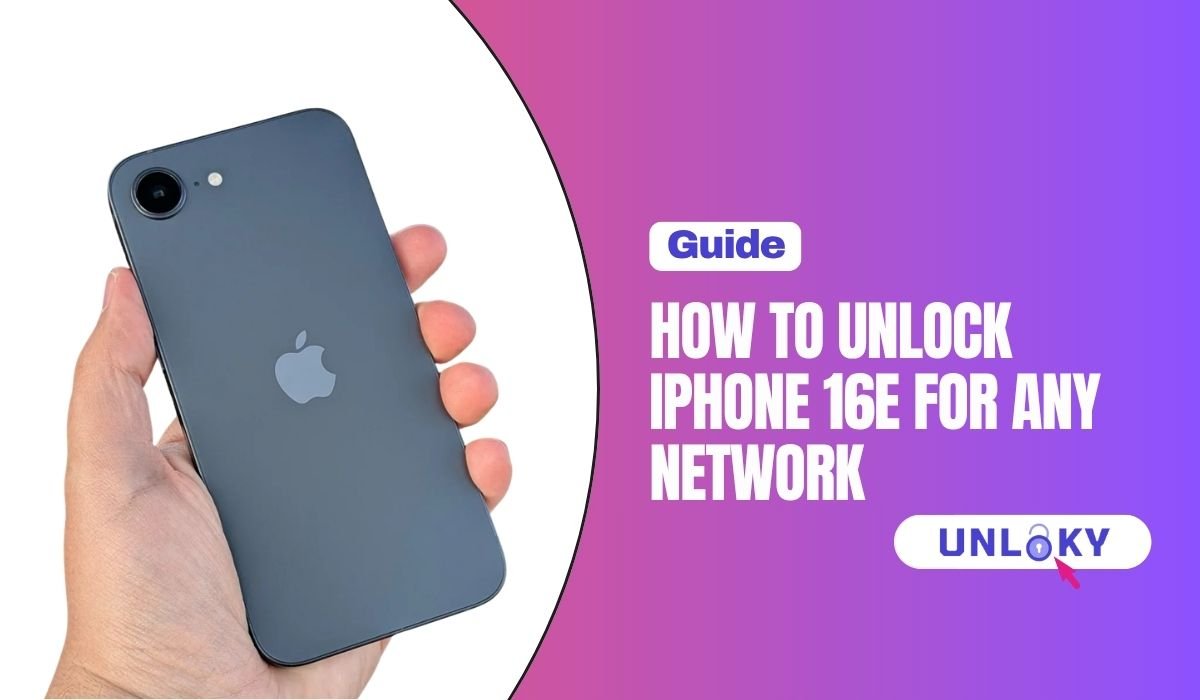
So you bought an iPhone 16e and now you want to switch carriers. Maybe you found a better plan. Maybe you’re heading overseas and want a cheaper local eSIM. Maybe you grabbed a used one off Facebook Marketplace and it won’t accept your SIM. Whatever brought you here, the issue is almost always the same — the phone is locked to one carrier.
Here’s the part nobody tells you up front. Unlocking an iPhone 16e is free. Every major US carrier has to offer it. You don’t need shady software, you don’t need to pay $50 to some random website, and you don’t need to know any secret codes. You just need to know the rules.
This guide walks you through every step. We’ll cover how to check if your phone is locked, what each carrier wants from you, what to do if you bought it second-hand, and how to slap on a new eSIM the moment you’re free.
Quick Answer
To unlock an iPhone 16e for any network, your phone must be fully paid off and meet your carrier’s time requirements. AT&T needs 60 days on a postpaid plan. T-Mobile needs 40 days of active service. Verizon now requires the device to be paid in full as of 2026. Submit the unlock request through your carrier’s website or app. Most unlocks process within two business days, and the change pushes to your iPhone 16e over the air. No code, no fees.
Why the iPhone 16e Lock Hits Different
The iPhone 16e came out in February 2025 as Apple’s budget pick. It starts at $599, packs the A18 chip, and was the very first phone to use Apple’s own C1 modem. Pretty solid for the money.
But there’s one thing buyers don’t always realize. In the US, every iPhone 16e is eSIM-only. No SIM tray. No little card to pop out. That means the carrier lock controls everything. On older iPhones, you could test if the phone was locked by sliding in a friend’s SIM. With the 16e, that test is gone. A locked iPhone 16e will simply refuse to activate any other carrier’s eSIM, no matter how many QR codes you scan or how many times you reset the network settings.
International versions of the iPhone 16e are different. Those models still have a physical nano-SIM slot alongside eSIM. But if you bought yours in the United States, you’re working with eSIM only. And that means the official unlock process is the only path that actually works.
How to Check If Your iPhone 16e Is Locked
Don’t skip this. It takes about ten seconds and saves you from filing a request you don’t even need.
- Open the Settings app
- Tap General
- Tap About
- Scroll down to Carrier Lock
If you see “No SIM restrictions,” congrats — your iPhone 16e is already unlocked. Skip ahead to the eSIM setup part.
If it shows “SIM locked” or the name of a carrier, you’ve got work to do. But not much.
You can also check by logging into your carrier’s app or website. AT&T shows “Device unlocked” right in the device info inside your account. T-Mobile shows lock status under the Manage tab in the T-Life app. Verizon lists it in the My Verizon app under your line details.
Don’t Miss It: How to Check If Your iPhone Is Unlocked Using IMEI
How to Unlock iPhone 16e for Any Network, by Carrier
Each carrier has its own rules. They’re not complicated, but you need to meet them before anything else happens.
Unlock iPhone 16e on AT&T
AT&T wants your iPhone 16e to be active on its network for at least 60 days if you’re on a postpaid plan, or 6 months if you bought it on AT&T PREPAID. The device balance needs to be zero — meaning every installment payment is done. Your account has to be in good standing with no unpaid bills. And the phone can’t have been reported lost, stolen, or part of any fraud claim.
Once those boxes are checked, head to Unlock an AT&T device in any browser. Click “Unlock your device,” enter the IMEI (just dial *#06# on your iPhone 16e to pull it up), and submit. You’ll get a confirmation email within a few minutes. Click the link inside within 24 hours or the request expires.
AT&T promises a response in two business days. For most eligible iPhones, the unlock happens automatically — no code to enter, no extra steps. Just check Settings > General > About > Carrier Lock after a couple of days and you should see “No SIM restrictions.”
Unlock iPhone 16e on T-Mobile
T-Mobile is the easiest of the big three. Your iPhone 16e only needs 40 days of active service on T-Mobile before it qualifies. Plus the usual stuff — fully paid off, account in good standing.
You don’t even need to make a separate request most of the time. Open the T-Life app, tap Manage, pick your line, and look at Device lock status. If you’re eligible, T-Mobile pushes the unlock automatically within two business days. If something’s stuck, dial 611 from your iPhone 16e and ask support to take a look.
Unlock iPhone 16e on Verizon
Verizon’s rules changed at the start of 2026. The FCC granted Verizon a waiver in January that ended the old 60-day automatic unlock. Now, Verizon postpaid iPhones must be fully paid off before they unlock. There’s no waiting period that bypasses the balance — you have to clear it.
If you bought your iPhone 16e at full price or finished your device payment plan, the unlock should trigger automatically once Verizon’s system sees that zero balance. Sign into the My Verizon app or verizonwireless.com to check the status of your line. If it’s been a few days past payoff and nothing has changed, call *611 from your iPhone 16e and ask to have it pushed manually.
Verizon prepaid is much stricter now. Those lines need 365 days of active service before they can be unlocked at all.
Don’t Miss It: iPhone Unlock – Unlock Verizon, AT&T, Sprint & T-Mobile the Right Way
How to Unlock iPhone 16e for Any Network Without Passcode
This one comes up a lot, and there’s a good chance you’re searching for one of two things. Let’s break them apart.
If you mean unlocking the carrier lock without using your screen passcode — yes, you can do that. The carrier unlock happens on the network side. You don’t need to touch the phone at all to submit the request. As long as your iPhone 16e can connect to Wi-Fi when the unlock pushes through, it’ll apply on its own.
If you mean removing the screen passcode because you forgot it, that’s a totally different fix. You can’t reset your iPhone 16e passcode through the carrier. You have to erase the device using Apple’s official tools, which works as long as you know your Apple ID and password. The screen passcode and the carrier lock are two separate things on the same phone, and they don’t affect each other.
And if you mean bypassing Activation Lock without the Apple ID password, there’s no real way around that. Apple built Activation Lock to stop stolen iPhones from being resold, and the system is tough on purpose. Carrier unlocking won’t remove it. Factory resetting won’t remove it. The only legitimate fix is the original owner’s Apple ID.
Don’t Miss It: How to Unlock iPhone Passcode Without Computer or Face ID
How to Unlock eSIM on iPhone for Free After Unlocking
Once your iPhone 16e shows “No SIM restrictions,” you can add an eSIM from almost any carrier on the planet in about five minutes. Here’s how to unlock eSIM on iPhone for free:
- Open Settings
- Tap Cellular
- Tap Add eSIM
- Choose Transfer From Nearby iPhone (if you’re moving from another iPhone) or Use QR Code (for a new carrier)
- Scan the QR code your new carrier sent, or paste the activation details
- Set the new line as your primary if you want it as the default
Pretty much every US carrier activates new eSIMs for free. Mint Mobile, US Mobile, Cricket, Visible, Boost, Google Fi, and the big three all do it without any setup fee. Travel eSIM apps like Airalo, Holafly, and Saily charge for the data plan but nothing extra for the eSIM itself.
The iPhone 16e supports two active eSIM lines at the same time and stores up to eight profiles total. You can keep your home number running for calls and texts while a separate travel eSIM handles cheap local data abroad. Or split work and personal lines without carrying two phones.
I Bought a Carrier-Locked iPhone 16e — How Do I Unlock It?
This is where things get a bit tricky. You didn’t pay the original bills, so the carrier doesn’t really know who you are. But you’ve still got options.
First, figure out which carrier the phone is locked to. Check Settings > General > About > Carrier Lock. Sometimes it shows the carrier name. If not, dial *#06# to get the IMEI, then look up the lock status through Apple’s coverage checker or a paid IMEI tool.
Once you know the carrier, here’s where each one stands.
AT&T is the most flexible. Even non-customers can submit unlock requests through att.com/deviceunlock using just the IMEI. As long as the device meets eligibility (paid off, more than 60 days old, not blacklisted), you can file the request yourself.
T-Mobile and Verizon are stricter. They generally want the original buyer’s account info, since the phone was tied to their billing. If the seller is reachable, ask them to log into their account and request the unlock from their end. It takes about five minutes and costs nothing.
If the previous owner won’t help or can’t be found, you might be out of luck. This is exactly why you should always check IMEI status before buying any used iPhone 16e. Walk away from any seller who can’t prove the phone is paid off and unlocked.
The Bottom Line
The iPhone 16e is a fantastic phone for the price, but it loses a lot of value when it’s chained to one carrier. The fix is right in front of you — and it doesn’t cost a thing.
Check your lock status. Make sure you meet your carrier’s rules. File the request through the official channel. Wait a day or two. Then enjoy the freedom of using whatever carrier, whatever plan, whatever travel eSIM makes the most sense for you.
If you ran into a rejected unlock, a confusing carrier message, or a used iPhone 16e you can’t trace back to the original owner, reach out to the carrier’s support directly. They can pull up your IMEI and tell you exactly what’s missing. The sooner you get started, the sooner your iPhone 16e works the way it was meant to — yours, on any network.
Yes, you can unlock your iPhone for use on any compatible network — as long as the device meets your original carrier’s eligibility rules. That usually means the phone has to be fully paid off, the account in good standing, and the device active on the carrier’s network for a set period (60 days for AT&T, 40 days for T-Mobile, full payoff for Verizon postpaid). Once unlocked, your iPhone will work with any carrier that uses GSM or modern 5G technology, which covers nearly every major network in the US and most networks worldwide.
Yes, the iPhone 16e can be unlocked the same way as any other modern iPhone. You file an unlock request through your carrier’s official portal or app, the carrier verifies you meet the requirements, and the unlock pushes to your iPhone over the air within two business days. There’s no unlock code to enter — Apple devices unlock automatically once the carrier approves the request. Just remember that every US-version iPhone 16e is eSIM-only, so you’ll add new carriers digitally instead of swapping SIM cards.
Yes, a carrier-locked iPhone can be unlocked, but only through the carrier it’s locked to. There’s no legitimate way to bypass a carrier lock without going through the original network. To unlock it, the device must be paid in full, the account must be in good standing, and any time-on-network requirements must be met. Once those conditions are satisfied, you can submit a free unlock request directly through the carrier’s website, app, or customer service line. Third-party “unlock services” that charge a fee are usually reselling the same free process.
Dialing *#33# on an iPhone shows the status of certain call barring settings on your line — things like outgoing calls, international calls, and data restrictions set by your carrier. It does not unlock your iPhone, remove a carrier lock, or bypass any security feature. Despite what some videos online claim, this code is purely informational. To actually check whether your iPhone is carrier-locked, go to Settings > General > About > Carrier Lock instead.
Yes, you can handle the entire unlock process yourself without visiting a store or calling anyone — but the unlock itself has to come from your carrier. What you can do on your own is submit the official request. Just go to your carrier’s unlock page (att.com/deviceunlock for AT&T, the T-Life app for T-Mobile, or the My Verizon app for Verizon), enter your IMEI (dial *#06# to find it), and follow the prompts. Once your carrier approves, the unlock applies to your iPhone automatically. No software, no codes, no technical skills needed.
To remove a network provider lock on your iPhone, follow these steps:
- Confirm the phone is paid off and your account has no past-due charges
- Check eligibility (60 days for AT&T, 40 days for T-Mobile, full payoff for Verizon postpaid)
- Submit a free unlock request through your carrier’s website or app
- Wait up to two business days for approval
- Connect your iPhone to Wi-Fi so the unlock can push through
- Verify the change in Settings > General > About > Carrier Lock — it should now say “No SIM restrictions”