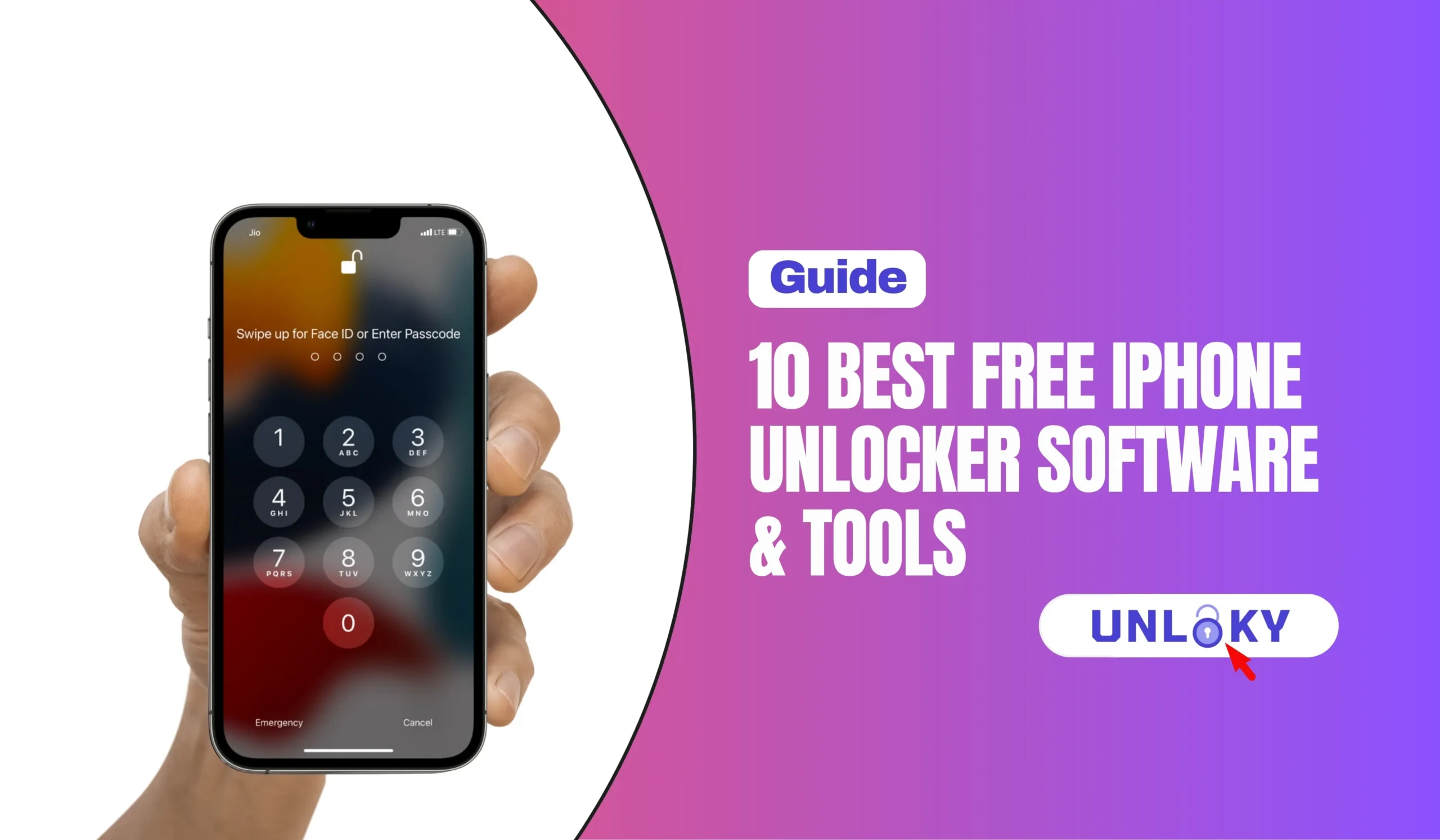
Locked out of your own iPhone? A forgotten passcode, a second-hand device you bought with proof of purchase, or a lingering Apple ID sign-in can leave you stuck at the lock screen. The good news: several tools can help you get back in — and a few are genuinely free. The catch worth knowing up front: most “free iPhone unlocker” downloads are actually freemium. They let you install the app and scan your device for free, then charge to finish the unlock.
This guide sorts the honest free options from the free-to-try ones. We tested the leading tools on recent hardware through iOS 26, checked 2026 pricing, and flagged exactly which locks each one can and can’t remove — so you don’t pay for the wrong tool.
TL;DR — The Honest Quick Answer
First, What “Free” Really Means Here
If you search “free iPhone unlocker,” you’ll find dozens of polished apps promising a no-cost unlock. In reality, the market breaks into three groups, and knowing which is which saves you both money and frustration:
Apple’s built-in tools (Finder on Mac, iTunes/Apple Devices on Windows, and Apple ID recovery) cost nothing and are the safest path. checkra1n is a free, open-source bypass — but it’s technical and only works on older hardware (iPhone X and earlier).
This covers nearly every “free” third-party tool — 4uKey, PassFab, LockWiper, AnyUnlock, Dr.Fone and more. The free download lets you install the app and confirm your model is supported. Completing the unlock requires a license. That free scan is still useful: it tells you whether the tool will work before you spend a cent.
A handful of tools skip the free trial entirely and require payment before any unlock runs. We’ve noted these clearly below.
Try Apple’s Free Methods First
Before you download anything, check whether Apple’s own (free) recovery solves your problem. For genuine owners, it usually does — and it avoids third-party risk entirely.
Connect the iPhone to a computer, enter Recovery Mode, and restore it with Finder or iTunes. This erases the device and removes the passcode. Full steps are on Apple’s official passcode guide.
Reset it at iforgot.apple.com using your recovery email, phone number, or recovery key. Free, though it can take 24–72 hours.
If you’re the rightful owner, submit proof of purchase to Apple to have it removed — see Apple’s Activation Lock support page. This is the only permanent, legitimate fix.
Ask that organization’s IT administrator to release the device remotely. No software needed.
If Apple’s route doesn’t fit your situation — you bought a used phone without credentials, or the official flow stalled — that’s when the third-party tools below become the practical option.
Quick Comparison Table
| Tool | Type | Price (2026) | Best for | iOS 26 |
|---|---|---|---|---|
| Apple Finder / iTunes + iForgot | Free | $0 | Genuine owners, safest fix | Yes |
| Tenorshare 4uKey | Freemium | $49.95 lifetime | Widest lock coverage | Yes |
| PassFab iPhone Unlocker | Freemium | Free scan; paid unlock | Beginners, no-jailbreak iCloud | Yes |
| iMyFone LockWiper | Freemium | Per-feature license | Single specific lock type | Yes |
| AnyUnlock (iMobie) | Freemium | Subscription | All-in-one coverage | Yes |
| Dr.Fone – Screen Unlock | Paid | Subscription (~$45.95/mo) | Trusted brand + guides | Yes |
| iToolab UnlockGo | Freemium | From $35.95/mo · $49.95 lifetime | iCloud / FMI / MDM | Yes |
| EaseUS MobiUnlock | Freemium | Free scan; paid unlock | First-time users | Yes |
| AnyMP4 iPhone Unlocker | Freemium | ~$18.50/mo | Cheapest monthly, no DFU | Yes |
| checkra1n | Free | $0 (open-source) | Techy users, old devices | No |
The 10 Best iPhone Unlocker Tools, Reviewed
Apple Finder / iTunes + iForgot
$0
/always freeBefore spending anything, use the tools Apple already gives you. Recovery-mode restore (via Finder on Mac or iTunes/Apple Devices on Windows) removes a forgotten screen passcode, while iForgot resets a lost Apple ID password. For rightful owners, this handles the vast majority of lock-outs.
- 100% free and official — no third-party risk
- Removes screen passcode via Recovery Mode restore
- Apple ID / iCloud reset through account recovery
- Erases the device during passcode restore
- Account recovery can take 24–72 hours
Tenorshare 4uKey
$49.95
/lifetime · free scanIf Apple’s route won’t work for you, 4uKey is the tool that shows up on almost every review list for good reason. A single lifetime license covers the most lock types of any option here — screen passcode, Apple ID, Screen Time, and MDM — and it’s regularly updated for the newest iOS releases. The interface is genuinely beginner-friendly.
- Removes 4/6-digit, Face ID & Touch ID passcodes
- Also handles Apple ID, Screen Time & MDM in one license
- Frequent updates for the latest iOS, including iOS 26
- Free download to confirm your model is supported
- Screen-passcode removal erases device data
PassFab iPhone Unlocker
Freemium
/free scanPassFab is one of the most popular picks for people who just want a few clicks and no technical steps. The 2026 build (v3.10.1, released July 2026) added a safer no-jailbreak iCloud Activation Lock removal path with full support for current iOS devices. Like most tools here, the free version confirms compatibility before you buy.
- Screen passcode, Apple ID & Screen Time removal
- Newer no-jailbreak iCloud Activation Lock option
- Clean, few-click workflow — great for non-techies
- Free trial has limited functionality (scan only)
- Full compatibility with the latest iOS devices
iMyFone LockWiper
Per-feature
/separate licensesLockWiper is a focused, well-documented unlocker that’s easy for first-timers. The one thing to watch: it sells each unlock category — screen passcode, Apple ID, Screen Time — as a separate license, so the total cost climbs quickly if you need more than one. If you have a single, specific lock to clear, it’s a tidy choice.
- Screen passcode, Apple ID & Screen Time removal
- Clear guided instructions, beginner-friendly
- Reliable for one specific lock type
- Each feature is a separate paid license
- Apple ID removal may not fully clear iCloud lock
AnyUnlock (iMobie)
Subscription
/free trial (scan only)AnyUnlock positions itself as an everything-in-one-place unlocker: screen passcode, Apple ID, Screen Time, iTunes-backup password, SIM lock and MDM. The interface is polished and the workflow is a genuine three-step process. Just note the free trial can’t complete an unlock — it’s there to check compatibility only.
- Covers nearly every iOS lock scenario
- Sleek, modern, non-technical interface
- Windows and macOS, latest iOS supported
- Free trial cannot finish an unlock
- Screen unlock erases device data
Dr.Fone – Screen Unlock (Wondershare)
~$45.95
/mo · subscriptionDr.Fone is one of the most recognizable names in the iOS-utility space, so you’ll find endless tutorials and troubleshooting help online. Its Screen Unlock module removes screen passcodes and MDM profiles reliably. The trade-offs: it’s subscription-priced and, unlike 4uKey, its unlock module skips Apple ID and Screen Time, which narrows the situations it fits.
- Removes screen passcode (incl. Face ID / Touch ID)
- Handles MDM profile removal
- Massive base of online guides & support
- No Apple ID or Screen Time in this module
- Subscription pricing, on the higher side
iToolab UnlockGo (iOS)
~$45.95
/lifetime · from $35.95/moUnlockGo is an all-in-one unlocker that leans into the harder locks — it advertises iCloud Activation Lock bypass, Apple ID removal, MDM, Screen Time, and turning off Find My iPhone, with stated iOS 26 support. Pricing ranges from a monthly plan up to a $49.95 lifetime license. Note there’s no free trial code; you can install and explore the app, but any real unlock needs a license.
- iCloud Activation Lock, Apple ID, MDM & Screen Time
- Can turn off Find My iPhone without password
- Advertised support up to iOS 26
- Some features need a jailbreak environment
- No free trial unlock — paid to run
EaseUS MobiUnlock
Freemium
/free scan · paid unlockMobiUnlock earns its reputation as the friendliest option on this list. The interface is simple without feeling stripped down, the step-by-step guidance is clear, and the free download lets you confirm compatibility before buying. It covers the everyday cases — forgotten screen passcode, Apple ID sign-out, Screen Time and iTunes-backup passwords.
- Simplest workflow for first-time users
- Screen passcode, Apple ID, Screen Time & backup password
- Free scan to verify your device is supported
- Limited features in the free version
- Doesn’t support very old devices
AnyMP4 iPhone Unlocker
~$18.50
/monthIf you only need a one-off unlock and want the lowest monthly cost, AnyMP4 is the value pick. Its “Smart-Detection” feature skips the fiddly manual DFU-mode step that trips up beginners on other tools. It can wipe screen passcodes, remove Apple ID and Screen Time, and bypass MDM — and it removes Screen Time and MDM without wiping data.
- Lowest monthly price among mainstream tools
- Smart-Detection removes the manual DFU headache
- Screen Time & MDM removal without data loss
- Screen-passcode removal still erases data
checkra1n
$0
/monthcheckra1n is the genuinely free, community-built option — no license, no subscription. The catch is real: it relies on a hardware-based jailbreak that only exists on iPhone X and earlier, it requires comfort with the command line, and some phone features may not work properly afterward. It’s a tinkerer’s tool, not a mainstream fix.
- Completely free and open-source
- No subscription, no hidden paywall
- Only iPhone X and older (no modern devices)
- Requires technical, jailbreak-based setup
- Some device features may break after use
How to Choose the Right Tool
The “best” unlocker depends entirely on which lock you’re facing and how comfortable you are with tech. Match your situation to the guidance below:
| Your situation | Start with | Why |
|---|---|---|
| Forgot your own passcode | Apple Finder/iTunes | Free and official; only downside is a data wipe |
| Forgot Apple ID password | iForgot (Apple) | Free reset; no software needed |
| Want one tool for several locks | Tenorshare 4uKey | Widest coverage in one lifetime license |
| Total beginner, one lock | PassFab or EaseUS | Simplest few-click workflow |
| iCloud / FMI / MDM focus | iToolab UnlockGo | Built around the harder locks |
| Lowest one-off cost | AnyMP4 | Cheapest monthly, no DFU fuss |
| Old device, zero budget, techy | checkra1n | Free and open-source |
On nearly every tool, removing a screen passcode wipes the device — there’s no way around it, because the passcode is what protects the encrypted data. Removing a Screen Time or MDM lock usually keeps your data intact. Back up to iCloud or a computer before you start, whenever you still can.
Use These Tools Legally and Safely
Unlocking software is legitimate — but only when used on a device you actually own. A few ground rules keep you on the right side of both the law and your data:
- Only unlock a phone you legally own or have clear permission to unlock
- iCloud Activation Lock exists to deter theft — proving ownership to Apple is the proper fix for a locked second-hand device
- Download tools only from their official websites to avoid malware and fake “cracked” versions
- Back up first; assume screen-passcode removal will erase everything
- If a used phone you bought is Activation-Locked, contact the seller for the original Apple ID or a receipt before anything else
No software can safely and permanently defeat iCloud Activation Lock on a modern iPhone that belongs to someone else — and any tool claiming a magic, no-proof bypass is a red flag for a scam. For genuine owners, Apple’s proof-of-ownership process is the real solution.
The Bottom Line
Free, official, and it works on virtually every iPhone. The only cost is a data wipe — so back up whenever you can.
The broadest coverage in one lifetime license ($49.95), beginner-friendly, and kept current for the latest iOS.
The simplest few-click workflows, with a free scan so you can confirm it’ll work before paying.
Genuinely free and open-source — but only for iPhone X and older, and only if you’re comfortable with a hands-on setup.
Whatever route you choose, start with Apple, back up your data, and never trust a tool that promises to bypass someone else’s security with no proof of ownership. For rightful owners locked out of their own iPhones, the options above cover just about every real-world situation in 2026.
Mostly no — most are freemium. The free download lets you install the app and check whether your iPhone model is supported, but finishing the unlock requires a paid license. The only genuinely free routes are Apple’s own recovery tools (Finder/iTunes and iForgot) and the open-source checkra1n, which only works on iPhone X and older.
If you’re removing a forgotten screen passcode, yes — the device gets wiped on virtually every tool, including Apple’s own restore. That’s by design: the passcode protects your encrypted data. Removing a Screen Time passcode or an MDM profile usually keeps your data. Always back up before you begin if you still have access.
Not reliably or permanently on a modern iPhone. Activation Lock is Apple’s anti-theft feature and it’s deliberately hard to defeat. Some tools advertise bypasses, but results are inconsistent and often temporary. The safe, lasting solution for a rightful owner is submitting proof of purchase to Apple through its Activation Lock support process.
Using it on a device you own is legal and common — for example, when you’ve forgotten your own passcode. Using it to bypass security on a phone that isn’t yours, or that you can’t prove you own, raises serious legal and ethical problems. Only unlock devices you legally own or have explicit permission to unlock.
For most people who need a paid tool, Tenorshare 4uKey offers the widest lock coverage — screen passcode, Apple ID, Screen Time and MDM — in a single $49.95 lifetime license, with regular updates for the latest iOS. But always try Apple’s free recovery first; for many owners it solves the problem at no cost.
The major freemium tools — 4uKey, PassFab, AnyUnlock, iToolab UnlockGo and others — advertise support up to iOS 26 and update frequently to keep pace with Apple. Because Apple patches bypass methods over time, always check the tool’s official compatibility list (or run its free scan) against your exact model and iOS version before buying.
Contact the seller first and ask for the original Apple ID and password, or a receipt proving they owned it. If it’s Activation-Locked, they may need to remove it remotely from their iCloud account or help you file a proof-of-ownership request with Apple. Unlocking software won’t cleanly solve an Activation Lock you can’t verify ownership of.
Last updated July 2026. Prices, features, and iOS compatibility change frequently — always verify current details on each tool’s official website before purchasing. This guide is for informational purposes and describes tools intended for use on devices you legally own. It does not constitute legal advice. Unlocking a device you do not own, or bypassing security to defeat anti-theft protections, may be illegal in your jurisdiction.