

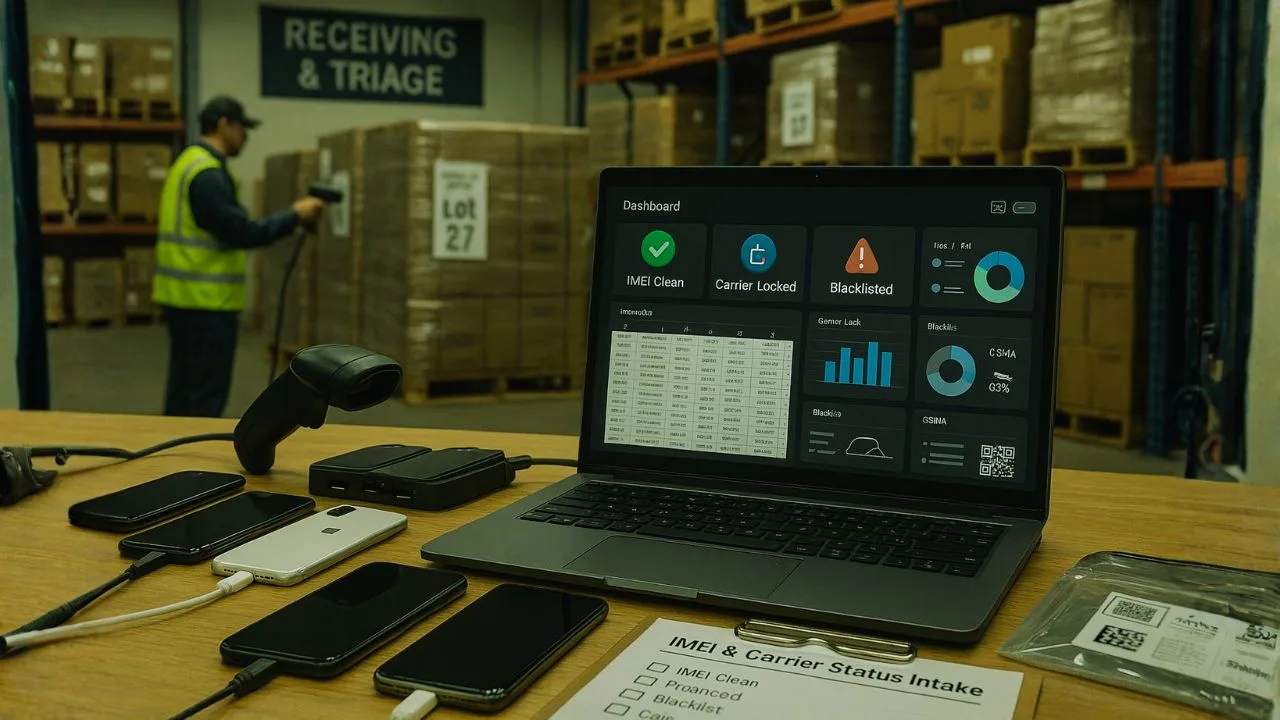
Buying mixed phone lots can feel like fishing in cloudy water. Some catches are perfect. Others… not so much. The secret is simple: measure first, then move.
You don’t need fancy lab gear to grade a pallet. You need a tight process, a few reliable tools, and a calm head when the first batch looks messy. Let me explain.
If you’ve ever stared at a spreadsheet filled with IMEIs and mystery notes, you know the stakes. One blacklisted device can erase the margin on five clean ones. So let’s build a workflow that keeps your profit steady and your risk low.
TL;DR
Profit from mixed wholesale phone lots by running a tight, repeatable flow: quick physical triage → batch IMEI checks (GSMA + at least one carrier BYOD portal) → confirm device-side gates (Apple Activation Lock/Android FRP) → 30-second SIM/eSIM call-data test → normalize results into clear buckets (clean/financed/blacklisted/device-locked) → grade with a simple A–D pricing grid → route to the right exit (retail, secondary wholesale, parts, recycle) → archive screenshots/CSVs to defend claims and keep margins steady—especially when seasonal quality shifts.
Why “Mixed Status” Lots Need a Different Playbook
In a mixed lot, you may see a wide spread:
Clean and unlocked phones ready for retail.
Carrier-locked units that still activate—but only on the original network.
Blacklisted devices (lost/stolen or fraud) that will not activate on most networks.
Account-tied phones with Activation Lock (iCloud) or FRP (Google), plus Samsung Reactivation Lock or corporate MDM.
Region-locked or band-limited models that technically work—but not for your target market.
With this mix, a simple “is it unlocked?” check isn’t enough. You need a fast pipeline that covers IMEI status, carrier lock, activation locks, model/region fit, condition, and estimated retail—all in one pass.
📖 Also Read: After a Motherboard or Face ID Repair—Will Your Phone Still Work With Any Carrier?
The Core Concepts (Plain English)
IMEI vs. Lock vs. Blacklist
IMEI: The phone’s unique serial number for networks. You use it to check status.
Carrier Lock: A billing or policy restriction that forces the device to work only with a certain carrier until requirements are met.
Blacklist (GSMA/Carrier): A network-level block due to loss, theft, fraud, or unpaid bills. A blacklisted phone won’t activate even if “unlocked.”
Activation Locks: Apple Activation Lock / iCloud lock ties the device to an Apple ID, Android FRP ties the device to a Google account, Samsung Reactivation Lock and enterprise MDM can also block use.
Think of it like doors: Carrier lock is a door key problem, Carrier lock is a door key problem, Blacklist is a do-not-enter list at the building, Activation lock is a padlock on the device itself.
You must clear all doors to resell safely.
A Scalable 8-Step Pipeline for Mixed Lots
Step — Intake & Labeling
Before anything else, label each unit with a unique intake ID and capture:
Tip: Use a simple spreadsheet or a mobile app scanner that writes straight to a CSV/Google Sheet. Keep it boring, consistent, and fast.
Step — IMEI Structure & Sanity Checks
Bad data in = bad results out. Before querying anything:
Step — Batch IMEI Status (Blacklist + Carrier Lock)
Run a batch IMEI check with a trusted provider or internal tool. For each IMEI, capture:
Output into your tracking sheet:
imei, clean_blacklist (true/false), carrier_locked (true/false), locking_carrier, model_marketing, model_number, notes.Why batch? Speed and uniformity. You need the same fields for every device to build a real forecast.
Step — Activation Lock Screening at Scale
Carrier unlock ≠ usable if Activation Lock or FRP is present. For large lots:
If your batch tool doesn’t surface these, mark devices “Needs AL/FRP check” and route to a triage bench where techs can power on and verify in minutes.
Step — Market Fit: Region, Bands, eSIM, and 5G
A phone can be “clean” and “unlocked” and still be a poor fit for your buyers:
Add fields:
region_ok (Y/N), key_bands_ok (Y/N), esim_only (Y/N), 5g_supported (Y/N), market_fit_notes.Step — Fast Condition & Function Pass
You don’t need a full refurb diagnostic yet—just major risk filters:
Light triage adds huge accuracy to resale forecasts. Add:
triage_pass (Y/N), major_fault (text), faceid_touchid_ok (Y/N), baseband_ok (Y/N).Step — Risk Scoring & Bucketing
Now combine your fields into a simple risk score, Start at 100. Subtract:
Cap at 0; store as risk_score.
Then bucket:
Step — Pricing, Forecast, and Go/No-Go
Use recent comps for your target marketplaces. For each bucket, estimate:
Compute:
If margin isn’t healthy with NB assumed at zero value, renegotiate or pass.
📖 Also Read: GSMA blacklist Check, Carrier Lock Status, and free IMEI Checks—made simple
The IMEI checks that truly matter
When you hear “check the IMEI,” what you actually need are several signals, not just one:
| Status signal | What it tells you | Typical source |
|---|---|---|
| Blacklist / Lost / Stolen | Network-level block shared by carriers | GSMA-based databases, carrier checkers |
| Financial or balance-related | Device tied to unpaid bill or installments | Carrier BYOD portals (AT&T, T-Mobile, Verizon), reseller APIs |
| Active on another line | Line association can prevent activation elsewhere | Carrier BYOD portals; account support if available |
| SIM restriction | Whether a device accepts any SIM or only specific networks | Device settings, carrier checkers |
| Activation Lock (Apple) | Apple ID tied; setup blocked without the correct credentials | Apple activation screen, Apple support page cues |
| FRP on Android | Google account tie; requires correct sign-in | Setup screen after reset, OEM guidance |
Useful tools and references: GSMA Device Check providers, CheckMEND, carrier bring-your-own-device portals, Apple’s activation prompts, OEM device diagnosis menus, and reputable marketplace validators (e.g., Swappa’s ESN check). Use more than one signal when money’s on the line.
How to Audit a Lot Before You Win It
Many auctions provide limited data. Here’s how to protect yourself:
Requestable Items (Ask Every Time)
Raw IMEI list in CSV (not just counts).
Any prior blacklist or carrier lock summaries.
Condition spread (A/B/C/Parts) and grading standard.
Return reasons if available (e.g., non-payer vs defect).
Any signs of MDM/corporate sources.
If a seller won’t share at least the IMEI list for sampling, assume higher risk and bid lower.
Statistical Sampling Done Right
If you can’t run the full list:
Random sample at least 10–20% of the lot, spread across boxes/pallets.
Run the same pipeline: batch IMEI, quick activation-lock triage, region/band fit.
Extrapolate the ratios (clean/unlocked vs locked vs blacklisted vs AL/FRP) to the full lot.
Price using conservative comps (use the lower quartile of recent sales).
Keep notes. If your sample is much cleaner than delivery, you’ll have documentation to dispute.
Device-Side Checks Your Techs Can Do in Seconds
When tools can’t surface everything in batch, quick hands-on checks fill the gap:
iPhone
Find My / Activation Lock: During setup, if it asks for the previous Apple ID, it’s locked.
Carrier Lock: Insert a different carrier SIM/eSIM and see if you get “SIM Not Supported.”
MDM/Supervision: Look for “Remote Management” screen on setup.
Android
FRP: After factory reset, if setup asks for a previous Google account, FRP is active.
Carrier Lock: Try another SIM; look for “SIM Network Unlock PIN” prompt.
Samsung Reactivation Lock/MDM: Signs of Knox enrollment, corporate profiles, or reactivation prompts.
Rule: If any activation lock is present, treat as not retail-rCompliance, Ethics, and Protecting Your Business
📖 Also Read: Proof You Own It: Receipts, Bills of Sale & IMEI Docs That Speed Up Unlocks
Avoid Stolen or Corporate-Owned Devices
Never purchase blacklisted devices expecting to “fix them.” That’s a compliance risk and a reputational hit.
MDM-enrolled or supervised devices usually belong to companies or schools. Without written release, do not resell as personal devices.
Privacy & Data Handling
Wipe and reset every device you plan to resell.
Do not store customer data. Keep only what you need for logistics and legal records (IMEI, model, condition, photos).
Clear, Honest Listings
If a device is carrier-locked, say which carrier and what it means.
If bands/5G support are limited, state it up front.
If parts-only, list the faults clearly (no baseband, no Face ID, etc.).
Clarity lowers returns and boosts your feedback score.eady until properly released by the rightful account holder. Don’t try to bypass—illegal or unsafe methods risk your business.
Tooling That Scales With You (Without Getting Fancy)
You don’t need a huge tech stack. Start simple, then grow:
Spreadsheets first: Intake, batch results, risk score, and buckets.
Barcodes/QRs: Print labels that link to your row for each device.
Batch IMEI checker: A provider or in-house script that returns the fields you need consistently.
Photo station: Same angle, same light, fast. Consistent photos speed up listing.
As volume grows:
Use a shared database (Airtable/Notion/Lightweight CRM).
Add basic automations: When risk_score ≥ 70 → move to “Ready to List.”
Feed your pricing model with real sell-through data weekly.
Pricing Strategy for Mixed Lots
Normalize Before You Compare
Two iPhone 13 devices can have very different outcomes:
Device A: Clean, unlocked, 5G bands fit your market, Face ID OK → Retail-Ready premium.
Device B: Clean but carrier-locked, older battery, minor scratch → CLV mid-tier pricing.
Track comps by bucket + grade, not just model. That keeps you from overbidding.
Margin Discipline
Treat NB/Hold devices as zero value during bidding.
Assign modest value to RPO only if you have a reliable refurb path and parts pricing.
Push for lot-level discounts if the sample shows high locked or RPO ratios.
Common Pitfalls (And Easy Fixes)
Mixing “unlocked” with “not blacklisted”: A phone can be unlocked and still blacklisted—no activation.
Ignoring Activation Lock/FRP: Carrier status is not the whole story. Always check device-side or via triage.
Assuming all models fit your market: Band gaps and region locks lead to returns. Check variants.
No photos at intake: You’ll struggle to prove condition changes later. Snap everything early.
Buying without sampling: If you can’t vet the entire lot, at least sample properly and price conservatively.
A quick, human-friendly workflow you can print
Scan and label every device.
Power test and place into one of four intake buckets.
Batch IMEI checks using a GSMA source and at least one carrier portal.
Note device gates: Activation Lock or FRP present? Mark clearly.
Test cellular with a known-good SIM or eSIM profile for a 30-second call/data check.
Grade with your grid and pick the exit lane (retail, wholesale, parts, recycle).
Archive evidence: export results, save screenshots, and timestamp the folder.
Keep the loop tight. Consistency beats heroics.
The Final Thoughts
Wholesale and auction lots don’t have to be a gamble. With a clear pipeline—batch IMEI checks, simple device-side triage, market-fit screening, and tight risk buckets—you can turn messy mixed status into predictable profit. The goal isn’t to make every phone perfect; it’s to know exactly what you’re buying, price it right, and move fast.
Frequently Asked Questions (FAQ)
Blacklist means the IMEI is reported lost/stolen and blocked on participating networks.
Finance flag means money is still owed; activation may fail until the balance is cleared.
Account locks (Apple Activation Lock or Android FRP) live on the device side and stop setup without the right credentials. A phone can be clear on one layer and blocked on the other, so you must check both.
Scan every device into a sheet, run a bulk GSMA-style query, and cross-check at least one carrier BYOD portal. Normalize wording into simple buckets (clean/blacklisted/finance/active-line/device-gate), timestamp results, and save screenshots or PDFs as proof.
No. A reset only clears local data. It won’t remove a blacklist, finance hold, or someone’s Apple/Google account tie. Remove accounts before wiping, and always capture IMEI/serial plus on-screen evidence first.
Treat it as “needs review.” Re-run the check later, try a second GSMA provider, and hit a carrier BYOD page. Keep all outputs attached to that IMEI. If conflict remains, price conservatively or route to parts-only.
Use a simple grid:
A = clean network status + no device gates + good cosmetics → near full value.
B = clean but minor issues (battery/cosmetics) → modest discount.
C = finance/active-line flags likely to clear or light repair needs → deeper discount.
D = blacklist, hard account locks, or heavy damage → parts-only.
Stick to the grid, document the call, and choose the right exit (retail, secondary wholesale, parts, recycle).


