

TL;DR
Face ID repairs don’t change carrier lock because they don’t touch your phone’s identity, but a full motherboard/logic board swap can because it usually changes the IMEI—making servers treat it like a different device. To keep your unlock, favor board-level repairs on your original board, note the IMEI before and after, and test with another carrier’s SIM/eSIM at pickup. If the IMEI changed, you may need fresh eSIM provisioning and, if the donor board is locked or blacklisted, a new carrier unlock (or a clean board) to restore full use.
You finally fixed the phone—new motherboard, Face ID back to life, everything snappy again. Then a tiny doubt sneaks in… will it still accept any SIM card like before?
Short answer: usually yes for Face ID repairs; maybe for motherboard swaps. The long answer is worth a careful read—because one small change (your IMEI) decides everything.
Carrier Lock vs. Unlock: The 30-Second refresher
A carrier-locked phone only works with the original carrier (unless you use the carrier’s network or specific roaming setups). An unlocked phone works with most carriers that are compatible with your device’s radios and bands. The unlock status is tied to your phone’s identity—mainly the IMEI (for eSIM/SIM activation) and the device record on manufacturer and carrier servers.
On iPhone, your unlock status lives on Apple’s activation server and your carrier’s databases, associated to the IMEI/serial of your device.
On Android, unlock behavior varies by brand and carrier, but IMEI identity and carrier databases play the same central role.
When that identity changes (for example, after a full logic board swap that brings a different IMEI), servers may treat your device as a different phone.
📖 Also Read: GSMA blacklist Check, Carrier Lock Status, and free IMEI Checks—made simple
Face ID Repair vs. Motherboard Repair: Why They’re Not the Same
Face ID / TrueDepth repairs (iPhone)
A Face ID fix usually involves components like the TrueDepth camera module, dot projector, or proximity/ambient sensors. These parts are paired to the phone for security, but they do not control carrier lock or unlock status. If a shop replaces Face ID parts correctly and the logic board stays the same, your unlock state should remain unchanged.
What could go wrong? If the repair is sloppy or uses mismatched parts, you might see Face ID warnings or the feature might stop working, but your carrier unlock generally won’t flip because those parts don’t define the IMEI.
Motherboard / logic board repairs (iPhone and Android)
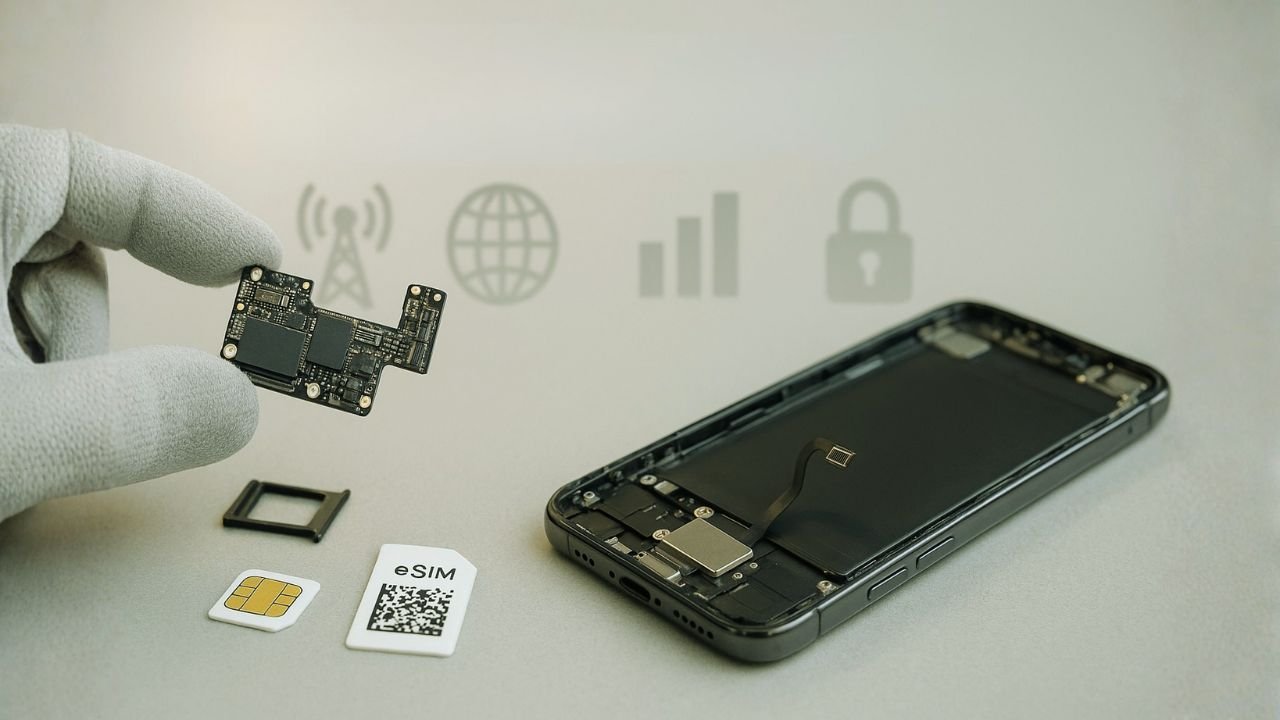
This is the big one. The motherboard (logic board) holds the SoC, baseband, security enclave/TPM elements, and the IMEI/serial identity that activation servers reference. If the repair keeps your original board (e.g., a micro-soldering fix, reballing the baseband, repairing traces) your IMEI doesn’t change, so your unlock status should persist.
If the shop swaps the entire board with another one, your phone now has a new IMEI. To carriers and Apple/Google servers, that means new device. Your old unlock doesn’t automatically carry over to this new identity.
Bottom line:
Face ID repair (with original logic board intact): Unlock should stay the same.
Full logic board swap (IMEI changes): Unlock can change, and you may need to unlock again with the carrier.
📖 Also Read: Proof You Own It: Receipts, Bills of Sale & IMEI Docs That Speed Up Unlocks
Phone Specifics: Apple Activation, “Carrier Lock” Line, and Board Identity
On iPhone, Apple maintains a device record that includes “Carrier Lock” status. You can check it in Settings > General > About; the line typically says “No SIM restrictions” if it’s unlocked. This server-side record is tied to your IMEI/serial.
Face ID repair only: Your IMEI stays the same → no change to unlock.
Board-level repair (same board): IMEI stays the same → no change to unlock.
Whole logic board replacement: IMEI changes → server treats it as another iPhone. If that donor board was locked to a carrier, your “new” phone may be locked. If it was unlocked, you’re fine. If it’s unknown, you’ll need to re-verify and possibly request an unlock from the carrier associated with the donor board.
About Apple Authorized Service: In some cases, if Apple replaces a device (“swap unit”), it comes with a different serial/IMEI. That’s practically a new device. The unlock status is not guaranteed to copy over, because it’s tied to identity. You’ll want to check “Carrier Lock” after pickup and test with another carrier’s SIM/eSIM.
Android Specifics: Different Makers, Same Identity Rules
Android brands (Samsung, Google Pixel, Motorola, OnePlus, etc.) differ in menus and messages, but the principle is the same: the IMEI is the anchor for lock/unlock. After repairs:
Face unlock or camera module repairs
These do not define IMEI. If the motherboard is untouched, unlock should persist.
Mainboard swap
The IMEI changes, so carrier servers may treat your device as new. If your new board belonged to a locked device, you’re effectively locked again. If it was from an unlocked donor, you’re still unlocked.
Where to check on Android
Settings locations vary, but you can usually find status under Settings > About phone (IMEI, SIM status) and sometimes Settings > Connections > Mobile networks. The most reliable real-world test is to insert a SIM or add an eSIM from another carrier and see if service activates.
📖 Also Read: Financing with Affirm/Klarna & Unlock Eligibility: What Carriers Check
eSIM, Physical SIM, and Unlocks After Repair
An unlocked device should let you add eSIMs from supported carriers and use physical SIMs without drama. After repair:
If your logic board identity didn’t change, your existing eSIMs usually remain usable, and the phone should accept new eSIMs and other carriers’ SIMs, just like before.
If your board was swapped and the IMEI changed, your existing eSIM profiles may not transfer, because eSIM activation profiles are bound to device identity. You may need to re-download eSIMs from carriers. If the donor board is locked, you won’t be able to add other carriers until it’s unlocked again.
Tip: Before repair, export or note your eSIM details (when supported) and make sure you know the login to your carrier account. Many carriers let you re-issue an eSIM QR code or push a new activation after a device change.
Blacklist Status: Stolen/Lost Reports Don’t Migrate—But Board Identity Matters
The GSMA blacklist marks IMEIs reported lost, stolen, or with fraud. Blacklisting is separate from a carrier lock, but the result is similar: a blacklisted phone may fail to get service even if unlocked. After a board swap:
Your old IMEI’s blacklist state does not follow you to the new IMEI.
The donor IMEI’s history (good or bad) is what you now own. If the donor IMEI is blacklisted, you’ll have service headaches even if the device shows as unlocked.
That’s why it’s critical to check blacklist status and carrier lock for the IMEI that will come back in your hands after a repair involving a board change.
How to Check Your Unlock Status Before and After Repair
You don’t need fancy tools—start with what’s on the phone.
On iPhone
On Android (varies by brand)
Extra checks that help
What to Ask Your Repair Shop (So You Don’t Lose Your Unlock)
You’re the customer; you can ask direct questions before leaving your phone.
“Will you keep my original logic board?” If yes, your IMEI stays the same and unlock should persist.
“If you replace the board, where does the donor board come from?” You want a clean, non-blacklisted, preferably unlocked donor.
“Can we verify IMEI before and after?” Write down the number together.
“If Apple is swapping the device, can I test another carrier’s SIM at pickup?” Most stores allow a quick test.
“Will my eSIMs be preserved?” If not, ask how to re-provision.
Common repair scenarios and what usually happens
| Repair scenario | Does IMEI change? | Will “any-carrier” status stay? | What you should do next |
|---|---|---|---|
| Face ID/TrueDepth module repair only | No | Almost always yes | Just test with a different carrier SIM/eSIM to be sure |
| Motherboard/logic board swap (same phone) | Yes | Not guaranteed | Re-check carrier policy for the new IMEI; test with other SIMs |
| Apple service replacement device | Yes | Not guaranteed | Run an IMEI status check; set up eSIM again if needed |
| Camera/speaker/display/battery repair | No | Yes (assuming it was free before) | No action beyond normal testing |
| Baseband/antenna coax repair (no board change) | No (usually) | Yes (usually) | If signal is odd, reset network settings and test |
| Full housing + board transplant from donor phone | Yes | Unknown | Treat as a different unit; verify status first |
Note: “Any-carrier” depends on both policy and compatibility. Even a policy-free phone can’t connect to a network that lacks the right LTE/5G bands.
A small detour that actually helps later
You know what? It’s easy to focus only on the phone. But there’s always a second player in the story: your account. Many carriers tie permissions to both the device identity and your line’s eligibility (installments paid, required days active, no fraud flags, etc.). If your board changed, the device identity the system sees has changed, and your line’s permission may need to be applied again—this is where a quick call or chat with support makes all the difference.
Common Scenarios (And What Usually Happens)
Face ID stopped working; shop fixes the TrueDepth module
iPhone baseband repair (reballing / reflow / baseband PMIC)
Full logic board swap after liquid damage
Android mainboard replacement for charging/boot issues
Will a Factory Reset Change My Unlock?
No. A factory reset wipes user data, settings, and apps, but doesn’t change the server-side unlock status. Your lock/unlock is tied to IMEI and carrier databases, not to your photos or settings.
Best Practices Before You Hand Over the Phone
Keep it simple, safe, and verifiable.
Back up everything (iCloud/Google Drive/desktop) before any repair.
Note your IMEI (and serial) from *#06# or the About screen.
Disable Find My iPhone/Android anti-theft if the shop requests it (only after backup).
Log out of sensitive accounts if you won’t be present.
Ask for a written description of the repair: “board-level repair on original logic board” vs. “full logic board replacement.”
After the Repair: Quick Unlock Health Check
When you pick up your device:
Check the IMEI against what you wrote down.
On iPhone, confirm Settings > General > About > Carrier Lock.
Insert a different carrier’s SIM or add an eSIM and make a quick call or load a webpage.
If there’s an issue, address it with the shop immediately while you’re still there.
Troubleshooting playbook if things look stuck
Start simple, then escalate:
Test another SIM/eSIM from a different carrier to separate a network issue from a policy issue.
Reset Network Settings (keeps data but clears network caches).
Check for iOS/Android updates that might include modem fixes.
Re-activate: Sign out/in where appropriate and repeat the activation steps.
Contact the carrier with IMEI and ask them to read back the policy flag. If they say there’s a restriction, ask what it is: unpaid device, account hold, fraud block, or something else.
Show your paperwork: If you have a receipt proving the board was replaced legitimately and the original unit was paid off, some carriers will help—especially if the replacement was done by the manufacturer or an authorized center.
Special Notes for eSIM-Only Phones
Newer models (like recent iPhones in some regions) are eSIM-only. That makes identity even more central:
A board swap will require re-issuing eSIMs from carriers because activation profiles are bound to device identity.
Plan ahead by ensuring you have access to your carrier accounts so you can request fresh eSIM activations.
The Quick Answer Box
Face ID repair alone doesn’t affect unlock. Your phone should remain unlocked if the logic board stays the same.
Motherboard/logic board swaps can change IMEI. New IMEI = the servers see a different phone. Your old unlock won’t automatically follow.
Verify IMEI before and after. If the IMEI is unchanged, your unlock should be unchanged.
Always test with another carrier’s SIM/eSIM when you pick up the phone.
If you end up locked after a board swap, you’ll need to unlock the donor board through the carrier it’s tied to—or have the shop supply a clean, unlocked board.
The Bottom Line
Face ID repair? You’re almost always fine—your phone’s identity doesn’t change, so your SIM freedom stays put. Motherboard swap? That’s a new identity, and the server may treat the phone like a different device—with carrier rules to match. If service looks odd afterward, check your IMEI, refresh eSIM, try another SIM, and talk to your carrier about the new identity.
Honestly, that’s the whole story: follow the trail of the IMEI. It tells you exactly what the activation servers think of your phone. And if you’re heading to a repair shop soon, would a quick pre-repair IMEI snapshot help you feel calmer later?
FAQs
A damaged logic board can cause no-power, random restarts, no display, no charge, no cellular signal, or Face ID/Touch ID failures. Because the baseband, storage (NAND), and Secure Enclave live on or pair with this board, serious damage often affects activation, network service, and data access. Minor board-level faults (e.g., power IC) can sometimes be repaired; catastrophic damage (water, burned traces, multi-IC failure) often means board replacement—or a whole-unit swap.
Yes—practically speaking, your data is gone. User data is stored on NAND that’s cryptographically tied to the original logic board’s Secure Enclave. When the board is replaced, that key relationship changes, so the old data can’t be read. You’ll need an iCloud or computer backup to restore. (Specialized same-board chip transfers exist but are risky, not widely offered, and may break features like Face ID if pairing isn’t done perfectly.)
No. A factory reset wipes user content, but Activation Lock stays if Find My was enabled. The device will still ask for the original Apple ID at setup. To remove Activation Lock, you must sign out of Apple ID on the phone before erasing—or erase the device and then remove it from the owner’s iCloud account (or provide proof of ownership for Apple support to help).
Generally, no. A modern iPhone reset destroys the encryption keys protecting local data, so the wiped contents aren’t recoverable. Law enforcement can still obtain data from elsewhere—iCloud backups, synced services, carrier records, or paired devices—but not from the phone’s erased storage itself, assuming current software and no known exploit.
Not by itself while the phone is still in use. The usual path is: erase the device and then remove it from the iCloud account (or sign out of Apple ID on the device before erasing). Simply clicking “Remove from Account” without an erase won’t magically free a device that’s still tied to Find My. The clean handoff is: erase → remove from account → set up with a new Apple ID.
It depends on cost, age, and what you’ll lose or keep. For newer, high-value models with data already backed up, a board repair or authorized replacement can be worth it. For older phones, severe water damage, or quotes approaching 40–60% of a comparable replacement, it’s often smarter to replace the device. Also weigh paired-component risks (Face ID/Touch ID), warranty/AppleCare status, and whether a board swap changes the IMEI (which can affect network status and eSIM re-provisioning).


