

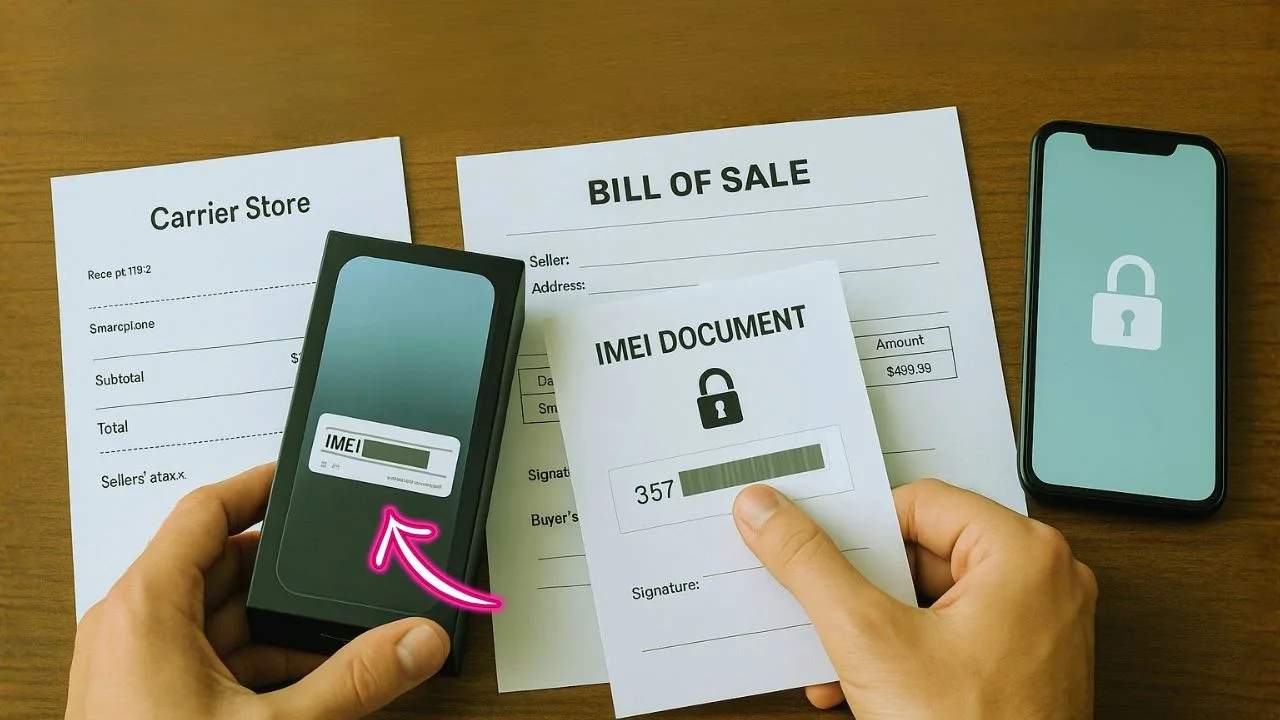
Got the phone. Paid for it. Still stuck on a network? You know what—most delays come down to one thing: proving you’re the rightful owner.
Here’s the thing: support teams move faster when your paperwork speaks clearly. The right receipt, the correct IMEI, and a few tidy details can shave days off the wait.
Let me show you exactly what to gather, how to present it, and a few quiet tricks that make approvals smoother.
TL;DR
Get faster carrier approval by bundling three clean proofs: a proper invoice/bill of sale with your name + exact IMEI, a clear About-screen photo showing that IMEI, and—if it was financed—a fresh payoff receipt showing $0. Save as tidy
Why proof of ownership matters for phone unlocks
An unlock removes the carrier restriction so you can use your phone on another network, sell it for more money, or take it abroad with a local SIM or eSIM. But unlocks also protect against theft and fraud. That’s why carriers check who owns the device before they approve the request.
Think of it like a key. Your receipt, bill of sale, and IMEI record prove the phone is yours, the financing is paid (or in good standing), and the device isn’t reported lost, stolen, or tied to another person’s account. If those boxes are checked, unlocks usually move quickly.
📖 Also Read: Financing with Affirm/Klarna & Unlock Eligibility: What Carriers Check
The three pillars of ownership: Receipt, Bill of Sale, IMEI
1) Original purchase receipt (or equivalent)
This is the strongest signal you own the phone. It should show:
- Seller name (carrier store, Apple, Samsung, Best Buy, etc.)
- Buyer name (must match you—full name as on your ID or account)
- Date of purchase
- Device details (model, color, storage)
- IMEI or serial number (if included on the receipt)
If you bought the phone new from a major retailer or direct from the manufacturer, ask for a reprint or PDF copy if you lost it. Most stores can regenerate a receipt if you know the purchase date and payment method. For online purchases, pull the invoice from your account dashboard.
2) Bill of sale (for secondhand buys)
A bill of sale proves ownership when you didn’t buy directly from a carrier or brand. It fills the gap for peer-to-peer and marketplace transactions (Facebook Marketplace, OfferUp, Craigslist, Swappa, eBay, etc.). It should clearly state:
- Seller’s full name and contact info
- Buyer’s full name and contact info
- Date and location of sale
- Device model and capacity
- IMEI and/or serial number (write it in full; double-check digits)
- Purchase price and payment method
- “Sold free and clear of liens” statement (confirms no outstanding financing)
- Signatures (both parties)
If you already bought the phone but never wrote a bill of sale, you can still draft one and ask the seller to sign digitally. Save a PDF copy for your records.
3) IMEI documentation
Carriers identify devices by IMEI (for eSIM/SIM devices) or MEID/serial in some cases. Good IMEI documentation includes:
- Photo or screenshot of the phone’s Settings > About screen showing the IMEI
- Photo of the SIM tray or box label with the IMEI barcode (if available)
- A typed IMEI in your request email or web form (avoid typos)
Tip: Take clear photos with good lighting. Crop in so the numbers are readable. A crisp IMEI photo can save back-and-forth emails.
📖 Also Read: 5G Home Internet Gateways: Can You Unlock Them? What Actually Works
Which doc fixes which problem
| Problem you hit | The document that usually resolves it | Why it works |
|---|---|---|
| “We can’t confirm ownership.” | Retail invoice/bill of sale with your name + IMEI | Directly ties you to this device |
| “IMEI doesn’t match records.” | About-screen photo + box label photo | Shows the live, current IMEI beyond doubt |
| “Looks financed.” | Payoff receipt or installment agreement showing $0 | Proves no balance is owed |
| “Second-hand purchase not accepted.” | Platform invoice (Swappa/eBay/Back Market) showing IMEI + the seller’s info | Establishes a legit chain of custody |
| “Reported lost/stolen.” | Police report correction or seller letter + platform case ID | Removes false reports or clarifies recovery |
| “Business device.” | Company invoice + letter on letterhead naming the requester | Confirms authority to request the release |
How to present your files so they sail through
A tidy submission feels “verified” before anyone reads it. Small details matter.
- Use PDFs (preferred) or PNG/JPG. Avoid HEIC.
- One file per type, clearly named:
1-Receipt_IMEI-3567xxxx.pdf2-AboutScreen_IMEI-3567xxxx.jpg3-PayoffReceipt_Line-xxx-xxx-1234.pdf
- Highlight, don’t redact: draw a soft rectangle around IMEI/date/your name. If you must hide a price, blur only the number—leave product lines visible.
- Make it legible: straight, high-contrast scans (300 dpi). No shadows. No coffee stains.
- Keep dates consistent: activation date close to invoice date. If they’re far apart, add a 1-liner note: “Purchased on 2024-11-12; activated on 2024-11-20.”
- Match names: legal name on receipt = requester’s ID or account name. If a family member bought it, include a brief note: “Gift from my spouse, [Name]. We share the account.” Simple works.
Extra proof that helps (and sometimes solves disputes)
Even when you have the big three, adding a few supporting items can speed things up:
- Account screenshot: A screen from your carrier account showing the device on your line, upgrade date, or installment paid-off status.
- Financing payoff proof: Final invoice, payoff receipt, or a “Device Paid in Full” letter if you just completed installments.
- Trade-in/upgrade paperwork: If this phone replaced another, show the upgrade confirmation or trade-in receipt to tie the ownership chain to you.
- Warranty/AppleCare/Samsung Care+ proof: Policy docs often list the serial or IMEI under your name—another ownership link.
- Email confirmations: Order confirmation emails with order number, device details, and your name.
You don’t always need these extras, but they can tip a borderline review into an instant approval—especially for secondhand phones.
📖 Also Read: Hotspot Unlock & MiFi Unlock: The Complete Guide (Including Verizon Jetpack Unlock)
The most common unlock delays (and how to avoid them)
Name mismatch
If your receipt says “Robert” but your ID and carrier account say “Rob,” a strict reviewer could kick it back. Use consistent, full legal names across documents. When submitting, include a short note: “Robert A. Hossain (goes by Rob).”
Missing IMEI
A receipt without the IMEI is still helpful, but it’s not enough. Add IMEI photos from the device settings and the box label if you have it.
Financing not paid off
Many carriers won’t unlock a device that’s still under installments or flagged as “Device Payment Plan – Active.” Provide a payoff receipt or ask the carrier rep to add a note once the balance hits $0.
Account not in your name
If you got the phone as a gift or from a family plan, include a signed note from the account owner plus a copy of their purchase proof. Some carriers ask the account owner to place the unlock request on your behalf.
Reported lost/stolen
No carrier will unlock a device on a negative status list. If this is an error, open a case with the original seller to remove the incorrect report, then re-submit your proof.
Typos and low-quality images
A single wrong IMEI digit or fuzzy photo can cause a rejection. Type the IMEI carefully and attach sharp, readable images.
How to bundle your proof for a fast yes
Treat the submission like a mini dossier. Put everything into one neat package so the reviewer doesn’t have to ask for more.
- Cover note (2–3 lines):
“Hello, I’m requesting an unlock for my [Make/Model]. I’m the owner, and the device is paid in full. Documents attached: original receipt (with my name), bill of sale, IMEI photos, and account screenshot showing payoff.” - Receipt or invoice:
Attach the original purchase receipt (PDF or photo). - Bill of sale (if secondhand):
Include a clean, signed PDF. - IMEI evidence:
Add two photos: Settings > About (IMEI visible) and box label or SIM tray sticker (if available). Type the IMEI in the email too. - Account/payoff proof:
Screenshot showing device paid off or active on your line. - Contact info:
Name, phone number on the account, and a good callback email.
Keep filenames clear (e.g., Receipt_John_Doe_iPhone15.pdf, IMEI_Screenshot_01.jpg). If the portal lets you add notes, list the files and what each proves.
What if you don’t have a receipt?
It happens. Here’s how to rebuild a paper trail that still works.
- Ask the original seller for a reprint:
Retailers and carriers can often regenerate an invoice if you know the purchase window and card used. - Request a receipt from the marketplace:
Swappa and some platforms email a transaction summary. It’s not a full invoice, but combined with a strong bill of sale and IMEI photos, it usually passes review. - Use a detailed bill of sale:
Make it specific. Include the IMEI, model, price, exact date/time, and “no liens/paid in full” language. - Add proof of use:
Carrier account screenshots that show the device on your line are very persuasive. A history of monthly bills listing the device can substitute for a missing store receipt. - Ask the seller for a written statement:
A short signed note from the seller confirming they sold you the specific IMEI/serial and had the right to sell can calm any doubts.
Clean chain of ownership for secondhand phones
Secondhand? No problem—carriers mainly want a clean chain:
- Seller had the right to sell (no active financing or blacklist).
- You bought it (bill of sale + payment proof).
- You can prove it’s the same device (IMEI match from the sale to the phone in your hand).
- It’s not reported lost or stolen.
- Your ID and name match the documents you submit.
If any link is weak, add more proof: chats with the seller, marketplace order IDs, or a bank statement (you can redact other info) showing the purchase amount on that date.
Formatting tips that reviewers love
- PDF over JPG when possible: PDFs look cleaner in ticketing systems.
- Single combined PDF (up to size limits): put the receipt, bill of sale, and screenshots in one file so nothing gets lost.
- High-resolution images: aim for crisp, readable digits.
- Short annotations: light labels like “Page 1: Receipt,” “Page 2: Bill of Sale,” “Page 3: IMEI screenshot” help the reviewer breeze through.
Simple bill of sale template (copy, fill, sign)
Title: Bill of Sale – Mobile Phone
Seller: Full Name, Email, Phone
Buyer: Full Name, Email, Phone
Date of Sale: YYYY-MM-DD
Device: Make, Model, Capacity, Color
IMEI/Serial: 15-digit IMEI (and Serial if present)
Price & Payment: $___ paid via ___
Condition: Good/Fair/As-Is (circle one)
Ownership Statement: “Seller affirms the device is owned free and clear of liens or finance obligations and is not reported lost or stolen.”
Signatures:
Seller Signature & Date
Buyer Signature & Date
Convert it to PDF and keep a digital copy.
Submitting to carriers, resellers, and OEM support
Where you submit varies:
- Carrier unlock request portals: Many carriers use online forms. Upload your documents there.
- Retailer support: If you bought at a retailer, their support can confirm ownership and, in some regions, forward unlock requests.
- Manufacturer support: Apple, Samsung, Google, and others won’t always unlock, but their support can verify serial/IMEI and confirm purchase info if you bought direct.
When in doubt, start with the carrier currently associated with the device. If you’re moving the phone to another provider, they can tell you exactly what proof they need and where to upload it.
Special situations (and how to handle them)
Gifted or transferred phones
Have the original owner submit the unlock first, or include a signed note and their receipt. Add your own IMEI photos to tie the device to you now.
Corporate or business-owned devices
Ask your IT admin for a release letter on company letterhead plus the original invoice. Corporate finance locks often require a formal approval note.
Insurance replacements
Use the replacement invoice from the insurer and IMEI photos from the new device. Make sure the replacement IMEI appears on your account.
International purchases
If the receipt isn’t in English, include a short translation of the key fields (seller, buyer, date, device, IMEI). Clear translations smooth reviews.
The bottom line
Honestly, this process isn’t magic—it’s matching names, numbers, and dates so a reviewer can say “yes” without digging. A clean invoice, a clear IMEI, and the right payoff proof do most of the heavy lifting. If your situation’s unusual—gift, second-hand, warranty swap—tack on one more document that explains the hand-off, and you’re golden.
One last question to leave you with: if you opened your own submission right now, would you approve it in under a minute? If yes, you’re ready.
Frequently Asked Questions (FAQ)
Sometimes. Many retailer or carrier invoices list the IMEI (or serial) for the exact device, but some only show a SKU or model. If it’s missing, pair the receipt with a photo of the phone’s About screen or the box label to tie it to that device.
Basic device identity: brand, model, capacity/variant, manufacturing details, and network capability. It does not reveal your personal data, messages, photos, or accounts.
Not directly. The IMEI identifies hardware on a network, but consumer tracking requires account access, an installed app, or legal/law-enforcement tools—not just the number. Still, treat IMEI like a sensitive identifier; share it only when needed.
On some GSM networks, *#21# queries call-divert (call forwarding) status and shows a service summary. It’s carrier-dependent and may return nothing on certain providers/phones. It doesn’t reveal spying or surveillance.
It’s not universal. On many VoIP/PBX systems, *97 dials voicemail; on some landlines it can map to a different feature, or do nothing. Check your carrier or PBX star-code list.
On several US carriers, *73 cancels call forwarding (the “turn it off” code). If it doesn’t work on your plan, use your carrier’s call-forwarding settings or dial the standard GSM cancel code ##002#.
There isn’t a magic code. Real checks: review installed apps and permissions, verify Apple/Google account logins and active devices, rotate your passwords, enable two-factor authentication, and make sure Find My/Find My Device shows only your hardware. If you suspect compromise, back up, update the OS, and consider a clean restore.


