

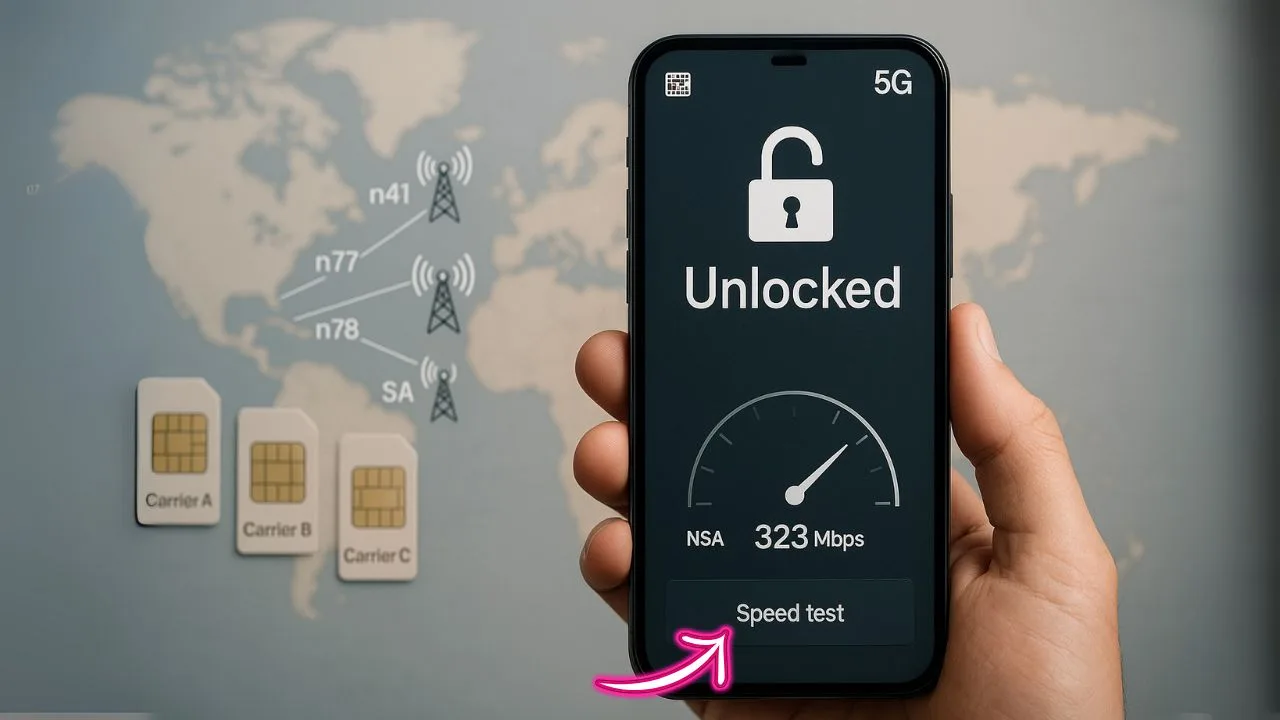
Short answer: An unlocked phone can work on many 5G networks—but not automatically on every 5G network. You need the right radio bands, the right features (like VoLTE and 5G SA/NSA), and the right carrier settings. When those line up, you’re golden. When they don’t, your phone may drop to 4G/LTE, lose features like Wi-Fi Calling or hotspot, or fail to activate at all.
This guide explains how to check 5G compatibility before you buy, what “unlocked” really means, why band support matters, and the exact steps to make any Bring-Your-Own-Device (BYOD) setup go smoothly.
TL;DR
- Unlocked ≠ universal. “Unlocked” only removes the carrier lock. It does not guarantee your phone has the right 5G bands or features for every network.
- Bands rule everything. Match your phone’s 5G and LTE bands to the carrier’s network (think: sub-6 like n5/n41/n71/n77 and, where relevant, mmWave like n260/n261).
- Core features matter. Look for VoLTE, 5G NSA/SA, VoNR, carrier aggregation, Wi-Fi Calling, and eSIM support.
- Carriers still gatekeep. Some carriers keep a whitelist for advanced features (HD Voice, 5G, Wi-Fi Calling). Your phone can still get data, but premium features might be limited if it’s not “approved.”
- Do a pre-flight check. Verify bands, run an IMEI check, update software, install the correct APN, and test in a known 5G area.
The Quick Take
An unlocked phone means the device isn’t restricted to one carrier. It doesn’t guarantee it supports every carrier’s 5G. To work on a specific 5G network, your phone must support that carrier’s 5G bands and network mode (NSA or SA), pass the carrier’s voice requirements (VoLTE today, VoNR where available), and be allowed by the carrier’s bring-your-own-device (BYOD) policies. When those line up, an unlocked phone will usually activate and get 5G just fine. When they don’t, you may fall back to 4G LTE or lose features like Wi-Fi Calling—even though the phone is “unlocked.”
What “Unlocked” Actually Means (and What It Doesn’t)
“Unlocked” simply means your phone can accept any compatible SIM or eSIM. It’s a carrier restriction removal, not a promise of radio support. Think of your phone’s radios like a music player: it can be region-coded for certain “tracks” (bands). If a network “plays” a band your device didn’t ship with, the phone can’t hear it—no matter how unlocked it is.
Key idea: Unlocked status ≠ universal 5G compatibility. You still need matching bands, supported modes, and approved voice services.
5G in Plain
5G isn’t one single network. It’s a broad family of technologies that carriers assemble differently.
- 5G Bands: 5G uses numbered bands like n1, n2, n3, n5, n7, n12, n20, n28, n38, n40, n41, n66, n71, n77, n78, n258, n260, n261 and many others. Low-band (e.g., n5, n12, n20, n28, n71) goes farther but is slower; mid-band (e.g., n41, n77, n78) provides the best balance; high-band/mmWave (e.g., n258, n260, n261) is very fast but short-range.
- NSA vs. SA:
- NSA (Non-Standalone) anchors to 4G LTE for control, then adds 5G for data. Most early deployments used NSA.
- SA (Standalone) uses a pure 5G core and can enable lower latency, new features (like VoNR), and sometimes better coverage management.
Your phone must support whichever mode the carrier is using where you live.
- DSS (Dynamic Spectrum Sharing): Some carriers “share” spectrum between 4G and 5G. Phones must play nicely with DSS to connect smoothly.
- Carrier Aggregation (CA) & EN-DC/NR-DC: These combine bands and technologies to boost speed. Modern phones handle this automatically if supported.
📖 Also Read: Unlocking Your Phone for Travel SIM Cards vs eSIM Travel Passes
Why the Same Model Number Can Still Behave Differently
Phone makers release regional variants with different band sets. Two devices that look the same could have different 5G support depending on the region they were made for. Importing a phone can be great value, but if its 5G bands don’t match your local carrier, you might get LTE only.
Tip: Look up your exact model code (not just the marketing name). Then compare its 5G NR bands to the bands your carrier uses in your area.
The Four Pillars of 5G Compatibility
To use an unlocked phone on a given 5G network, four things must align:
- Radio Bands: Your device must support the carrier’s active 5G bands where you’ll use it (low, mid, and/or high/mmWave). If your phone lacks a key mid-band (like n41 or n77/n78 in many regions), you may be limited to slower low-band 5G or even LTE.
- Network Modes: Your device’s firmware must support the carrier’s NSA today and increasingly SA for new features and better latency. Some older 5G phones shipped with NSA only and gained SA via software—others never did.
- Voice Services: Carriers generally require VoLTE for calls, even when your data is on 5G. As pure 5G SA expands, VoNR (Voice over New Radio) helps keep calls fully on 5G. If your phone lacks certified VoLTE profiles for the carrier, you may see “Emergency calls only,” dropped to 3G/2G (where still available), or no voice service at all.
- Carrier Feature & Policy Support: Things like Wi-Fi Calling, Visual Voicemail, hotspot tethering, and RCS often require specific carrier configs. BYOD works, but not every feature is guaranteed on every unlocked phone.
📖 Also Read: Does a Factory Reset Remove a Carrier Lock? (Myth Busted)
BYOD Reality Check: Why an Unlocked Phone Might Not Get 5G
An unlocked phone can usually get basic service somewhere on a network—often LTE—but might not get that carrier’s best 5G. Reasons include:
- The phone is missing crucial mid-band (often the 5G “sweet spot” for speed and coverage).
- The phone lacks the carrier’s SA profile, so it stays on NSA or reverts to LTE in SA-only markets.
- The carrier has a whitelist or certification requirement for VoLTE/VoNR, and your imported model isn’t on it.
- Your plan doesn’t include 5G access, or 5G is disabled at the line level (yes, it happens).
- The phone’s firmware needs an update to enable a carrier bundle or fix a 5G bug.
eSIM, Physical SIM, and Dual-SIM 5G Nuances
Whether you use a physical SIM or eSIM, compatibility rules are the same: bands and profiles must match. On dual-SIM phones, many models allow only one active 5G line at a time. The second line may drop to LTE for stability or power reasons. Some newer flagships now support dual 5G standby or dual active 5G, but it’s still phone-specific.
International Travel: Unlocked Helps, Bands Decide
When you land in another country, your unlocked phone will often connect—just not always on local 5G. If your device lacks that country’s primary 5G bands (for example, n78 is common in many regions), you might see LTE only. If you need 5G abroad, check the destination carrier’s 5G bands and make sure your device lists them.
How to Check If Your Unlocked Phone Will Get 5G on a Specific Carrier
You don’t need a lab. Follow this practical, step-by-step method:
- Find Your Exact Model ID:
In Settings (About Phone), note the full model number/variant. Marketing names aren’t enough. - List Your Phone’s 5G Bands:
Check the manufacturer’s spec page (or the printed box/label) for the NR bands (e.g., n1, n3, n5, n28, n41, n66, n71, n77, n78, n258). - Identify the Carrier’s 5G Bands in Your Area:
Carriers often publish band details, and community coverage maps/forum threads can help. Focus on the mid-band they use (it drives performance), and any special low-band or mmWave the carrier markets in your city. - Confirm VoLTE/VoNR & SA/NSA Support:
Search “[your phone model] + VoLTE + [carrier name]” and “[your phone model] + SA/NSA.” Many OEM update logs mention SA enablement and carrier bundles. - Check the IMEI:
Most carriers have an online IMEI checker. It won’t always reflect every edge case, but it’s a fast sanity check for BYOD approval. - Update Firmware Before You Pop the SIM:
Install the latest system and carrier updates. These often add 5G profiles or voice configs. - Test Where It Matters:
After activation, test in locations you care about—home, work, commute. 5G availability varies block to block.
📖 Also Read: How to Unlock a Phone Without Wi-Fi or Mobile Data
Plan & Feature Caveats to Remember
Even a perfect phone won’t get 5G if your plan doesn’t include it. Some entry or legacy plans restrict access to 5G or throttle hotspot speeds. If hotspot is critical, check the fine print; carriers may allow 5G on-device but limit hotspot to LTE speeds or cap the data bucket.
Performance Expectations: Why One 5G Feels Faster Than Another
Two unlocked phones on “5G” might perform very differently:
- Band Breadth: A device that supports your carrier’s mid-band (like n41 or n77 where used) will usually beat a device stuck on low-band (n5/n71/n28), especially in busy areas.
- Antenna Design & MIMO: More antennas and advanced MIMO improve reliability and speed, especially indoors.
- Carrier Aggregation & 4G/5G Dual Connectivity: Phones that combine multiple carriers’ 5G and LTE channels (EN-DC/NR-DC) often see higher peak and sustained speeds.
- Firmware Tuning: OEMs tune modems per carrier. A phone certified by your carrier may hold signal and handoffs better than an imported twin.
SA vs. NSA: Do You Need Standalone 5G?
You don’t need SA to use 5G. NSA 5G remains common and can be very fast. But as carriers roll out SA cores, they can turn on new capabilities: lower latency for gaming/remote work, network slicing for future apps, and cleaner voice with VoNR. If your market is leaning SA, a phone that supports SA on the carrier’s bands is increasingly valuable.
Will Carrier Features Work on My Unlocked Phone?
- Wi-Fi Calling: Often works on unlocked flagships but isn’t guaranteed on every BYOD. Needs carrier profile + certification.
- Visual Voicemail & RCS: May require the carrier’s app or a Google Messages profile.
- Hotspot/Tethering: Usually fine, but limited by plan rules—sometimes to LTE speeds or a fixed data bucket.
- Emergency Services: Keep your firmware current; carriers and OEMs ship fixes for emergency calling behavior as networks evolve.
Troubleshooting: When Your Unlocked Phone Won’t Show 5G
If you pop in a SIM and see LTE only, try this flow:
- Confirm Plan Includes 5G: Check your line details. If needed, ask support to provision 5G.
- Update Everything: System updates, carrier settings, and the carrier’s app if required.
- Toggle 5G Settings: In Cellular/Mobile Data > Network Mode, choose “5G Auto/On.” Some phones default to LTE for battery savings.
- Reset Network Settings: This refreshes APN, Wi-Fi, and Bluetooth. You’ll re-add Wi-Fi passwords after.
- Check APN: Most carriers auto-provision, but imported devices sometimes need manual APN entry to enable data and MMS.
- Move to a Known 5G Area: Coverage can be hyper-local. Test outdoors or near a known 5G site.
- IMEI Quirks: Occasionally, a carrier needs to “refresh” your line after a device swap, especially if you moved from eSIM to SIM or vice versa.
- Still no 5G? Your device may lack the carrier’s 5G bands or SA profile. It might stay on LTE on that network even though it’s “unlocked.”
Real-World Scenarios
You bought an imported flagship that screams on one carrier but crawls on another. You likely have terrific mid-band support for Carrier A and only low-band for Carrier B. The fix is either a model with the missing band set or switching to the carrier that matches your hardware.
You changed from Carrier X to Y and calls fail or Wi-Fi Calling is gone. The device probably lacks Carrier Y’s VoLTE profile or isn’t certified. Sometimes a firmware update adds it. Sometimes it never comes for that variant.
Dual-SIM life: Line 1 shows 5G, Line 2 sticks to LTE. Your phone may be single-5G-active by design. Swapping primary lines or turning one line off typically confirms this.
Should You Buy “Carrier Version” or “Factory Unlocked”?
- Carrier Edition Pros: Usually fully certified for that network, great feature support, and sometimes better radio tuning.
- Carrier Edition Cons: May be SIM-locked initially and receive updates later than factory unlocked.
- Factory Unlocked Pros: Freedom to switch carriers and travel easily; often faster updates.
- Factory Unlocked Cons: Feature support can be hit-or-miss on some carriers, especially Wi-Fi Calling and Visual Voicemail on budget and midrange models.
If you know you’ll stay with one carrier for a while and want every feature to “just work,” the carrier-certified variant is the safe bet. If flexibility is your priority and your device’s exact band list matches several carriers well, the factory unlocked route is ideal.
How to Pick a Truly “Any-Network” 5G Phone
If you want the widest compatibility across carriers:
- Prioritize band breadth: Look for devices with robust low-band and mid-band (commonly n41 and n77/n78 in many regions).
- Look for SA + NSA: Having both gives you flexibility as carriers evolve.
- Check VoLTE/VoNR certification history: Flagships from major OEMs get the broadest voice support.
- Mind regional variants: Choose the regional model made for your intended carriers.
- Buy recent generation modems: Newer modems add broader band support, better CA/NR-DC, and improvements to power use.
FAQs
Can I pop any SIM into my unlocked 5G phone and get 5G immediately?
Sometimes, but not guaranteed. If your phone lacks the carrier’s 5G band or SA/NSA profile, it may stay on LTE.
If my phone is 5G, why do I only see LTE?
You may be outside 5G coverage, your plan might not include 5G, or your phone might not support the carrier’s 5G band. Firmware updates or APN fixes can also help.
Do I need VoLTE or VoNR for 5G?
For reliable calling, yes. Most carriers require VoLTE at minimum. VoNR is growing with SA 5G but not mandatory everywhere yet.
Is mmWave required for the “fastest” 5G?
mmWave can be extremely fast but is short-range. Today, upgraded mid-band is the practical sweet spot for everyday speed and coverage.
Will Wi-Fi Calling and Visual Voicemail work on my unlocked phone?
Often, but not always. These depend on carrier certification and profiles. Many flagship unlocked phones support them; some midrange imports don’t.
Does eSIM change 5G compatibility?
No. eSIM is just how you load your carrier profile. Bands and voice features still determine 5G success.
Can dual-SIM phones run two 5G lines at once?
Some can; many allow only one 5G line active at a time, with the other on LTE. It’s model-specific.
The Bottom Line
You can use many unlocked phones on many 5G networks—but “unlocked” isn’t a magic key to every tower. Match your phone’s bands, SA/NSA support, and voice features to the carrier you want. Check the IMEI, keep firmware updated, and verify your plan includes 5G. Do that homework once, and you’ll enjoy the speed and freedom 5G promised—on your terms.


