

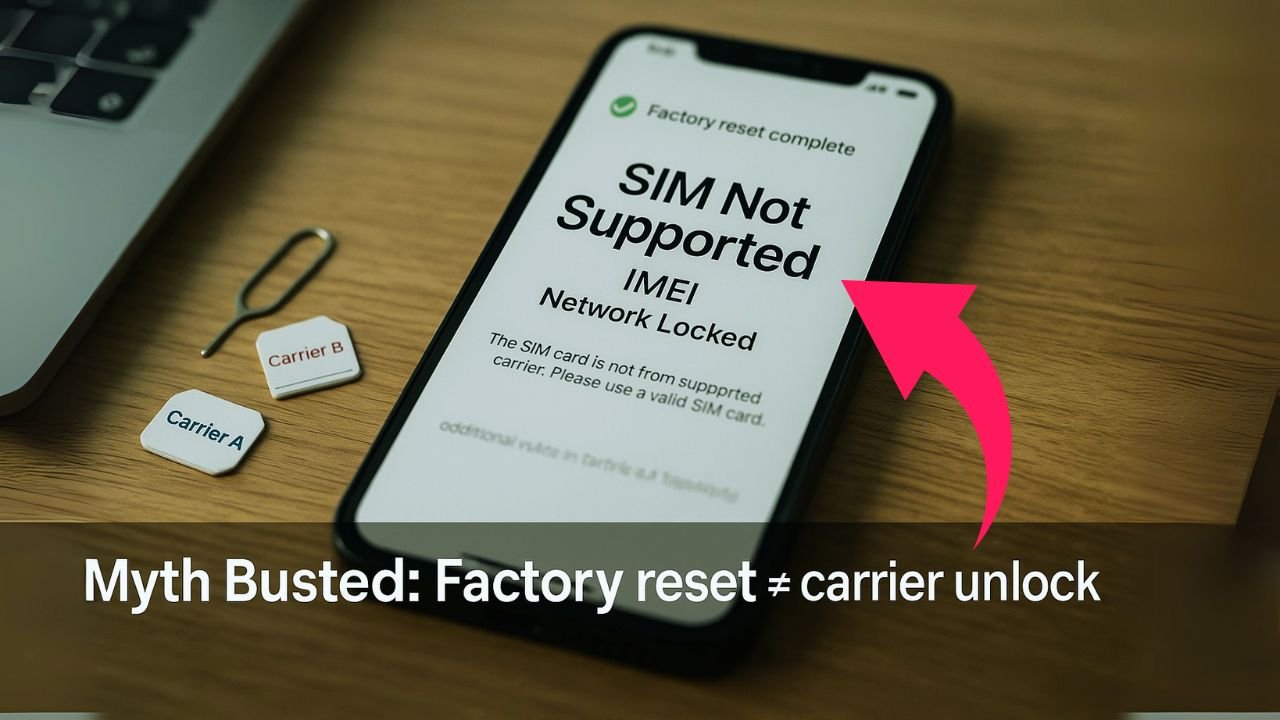
If you’ve ever been stuck with a “SIM Not Supported” or “Network Unlock Code” message, you’ve probably seen advice that says: “Just factory-reset it.” It sounds simple, but it’s wrong. A factory reset does not remove a carrier lock. In this guide, we’ll explain why the myth exists, what a factory reset actually does, and the real, legitimate ways to unlock your phone for use on other networks. We’ll keep it clear, friendly, and practical—so you can stop guessing and start using your phone the way you want.
Key Takeaways
- Factory reset doesn’t remove a carrier lock. The lock is tied to your phone’s IMEI and enforced on the carrier’s network, not by your local software or settings.
- The lock survives any wipe. A reset only erases personal data and preferences—it doesn’t change the device’s network eligibility or activation policy.
- Unlocking is a carrier process. You must work with the provider your phone is locked to; they control the IMEI’s lock status and can update it remotely when you qualify.
- Meet eligibility first. Finish payments/contract, keep the account in good standing, and (for prepaid) wait the required time—often a defined period (e.g., up to 1 year) after activation.
- Skip the myths. “Master codes,” secret menus, or resets won’t legitimately unlock modern phones; the only reliable path is the official carrier unlock request.
What “Carrier Lock” Really Means
A carrier lock (also called a network lock or SIM lock) is a restriction that ties your phone to a single carrier until certain conditions are met—like paying off the device, keeping service active for a set period, and ensuring the phone isn’t flagged as lost, stolen, or involved in fraud.
Two big pieces keep the lock in place:
- Carrier Database (IMEI record): Your phone’s unique IMEI is recorded on your carrier’s systems. If the IMEI is listed as “locked,” the phone won’t be accepted on other networks or it won’t get the unlock authorization handshake.
- Device-Side Controls: Modern phones also use secure firmware and vendor features (e.g., Apple activation policy, Samsung’s Device Unlock mechanisms) that consult those backend records.
Key point: Even if you wipe the phone, your IMEI is unchanged, and the carrier’s servers still know whether it’s locked.
📖 Also Read: How to Unlock a Phone Without Wi-Fi or Mobile Data
What a Factory Reset Actually Does
A factory reset (on iPhone or Android):
- Erases user data: apps, photos, messages, saved Wi-Fi networks, and personal settings.
- Restores default settings: language, region, accessibility, and display options revert to “new.”
- Leaves low-level restrictions alone: carrier lock state, hardware-bound security, and firmware-level flags remain as they were.
It’s like clearing your closet, not removing the front door lock. The room looks empty, but the house key still controls entry.
Why the “Reset to Unlock” Myth Won’t Die
There are a few reasons this bad advice keeps spreading:
- Confusing different “locks.” People mix up passcodes, iCloud/Google account locks, and carrier locks. A factory reset can remove a passcode (by wiping the device), but it won’t remove a carrier lock.
- Old anecdotes. Years ago, some older models used simpler lock methods that could be bypassed in fringe cases. Modern devices closed those gaps.
- Misleading tools and ads. Some third-party “unlock” sites or apps promise miracles. If they mention “just reset,” be cautious; legitimate unlocks involve carrier authorization tied to your IMEI.
Carrier Lock vs. Other Locks (Don’t Mix Them Up)
Understanding the types of “locks” prevents a lot of headaches:
- Carrier/Network Lock: Controls which SIMs/networks the phone accepts. Managed by your carrier and sometimes the manufacturer. Factory reset does not remove this.
- Screen Lock/Passcode/Pattern: Protects access to your phone. Factory reset removes your data and the passcode, but you’ll often need your account password afterward due to anti-theft features.
- Activation Locks (Apple) and FRP—Factory Reset Protection (Android): Anti-theft safeguards that require the original Apple ID password or Google account sign-in after a reset. These are separate from carrier lock and also not removed by a simple wipe.
- MDM/Enterprise Locks: Company-managed settings on work phones. A reset might not remove them if enrollment returns during setup.
So, How Are Phones Actually Unlocked?
There are only a few legitimate paths:
1) Official Carrier Unlock
- Meet requirements: Paid off, active for the required period, good standing, no fraud/lost/stolen flags.
- Request unlock: Through the carrier’s website, app, chat, or support line.
- Wait for approval: Carriers update your IMEI’s status in their database and, for some devices, push an unlock signal.
- Complete device steps:
- iPhone: Insert a non-original carrier SIM or connect to Wi-Fi; the device contacts Apple’s servers to refresh the activation policy.
- Android (Samsung, Pixel, etc.): Either automatically accepts other SIMs after approval or uses a Device Unlock feature in settings/brand app to finalize.
2) Manufacturer-Supported Path
- Apple: Reflects carrier policy. Once the carrier flags your IMEI as unlocked, Apple’s activation servers apply the unlocked policy. No codes needed.
- Samsung/Pixel/Motorola: Similar idea; the phone either self-updates the lock state after approval or provides an “unlock” button or procedure. Some older Android devices may prompt for a network unlock code (NCK) that the carrier supplies.
3) Prepaid & MVNO Policies
Many prepaid brands (and MVNOs) also lock phones for a period, then auto-unlock after eligibility. The method is still the same: policy-based and server-authorized, not reset-based.
Bottom line: The unlock lives in carrier/manufacturer systems tied to your IMEI, not in your camera roll or settings menu that a reset wipes.
📖 Also Read: What Is Your Network Unlock Code? for Android and iPhone
What About “Master Codes” and “Secret Menus”?
- There is no universal master code for modern devices. Some older models accepted standard NCKs, but newer phones rely on secure server checks.
- Dialer “service codes” you see online usually open diagnostic pages. They won’t switch a locked phone to unlocked.
- Tools that promise “instant unlock after reset” frequently rely on outdated tricks, risky firmware tampering, or outright scams.
eSIM, Dual-SIM, and the Lock Question
- eSIM: Works just like a physical SIM in terms of lock rules. If the phone is carrier-locked, you can’t activate another carrier’s eSIM until it’s unlocked via official policy.
- Dual-SIM/Dual eSIM phones: Many support two lines, but a lock can still limit you to the original carrier(s). Unlocking removes that restriction; a reset does not.
- Travel tip: If you’re planning to use an international eSIM/data plan, start the official unlock process before you fly. It can take time.
Second-Hand Buyers: Don’t Rely on Resets
If you’re buying used:
- Check the IMEI before you pay. Use the seller’s carrier or a reputable IMEI checker to confirm the phone isn’t financed, blacklisted, or locked.
- Ask for proof of unlock. On iPhone, inserting a different carrier SIM and seeing service is the simplest check. On Android, verify with a non-original SIM or the device’s network status screen.
- A wiped phone is not the same as an unlocked phone. A reset helps with privacy, not network freedom.
Step-by-Step: The Right Way to Unlock (iPhone & Android)
iPhone (All Modern Models)
- Confirm eligibility with your current carrier. Make sure the device is paid off and your account is in good standing.
- Request the unlock. Carriers submit your IMEI to Apple’s activation servers with an “unlocked” policy.
- Complete the refresh. Insert a non-original SIM or connect the iPhone to Wi-Fi and restart; the phone will reach Apple, fetch the unlocked policy, and update itself.
- Test with another SIM or eSIM. If you still see “SIM Not Supported,” toggle Airplane Mode, reboot, or connect to iTunes/Finder to force re-activation.
Android (Samsung, Google Pixel, Motorola, etc.)
- Confirm eligibility with your carrier.
- Request unlock or wait for auto-unlock.
- Some brands/carriers push an unlock to the phone.
- Others require using a Device Unlock function found in Settings (e.g., Connections > More settings) or a carrier/brand app.
- If prompted for a code: Some older or region-specific models need an NCK. Your carrier provides this after approval.
- Reboot and test with another SIM. If it still fails, clear carrier services data, toggle airplane mode, or contact carrier support to re-push the unlock.
Why You Might See “No Service” After a Legit Unlock
Even after a real unlock, you might still face setup issues that look like a lock:
- Wrong APN settings: Data/MMS may fail until you update APN for the new carrier.
- Unsupported bands/VoLTE profile: Some imported phones miss key LTE/5G bands or lack certified VoLTE/VoNR and Wi-Fi Calling profiles for your new network.
- eSIM activation hiccups: eSIM QR codes and profiles sometimes need a clean reinstall.
- Provisioning lag: Carriers occasionally need time to finish the switch. A short wait or a chat with support usually sorts it out.
📖 Also Read: Unlock a Samsung Phone You Forgot the Password To—Without Losing Data
Why Carriers Lock Phones in the First Place
- Device financing: Locking helps make sure the phone you financed isn’t moved to another network before it’s paid off.
- Fraud prevention: Locks reduce theft and resale while a balance is owed.
- Policy control: Carriers tie unlock timing to account good standing and service duration.
While it can be frustrating, the unlock is a policy event, not a settings toggle, and that’s why resets don’t affect it.
The Real Risks of “Shortcut” Unlocks
- Scams: Sites that claim “reset + app = unlocked” often take your money and vanish.
- Warranty issues: Unofficial tampering or flashing can void warranties and break updates.
- Blacklist danger: No tool can “wash” a blacklisted IMEI in legitimate carrier systems.
- Relock after update: Some “software” tricks fail after OS or firmware updates because they never changed the real, server-side status.
When a Reset Is Useful (But Not for Unlocking)
There are good reasons to factory-reset—just not for unlocking:
- Selling or giving away the phone: Wipe your data for privacy.
- Fixing bugs/performance issues: A clean slate can help with glitches.
- Starting over after an account issue: Sometimes a new setup flow resolves activation errors (but won’t change lock status).
If your goal is to use another carrier, do the official unlock first, then reset if you want a fresh start.
Myth-Busting Roundup
- Myth: Resetting the phone removes the network lock.
Fact: It doesn’t. The lock is tied to your IMEI and carrier/manufacturer systems. - Myth: Any “universal code” can unlock any phone.
Fact: Modern devices rely on secure server authorization or carrier-issued codes for specific IMEIs. - Myth: eSIM avoids carrier locks.
Fact: eSIM follows the same lock rules as physical SIMs. - Myth: If another carrier’s SIM works after a reset, the phone must be unlocked.
Fact: That only proves the policy is already unlocked; the reset didn’t unlock it.
Practical Checklist: If You Want to Switch Carriers
Use bullets here for speed:
- Make sure the phone is paid off and your account is in good standing.
- Ask your carrier to unlock your phone (or check if it auto-unlocks by policy).
- For iPhone, insert a different carrier’s SIM or connect to Wi-Fi after approval to refresh activation.
- For Android, look for a Device Unlock option or complete any code entry if provided.
- Test voice, data, and APN settings with the new SIM/eSIM.
- If issues remain, contact the new carrier for provisioning help.
Final Word
A factory reset is a powerful tool for privacy and troubleshooting, but it won’t free your phone from a carrier lock. The only reliable way is the official route: meet the requirements, request the unlock, and complete the carrier/manufacturer steps. Do that, and you’ll enjoy the real benefits of an unlocked phone—choice, flexibility, and better travel options—without the drama or risk.
FAQs
Does factory reset get rid of carrier lock?
No. A factory reset only erases your personal data and settings. The carrier lock is tied to your phone’s IMEI in carrier and manufacturer systems, so it remains locked until the carrier officially unlocks it.
Will factory reset remove phone lock?
It can remove your screen passcode by wiping the device, but modern phones then trigger anti-theft checks. iPhone may require the original Apple ID (Activation Lock), and Android may require the Google account (FRP). None of this affects the carrier/network lock.
Can carrier lock be removed?
Yes—through the official unlock process. You must meet your carrier’s requirements (paid off, active for the required time, not lost/stolen). After approval, the carrier updates your IMEI to “unlocked,” and your phone accepts other carriers. Shortcuts, “master codes,” or reset tricks don’t work on modern phones.
Can police recover data after factory reset?
If your phone uses strong encryption (standard on modern iOS and Android), a factory reset destroys the keys that protect local data, making recovery from the device itself highly unlikely. However, data may still be obtainable from cloud backups, synced services, carriers, or other devices with legal process. External SD cards or unencrypted backups can also expose data.
Can you jailbreak an iPhone to remove carrier lock?
No. Jailbreaking modifies iOS features but doesn’t change the carrier lock, which is enforced by Apple’s activation servers and the device’s baseband. SIM shims or hacks are unreliable, can break after updates, and risk security, warranty, and account violations.
Is carrier unlocking illegal?
In many places (including the U.S.), unlocking a phone you own and are eligible to unlock is legal. You must still honor your contract or installment terms, and carriers won’t unlock phones flagged as lost, stolen, or fraudulent. Laws vary by country, so check local rules if you’re outside the U.S.
TL;DR
A factory reset wipes your user data (apps, photos, settings) but doesn’t touch the carrier lock stored against your phone’s IMEI on carrier servers (and often in secure parts of the device). To truly unlock, you must meet the carrier’s requirements and complete their official unlock process (or use the device maker’s official path). Anything promising a “reset to unlock” shortcut is either mistaken or risky.


