


So You’ve Got a Verizon Phone—Now What?
You just bought a Verizon phone—maybe it’s brand new from a retail store, a sweet deal from Craigslist, or even a gift from a friend. But now you’re staring at the screen wondering, “How do I activate this thing?” Don’t worry, I’ve been there—and I’ve helped plenty of people through the process.
Whether you’re a longtime Verizon customer upgrading your device or someone switching over from another carrier, this guide will walk you through four solid ways to activate a Verizon phone in 2025. It’s quick, it’s simple, and—spoiler alert—you can even do it without talking to a single human if that’s your style.
📌 Quick Answer: What’s the Fastest Way to Activate a Verizon Phone?
Activating a Verizon phone doesn’t have to be complicated. You actually have four reliable options to get your phone up and running:
You can activate it online through the My Verizon website, using the My Verizon app, by calling Verizon’s customer service, or by walking into a Verizon store and having a rep do it for you.
Whichever method you choose, you’ll need some basic information handy—your IMEI number (which identifies your device), a Verizon-compatible SIM card, and sometimes your Verizon account login or billing details. Once you’ve got that, the rest is just a matter of following prompts or speaking with a representative.
The fastest method? That’s usually the My Verizon app. It lets you activate a phone in just a few taps—right from the palm of your hand. But if you’re not into apps, the website works just as well. Prefer a real person? Customer service or in-store support can take care of it for you without the guesswork.
🔁 Quick Comparison Table
| Activation Method | Speed | Best For | Internet Required |
|---|---|---|---|
| My Verizon App | ★★★★★ Fast | Most users, upgrades | ✅ Yes |
| Verizon Website | ★★★★☆ | Desktop users, BYOD setups | ✅ Yes |
| Phone Call | ★★★☆☆ | Personal assistance, troubleshooting | ❌ No |
| In-Store | ★★★☆☆ | New users, trade-ins, eSIM help | ❌ No |
Don’t Miss It: How to Unlock a Phone from US Cellular (100% Working Methods)
Method 1: 📱 Activate Through My Verizon Website (Most Popular)
Best for: People who prefer a browser and already have a Verizon account

Steps:
- Go to My Verizon and log in.
- Click on “Devices” > “Activate or Switch Device.”
- Choose the line you’re activating a phone on.
- Enter your IMEI number (you can find it by dialing
*#06#on the phone). - Follow the on-screen prompts to confirm and finalize the activation.
🔍 Pro Tip: Make sure your SIM card is properly inserted before starting. If not, Verizon might not detect your device.
Social Sentiment:
On Reddit, users say they find this method “super smooth,” especially if they’re replacing a broken device or doing a self-service upgrade.
Method 2: 📲 Use the My Verizon App (Fastest On-the-Go Method)
Best for: Folks who want a mobile-first experience or don’t have a laptop nearby

Steps:
- Install and open the My Verizon app (Android/iOS).
- Sign in to your account.
- Tap on the “Devices” tab.
- Select “Activate or Switch Device” and follow the steps.
- Enter the IMEI number and select the correct line.
- Done! The app confirms activation with a progress bar.
🧠 In my experience, this method is incredibly handy when I’m traveling or activating a child’s phone on the go.
Common on X/Twitter:
Many Verizon customers praise the app for its simple UX and fast activation, even when switching between old and new phones.
Don’t Miss It: How to Unlock a Permanently Locked Snapchat Account
Method 3: ☎️ Activate by Calling Verizon Customer Support (Hands-Free Help)
Best for: People who prefer talking to a human or don’t feel tech-savvy
Steps:

- From your new Verizon phone, dial 611, *611 or 800-922-0204 8 AM – 7 PM (Mon – Sat) 8 AM – 5 PM (Sun).
- Follow the automated prompts or wait for a live rep.
- Be ready with your IMEI number and SIM card ICCID number (on the SIM packaging).
- A rep will walk you through the steps and confirm activation.
✅ If you’re activating a used phone or doing a BYOD switch, this is a safe option to avoid mistakes.
Forum Vibes (Reddit):
“Calling worked when the online method didn’t,” is a common thread—especially among users who bought their phones from third-party retailers.
Method 4: 🏬 Visit a Verizon Store (Most Personal Option)
Best for: In-store pickups, complicated situations, or SIM card swaps

Steps:
- Bring your phone and SIM card (or request one at the store).
- Ask the staff to help you activate the phone.
- They’ll handle the tech part—typically in under 10 minutes.
🔄 This method is also ideal for number transfers or account changes that might confuse DIY users.
Real-life Example:
When I helped my uncle switch from an old LG flip phone to a new Galaxy, we went to the store. They handled everything—activation, SIM setup, and even basic walkthroughs. Zero stress.
What You Need Before Activating Any Verizon Phone
Here’s a quick checklist to avoid roadblocks:
| Requirement | Details |
|---|---|
| IMEI Number | Dial *#06# or check your phone settings |
| Verizon SIM Card | Should match your device type (5G, 4G LTE, etc.) |
| Verizon Account | Login credentials or access to your billing profile |
| Stable Connection | Wi-Fi or mobile data may be needed for activation |
Don’t Miss It: How to Unlock a T-Mobile Phone
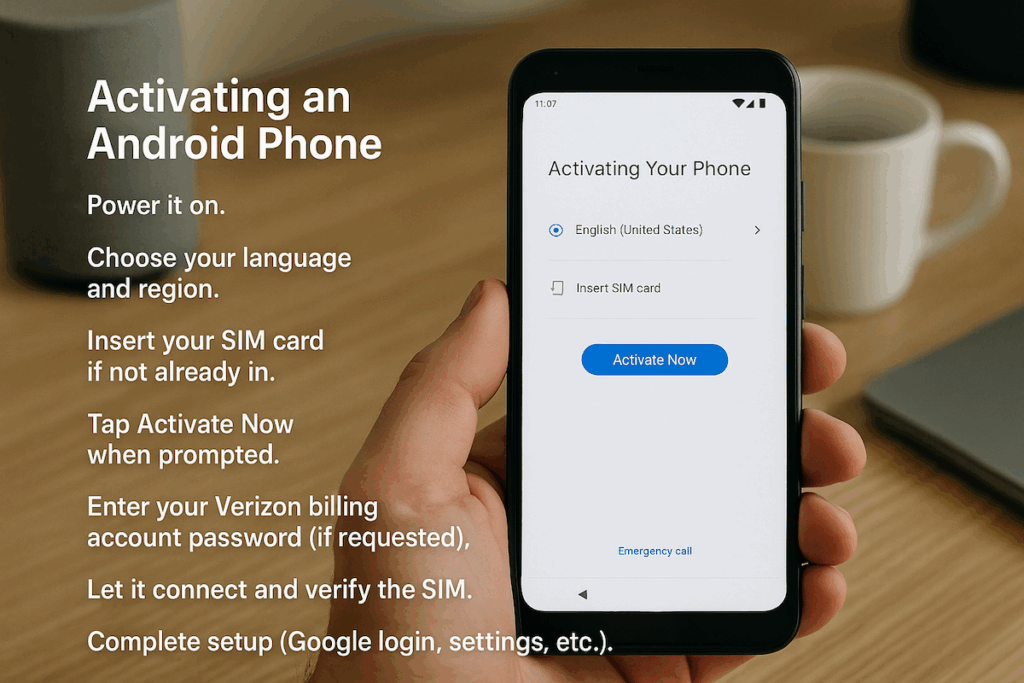
Special Note: Activating an Android Phone (Step-by-Step)
If you’re activating a new or used Android phone on Verizon:
- Power it on.
- Choose your language and region.
- Insert your SIM card if not already in.
- Tap Activate Now when prompted.
- Enter your Verizon billing account password (if requested).
- Let it connect and verify the SIM.
- Complete setup (Google login, settings, etc.).
💡 Note: If you’re switching from iPhone to Android, make sure to turn off iMessage on the old device to avoid missed texts.
🧠 Tips Before You Activate
- Double-check the SIM card: Make sure it’s a Verizon-compatible SIM. Some phones support eSIM, which you can scan and activate digitally.
- Know your IMEI: Dial *#06# to find it, or look under Settings > About Phone.
- Have your Verizon account info handy: Email, phone number, and password.
- Factory reset if it’s a used phone: Avoid issues from previous owners.
📱 What If My Verizon Phone Won’t Activate?
Don’t panic—it happens. Here’s what to do:
- Restart your phone and try again.
- Check your signal: Make sure you’re in a Verizon coverage area.
- Reset network settings: On Android/iPhone, this often clears activation bugs.
- Contact Verizon Support: They can resolve account or provisioning issues quickly.
Frequently Asked Questions (FAQs)
Q1: Can I activate a Verizon phone without a SIM card?
No, you can’t activate a Verizon phone without a SIM card. The SIM card connects your device to Verizon’s network and allows it to make calls, send texts, and use mobile data. If your phone didn’t come with one or you lost it, you’ll need to get a replacement from Verizon before activation. You can order it online or stop by a store to pick one up.
Q2: How do I find my phone’s IMEI number?
The easiest way to find your IMEI number is by dialing *#06# on your phone’s keypad. You can also go to your phone’s settings—on iPhone, it’s under Settings > General > About; on Android, go to Settings > About Phone > Status. It’s a unique code that helps Verizon recognize your device during the activation process.
Q3: Will I lose data when activating a new phone?
Activation itself doesn’t erase anything on your phone. But if you’re switching to a new device, you’ll want to back up your old phone first—just in case. Use iCloud, Google Drive, or Verizon’s content transfer tools to move your photos, contacts, and apps. Once the new device is activated, you can restore everything to pick up right where you left off.
Q4: What if I’m bringing my own device (BYOD)?
If you’re bringing your own phone to Verizon, make sure it’s unlocked and compatible with Verizon’s network. You’ll still need a Verizon SIM card or eSIM to activate it. The process is similar to activating a Verizon-purchased phone—just follow the steps using the My Verizon app, website, or customer service, and enter your device’s IMEI when prompted.
Q5: Why isn’t my phone activating?
If your phone isn’t activating, there could be a few things going on. It might be a SIM card issue—maybe it’s not inserted properly or it’s the wrong type. Or the device could still be locked to another carrier. Sometimes a weak signal or incorrect account info can also cause delays. Try restarting the phone, double-checking the SIM, and verifying your Verizon account details. If all else fails, contact Verizon support.
Q6: How do I activate a Verizon eSIM?
Activating a Verizon eSIM is pretty simple. First, make sure your phone supports eSIM. Then log in to your My Verizon account or open the app. Under the Devices section, select “Activate or Switch Device” and choose the eSIM option. You may receive a QR code to scan or follow on-screen instructions to complete setup. If you’re stuck, a Verizon rep can walk you through it.
Q7: Do I need Wi-Fi to activate a Verizon phone?
Not always, but it definitely helps. Wi-Fi makes the activation process smoother, especially during initial setup when your phone might need to download carrier settings or sync your account. If you don’t have Wi-Fi available, strong mobile data should also work—but it may take longer or be less reliable in areas with weak signal.
Conclusion: Pick the Best Way for You
Activating a Verizon phone doesn’t have to be a tech nightmare. Whether you go DIY via the app or play it safe by calling support, there’s a method that’ll fit your style.
✅ Online and app methods = great for self-starters
✅ Calling Verizon = perfect for hands-free help
✅ Visiting a store = best for in-person support or new SIM cards
So go ahead—power up that phone, activate it the smart way, and start making the most of Verizon’s network.
Ready to activate now?
👉 Head to My Verizon or download the app to begin.


