

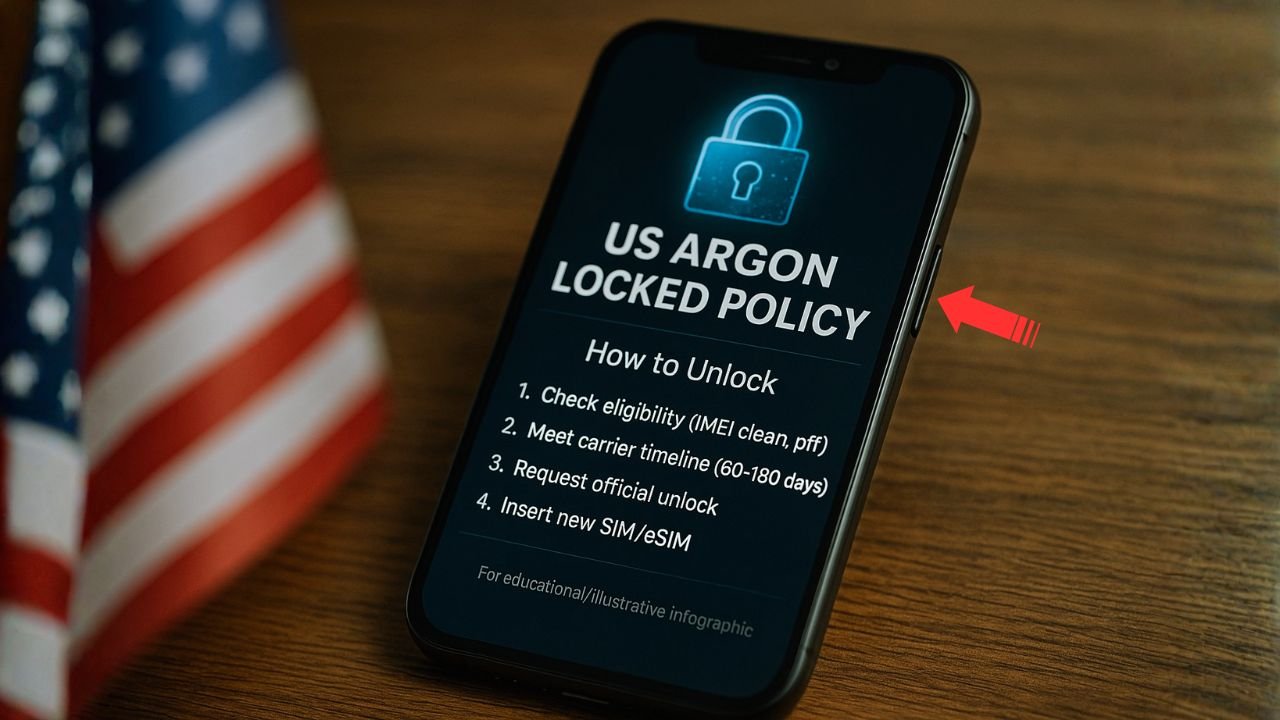
If you ran an IMEI check and saw “US Argon Locked Policy” next to your iPhone, you’re not alone. The phrase looks technical, there’s no obvious “Argon” carrier in the U.S., and Google doesn’t give a tidy, official definition. This guide clears up the confusion in simple language and gives you a step-by-step path to unlock—the right way, without wasting time or money.
Key takeaways
- “US Argon Locked Policy” ≠ a carrier. It’s an internal label that signals a U.S. carrier lock—you still need to find the actual carrier.
- Apple won’t unlock. It will point you to the carrier; the carrier controls unlock approvals.
- Official rules rule. U.S. carriers have published unlock timelines (e.g., Verizon 60 days, AT&T 60 days/6 months, T-Mobile 40+ days/365 prepaid).
- Flex programs lock on first U.S. activation. If you buy unactivated “SIM OUT,” activate with your intended U.S. carrier.
- Avoid guesswork and paid gambles. Start with Apple Support identification + carrier policy to save time and money.
First things first — what does “US Argon Locked Policy” mean?
Short answer: It’s an Apple internal activation/lock label you’ll sometimes see on IMEI reports. “US Argon” is not the name of a carrier; it’s a placeholder-style policy tag that indicates the phone is locked under a U.S. carrier program, but the IMEI checker you used can’t tell you which one. It’s similar to how other internal labels show up (e.g., “US Reseller Flex Policy”)—they’re policies that govern how a phone locks or unlocks during activation rather than public-facing brand names. In other words, “Argon” tells you the device is U.S.-locked, but not who it’s locked to.
Why can’t you find a carrier called Argon? Because Apple and carriers don’t publish a public index of every internal policy codename, and community threads confirm that only the actual carrier can unlock; Apple Support may help identify which carrier the phone is tied to if you provide the serial/IMEI.
Bottom line: “US Argon Locked Policy” is a lock status label, not a carrier brand. Your task is to identify the underlying carrier and then meet that carrier’s unlock rules.
📖 Also Read: How to Fix “SIM card is not from Verizon Wireless”
How iPhone carrier locks work (the quick, accurate version)
- Apple does not unlock iPhones. Apple supplies the lock mechanics, but your carrier controls unlocking under its own rules. Apple’s official guidance: contact your carrier to unlock; if “No SIM restrictions” appears in Settings → General → About, your iPhone is already unlocked.
- Some iPhones are sold through programs that lock upon activation with the first U.S. SIM—commonly called “Reseller Flex” or “SIM OUT.” These are initially “floating” and lock to the first U.S. network they’re activated on. That concept helps explain why internal labels exist (e.g., Argon vs. Reseller Flex) and why resold devices sometimes confuse IMEI tools.
How to confirm your current lock status (2 minutes)
- On the iPhone: Go to Settings → General → About → Carrier Lock.
- If you see “No SIM restrictions”, you’re unlocked.
- If you see “SIM locked”, you’re locked and must work with the carrier.
- If you see “US Argon Locked Policy” on an IMEI report: Treat it as locked to a U.S. carrier. Your goal is to find the exact carrier.
How to identify the actual carrier behind “US Argon”
Because “Argon” is a policy tag, you need to map it to the underlying carrier. Here are reliable, practical methods—start with the fastest:
Option A — Ask Apple Support to identify the locking carrier
Contact Apple Support via chat or phone and provide your serial number/IMEI. Community guidance indicates they may tell you which carrier controls the lock; from there you can follow that carrier’s unlock policy.
Option B — Test with a known U.S. SIM (or eSIM)
Insert (or add) a Verizon, AT&T, or T-Mobile SIM/eSIM.
- If you get “SIM Not Supported” or activation fails, you’re not eligible on that network.
- If it activates and works, your phone likely locked to that carrier during activation (common in Reseller-Flex-style programs).
Option C — Run the IMEI through official carrier compatibility portals
Even though these portals check compatibility (not ownership), they’re useful clues. If one U.S. major carrier portal accepts the IMEI and the others reject, that’s a strong signal of which carrier the phone is intended for or has been activated with. Then contact that carrier to request an unlock. (Use this alongside Options A and B.)
Tip: Community posts show that IMEI tools sometimes label policies (e.g., “US Xenon”) that third parties later map to real carriers (e.g., some claim Xenon ≈ Xfinity). Treat those mappings cautiously; always verify with the carrier or Apple.
📖 Also Read: How to Fix “SIM Card Is Not From T-Mobile” (iPhone & Android)
U.S. carrier unlock rules you should know (for context)
While your device might be “Argon,” the actual carrier’s policy controls the unlock. Here’s the current gist for the Big 3 (always verify your exact line/account status):
- Verizon (postpaid & prepaid): 60-day lock from purchase/activation; unlocks automatically after 60 days if not flagged for fraud/theft.
- AT&T (postpaid): Usually 60 days of active service with no past-due balance, fully paid, not reported lost/stolen. AT&T Prepaid: 6 months of paid service. Submit an unlock request on AT&T’s site.
- T-Mobile: At least 40 days active on the T-Mobile network and device paid off; prepaid has 365-day or $100 top-up requirement (with other conditions). Remote unlock is automatic when eligible.
These official policies matter because even if an IMEI tool says “Argon,” unlock approval lives with the carrier that controls the lock.
Step-by-step: How to unlock a phone that shows “US Argon Locked Policy”
Step 1 — Confirm lock status on the phone
Open Settings → General → About → Carrier Lock. If it doesn’t say “No SIM restrictions,” you’re locked.
Step 2 — Identify the real carrier
Use Apple Support (serial/IMEI) to learn the carrier, or try a U.S. SIM test and/or carrier IMEI portals for a strong hint. Keep notes—dates, agent names, and case numbers help later.
Step 3 — Read that carrier’s official unlock policy
Check the official rules and make sure you meet time-on-network, paid-off, and good-standing requirements (and that the phone is not reported lost/stolen).
Step 4 — Request the unlock from the carrier
Verizon: Unlocks automatically after 60 days. If it doesn’t, contact support to review your line and IMEI.
AT&T: Submit an online unlock request. Prepaid requires 6 months paid service; postpaid commonly requires 60 days and no balance due.
T-Mobile: Once eligible, remote unlock generally occurs within two business days; otherwise request via your account/support.
Step 5 — Reboot and verify
After approval, restart the iPhone and check Carrier Lock again—look for “No SIM restrictions.” If you’re still locked, contact the carrier with your case ID to re-push the unlock.
Common roadblocks (and the right way to handle each)
📖 Also Read: How to Fix “SIM Card Is Not From AT&T” (iPhone & Android)
“I don’t know who the carrier is.”
Use Apple Support (best route) to identify the locking carrier with your serial/IMEI.
If Apple can’t or won’t disclose, test with major U.S. SIMs and check carrier IMEI portals to triangulate.
“The phone came from a retailer; could it be a Flex device?”
Yes—Reseller Flex devices lock to the first U.S. network used. If you bought unactivated “open box,” pick your intended U.S. carrier carefully for first activation.
“A third-party site says they can unlock ‘Argon’ for a fee.”
Exercise caution. Many sites advertise “policy unlocks,” but the only zero-risk path is through the carrier’s official policy. Avoid paying for services that can’t explain which carrier controls your lock and how they’re authorizing it. (Even sites that write about “Argon” admit standard IMEI tools often don’t identify the carrier behind the label.)
“It says ‘Unlocked’ in a report, but SIMs still fail.”
There are edge cases where a device appears unlocked in a database but still rejects SIMs (e.g., provisioning glitch, wrong carrier profile, or pending block). Contact the carrier or Apple Support and ask them to refresh activation or verify Next Tether Policy and SIM restrictions.
Don’t mix up these different “locks”
- Carrier/SIM Lock (what “Argon” is about): Restricts the iPhone to a specific network until the carrier approves unlocking. Only the carrier can authorize this.
- iCloud Activation Lock (Find My): Anti-theft feature tied to the Apple ID; the original owner must remove the device from their account. Carrier unlock does not remove Activation Lock. (Apple’s unlock page clarifies scope: it’s carrier-side only.)
- Blacklist/GSMA status: If the IMEI is reported lost/stolen/fraud, many carriers will refuse to unlock or allow activation even if SIM-unlocked. Check status before you buy. (Carrier policy pages note fraud/theft exceptions.)
- MDM/Corporate locks: Separate management restrictions installed by employers/schools. Carrier unlocking won’t remove MDM profiles. (Handled by the organization’s admin, not the carrier.)
Buying tips so you never get stuck with “Argon” again
- Check Carrier Lock on-device (“No SIM restrictions” is safest) before paying for a used iPhone.
- Ask the seller for proof of carrier unlock (carrier email/SMS, unlock case number).
- If the listing says “US Argon Locked” or “US Reseller Flex (SIM OUT)”, treat it as locked, or assume it will lock to the first U.S. SIM used after purchase.
- When buying new/open-box from third-party retailers, activate with your intended carrier first to avoid “accidental” locks.
Realistic timelines
If your device is tied to a major U.S. carrier and the account is in good standing:
- Verizon: Expect automatic unlock on day 61 after purchase/activation. If not, contact support and reference the policy.
- AT&T: If prepaid, plan for 6 months of paid service; for postpaid, generally 60 days. Use the online unlock portal to submit once eligible.
- T-Mobile: 40+ days active and paid-off; prepaid 365 days or $100 in refills. Eligible devices often auto-unlock within two business days.
Frequently asked (and straight answers)
1) What does “US Argon Locked Policy” actually mean?
It’s an internal Apple/activation label that shows up on some IMEI checks. It doesn’t name a real carrier. It simply means the iPhone is locked under a U.S. carrier policy and you must identify which carrier controls the lock before it can be unlocked.
2) How do I find which carrier is behind the Argon lock?
Start by checking Settings → General → About → Carrier Lock to confirm you’re locked. Then contact Apple Support with your IMEI/serial to ask which carrier holds the lock. You can also try a U.S. carrier SIM (or eSIM) and run your IMEI through Verizon/AT&T/T-Mobile compatibility portals to gather clues.
3) Can Apple unlock a phone that shows “US Argon Locked Policy”?
No. Apple doesn’t unlock carrier locks. Apple can tell you which carrier owns the lock, but the actual unlock must be approved and pushed by that carrier under its rules.
4) What steps should I follow to get it unlocked?
Identify the carrier → review its official unlock policy (time on network, paid-off status, no fraud/loss flags) → submit an unlock request through that carrier (or wait for auto-unlock if their policy allows) → restart the phone and recheck Carrier Lock for “No SIM restrictions.”
5) Are third-party “policy unlock” services safe for Argon-locked iPhones?
Use caution. Some services claim success, but results are mixed and not guaranteed. The safest, permanent route is the official carrier unlock. If a service can’t name the carrier or explain how the unlock is authorized, skip it.
The complete checklist (copy this and work through it)
- Check on-device: Settings → General → About → Carrier Lock. (If “No SIM restrictions,” you’re done.
- Identify the carrier: Ask Apple Support with serial/IMEI; optionally test U.S. SIMs and carrier IMEI portals for clues.
- Read the carrier’s policy: Verify time-on-network, paid-off status, and no fraud/loss flags.
- Request unlock: Use the carrier’s official path (auto-unlock or online portal).
- Reboot & confirm: Look for “No SIM restrictions.” If still locked, escalate with your case ID.


