

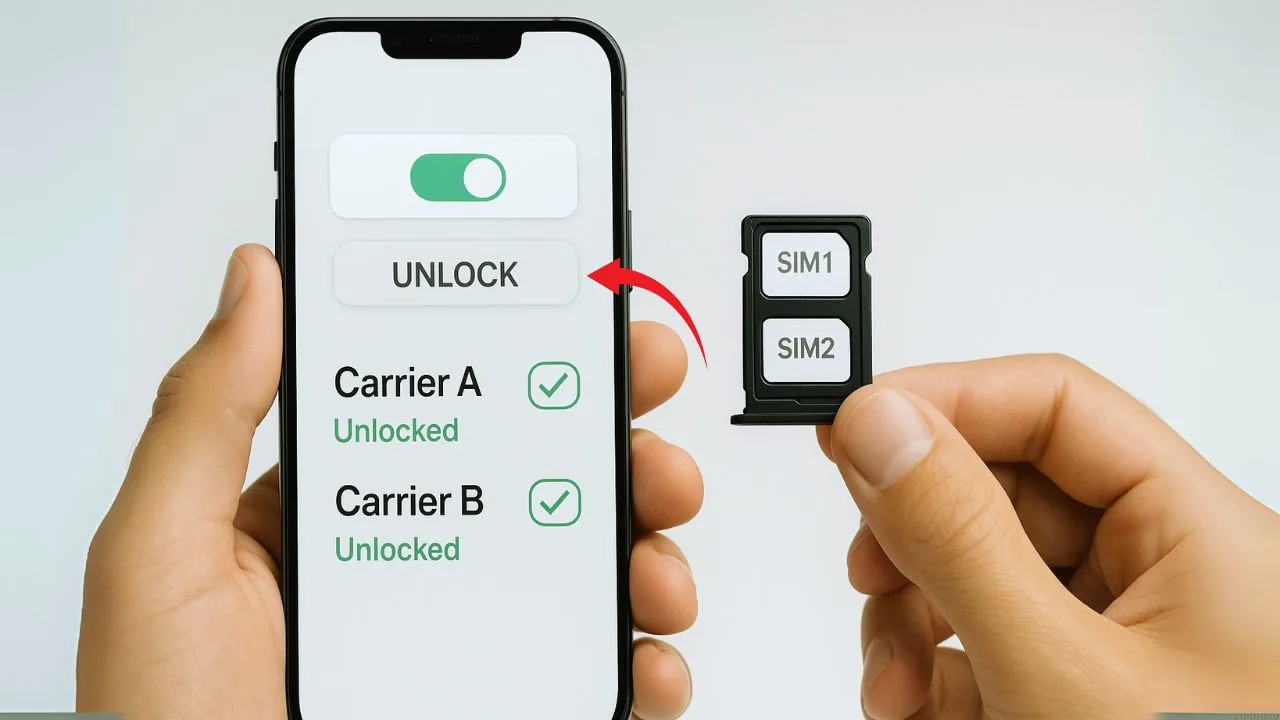
Most dual-SIM phones use a device-level network lock, so when the phone is officially unlocked, both SIM identities (IMEI1/IMEI2—physical and/or eSIM) are freed. That means either slot can take a SIM from another carrier, as long as the phone supports that network’s bands and features.
The cleanest methods are: request an official unlock from the original carrier (after payoff/eligibility), use the OEM/carrier server method (e.g., Apple activation server; Samsung/Pixel “Device Unlock” app), or buy a factory-unlocked model. Third-party IMEI services exist, but use caution and verify they’re reputable.
To confirm both “slots” are truly open, test with two different carriers: register each line, swap slots or eSIM profiles, place calls, and try data. Check APN, VoLTE/Wi-Fi Calling, and 5G where supported. If one line fails, update software, recheck APN, and rule out region lock or blacklist issues.
Key Takeaways
- Unlock is device-level. On modern dual-SIM phones, a proper carrier unlock frees both IMEI1 and IMEI2, so each slot/profile can use a different carrier; while locked, the second slot won’t accept another network.
- Locked vs. unlocked. A carrier-locked phone is tied to one network; an unlocked phone has no carrier restrictions and can run two different carriers at the same time if bands/features are supported.
- How to unlock. The clean path is the original carrier: be paid off, no past-due balance, not lost/stolen, meet any active-use minimum, then request the unlock (have both IMEIs ready).
- After unlocking, compatibility still matters. Unlocking doesn’t add radio bands or certifications—VoLTE/5G, visual voicemail, Wi-Fi calling, and hotspot depend on your phone’s bands and the carrier’s provisioning.
- Trust but verify. Test with two active SIMs/eSIMs (calls, texts, data on each slot). Avoid shady tools; an unlock won’t bypass blacklists or IMEI issues.
Quick Answer
Most modern dual-SIM phones are locked at the device level, not per slot. When you get an official unlock, it frees both SIM identities—IMEI1 and IMEI2—covering the physical tray and any eSIM. Exceptions exist on some older or region-specific models, and on corporate/financed devices or special firmware. Always verify by testing two different carriers in each slot/profile to confirm voice, data, and features work.
📖 Also Read: What Is SIM Swap and How It Affects Phone Unlocking
Primer: Dual-SIM Basics in 90 Seconds
DSDS, DSDV, and DSDA describe how two lines work together. DSDS means both lines wait for calls/texts, but only one is active—if you’re on SIM A, SIM B pauses. DSDV is DSDS with modern voice: both lines stay on 4G/5G for clearer calls, faster switching, and data that keeps working; DSDA uses two radios so both lines are active at once, letting you talk on one and still receive another call.
Every phone radio has its own ID, so dual-SIM phones show IMEI1 and IMEI2 (even with one physical SIM plus one eSIM). Carriers use these to check status, blocks, and unlock eligibility. A network/SIM lock is a carrier restriction on the phone itself; a SIM PIN is just a security code on the card—removing it does not unlock a carrier-locked phone.
Common layouts are two physical SIM trays, one physical SIM plus one eSIM, and dual eSIM only (on newer iPhones in some regions). “Slots” can be a tray you touch or an eSIM profile you add in software. On modern phones, the network lock usually applies to the whole device, not to a single slot.
Carrier Locks Usually Work on Dual-SIM Phones
Device-level policy
Most carriers—especially in the US—tie the lock to the device, not a single slot. The policy is recorded against the phone’s IMEI identities (IMEI1 and IMEI2). When your unlock is approved and pushed to the phone (via carrier/OEM servers), the status flips from locked to unlocked for the whole device. In practice, that releases both IMEIs at once, so either tray or eSIM profile can register on other networks.
What changes after an official unlock
After the unlock, your phone will accept SIMs or eSIMs from other carriers in either slot. You can mix lines from different networks, choose which line handles data, and switch defaults without hitting a “SIM not supported” error. Keep in mind, unlocking doesn’t add missing bands or certifications—features like VoLTE, Wi-Fi Calling, and 5G still depend on the carrier’s support for your exact model and its radio bands.
Rare exceptions you can still run into
A few edge cases exist. Some niche or region-specific firmwares can behave as if one slot is restricted until certain steps are completed. Corporate-managed or financed devices may stay blocked until the account is cleared, even if you request an unlock. And some imported phones use region lock rules that require a brief activation or call in the home country before all slots/profiles work freely. If something seems off, update software and test with two different carrier SIMs to confirm.
iPhone vs Android: What “Both Slots” Means in Practice
iPhone (Dual-SIM via eSIM + physical or Dual eSIM)
On iPhone, unlocking happens at the device level through Apple’s activation servers. Once your carrier marks the phone as unlocked, the next activation (or a quick SIM/eSIM swap) flips the entire device to “unlocked.” That frees both identities: the physical tray (if your model has one) and any eSIM profiles you add. In day-to-day use, you can run two lines at once (for example, work and personal) and pick which line handles voice, texts, and data.
On eSIM-only iPhones, “both slots” are software profiles instead of trays. You can store multiple eSIMs, keep two active at a time (model-dependent), and mix carriers—say, a home plan plus a local travel eSIM. The unlock doesn’t add new bands or carrier features, but it does let you install and switch eSIMs from different networks without “SIM not supported” errors.
📖 Also Read: How to Unlock a Carrier-Locked Apple Watch to Use with Any Network
Samsung, Google Pixel, and other Androids
Most Android phones also use a device-wide policy. When the unlock is approved—via a carrier portal, the built-in Device Unlock app on T-Mobile/Metro variants, Samsung’s server process, or an OEM/carrier push—both IMEIs are released together. After that, either tray or eSIM can register on other networks, and you can assign voice/data defaults per line just like on iPhone.
A few global or carrier-customized firmwares can behave differently (think region locks, niche CSC builds, or enterprise restrictions). That’s why it’s smart to test with two real SIMs/eSIMs after unlocking: confirm each IMEI registers, place calls on both lines, and check data/VoLTE toggles. If one side acts odd, update software, review APNs, and verify the model’s band/certification support for the target carrier.
Can a Carrier Unlock Only One SIM Slot?
Typical behavior
Short answer: almost never. Mainstream carriers treat unlocking as an all-or-nothing switch because the restriction is tied to the phone’s identity, not to a single tray or eSIM profile. When a carrier approves an unlock and pushes it to the device, the policy flips for the whole phone, releasing both IMEIs at once. In practice, that means either physical slot or any eSIM you add should accept other networks after the unlock completes.
If you’re told “only Slot 1 is unlocked,” it’s usually a misunderstanding. More often, the second line fails due to missing bands, VoLTE certification, or an APN issue—not because the unlock only covered one tray. A quick way to confirm is to place calls and use data from each line after swapping defaults.
Edge cases worth knowing
One rare edge case involves blacklisting. If a phone is reported lost, stolen, or tied to fraud, a database entry can block an IMEI. Sometimes only one IMEI is flagged; other times both IMEI1 and IMEI2 end up affected depending on the region and database rules. An unlock will not override a blacklist, and you may see one line register while the other refuses service.
Another common confusion is eSIM management. Deleting an eSIM plan is not the same as unlocking the device. You can remove or replace profiles and still be network-locked if the carrier hasn’t flipped the device policy. To avoid guesswork, always verify the status by inserting two different carriers’ SIMs or adding a second eSIM and confirming voice and data work on each line.
Compatibility Reality Check: Unlock ≠ Universal Support
Bands and certifications
An unlock does not change your phone’s radio. If your second SIM uses bands your phone doesn’t support, you may see weak signal, slow data, or no service in some areas. This is common when pairing a US-carrier phone with an overseas carrier that leans on different LTE/5G bands. Also, some networks require device certification for features like VoLTE and 5G. In those cases, an unlocked phone might connect on basic LTE but still miss voice over LTE or any 5G layers until the model is approved on that carrier’s list.
Quick tip: check your exact model number and band list, then compare it to the target carrier’s supported bands. If the must-have bands don’t overlap, unlocking won’t fix it.
📖 Also Read: Unlocking a Phone When You Forgot Google Account After Reset
Features tied to network provisioning
Many “nice to have” features are controlled by the carrier, not the unlock state. Visual voicemail, Wi-Fi calling, hotspot/tethering, and RCS can require the right plan, proper provisioning, and sometimes whitelisting of your phone model. That means two lines on the same unlocked device can behave differently: one may show Wi-Fi calling toggles and full voicemail support while the other doesn’t. If a feature is missing after you insert the SIM, contact the carrier to confirm your plan includes it and that your IMEI is provisioned correctly. Unlocking opens the door to other networks, but the carrier still decides which features walk through it.
Step-by-Step: How to Check If Both Slots Are Unlocked
Before you start
Step 1: Get two active lines from different carriers (two physical SIMs, or one physical SIM plus one eSIM).
Step 2: Find both IMEIs: dial *#06# or go to Settings → About and note IMEI1 and IMEI2. (Optional: on iPhone, Settings → General → About → Network Provider Lock should say “No SIM restrictions” when fully unlocked.)
Test method A (physical + physical, or physical + eSIM)
Step 1: Insert SIM A into Slot 1 and power on. Wait for the carrier name and signal bars, then place a quick test call and load a webpage to confirm voice + data.
Step 2: Move SIM A to Slot 2 (or secondary tray). Repeat the same checks to make sure Slot 2 registers and works.
Step 3: Add SIM B in the other slot (or install eSIM B if your phone supports it). Confirm both lines show up in SIM settings and each line can register on its carrier.
Step 4: In SIM settings, set default for data to SIM A, then browse the web. Switch the default data line to SIM B and browse again. Try a call and SMS from each line.
Step 5: Check VoLTE/Wi-Fi Calling toggles for each line (names vary by phone). If data doesn’t work on one line, open APN settings for that line and select or add the carrier’s APN, then retest.
Test method B (eSIM-only models)
Step 1: Install eSIM A using the carrier QR/app. Verify it registers and test a call + data.
Step 2: Add eSIM B. In cellular settings, choose which line is default for data and which handles voice/SMS. Place/receive calls on both lines and confirm data works when you switch the default.
Step 3: Temporarily turn off one line (toggle line off in settings) to ensure the other line still handles calls, texts, and data cleanly; then swap and repeat.
Reading the signs it’s still locked
You see “Invalid SIM” or “SIM not supported” on one or both slots/profiles.
Only the original carrier works, even after swapping the SIMs across slots or adding a second eSIM.
One line never registers (no bars/carrier name), or calls fail while the other line works.
VoLTE/Wi-Fi Calling toggles are missing on a line that should support them (after confirming APN and plan), hinting at provisioning or compatibility issues rather than a proper unlock.
Official Unlock Paths That Usually Free Both Slots
Request through the original carrier
The cleanest path is to ask the carrier that sold or provisioned the phone to unlock it. Most carriers require the device to be paid off, free of any past-due balance, not reported lost or stolen, and used on their network for a minimum period. Once you meet those terms, submit an unlock request through the carrier app, website, or customer care. They may ask for your IMEI—have both IMEI1 and IMEI2 ready from Settings → About or by dialing *#06#. After approval, the carrier pushes an unlock to the phone (iPhone via Apple activation servers; many Androids via carrier/OEM servers). You’ll usually confirm the change by inserting a non-original carrier SIM/eSIM or by restarting and reactivating the device.
Manufacturer/unlocked retail
Buying a factory-unlocked or “open market” phone generally means both slots are open from day one—no carrier request needed. This is the simplest way to ensure dual-SIM freedom, especially if you plan to run two different carriers or travel often. If the phone started life as a carrier variant, however, the manufacturer typically cannot override the carrier’s lock; they’ll refer you back to the original network to process the unlock. When shopping, check the exact model number and region to avoid “region locks” or missing bands that could limit a second line even on an unlocked device.
Third-party services (use caution)
There are IMEI-based unlock services that claim to process official carrier unlocks on your behalf. Some are legitimate, but policies change often, results can be inconsistent, and scams are common. Risks include temporary unlocks that relock after an update or reset, methods that rely on unsupported firmware tweaks, or tools that try to bypass security rather than change the device’s official status. If you consider this route, verify that the result is a permanent, server-level unlock, understand the refund policy, and avoid any service that suggests altering IMEIs or using exploit-based software. Whenever possible, use the carrier’s official process first—it’s the most reliable way to permanently free both IMEIs.
Dual-SIM Use Cases After Unlock (Why Both Slots Matter)
Travel and roaming
Keep your home SIM active for calls, texts, and one-time passwords, then add a local eSIM (or second physical SIM) for cheap data on the road. Set the local line as the default for data, and leave the home line for voice/SMS only to avoid surprise roaming fees. On iPhone, manage this in Settings → Cellular; on Android, use SIM Manager/Mobile Network to pick the data line and turn roaming on/off per SIM. When you fly home, just switch the data default back—no need to swap trays again.
Work + personal on one device
Give each role its own number, ringtone, and label (e.g., “Work” and “Personal”), then choose which line handles voice, texts, and data by default. You can route calls from your work line to voicemail outside business hours or use carrier call-forwarding codes to control availability. Message apps will let you pick a sending line per thread, and you can keep work apps tied to the work number for cleaner boundaries. Result: one phone, two lives, no constant SIM juggling.
Backup coverage
Running lines from two different carriers gives you a safety net when one network slows or drops out. Keep both lines active and change the default data line with a tap if speeds dip, or set the phone to prefer the stronger signal where supported (DSDV models help here). This is great for rural commutes, live events, and hotspot reliability—if Carrier A struggles, flip to Carrier B and keep moving.
Troubleshooting: When Only One Line Seems to Work
APN and carrier features
Start with data basics. Each line needs the right APN. On Android, go to Settings → Network & internet (or Connections) → SIMs → [your line] → Access Point Names, pick the carrier’s APN, or add it from the carrier’s support page. On iPhone, go to Settings → Cellular → [your line] → Cellular Data Network (some carriers hide this and push APNs automatically—if the page isn’t there, ask the carrier to reprovision). After saving, toggle Airplane mode off/on and try again. Next, check VoLTE/Voice & Data and Wi-Fi Calling for each line:
- iPhone: Settings → Cellular → [line] → Voice & Data (enable LTE/VoLTE), Wi-Fi Calling on.
- Android (varies): Settings → Mobile network → [line] → VoLTE calls/Wi-Fi Calling on.
If you’re traveling, enable Data Roaming for the travel line. If 5G is flaky, set Network mode to LTE/4G and retest.
SIM profile and priority
Make sure your “working” line isn’t hogging everything. Set default for data and default for calls deliberately, then swap to test the other line.
- iPhone: Settings → Cellular → Default Voice Line and Cellular Data (toggle Allow Data Switching if you want the phone to move data to the stronger line during a call).
- Android: Settings → SIMs/Mobile network → Preferred SIM for Calls/SMS/Data.
On DSDV-capable phones, look for “Allow data during calls” or similar—turn it on so one line’s call doesn’t kill the other line’s data. If messages fail on only one number, open your messaging app settings and set the sending line for that thread.
Firmware/region quirks
Update everything. On iPhone, open Settings → General → About and accept any Carrier Settings Update; also install the latest iOS. On Android, check Software update and install pending carrier configuration updates. Some imported phones use region lock rules; a short local activation (often a few minutes of a standard voice call with a local SIM) may be required before all lines behave normally. If symptoms persist, Reset Network Settings (iPhone: Settings → General → Transfer or Reset → Reset → Reset Network Settings; Android: Settings → System → Reset options → Reset Wi-Fi, mobile & Bluetooth), then re-add the eSIM or reseat the physical SIM. Finally, try manual network selection on the failing line to force registration, and confirm the model actually supports the target carrier’s bands—an unlock won’t fix missing radio bands or a blacklist issue.
Legal and Policy Notes (Keep It Clean)
What’s legal to do
It’s legal in many countries to unlock your phone through official channels once you meet the carrier’s rules. That usually means the device is paid off, not reported lost or stolen, and has met any minimum active-service period. When you follow the approved process—carrier request, OEM/server unlock, or buying a factory-unlocked model—you get a permanent, clean unlock that frees both SIM identities.
If you’re unsure, check your carrier’s unlock policy and your local regulations. Policies can vary by region, so confirm eligibility before you switch networks or travel. Keep proof of purchase and your IMEI numbers handy; they help resolve requests faster and keep everything above board.
What to avoid
Avoid any method that bypasses security or changes core identifiers. Using stolen devices, tampering with IMEI numbers, flashing shady firmware, or running exploit-based tools is illegal or unethical in many places—and can get the phone blacklisted, which blocks service on most networks. Even if a hack “works” today, it can relock after an update and put your accounts at risk.
If a third-party promises “instant unlocks” without carrier approval or asks you to alter IMEIs, walk away. Stick to official carrier/OEM routes or reputable retail-unlocked phones. That way you keep warranty support, pass device checks, and ensure both SIM slots work the way they should.
Look for these phrases on the spec sheet
Factory unlocked / Open market / Universal unlocked. Means the device ships unlocked from day one and isn’t tied to a carrier policy—both SIM identities are free.
Dual SIM details: Look for DSDS/DSDV (most common) or DSDA (rarer, two active radios). Also check dual eSIM support (how many eSIMs stored vs active at once).
Global/Regional bands listed. A clear list of LTE/5G bands for your region (e.g., the North America variant if you’re in the U.S.). More overlap with your target carrier’s bands = better coverage.
Carrier certifications. Phrases like “VoLTE/VoWiFi supported”, “5G certified on [carrier]”, “Verizon/AT&T/T-Mobile compatible”, or “BYOD certified.”
]Exact model number. Verify the precise SKU (e.g., iPhone “A-model,” Samsung “SM-xxxx,” Pixel “G-xxxx”) matches the spec sheet that lists your needed bands and features.
eSIM + physical SIM flexibility. For travel and two lines, look for 1× physical + eSIM or dual eSIM, and confirm you can run two lines simultaneously.
Clear software wording. Notes like “No SIM restrictions” (iPhone) or “unlocked for all U.S. carriers” help avoid post-purchase surprises.
Red flags
Carrier-exclusive variants. “Only for [Carrier]” models often miss key bands or require that carrier’s unlock app/policy—harder path to a clean, permanent unlock.
“Region-locked” fine print. Imports that require an initial local call/activation before full use can be a hassle if you’re buying outside that region.
Missing or vague band lists. If LTE/5G bands aren’t published—or the phone lacks your carrier’s core bands—expect weaker coverage or no 5G on one line.
No VoLTE/5G certification notes. You might connect on basic LTE data but lose voice over LTE, Wi-Fi calling, or 5G if the model isn’t whitelisted.
Single-SIM only or limited eSIM. Some SKUs drop the second SIM or support only one active line—bad fit if you rely on true dual-line use.
“Activation required” with a specific carrier. Can signal a soft lock, delayed unlock window, or added hoops to free both IMEIs.
Financed/lease language. Devices tied to payment plans can be blocked from unlocking until the account is fully settled.
Too-good-to-be-true refurb listings. Phrases like “may be locked,” “for parts,” or “unknown carrier status” are common traps—verify both IMEIs before buying.
Quick pick tip: Choose a factory-unlocked, region-correct model with published band support and explicit VoLTE/5G compatibility for your carrier(s). Confirm the exact SKU, then run a post-purchase test with two different lines to make sure both SIM identities work as expected.
FAQs
When I unlock a dual-SIM phone, do both IMEIs get unlocked?
Yes—on modern phones the unlock is device-wide, so both IMEI1 and IMEI2 are released together. After approval, insert a non-original SIM (or add an eSIM) and confirm each line can place calls and use data.
Can a carrier unlock just one slot?
Rarely. Carriers usually flip a single policy that covers the entire phone. If only one line appears to work, it’s more likely a band, APN, VoLTE, or provisioning issue—not a “one-slot” unlock.
Does unlocking guarantee 5G on both lines?
No. 5G depends on your phone’s supported bands, firmware, and the carrier’s certification/whitelist. You might get LTE on a line that lacks the right 5G bands or approvals.
Why does my second SIM have data but no calls?
That usually points to missing VoLTE support or the wrong APN/feature provisioning. Check the carrier’s VoLTE compatibility list, enable VoLTE/Wi-Fi Calling for that line, and verify the APN.
Is removing an eSIM the same as unlocking?
No. Deleting an eSIM only removes that plan. The device can still be network-locked until the carrier/OEM changes the phone’s official unlock status.
Can a blacklisted IMEI affect only one slot?
It can. In some regions/databases, only one IMEI might be flagged; in others, both IMEIs end up blocked. An official unlock does not override a blacklist—resolve blacklist issues with the carrier first.
Phone Type Typical Unlock Scope Slots Affected Notes
| Phone Type | Typical Unlock Scope | Slots Affected | Notes |
|---|---|---|---|
| iPhone (dual eSIM / physical + eSIM) | Device-level | Both | Apple server unlock flips the device status; all trays/eSIM profiles accept other carriers once unlocked. |
| Samsung / Pixel (dual SIM) | Device-level | Both | Carrier/OEM policy releases IMEI1 & IMEI2 together; either tray/eSIM can register on other networks. |
| Import / region-locked | Varies | Sometimes constrained | May need initial local activation/call to clear region lock; behavior can differ by firmware/market. |
| Corporate / financed | Device-level, but restricted | Both blocked until cleared | Account/balance or MDM restrictions can prevent unlocking until resolved with the provider. |
Most modern phones unlock at the device level, freeing both SIM identities at once. Region-locked imports and corporate/financed devices are the main exceptions—those can stay limited until you complete local activation or clear account holds. Unlocking doesn’t add bands or features, so always check carrier compatibility after the unlock.


