

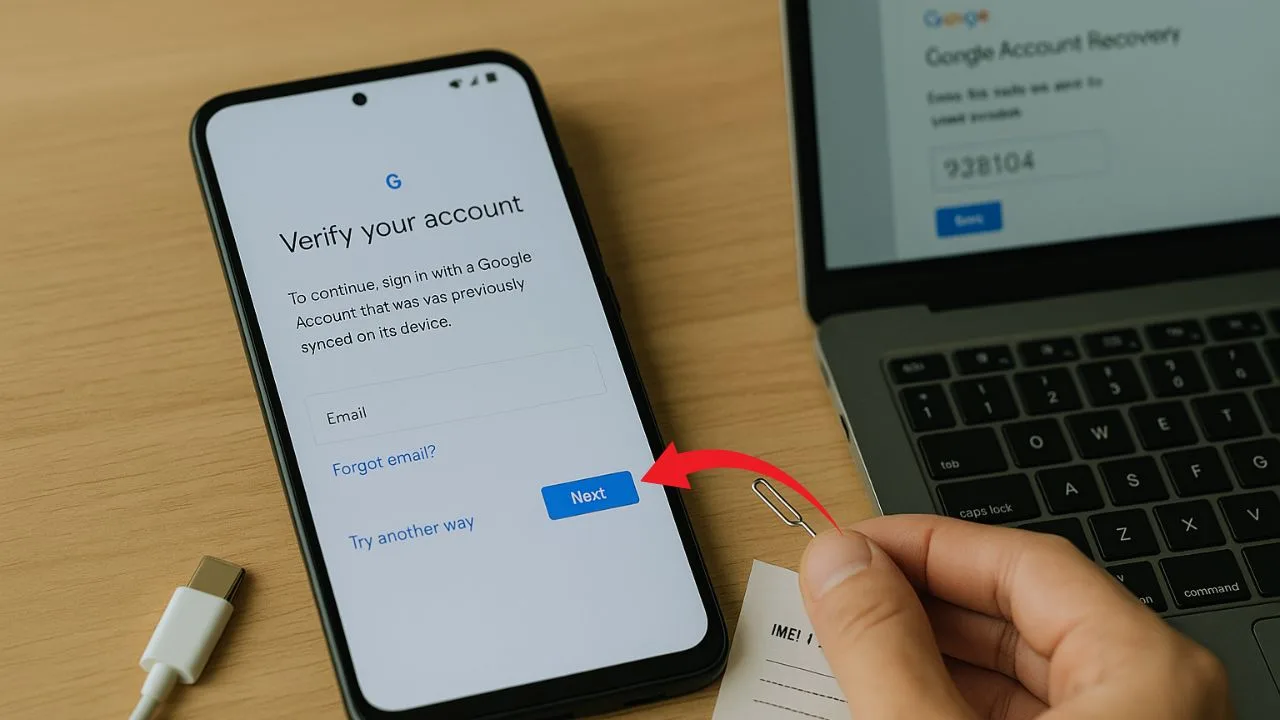
You turned on a reset Android phone, and now it won’t let you finish setup without signing in to the Google account that was previously used on the device. That roadblock is called Factory Reset Protection (FRP).
It’s a built-in anti-theft feature, and it can feel frustrating when you’re the rightful owner—especially if you’ve forgotten the email or password. This guide explains what actually works in 2025 to get back in legally and safely, without risky hacks. We’ll focus on simple language, real steps, and clear expectations.
Short answer: If a phone asks for the old Google account after a reset, you have two legitimate paths:
- Recover the correct Google account and sign in, or
- Prove ownership to the manufacturer/authorized service so they can clear the lock for you. FRP exists to protect owners and can’t be bypassed by design through normal setup screens.
Key Takeaways
- There’s no universal FRP bypass. Factory Reset Protection is an anti-theft safeguard. The only reliable, lawful paths are recovering the original Google account or having the manufacturer/authorized service clear the lock after you prove ownership.
- Use Google’s official recovery first. Go through g.co/recover with your recovery phone/email, then give time for changes to sync (often 24–72 hours). If you recently changed the password, expect a cooldown before the reset phone will accept it.
- For secondhand phones, fix it at the source. Ask the seller to remove their Google account or refund you. If that fails, take proof of purchase (with IMEI/serial) to an authorized service center for help.
- Avoid “bypass tools” and APK tricks. Third-party software and manual/secret-menu methods are increasingly patched, risky, and may violate laws or void warranties. Stick to official recovery, manufacturer support, and prevention: keep recovery info updated, keep receipts, and remove accounts before any factory reset.
What FRP Is (and Why You’re Seeing It)
Factory Reset Protection activates when a device is reset without first removing the Google account. After the reset, Android asks for that same account during setup. The goal is to keep lost or stolen phones from being resold; a wipe alone shouldn’t hand someone full access. On Samsung and other brands, you’ll also see this referenced as Google Device Protection.
A few important notes:
- FRP is tied to the last Google account on the phone before the reset.
- Even if you perform a remote erase with Find My Device, you’ll still need the Google account password to use the phone again.
- If you recently changed your Google password, Android can enforce a cool-down window (commonly 24 hours) before allowing you to set up the device with that new password.
📖 Also Read: How to Unlock a Carrier-Locked Tablet (iPad, Samsung, Lenovo, etc.)
The Right Way Back In: Recover Your Google Account
If this is your phone and your account, the fastest path is to recover the correct email or password and then sign in during setup. Use Google’s official recovery tools—no third-party “unlockers,” no random downloads.
Step 1: Figure out the right Google email
If you aren’t sure which Gmail address was on the device, use Google’s “Forgot email?” flow. You’ll verify with a recovery phone number or email and your name to find matching usernames.
Step 2: Reset your password if needed
If you remember the email but not the password, use g.co/recover and follow the prompts. Google gives tips that raise your success rate—like signing in from a familiar device, location, and browser you’ve used before. Answer as many questions as possible and be specific with dates and older passwords you might recall.
Step 3: Be patient if you just changed your password
Android may block setup on a freshly reset phone for a period (often 24 hours) after a password change to prevent unauthorized access. If you see messages about a recent password change, wait out the full window before trying again.
Step 4: Understand recovery timelines
Account recovery can complete quickly, but depending on risk signals, it may take hours to several days (Google notes delays from roughly 6 hours up to 30 days in some cases). Don’t keep resetting the phone—repeated attempts can slow things down.
Pro tip: Sign in to your Google account on a trusted device (laptop or tablet you’ve used before), confirm you can access Gmail, and only then attempt to complete Android setup on the reset phone.
Bought the Phone Second-Hand? Do This.
If you purchased a used phone and it’s asking for the previous owner’s Google account:
- Contact the seller right away and ask them to sign in on the device during setup or remove the device from their account and then properly reset it.
- If they can’t or won’t help, seek a refund through the marketplace or payment platform.
- If you can show you are the legal owner (invoice, email receipt, box with matching IMEI, carrier records), many brands—Samsung included—allow you to bring proof of purchase to an authorized service center to have the lock cleared. Policies vary by region, but this route exists to help honest buyers.
📖 Also Read: Can You Unlock a Free Government Phone? Lifeline & ACP Explained
When Manufacturer or Authorized Service Can Help
Authorized service centers can validate ownership and remove FRP in legitimate scenarios. Bring:
- Proof of purchase (retailer invoice, carrier receipt) showing the device’s IMEI/serial and your name.
- Government-issued ID that matches the receipt (where required).
- Any carrier paperwork tying the device to your account.
Samsung’s guidance explicitly notes that if you cannot recall any Google information, you can send the device with proof of purchase to an authorized service center for help. Other manufacturers offer similar processes—call support to confirm local policy.
Why “Bypass” Videos and Tools Are a Bad Idea
Search results and video platforms are full of “one-click FRP bypass” tricks. In 2025, most of those are outdated, risky, or outright scams:
- Malware & data theft: Unlock tools from unknown sites can infect your PC or phone.
- Permanent damage: Unofficial flashing or exploits can brick devices or void warranties.
- Legal & ethical issues: FRP is an anti-theft measure. Circumventing it on a device that isn’t yours could violate local law or seller terms.
- They don’t age well: Android’s security keeps evolving (e.g., new theft-prevention and device-lock features rolling out with newer Android versions), closing loopholes that those tutorials rely on.
Bottom line: Avoid third-party bypass tools. Stick to Google’s account recovery and authorized service routes.
📖 Also Read: Phone Unlock Tips That Actually Work (even for “no volume” keywords)
Special Situations
You changed your password right before the reset
This is the classic case where Android says to wait before you can use the new password on the freshly reset device. Give it a full 24 hours (sometimes more, depending on signals). Try again after the cool-down.
You erased the phone with Find My Device
A remote wipe protects your data, but FRP still applies—you’ll need the Google account password to use the device again.
It’s a work or school device
Company-managed phones can have stronger protections. Contact your IT admin; they may need to re-provision or de-enroll the device before you can set it up again.
Prevention Checklist (So This Doesn’t Happen Again)
Take a few minutes now to lock in good habits:
- Know your account. Write down (or securely store) the Google email that’s on your phone. Keep recovery phone and email up to date.
- Use 2-Step Verification and store backup codes someplace safe.
- Before any factory reset, remove the Google account from Settings > Accounts first (this turns off FRP for your next setup). Guides from reputable tech outlets also recommend removing accounts prior to resale.
- Keep receipts and note the IMEI/serial. If you ever need manufacturer help, these documents are your lifeline.
- Don’t share your account with strangers or repair shops. If someone needs to test your phone, be present.
- Use Find My Device and screen locks. If the phone is lost, you can secure or erase it—but remember that you’ll still need your Google password afterward.
What If You’re Still Stuck?
If you’ve:
- Recovered the correct email,
- Waited out any password change delay, and
- Confirmed the password works on a trusted device,
…but the phone still won’t accept it during setup, it’s time to call the manufacturer or visit an authorized service center with proof of purchase. For Samsung devices, this is a documented option; other brands offer similar support paths.
The Big Picture (2025)
Android security has been ramping up to deter theft and account takeovers. Newer versions introduce stronger theft-prevention locks and smarter detection to keep stolen phones from being resold. That’s good for owners, but it means “shortcuts” get shut down quickly. The reliable route remains the same: recover the right Google account or prove ownership.
Frequently Asked Questions
Is there a universal FRP code I can type in?
No. FRP is designed to reject “universal” solutions. The official methods are account recovery or authorized service with proof of ownership.
How long do I have to wait after changing my Google password?
Plan for at least 24 hours before Android accepts your new password on a reset device. If you still see warnings, wait longer and try again from a stable network.
Can I remove FRP if I don’t have the receipt?
It’s harder. Some service centers require proof of purchase. Check with the manufacturer for your region and bring any evidence you have (carrier contract, online order invoice, etc.).
I bought a used phone and the seller is gone. What now?
Request help from the marketplace’s buyer protection if available. Otherwise, contact the manufacturer with any ownership proof you can provide.
Does a remote erase from Find My Device skip FRP?
No. After a remote wipe, you still need the original Google account password to use the phone.
Are “FRP bypass” tools legal?
Laws vary, but distributing or using bypass tools can violate terms, void warranties, and expose you to malware. For safety and ethics, use official recovery and support routes.
Final Takeaway
FRP is doing its job. It stops a wipe from handing a thief a usable phone. If you’re the rightful owner, your best path is to recover the correct Google account and wait out any password hold, or show proof of purchase to the manufacturer so they can help. Skip the shady tools. Stick to official steps. That’s what works in 2025.


