


Ever found yourself holding an Assurance Wireless SIM card and wondering, “Can I just pop this into another phone and make it work?” You’re not alone. Whether you’re upgrading to a better device, replacing a broken one, or just testing out your options, the idea of moving that SIM card is tempting.
And the good news? You can use your Assurance Wireless SIM card in another phone—but there are rules, compatibility issues, and caveats you need to know before making the switch. I’ve personally walked this road, and I’ll share exactly what worked (and what didn’t).
Let’s break it down the right way, in plain English.
Quick Answer: Can You Use an Assurance Wireless SIM in Another Phone?
Yes, you can use an Assurance Wireless SIM card in another phone—but only if the new phone is unlocked, compatible with the Sprint/T-Mobile network, and not tied to another Lifeline provider. Assurance Wireless typically restricts SIM usage to phones they’ve approved or provided, so using your SIM elsewhere may require manual activation, APN updates, or customer support intervention.
How It Works: The Basics of Assurance Wireless SIMs
Assurance Wireless is a Lifeline and Affordable Connectivity Program (ACP) provider under the T-Mobile network umbrella. This means they operate on the GSM-based infrastructure T-Mobile uses, and your SIM card follows their compatibility rules.
In my experience, the SIM card isn’t totally locked—but the service is picky. Some phones accept it instantly. Others throw errors like:

- “SIM not provisioned”
- “Unsupported SIM”
- “No service”
That’s when it gets tricky—and why this guide exists.
Don’t Miss It: How to Unlock a Boost Mobile Phone Yourself for Free
Step-by-Step: How to Use an Assurance Wireless SIM in Another Phone
Let’s get practical. Here’s a simple roadmap to get your Assurance Wireless SIM working in a different phone:
🔍 Step 1: Check if the New Phone is Unlocked
Your Assurance Wireless SIM won’t work in a phone that’s still locked to another carrier.
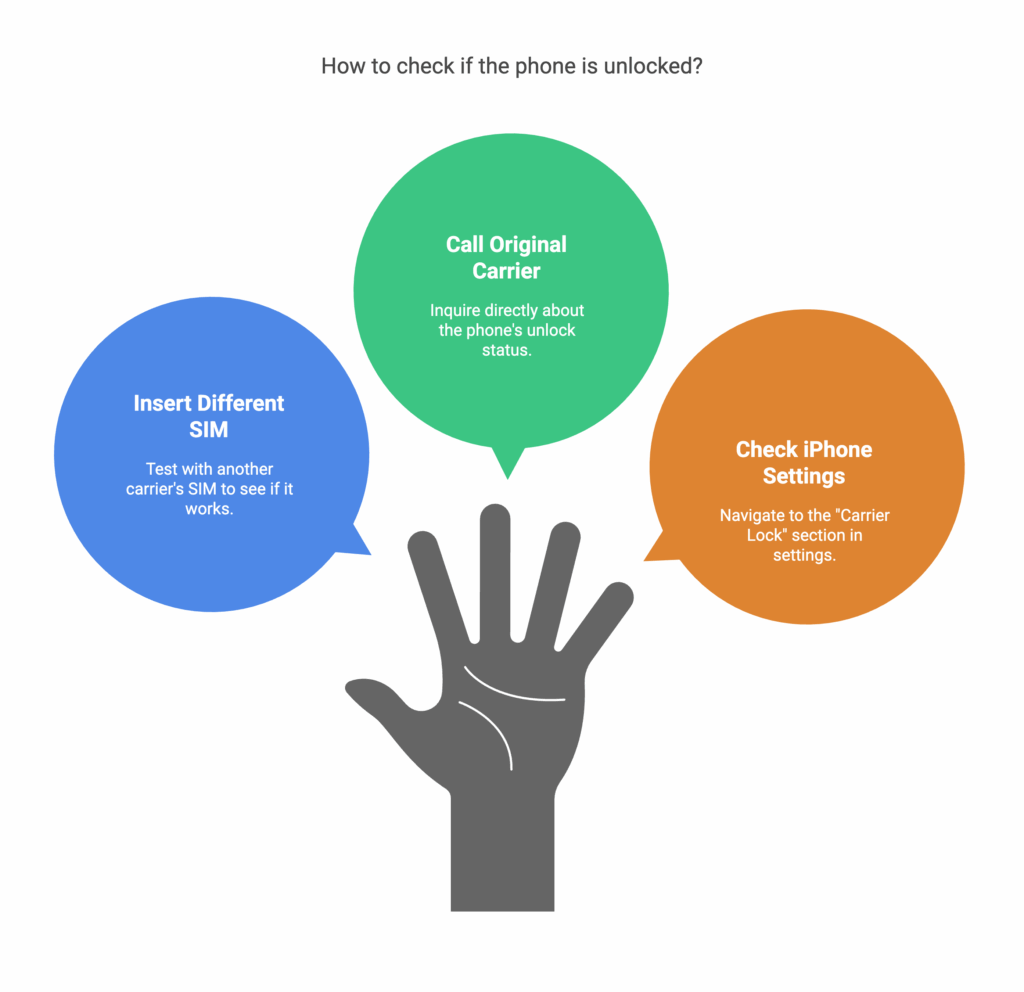
How to check:
- Insert a different SIM (like AT&T or T-Mobile) and see if it works.
- Or call the original carrier and ask if the device is unlocked.
- On iPhones: Go to
Settings > General > About→ scroll to “Carrier Lock”.
✅ If it says “No SIM restrictions,” you’re good to go.
📶 Step 2: Confirm Network Compatibility
Assurance Wireless runs on the T-Mobile/Sprint network, so the phone must support:
- 4G LTE bands (especially Band 12, 71)
- VoLTE (Voice over LTE)
- Optional but ideal: 5G bands (if available)

How to Check:
- Go to willmyphonework.net and input your model.
- You can also check the phone’s IMEI on Assurance Wireless’s support page or call their helpline.
Tip: Many budget Androids and iPhones post-iPhone 6 are compatible. But old CDMA-only phones like Sprint or early Verizon models may not work.
📱 Step 3: Insert the SIM Card
If you’re switching phones and the SIM doesn’t fit or isn’t recognized:

- Request a new SIM card from Assurance Wireless via customer service or online.
- Mention you’re doing a “Bring Your Own Phone” (BYOP) switch.
- Assurance Wireless typically offers free SIMs for existing users.
I’ve seen users on Reddit say they got their SIM in 3-5 business days, especially when working with Assurance Wireless street teams or calling 1-888-321-5880.
🔧 Step 4: Activate the SIM Card with the New Phone
Once you’ve got the phone and SIM ready, follow these steps:
Method 1: Activate Online (DIY)
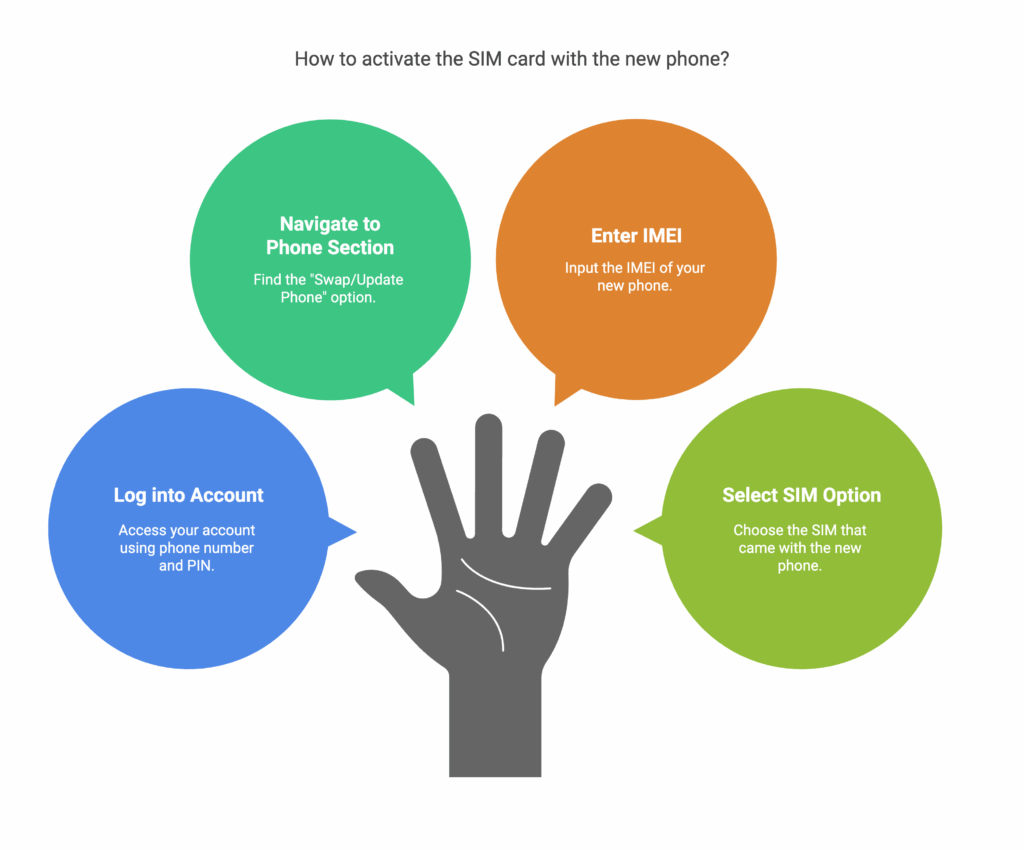
- Go to: https://www.assurancewireless.com
- Log into your account using your phone number and PIN.
- Click on “Your Phone” > Select “Swap/Update Phone”.
- Enter the IMEI of your new phone.
- Select “SIM that came with my new phone” and submit.
Done right, your SIM should be live in minutes.
Method 2: Call Customer Support
Not tech-savvy? No worries.

- Dial 611 from your Assurance phone or call 1-888-321-5880
- Ask a rep to help activate your SIM in a new phone.
I’ve helped seniors do this, and honestly, the phone rep was surprisingly helpful.
Step 5. 📱 Update Your APN Settings (For Internet & MMS)
Your phone may connect to voice and text immediately, but if data or MMS doesn’t work, the APN settings might need to be adjusted.
For Android:
- Go to Settings > Network & Internet > Mobile Network > Access Point Names (APN).
- Add a new APN with:
- Name: Assurance Wireless
- APN: fast.t-mobile.com
- MMSC: http://mms.msg.eng.t-mobile.com/mms/wapenc
Leave other fields blank or as default.
For iPhone:
- Go to Settings > Cellular > Cellular Data Network
- Enter:
- APN: fast.t-mobile.com
- MMSC: http://mms.msg.eng.t-mobile.com/mms/wapenc
Restart your phone after saving these settings.
📞 Step 6: Contact Customer Support (if Needed)

Still stuck? You’re not the only one.
In fact, Reddit threads like those on r/LifelinePhones are filled with users saying:
“My SIM worked after I gave them the new phone’s IMEI over the phone.”
So, call Assurance Wireless support at 1-888-321-5880 and ask them to re-provision your SIM or transfer service to your new device.
Don’t Miss It: How to Unlock a Verizon Phone Yourself for Free
⚠️ What Phones Are Compatible with Assurance Wireless?
Here’s a quick compatibility breakdown:
| Phone Type | Works with Assurance SIM? | Notes |
|---|---|---|
| Unlocked Android (T-Mobile compatible) | ✅ Likely | Set APN manually |
| Factory Unlocked iPhones (iPhone 7 or newer) | ✅ | iOS usually configures APN |
| Locked to Verizon/AT&T | ❌ | Must be unlocked first |
| Boost, Metro, Cricket, Tracfone | ⚠️ Maybe | Often need unlocking |
| Assurance Wireless-branded phones | ✅ | Fully supported |
Pro Tips from My Experience
- Always check IMEI before inserting the SIM. You can use IMEI.info to confirm if a phone is unlocked.
- Avoid Samsung phones from carriers. They’re notorious for carrier locks—even when unlocked.
- Buy unlocked phones from Best Buy, Walmart, or directly from the manufacturer.
- Test before switching completely. Text and calls may work before mobile data kicks in.
- Don’t force SIM into incompatible devices. It won’t help, and might trigger security flags.
What Reddit and X/Twitter Users Are Saying
On forums like Reddit (r/NoContract and r/AssuranceWireless), common threads include:
“Got it working on an old Moto G after tweaking the APN and calling support. Took 2 days but no issues since.”
Others warn:
“Assurance SIMs are super picky. I tried 3 phones and only 1 worked properly.”
Meanwhile, on X/Twitter, users often say:
“Just switched my Assurance SIM into a used Galaxy A12 I got from eBay. Needed help from support but works now!”
Bottom line? The experience varies, but it’s absolutely doable with some patience and the right steps.
Don’t Miss It: How to Unlock an AT&T Phone Yourself for Free
Frequently Asked Questions (FAQs)
Q1: Can I use an Assurance Wireless SIM in an unlocked iPhone?
Yes, as long as it’s unlocked and supports T-Mobile bands. APN settings may auto-configure.
Will my Assurance SIM work in a Tracfone or Boost phone?
Only if it’s unlocked and compatible with GSM/T-Mobile bands. These phones are often locked—check first.
Why does my Assurance SIM say “No Service”?
This usually means the new phone is incompatible or the SIM needs to be reactivated via support.
Can I transfer my Assurance service to a different SIM card?
No, the service is tied to the original SIM. You’ll need to request a new one from Assurance Wireless if it’s lost or damaged.
🔚 Final Thoughts: Should You Try Using That SIM?
If you’re tech-savvy, patient, and your device is unlocked—go for it. Using your Assurance Wireless SIM in another phone is not only possible, it’s often the smarter way to upgrade without losing your service.
But here’s the key: don’t skip compatibility checks and be ready to call support. Those two steps are where most people either win or get stuck.
👉 Ready to Switch Phones?
Before you pop that SIM in, double-check if your new device meets the criteria. If it does, you could be calling, texting, and scrolling in no time—without spending a dime.


