

So you want to unlock your iPhone and switch to a different carrier? Maybe you’re traveling and want to use a local SIM card or you’ve found a better network deal. Whatever the reason unlocking your iPhone can give you more freedom.
In this guide we’ll walk through everything you need to know about unlocking your iPhone from the easiest methods to potential risks and things to consider before making the switch. Let’s get started!
Quick Answer: To unlock your iPhone for any carrier first check if it’s locked by going to Settings > General > About > Carrier Lock (should say “No SIM restrictions” if unlocked). If locked request an unlock from your carrier use a trusted third-party service or jailbreak (if applicable). Carrier unlocks are the safest and most reliable option. 🚀
How to Check If Your iPhone Is Locked or Unlocked
Before going through the unlocking process, you need to check if your iPhone is already unlocked. Here’s how you can do that:
Method 1: Using Settings
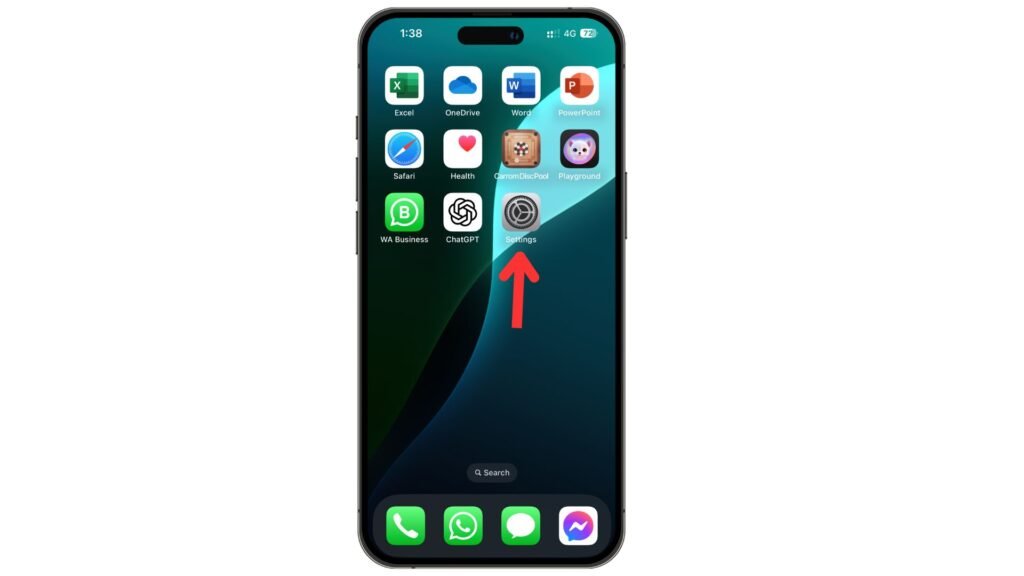
- Open Settings on your iPhone.
- Go to General > About.
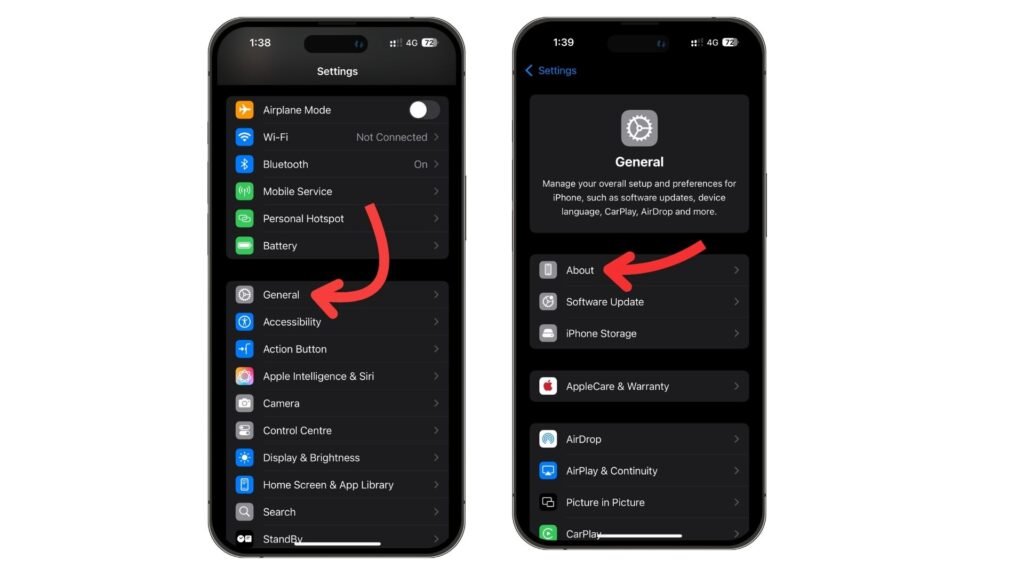
- Scroll down and look for “Carrier Lock”
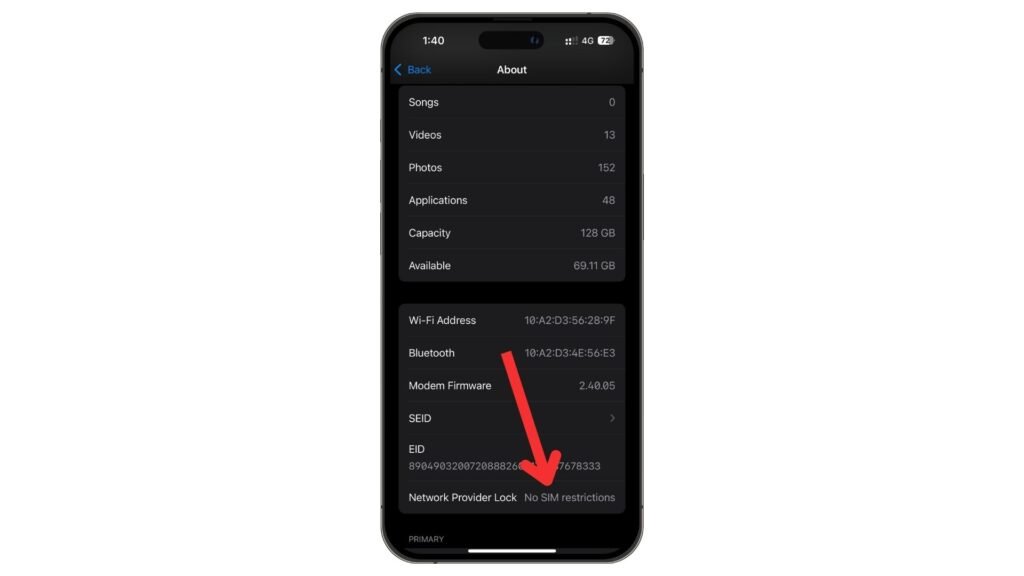
If it says “No SIM restrictions” your phone is already unlocked.
If it mentions a specific carrier your phone is locked
Method 2: Try a Different SIM Card
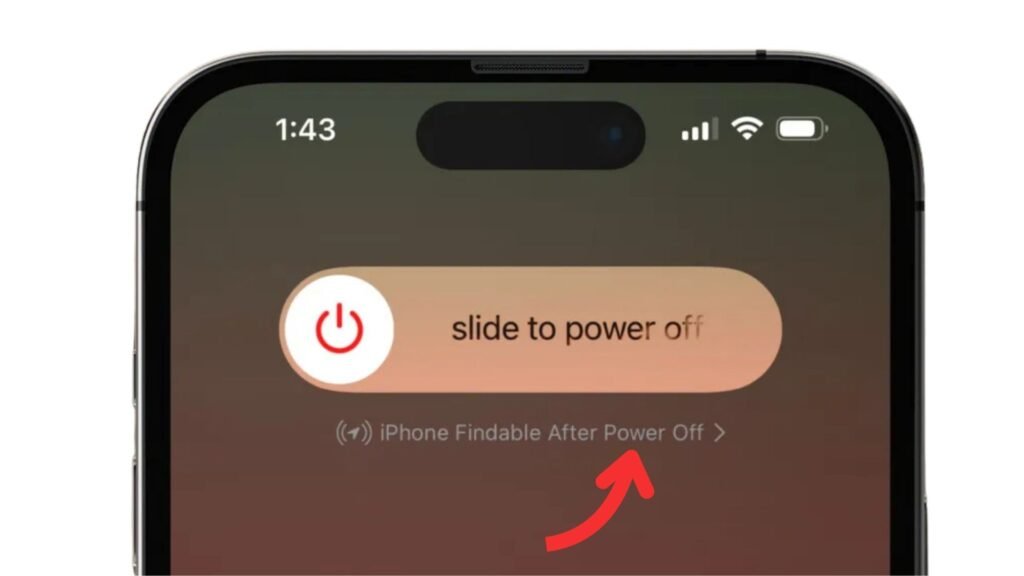
- Turn off your iPhone.
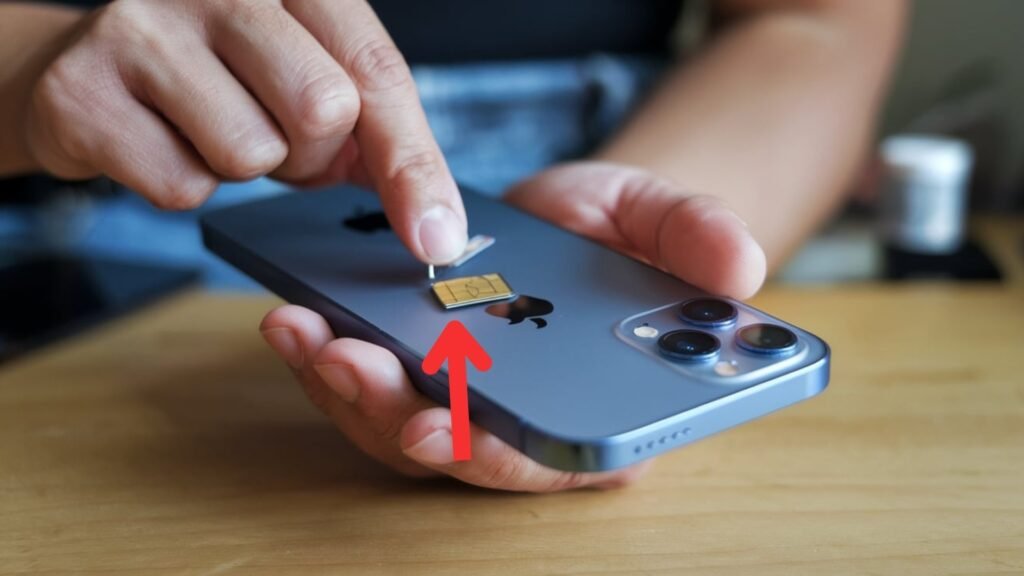
- Remove the current SIM card and insert a SIM card from a different carrier.
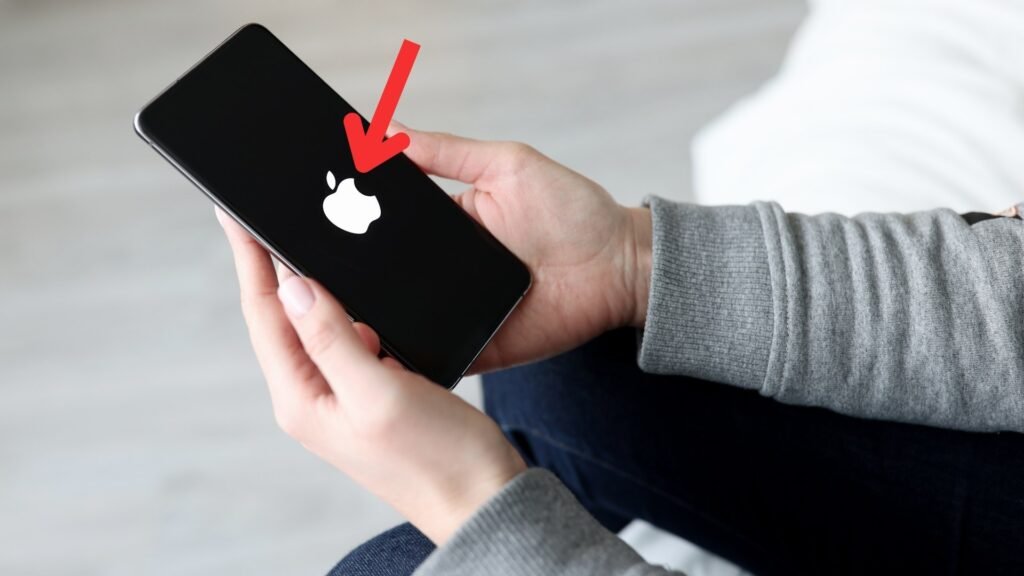
- Turn your phone back on.
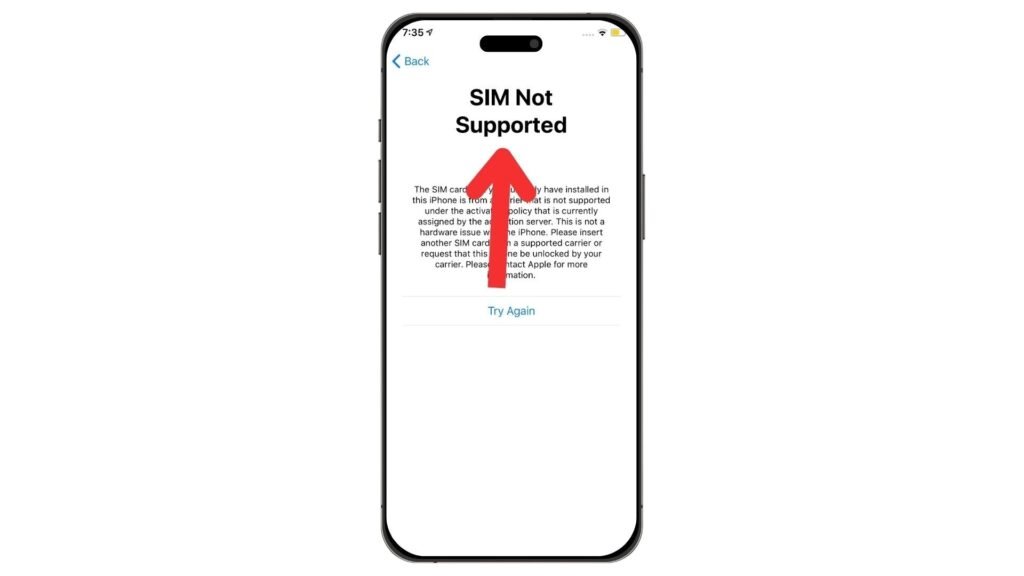
- If you see a message saying “SIM not supported” then your phone is still locked.
How to Unlock Your iPhone (Step-by-Step)
There are multiple ways to unlock your iPhone. The best method depends on your carrier and situation.
Method 1: Unlocking Through Your Carrier (Recommended)
Most major carriers will unlock your iPhone for free if you meet their eligibility requirements. Here’s how you can request an unlock
Step 1: Check Eligibility
Each carrier has specific rules. In general, you must
- Have paid off your phone completely (if purchased on a contract or installment plan).
- Have an active account in good standing.
- Have used the phone on their network for a certain period (varies by carrier).
Step 2: Contact Your Carrier
Once you confirm eligibility reach out to your carrier
- AT&T: Call or submit an unlock request online.
- Verizon: Most Verizon phones are already unlocked. If not contact customer support.
- T-Mobile: Use their unlock app or call customer service.
- Sprint: Now merged with T-Mobile follow T-Mobile’s unlock process.
Step 3: Wait for Confirmation
Carriers typically process unlock requests within a few days. Some might take up to a week.
Step 4: Finalize the Unlock
After getting confirmation restart your phone or insert a new SIM card to activate the unlock.
Method 2: Using a Third-Party Unlocking Service
If your carrier refuses to unlock your iPhone (or you bought it second-hand and don’t know the carrier) you can try a third-party unlocking service Like Cellunlocker, DoctorSIM & iMyFone LockWiper.
How It Works:
- Find a reputable unlocking website (make sure it has good reviews)
- Enter your iPhone’s IMEI number (you can find it in Settings > General > About Scroll down to find the number)
- Pay the fee (prices vary depending on your phone model and carrier)
- Follow their instructions (they usually send an unlock code or guide you through the process)
Warning: Be careful with third-party services. Some are scams, and others may not work. Always research before using one.
Method 3: Software Unlock (Jailbreaking)
Jailbreaking removes software restrictions on your iPhone but it’s risky and not recommended for most users Like Checkra1n Official Website, Unc0ver Official Website & Palera1n GitHub Repository.
Why?
- Voids warranty – Apple won’t help if something goes wrong
- Security risks – Jailbroken devices are more vulnerable to malware
- iOS updates might break it – Future software updates may relock your phone or cause issues
Unless you’re an advanced user it’s best to avoid this method.
Things to Keep in Mind Before Unlocking
Unlocking your iPhone is legal in most countries but there are a few things you should consider before going ahead.
1. Some Carriers Have Different Unlocking Policies
Each carrier has its own rules. Some might let you unlock for free while others may have stricter conditions.
2. Unlocking Won’t Work If Your Phone Is Blacklisted
If your iPhone was reported lost or stolen it might be blacklisted. A blacklisted phone cannot be used on most networks even if it’s unlocked.
3. Software Updates Could Affect Your Unlock
Carrier unlocks are permanent. But if you use third-party services or software unlocks iOS updates might reverse the unlock.
Why Unlock an iPhone? (Main Reasons)
Before we dive into how to unlock your iPhone let’s quickly talk about why you might want to do it in the first place.
- Carrier Freedom – You won’t be stuck with a single carrier. You can switch to any network that works with your phone.
- Save Money on Roaming – Traveling? Use a local SIM card instead of paying high roaming fees.
- Better Plans & Deals – Some networks offer better data and call plans than others. With an unlocked phone you can choose what suits you best.
- Increase Resale Value – Unlocked iPhones are more valuable. If you ever sell it more people will be interested in buying.
Now that you know the benefits let’s get into how the unlocking process works.
What Happens After Unlocking?
Once your iPhone is unlocked you can use it with any compatible carrier. Here’s what you should do next:
- Insert a New SIM Card – Try using a different carrier’s SIM card to confirm the unlock worked.
- Set Up Carrier Settings – Sometimes you may need to update carrier settings. Go to Settings > General > About and you’ll see a prompt if needed.
- Restart Your iPhone – A quick restart helps finalize the unlock process.
Don’t Miss It:
- How Long Does It Take to Unlock a Phone?
- Is It Legal to Unlock Your Phone? What You Need to Know
- How to Unlock Your Phone for Free (Legit Ways)
Common Questions About Unlock an iPhone for Any Carrier
Can you unlock an iPhone to any network?
Yes, but it depends on how you unlock it. If you unlock your iPhone through your carrier it will work with most networks that support your phone model. However, some older iPhones might not support certain networks due to hardware differences (like CDMA vs. GSM).
If you use a third-party service they claim to unlock iPhones for any network but you need to ensure that the new carrier is compatible with your phone’s bands and frequencies. Always check with the carrier before switching.
Can you unlock a locked iPhone yourself?
Yes, but only in certain cases. If your iPhone is carrier locked you can request an unlock from your carrier if you meet their requirements (like finishing your contract or paying off the device). This method is free and the safest way to unlock your phone.
If your carrier refuses to unlock it, you can’t manually unlock it through settings you’ll need a third party service or software which may not always be reliable. Be cautious when using unlocking websites as some might be scams.
Can you jailbreak an iPhone to switch carriers?
No, jailbreaking an iPhone does not unlock it for a different carrier. Jailbreaking only removes Apple’s software restrictions allowing you to install apps and tweaks that aren’t available in the App Store.
To unlock your iPhone for a different carrier you need a carrier unlock, which is a separate process. In the past, some jailbreak tools offered software based unlocking, but Apple’s security updates have patched those methods. Today jailbreaking is not a reliable way to unlock an iPhone for a new network.
Can I just put my SIM card in an unlocked iPhone?
Yes! If your iPhone is fully unlocked you can simply remove your old SIM card insert a new one from a different carrier, and start using it right away. In some cases, your iPhone may prompt you to update carrier settings when you insert a new SIM just follow the on-screen instructions.
However, if your iPhone is still locked you’ll see a “SIM Not Supported” message. In that case, you’ll need to unlock your iPhone before you can use a different SIM.
Can you unlock an iPhone from a different carrier?
Yes, but only the original carrier that locked the phone can unlock it. For example if your iPhone was locked to AT&T, only AT&T can approve the unlock request. Even if you’re using a different carrier now you’ll still need to contact the original network provider.
If you bought a used iPhone and don’t know the original carrier you can check by inserting different SIM cards or using an IMEI check service. If you can’t get it unlocked through the carrier you might need to try a third-party unlocking service.
How much does it cost to unlock an iPhone to any network?
The cost of unlocking an iPhone varies depending on how you do it:
- Through Your Carrier – Most carriers unlock your iPhone for free if you meet their requirements (like paying off the device).
- Third-Party Services – Prices can range from $10 to $100 or more depending on your iPhone model and carrier.
- eBay or Unlocking Websites – Some websites and sellers offer unlocking services for around $20 to $50, but be cautious of scams.
If you qualify for a free carrier unlock that’s the safest and best option. If not make sure to choose a trusted third party service with good reviews.
Final Thoughts
Unlocking your iPhone is a great way to gain freedom from carrier restrictions save money on travel and increase your device’s resale value. The best way to unlock is through your carrier as it’s safe, free and permanent. If that’s not an option third party services can help but be careful and do your research.
once your iPhone is unlocked enjoy the flexibility of switching carriers whenever you want!


