TL;DR — Quick Answer
Why an IMEI Check Is the 30 Seconds That Can Save You Hundreds
Buying a used iPhone or Android phone in 2026 is smarter than ever — flagship phones lose 40–60% of their value within two years, and the refurbished market has never been bigger. But it comes with one risk most buyers overlook: the phone could be reported lost, stolen, or tied to an unpaid carrier balance. If it is, no SIM card, factory reset, or unlocking service will make it work on a mobile network.
That’s where an IMEI check comes in. Every cellular device carries a unique 15-digit IMEI (International Mobile Equipment Identity) number — think of it as a VIN for phones. Carriers use it to identify devices on their networks, and they share block reports through a global registry so a phone flagged as stolen in one place can’t simply be activated somewhere else.
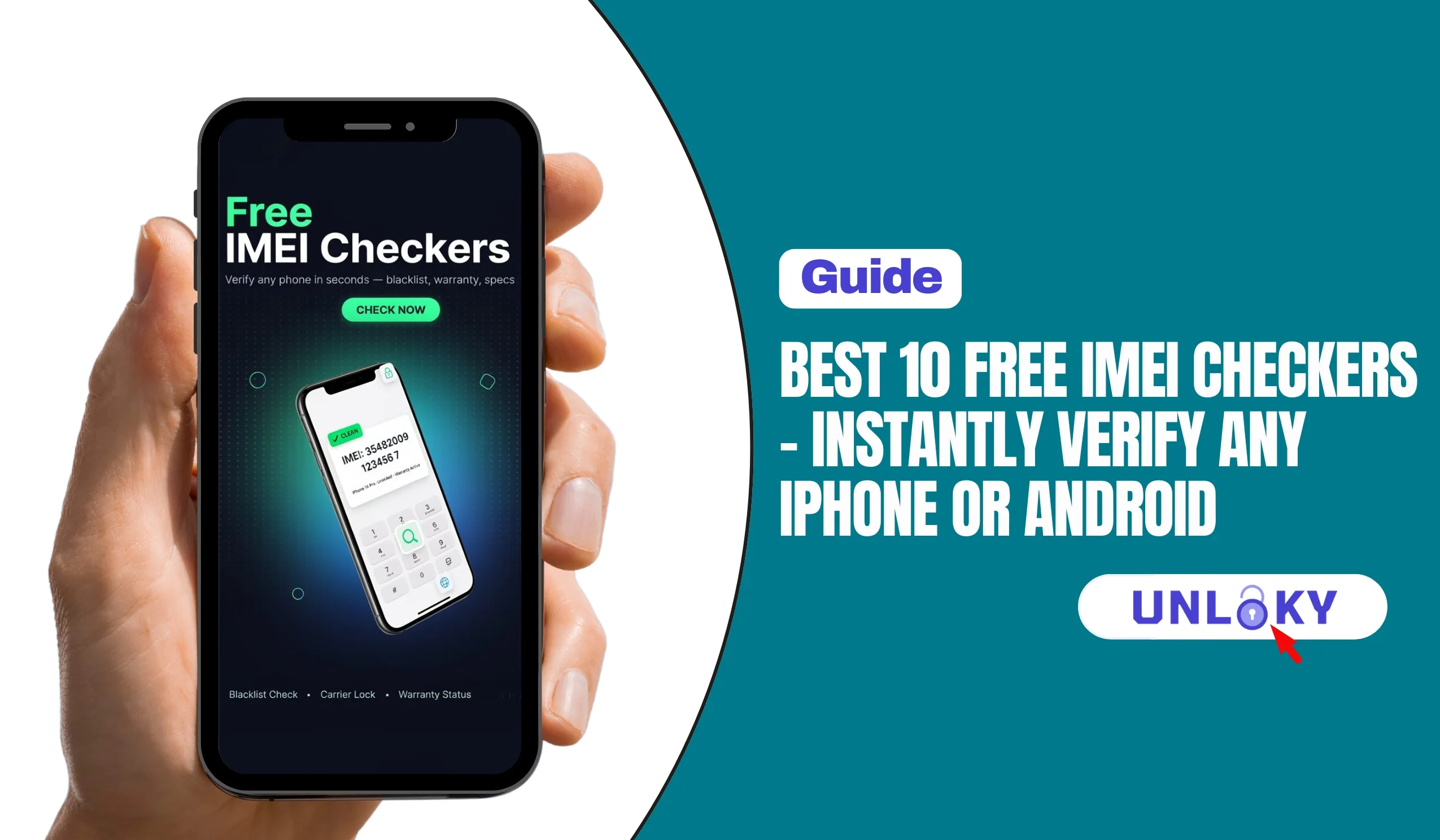
The good news: checking an IMEI is free, takes under a minute, and requires nothing more than typing 15 digits into a website. Below are the 10 best free IMEI checkers we’d actually trust in 2026, what each one is good at, and how to read the results.
The 10 Best Free IMEI Checkers in 2026
1. CTIA Stolen Phone Checker
This is the closest thing to a “Carfax for phones” that exists. Run by CTIA, the U.S. wireless industry association, and powered by the GSMA Device Check service, it queries the same lost/stolen device registry that major carriers report into. If a phone has been reported lost or stolen in the U.S., this is where it shows up first.
- Queries the official GSMA Device Registry used by carriers
- Clear Green: Not reported / Red: Lost or stolen result
- Also shows the make/model, so you can spot tampered or counterfeit devices
- Trusted by law enforcement for verifying recovered phones
- No account, no ads, no upsell
2. Swappa IMEI Check
Swappa built its marketplace reputation on refusing to list blacklisted devices, and its free public checker is one of the most complete reports you can get without paying. It cross-references carrier blocklist data against the GSMA registry and adds Swappa’s own listing history — so you can even see if the exact device has been bought or sold on the marketplace before.
- Reports “Allowed” (clean) or “Blocked” (lost/stolen) status
- Shows model details: storage, color, and original carrier
- Includes network band support — handy before switching carriers
- Device listing history adds an extra layer of provenance
- Works for any phone, not just Swappa listings
3. IMEI.info
One of the oldest and busiest IMEI databases on the internet — over 460 million total checks and nearly 300,000 device models (TACs) in its database. Enter an IMEI and it instantly identifies the exact model from the first six digits, then offers additional free checkers for simlock status, carrier lookup, warranty info, and blacklist reports.
- Instantly identifies exact make, model, and hardware specs
- Free basic checks: blacklist report, carrier lookup, simlock status
- Dedicated Apple, Samsung, and Verizon check pages
- Useful for verifying a listing’s photos match the real device
- Mobile app available for on-the-go checks
4. IMEI24.com
IMEI24 stands out for surfacing warranty information alongside the basics. Punch in an IMEI and you’ll get the device model, hardware specs, and — where available — warranty validation and purchase-date details. The interface is lightweight, requires no registration, and works equally well for iPhones and Android phones.
- Free model recognition with full spec sheet
- Warranty and purchase-date lookup where the manufacturer supports it
- Blacklist and carrier info available
- Clean, fast interface with no account required
- Actively maintained with regularly updated guides
5. IMEICheck.com
If all you want is a straight answer to “is this phone blacklisted?”, IMEICheck.com does exactly that. Its free blacklist lookup runs the IMEI against international carrier databases and reports whether the device has been flagged as lost, stolen, or tied to unpaid bills or fraud — with a clear explanation of what each result actually means.
- Focused free blacklist check against international databases
- Covers lost, stolen, unpaid-bill, and fraud flags
- Supports all major brands including Apple and Samsung
- Honest disclaimers: a clean result reflects status at time of check only
- Additional paid checks (carrier, iCloud) if you need to go deeper
6. Apple Coverage Check
For iPhones specifically, go straight to the source. Apple’s own coverage checker (checkcoverage.apple.com) accepts an IMEI or serial number and confirms the device is genuine, shows its warranty and AppleCare status, and verifies the activation/purchase details on file. It won’t show blacklist status — pair it with a blacklist tool above — but it’s the definitive answer on whether an iPhone is real and still covered.
- 100% official Apple data — no third-party database guesswork
- Confirms warranty, AppleCare+, and repair coverage status
- Instantly exposes fake or cloned “iPhones” (no record = red flag)
- Requires sign-in with an Apple Account for full details
- Pair with Settings → check that Activation Lock / Find My is OFF before buying
7. Carrier BYOD Checkers (T-Mobile, Verizon, AT&T)
All three major U.S. carriers offer free “bring your own device” compatibility checkers on their websites. Enter the IMEI and the carrier tells you whether the device will activate on their network — which quietly doubles as a fraud check, since a blacklisted or financed device typically won’t pass. Carrier databases also update before third-party tools, so this is the most current data you can get for free.
- Definitive answer on whether the phone will actually activate
- Checks network band compatibility (5G, VoLTE) at the same time
- Carrier data updates faster than third-party checkers
- You can also call the carrier directly and ask them to check the IMEI status
- Essential step if you’re buying a phone to use on a specific network
8. doctorSIM
doctorSIM has been in the unlocking business since 2006 and offers a free blacklist check that emails you a report on whether the phone has been reported for loss, theft, or non-payment. It also offers an iPhone-specific locked-status check, which is genuinely useful if you’re deciding whether a used iPhone will need a carrier unlock before you can use it.
- Free blacklist check against its reported-phone database
- iPhone locked/unlocked status check
- Reports delivered by email — handy as a saved record before purchase
- Premium reports break down blacklist status by country and operator
- Long-established company with a clear paper trail
9. IMEIpro.info
IMEIpro maintains an international database of blacklisted phones and adds one check the others often gate behind payment: a free iPhone lookup for Find My iPhone (Activation Lock) status. Since an iPhone with Activation Lock still enabled is effectively unusable no matter how clean its blacklist status is, this check belongs in every used-iPhone buyer’s routine.
- Free blacklist check against an international database
- Free Find My iPhone / iCloud status checker
- Lets you generate a shareable report when selling a device
- Includes a lost-phone reporting facility to flag missing devices
- Extra free checks unlocked with a free account
10. Dr.Fone Online IMEI Checker
Wondershare’s Dr.Fone online checker generates one of the most detailed free first reports available — 20+ data points in a single lookup, covering blacklist status, carrier lock, Apple Activation Lock, MDM lock, Samsung Knox status, and warranty details, with results typically returned in under a minute. The first check is free with no login and no ads, which makes it ideal for a one-off deep dive on a specific device.
- 20+ verification points in one consolidated report
- Covers blacklist, carrier lock, iCloud/Activation Lock, MDM, and Knox
- First check free with no account and no ads
- Supports iPhone and Android devices globally
- Good final cross-check after the official tools above
Free IMEI Checkers Compared (2026)
| Tool | Best For | Blacklist | Carrier Lock | iCloud / FMI | Free Limit |
|---|---|---|---|---|---|
| CTIA Stolen Phone Checker | Official U.S. lost/stolen check | ✔ Official | ✖ | ✖ | 5/day |
| Swappa | Used-phone buyers | ✔ | Partial (original carrier) | ✖ | Generous |
| IMEI.info | Model ID & specs | ✔ Basic | ✔ Basic | Paid | Basic free |
| IMEI24.com | Warranty & purchase date | ✔ | ✔ | ✖ | Core free |
| IMEICheck.com | Pure blacklist lookup | ✔ | Paid | Paid | Blacklist free |
| Apple Coverage Check | Official iPhone warranty | ✖ | ✖ | ✖ (check on device) | Unlimited |
| Carrier BYOD checkers | Pre-activation verification | Indirect | Indirect | ✖ | Unlimited |
| doctorSIM | iPhone lock status | ✔ (email report) | ✔ iPhone | ✖ | Basic free |
| IMEIpro.info | iCloud / Find My status | ✔ | ✖ | ✔ Free | Limited/day |
| Dr.Fone Online Checker | All-in-one deep report | ✔ | ✔ | ✔ | 1st check free |
✔ = included in free tier · ✖ = not offered · “Paid” = available as a paid add-on. Features verified July 2026 and subject to change.
Verified a Phone? Now Get It Connected
Free consultation · Mon–Sun · No obligation
How to Run a Complete IMEI Check (Step by Step)
One tool is good; a layered check is better. Databases sync at different speeds, and each checker sees slightly different data. Here’s the routine we recommend before handing over money for any used phone:
What Free IMEI Checkers Can’t Tell You
Free tools are genuinely useful, but it’s worth being honest about their blind spots so you know when a clean result isn’t the full story:
The Bottom Line
If you only do one check, make it the CTIA Stolen Phone Checker — it’s free, official, and reads from the registry carriers actually report to. If you want a second opinion in the same minute, Swappa’s ESN check is the fastest no-friction backup.
For anything beyond blacklist status, use the right tool for the question: IMEI.info to confirm the model is what the listing claims, Apple Check Coverage for warranty, and the carrier BYOD checker for network compatibility. Three free tools, three different questions, roughly two minutes total.
And remember the limit that applies to all of them: none of these can see an unpaid device balance. That’s the risk you manage with a written message from the seller, not a website.
IMEI stands for International Mobile Equipment Identity — a unique 15-digit number assigned to every cellular device, much like a VIN on a car. The first 8 digits (the TAC) identify the exact make and model; the rest identify the individual unit. Carriers use the IMEI to identify devices on their networks and to block them if they’re reported lost or stolen. Dual-SIM and eSIM phones have two IMEIs, one for each cellular connection.
For blacklist status, the best free tools are quite accurate — the CTIA Stolen Phone Checker pulls from the official GSMA registry that carriers themselves report into. Accuracy varies more for details like carrier-lock and warranty status, since those depend on each tool’s database. That’s why we recommend cross-checking with 2–3 tools: results that agree across the CTIA checker, Swappa, and a specs database like IMEI.info can be trusted with high confidence. Remember every result is a snapshot in time, not a permanent guarantee.
Yes — and you should, every time. Ask the seller for the IMEI (or dial *#06# on the device when meeting in person) and run it through the CTIA Stolen Phone Checker and Swappa before paying. If either shows a “blocked” or “reported lost/stolen” status, walk away — a blacklisted phone can’t make calls, text, or use mobile data on any major network, even with a new SIM. If a seller refuses to share the IMEI, treat that as your answer.
They’re completely different problems. A carrier-locked phone works fine but only on one network (say, AT&T) until it’s unlocked — usually a solvable issue once the device is paid off and eligibility rules are met. A blacklisted phone has been reported lost, stolen, or tied to fraud/non-payment, and is blocked from cellular networks entirely. A lock is an inconvenience; a blacklist flag is a dealbreaker. Good IMEI checks report both statuses separately.
Only by the party that reported it. If the flag came from an unpaid balance, the original account holder can pay it off and ask the carrier to remove the block. If it was reported lost or stolen, only the rightful owner can reverse the report. As a buyer, you have essentially no path to clearing someone else’s blacklist flag — and services that promise to “remove” a blacklist or change an IMEI for a fee are scams, and IMEI tampering is a federal crime in the U.S. If a check comes back blocked, don’t buy the phone.
The blacklist side works identically — the GSMA registry doesn’t care what brand the phone is. The difference is in the extra checks each platform needs. For iPhones, you should additionally verify Apple warranty status (via Apple’s official coverage checker) and confirm iCloud Activation Lock is off. For Samsung and other Android phones, the equivalents are Knox/Google account locks (FRP) — some advanced checkers like Dr.Fone report these, but the safest test is watching the seller factory-reset the phone and set it up fresh in front of you.
Sharing an IMEI with an established checker site, a carrier, or a serious buyer is normal and low-risk — sellers on marketplaces like Swappa do it as standard practice. That said, treat it like a serial number rather than a public post: don’t publish it openly on forums or social media, since scammers have been known to misuse harvested IMEIs in fraudulent lost/stolen reports or warranty claims. When listing a phone for sale publicly, share the IMEI privately with genuine buyers or use a report tool that masks some digits.
The usual culprits: the phone is still carrier-locked to a different network; it was blacklisted after your check (often from a stopped installment plan); an iPhone still has Activation Lock enabled; the phone lacks the network bands your carrier needs; or an eSIM transfer wasn’t completed properly. Start by running the IMEI through your carrier’s own BYOD checker, and if it fails there, call the carrier — they can see the current, authoritative status of that IMEI and tell you exactly what’s blocking activation.
Last updated July 2026. Tool features, free-check limits, and carrier unlock policies change frequently — verify current terms directly with each service before relying on a result. FreeISPInfo is not affiliated with any of the checkers or carriers mentioned here, and we don’t receive payment for the rankings above. IMEI checks reflect database status at the moment of the query only; a clean result is not a guarantee that a device won’t be flagged later. Always combine an IMEI check with a written record of your purchase.