

Let’s Be Real: You Just Want Your Phone to Work Anywhere
You’ve probably heard this before: “Your phone must be unlocked to work on other networks.” Sounds simple, right? But then you try to switch your US Cellular phone to T-Mobile, Verizon, or AT&T and—bam!—you hit a wall. Whether you’re upgrading, reselling, traveling, or just tired of being locked into one carrier, unlocking your phone gives you freedom.
And yes, you can unlock your US Cellular phone—but you need to know the right methods.
This article breaks down the 6 most reliable ways to unlock a phone from US Cellular. No fluff. Just 100% working methods.
🚀 Quick Answer: How Do You Unlock a US Cellular Phone?
To unlock a phone from US Cellular, start by certain conditions must be met. Typically, your phone must be fully paid off, your contract must be completed, or at least 120 days (sometimes 180 days for specific devices) must have passed after paying off your device financing plan (also known as a RIC). Once these conditions are satisfied, the unlocking process is fairly straightforward.
To begin, contact US Cellular customer support and request an unlock. You’ll need to provide key details like your phone’s IMEI number, your account information, and proof of ownership. Once your request is approved, follow the steps they provide to complete the process. After unlocking, test your device by inserting a SIM card from another carrier to ensure everything works properly.
This process ensures your phone can be used with other networks, giving you more flexibility and freedom with your mobile service.
And if that doesn’t work? Don’t worry—we’ve got five other working methods that people all over the U.S. have used successfully.
Let’s dive deeper.
Don’t Miss It: 6 Ways to Unlock a Permanently Locked Snapchat Account
✅ Method 1: Check If Your US Cellular Phone Is Already Unlocked
Before you try anything else, start here.
Why?
Because many postpaid US Cellular phones are automatically unlocked after 120 days of active service and full payment.
How to Check:
- Go to: Settings → About Phone → Status → SIM Status
- If it says “Unlocked” or “No SIM restrictions,” you’re good to go.
- Or, insert a SIM card from another carrier (like T-Mobile or AT&T). If you see a signal and can make calls, congrats—you’re unlocked!

📢 Pro Tip: On Reddit, many users share that phones bought directly from Apple or Samsung (not through US Cellular) often come unlocked.
📞 Method 2: Contact US Cellular Customer Support (Most Reliable Way)
Still locked? Time to go to the source.
Eligibility Requirements:
- Your account is in good standing
- Your device has been active on US Cellular for at least 120 days
- It’s not reported lost/stolen/fraudulent
- The device is fully paid off
Here’s What to Do:

- Call US Cellular Customer Service 1-888-944-9400
- Request a Network Unlock Code (NUC)
- Be ready with your IMEI number (Dial
*#06#to find it)
They’ll either:
- Push the unlock remotely (for newer models), or
- Email you an unlock code with instructions
💬 From Twitter/X: “I called US Cellular and got my unlock code in 5 minutes after confirming my IMEI—super easy if you’ve had your phone for a few months!” – @SamUnchained
Don’t Miss It: How to Unlock a Google FRP Locked Phone: Complete Guide
🔓Method 3: Use a Third-Party IMEI Unlocking Service (When US Cellular Says No)
Let’s be honest: Sometimes carriers don’t make it easy. If you don’t meet their requirements—or bought your phone used—you still have options.
How IMEI Unlocking Works:
Third-party services use your phone’s IMEI number to whitelist it in carrier databases.
Reputable IMEI Unlock Services:
| Service Name | Cost (Est.) | Delivery Time | Link |
|---|---|---|---|
| DirectUnlocks | $28–$60 | 6–72 hours | directunlocks.com |
| DoctorSIM | $19–$45 | 1–5 days | doctorsim.com |
| UnlockBoot | $25–$50 | 1–2 days | unlockboot.com |
📌 Caution: Always research the service. Look for reviews on Reddit or TrustPilot before paying.
💬 Redditors Say: “I used UnlockBoot for my used US Cellular S22 Ultra—it was locked tight and they got it done in 48 hours.” – u/sim_swapper
🔁 Method 4: Use US Cellular’s Online Device Unlock Request Tool
Yep, they actually have an online portal—but it’s low-key hard to find.
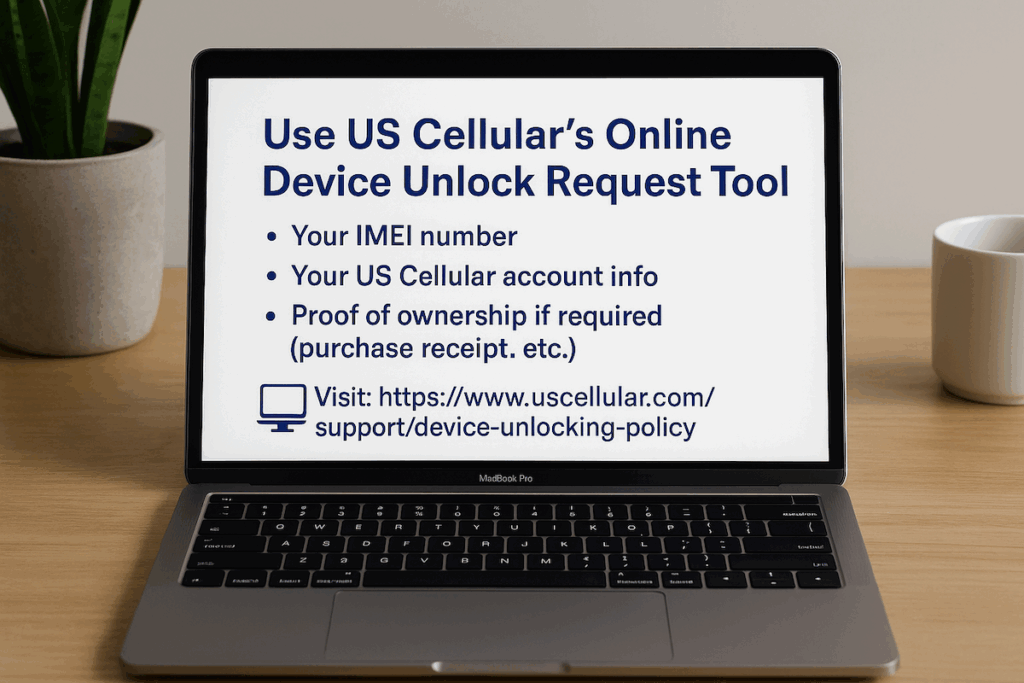
Here’s What You’ll Need:
- Your IMEI number
- Your US Cellular account info
- Proof of ownership if required (purchase receipt, etc.)
🖥️ Visit: https://www.uscellular.com/support/device-unlocking-policy
Then, scroll down to find the unlock form or use chat support to speed things up.
📢 Insider Tip: US Cellular often unlocks military or deployed personnel phones faster upon request. Mention it if applicable.
✈️ Method 5: International Travel? Request a Temporary Unlock
Planning to travel abroad and need your US Cellular phone to work overseas?
US Cellular May Offer:
- Temporary international unlocks for qualified postpaid customers
- Good for travel (30-60 days)
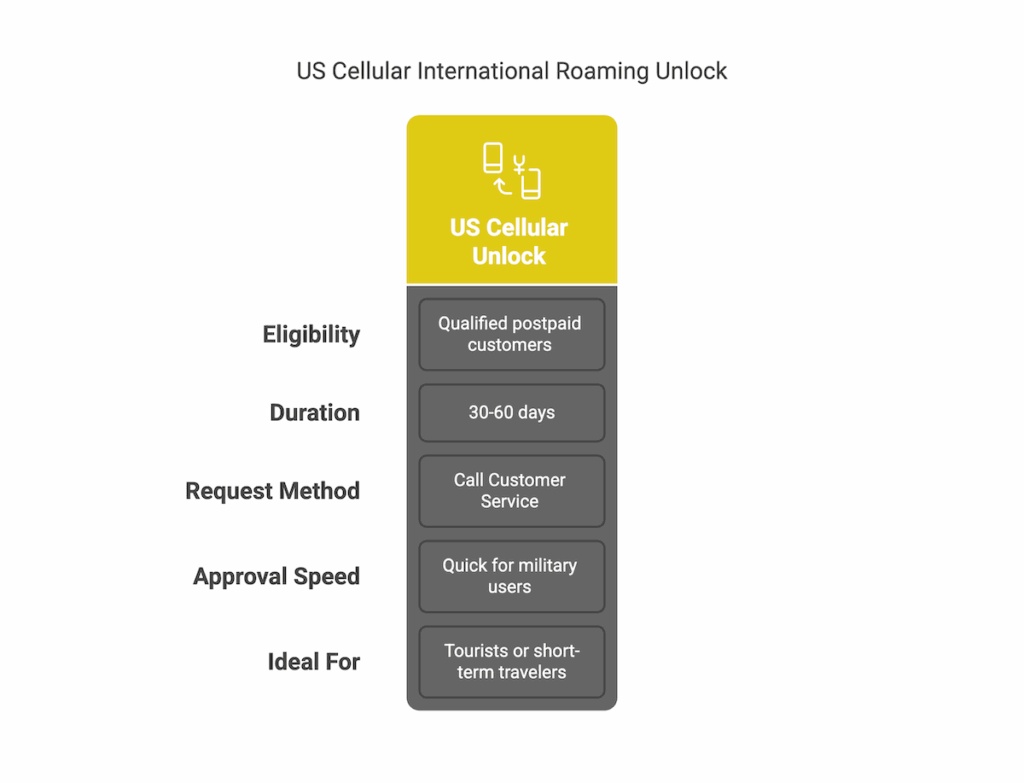
How to Request:
- Call Customer Service (1-888-944-9400)
- Ask for an international roaming unlock
✈️ This is perfect for tourists or short-term travelers.
📣 On forums like HowardForums, military users report quick approvals for temporary unlocks, especially with deployment papers.
Don’t Miss It: How to Unlock Your Nokia Cell Phone for Free: Complete Guide
⚠️ Method 6: SIM Unlock APKs & Rooting (Not Recommended Unless You’re Tech-Savvy)
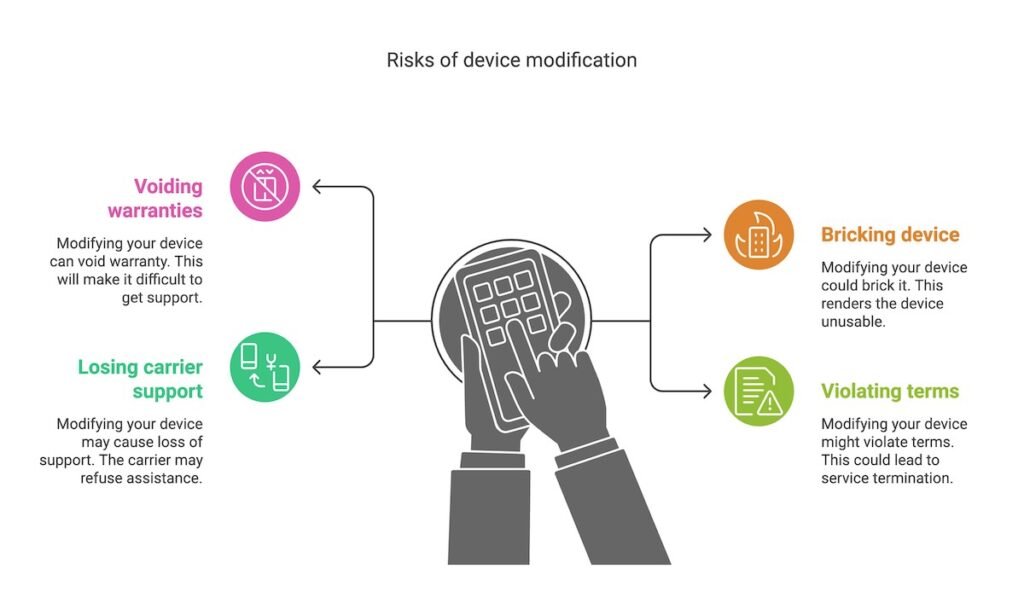
Some techies use APK files or root their Android phones to bypass carrier locks—but these methods come with real risks:
The Risks:
- Voiding warranties
- Bricking your device
- Losing carrier support
- Violating terms of service
If you know what you’re doing, it’s possible. But for most people, it’s safer to stick with the previous 5 methods.
🔐 Use this only if:
- You’re experienced with Android root tools
- Your phone is out of warranty
- You’ve backed up everything
🛑 TL;DR: Use this as a last resort. Not for beginners.
🔄 Recap: Which Method Should You Use?
| Method | Success Rate | Best For | Time Required |
|---|---|---|---|
| Check if it’s already unlocked | ✅✅✅✅✅ | Newer postpaid phones | 2 minutes |
| Call US Cellular support | ✅✅✅✅✅ | All eligible accounts | 5–10 minutes |
| Use IMEI unlock services | ✅✅✅✅ | Prepaid or secondhand phones | 1–3 days |
| Online unlock request | ✅✅✅✅ | People with access to US Cellular account | 1–2 days |
| Temporary unlock for travel | ✅✅✅ | International trips | Same day |
| APK/rooting | ✅✅ | Tech-savvy users, custom ROM fans | Varies / risky |
🔍 Frequently Asked Questions
Is it legal to unlock a phone from US Cellular?
Yes, it’s 100% legal in the U.S. to unlock your phone—especially if it’s fully paid off. The FCC even protects your right to do it.
Can I unlock a US Cellular phone I bought from someone else?
Yes—but you’ll need to meet US Cellular’s unlock policy or use a trusted third-party IMEI unlock service. Double-check that it’s not blacklisted first.
What if US Cellular won’t give me the unlock code?
Try an IMEI unlock service. If the phone is blacklisted or unpaid, unlocking might not be possible without resolving the account status.
Do iPhones from US Cellular get unlocked automatically?
Most recent iPhones are automatically unlocked 120 days after activation—if fully paid and the account is in good standing.
Will unlocking delete my data?
No. Unlocking your phone doesn’t erase anything. Still, it’s wise to back up your data just in case.
🧠 Final Thoughts: Get the Freedom You Deserve
Unlocking your US Cellular phone doesn’t have to be a mystery. Whether you’ve got a shiny new iPhone or a trusty Android device, you deserve to use it wherever you want. Start with checking if it’s already unlocked, and if not—go down the list above.
✅ Need it fast? Call customer support.
🛠️ Hit a wall? Try


