


Ever been stuck with a phone that only works on one carrier? If you’re holding a Motorola phone and wondering how to free it from those invisible chains, you’re not alone. In the U.S., more users are ditching carrier restrictions to enjoy total freedom—whether that’s switching providers, traveling abroad, or just increasing resale value.
In this guide, I’ll walk you through everything you need to know to unlock your Motorola phone—from checking eligibility to entering the unlock code. Whether you’re with AT&T, T-Mobile, Verizon, or another carrier, I’ve got you covered.
✅ Quick Answer: How Do You Unlock a Motorola Phone for Any Network?
To unlock your Motorola phone:
- Check eligibility (e.g., phone is fully paid off, not blacklisted).
- Find your IMEI (dial *#06# or check phone settings).
- Request an unlock from your carrier (if eligible).
- Alternatively, use a third-party service or app to get an unlock code.
- Insert a new SIM, enter the code, and enjoy your unlocked phone.
Now, let’s break that down and dive deep into each step so you don’t hit any roadblocks.
🔍 What Is a Carrier-Locked Motorola Phone?
In simple terms, a carrier-locked Motorola phone is tied to a specific network provider—like Verizon, T-Mobile, or AT&T. This means you can’t just pop in a new SIM from another carrier and expect it to work.
Why does unlocking matter?
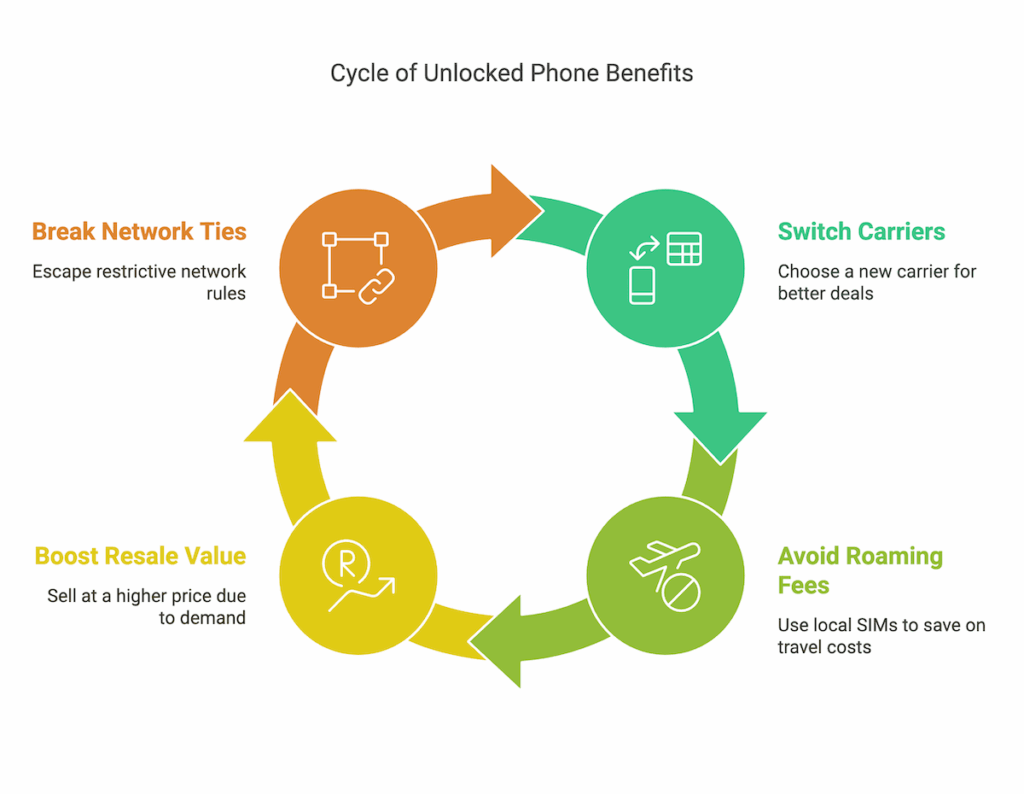
- You can switch to a cheaper or better carrier anytime.
- You’ll avoid roaming fees while traveling by using a local SIM.
- It boosts resale value—unlocked phones are in higher demand.
- You’re no longer tied to the original network’s rules and plans.
📱 Understanding the Different Phone Locks
Before we go further, let’s clear up some confusion. There are two main types of locks:
- SIM/Network Lock: Prevents using other carriers. This is what we’re unlocking.
- Screen Lock: Like PINs or patterns—completely different.
👉 This guide focuses only on unlocking the network (SIM lock), not bypassing screen passwords or factory resets.
🧠 Step 1: Check If Your Motorola Phone Can Be Unlocked
Not every Motorola phone can be unlocked—especially if it’s still under contract or reported lost/stolen. Here’s what most U.S. carriers typically require:
| Carrier | Unlock Eligibility Requirements |
|---|---|
| AT&T | 60+ days active, fully paid off, not reported lost/stolen |
| T-Mobile | 40+ days active, no unpaid balance, not blacklisted |
| Verizon | Auto-unlocks after 60 days (most postpaid devices) |
| Straight Talk | 12 months of service, active account |
| MetroPCS | 180 days active on the network |
You’ll also need:
- A phone not flagged as fraud or lost
- A device not already unlocked
- An account in good standing
📌 Pro Tip: Call your carrier or use their online unlock checker before going further.
Don’t Miss It: How To Unlock A Straight Talk Phone
🔎 Step 2: Gather the Info You’ll Need
To request an unlock or use a third-party service, get this info ready:

- IMEI Number – Dial *#06# or go to Settings > About Phone > Status.
- Phone Model – e.g., Motorola Moto G Power, Edge+, Razr 5G.
- Original Carrier – Which network the phone is locked to.
- Account Details – (Only for official carrier unlock requests.)
🔓 Step 3: How to Unlock Your Motorola Phone (4 Methods)
Let’s walk through the methods—starting with the official one.
✅ A. Request an Unlock Code from Your Carrier (Free If Eligible)
Most U.S. carriers are legally required to unlock phones for free if you meet the requirements. Here’s the general process:
- Call customer service (or use the carrier’s unlock portal).
- Provide your IMEI number and account details.
- Wait for the unlock code via email or SMS (usually within 1–3 business days).
- Insert a SIM from another carrier and enter the code when prompted.
📞 Popular Carrier Contact Info:
- AT&T: Unlock an AT&T device
- T-Mobile: Via T-Mobile App or call 1-877-746-0909
- Verizon: Most postpaid phones unlock automatically
- Straight Talk: Call 1-877-430-2355
💡 Note: Prepaid devices usually require longer active use (like 12 months).
⚡ B. Use a Third-Party Unlocking Service (Fast but Costs Money)
If your carrier says “No,” don’t worry—third-party services are your Plan B.
Trusted Sites Include:
Here’s how it works:
- Go to their website.
- Enter your IMEI, carrier, and Motorola model.
- Pay a small fee ($10–$30 on average).
- Get the unlock code by email in 1–24 hours.
🔍 Be sure to read reviews, check for money-back guarantees, and avoid shady sites promising “instant free unlocks” without any details.
📱 C. Use a Mobile Unlock App (Use with Caution)
Apps like “Network Unlock for Motorola” or “Unlock Phone Tool” claim to generate codes using IMEI numbers.
- Some are legitimate, especially if they work with paid APIs.
- Many are scams or ineffective on newer models.
🛑 Avoid any app that asks for suspicious permissions or upfront access to your files. Check Google Play reviews first!
Don’t Miss It: How To Unlock A Permanently Locked Facebook Account
🧰 D. Visit a Local Repair Shop (If Online Options Fail)
Sometimes it’s easier to take your phone to a trusted phone repair shop that offers unlocking services. This is especially helpful if:
- You’re unsure about using online services
- You need same-day unlocking
- You want face-to-face support
Costs vary, so always ask upfront. Expect to pay $20–$50.
🔑 Step 4: Enter the Unlock Code
Once you’ve got the code, here’s how to use it:
- Power off your Motorola phone.
- Insert a SIM card from a different carrier.
- Power it on.
- When prompted, enter the unlock code you received.
- You’ll get a message: “Network unlock successful” or similar.
Boom—you’re now free to use any carrier’s SIM.
🧩 Troubleshooting: If the Code Doesn’t Work…
Things don’t always go smoothly, right? Here’s what to check:
| Problem | Possible Fix |
|---|---|
| Code doesn’t work | Double-check IMEI and code; make sure SIM is from a different carrier |
| No prompt to enter code | Phone might already be unlocked or permanently locked |
| Still no service | Check if the phone is blacklisted or incompatible with the new network |
| Too many attempts | Wait 24 hours or call the original carrier for a reset |
🧠 Also try: Putting the original SIM back in, restarting, and retrying after a network reset.
Don’t Miss It: How to Use an Assurance Wireless SIM Card in Another Phone
📣 What People Are Saying Online (Social Sentiment)
On Reddit forums like r/Motorola, users often ask:
“Is it safe to use third-party services like UnlockRiver?”
The general sentiment is: “Yes, if your carrier won’t help and you use a legit service, it’s a good backup.”
On X/Twitter, many users in the U.S. post screenshots of unlocking confirmations from T-Mobile and AT&T, especially after switching to budget-friendly providers like Mint Mobile or Visible.
Frequently Asked Questions
Q1: Is it legal to unlock my Motorola phone?
Yes. Under FCC rules, you have the right to unlock your phone once it’s paid off and eligible.
Q2: Will unlocking void my warranty?
No. Unlocking doesn’t affect your Motorola warranty, as long as you don’t tamper with the hardware or install unauthorized firmware.
Q3: Can Motorola relock my phone later?
Nope. Once unlocked, it stays unlocked—even after updates or resets.
Q4: Will all carriers work once I unlock it?
Mostly. Check if your Motorola supports the network bands of your new carrier. U.S. phones usually work across GSM networks (like T-Mobile, AT&T), but CDMA networks (like older Verizon systems) may be trickier.
Q5: What if my Motorola is blacklisted?
You’re out of luck. Blacklisted phones (reported stolen/lost) can’t be activated on most networks. Your best bet? Contact the original owner or carrier.
🔚 Final Thoughts: Unlock Freedom in Your Pocket
Unlocking a Motorola phone might sound techy, but it’s actually a breeze once you follow the right steps.
Whether you’re doing it for travel, switching carriers, or just to boost that resale value—an unlocked phone means freedom.
So, grab your IMEI, do a quick eligibility check, and either ask your carrier or go the third-party route. Just make sure you’re doing it legally and safely.
🔄 Ready to unlock? Start by checking your phone’s IMEI, and take the first step toward wireless freedom today.


