

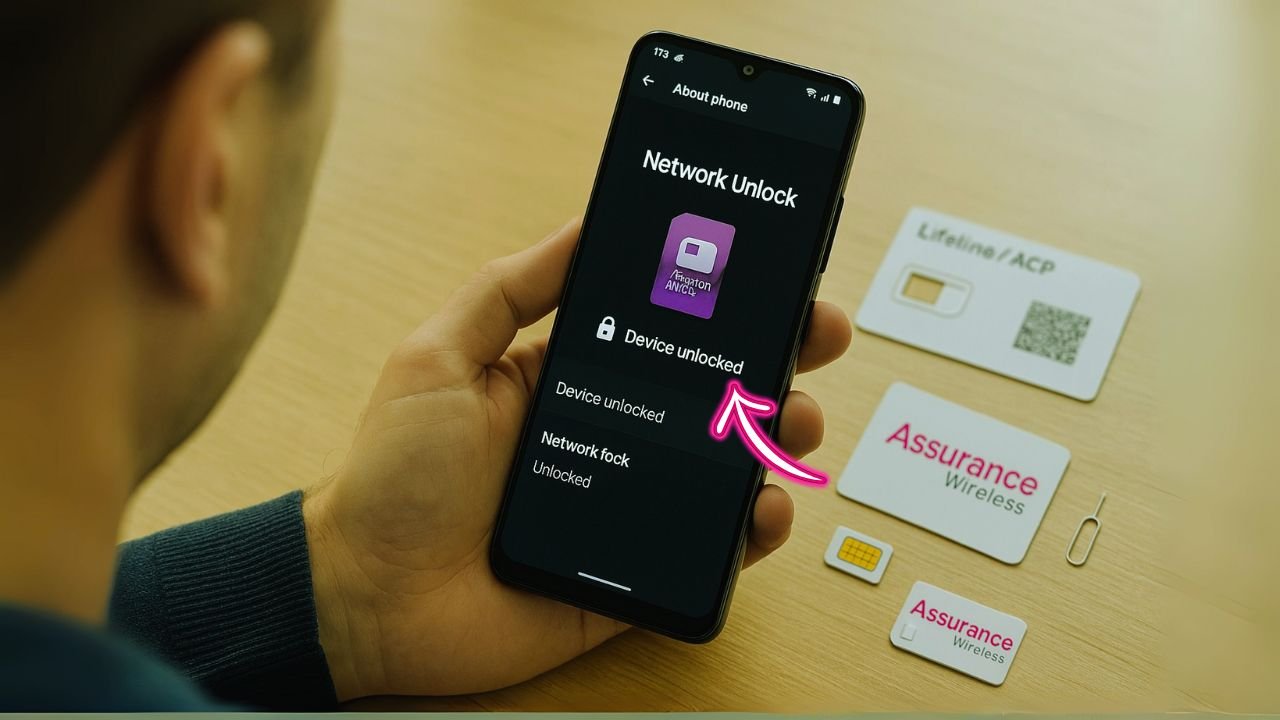
Switching carriers—or even just swapping SIMs for travel—only works if your phone is unlocked. If you have a free government phone from Assurance Wireless (Lifeline/ACP), the rules are a little different from standard postpaid carriers. The good news: unlocking is possible, and in many cases Assurance will do it for you automatically when you become eligible. This guide explains the policy in plain language, shows how to check your status, and walks you through what to do if you hit common roadblocks.
Quick Answer (Can I Really Unlock an Assurance Wireless Phone?)
Yes you Can—Assurance Wireless phones can be unlocked once they’ve been active for about 12 months, the device was issued by Assurance, and it’s not reported lost/stolen. To unlock, dial 611 from your Assurance phone (or call 1-888-321-5880), or submit the request on the Assurance unlock page. If your model supports remote unlock, Assurance usually completes it within ~2 business days; if not, they’ll give you manual steps/code. After approval, power off, insert your new SIM/eSIM, reboot, and set the APN if data doesn’t start automatically.
Key Takeaways
- Assurance-issued phones typically unlock after ~12 months of service. That’s the prepaid/Lifeline standard; once eligible, many models are unlocked automatically within about two business days.
- Automatic vs. manual matters. If your model supports remote unlock, Assurance pushes it automatically. If not, ask support for the manual steps or an unlock code.
- BYOD rules are different. If you brought your own phone to Assurance, the unlock must come from the phone’s original carrier/retailer—Assurance can’t unlock it.
- Unlocking ≠ universal compatibility. An unlocked phone still needs the right LTE/5G bands, VoLTE support, and correct APN settings to work well on a new carrier or MVNO.
- Common blockers have fixes. If the timer passed and you’re still locked, verify the activation date, check for lost/stolen flags, request a manual push/code, then reboot and test with a non-Assurance SIM or eSIM.
What “Locked” and “Unlocked” Actually Mean
A locked phone is tied to the network that supplied it, so it only accepts that carrier’s SIM/eSIM. An unlocked phone accepts any compatible SIM/eSIM. Unlocking doesn’t remove financing or blacklist issues; it just removes the software lock so the device can register on another network that’s compatible with its radios and bands.
Assurance Wireless runs on T-Mobile’s network today, but Assurance has its own unlock page and process. When your device is eligible, they say they will automatically and remotely unlock it within about two business days if the model supports remote unlock. Otherwise, they provide steps to complete the unlock manually.
The Core Policy — When an Assurance Wireless Phone Becomes Eligible
Here’s the policy in plain English, with the parts that matter most:
- Prepaid/Lifeline standard: ~1 year. Assurance links to CTIA regulatory guidance for prepaid devices: upon request, carriers will unlock prepaid devices no later than one year after initial activation. That’s the baseline expectation for prepaid-style lines like Lifeline/ACP.
- Automatic unlock when eligible. Once your device meets the criteria, Assurance says it will automatically and remotely unlock supported devices within two business days. If remote unlock isn’t supported on your model, they’ll give you instructions or a code.
- Assurance handles Assurance phones. Even though Assurance runs on T-Mobile’s network, Assurance itself sets the unlock workflow for its own issued phones (so you don’t contact a T-Mobile retail store for this).
A useful comparison: T-Mobile’s general policy (for T-Mobile-sold devices) requires the device not be lost/stolen, the account in good standing, and specific activity thresholds (e.g., 40 days postpaid or 365 days prepaid). It also promises remote unlock within two business days when eligible—the same automatic timeline language you see echoed on Assurance’s site. This isn’t Assurance’s rulebook, but it shows the standard that the parent network follows.
Bottom line: For Assurance-issued devices on Lifeline/ACP, plan on about 12 months from activation as the typical unlock timing, with the actual action taken by Assurance when you hit eligibility.
How to Check Whether Your Assurance Phone Is Already Unlocked
Sometimes your device is already unlocked and you don’t realize it. Try these quick checks:
Quick device checks
- Android: Settings → About phone → SIM status (or “Network lock”). If it says “Not locked” or similar, you’re good. (Terminology varies slightly by brand/model.)
- Another SIM test: If you have a nano-SIM from another carrier or a travel eSIM profile, insert/activate it. If it registers and allows calls/data (with the right APN), your phone is unlocked.
Assurance pages to bookmark
- Unlock overview & FAQs: Assurance’s unlock pages explain the automatic unlock flow, the two-business-day timeline once eligible, and what to do if your phone isn’t remote-unlock capable.
- CTIA/Regulatory page: Confirms the one-year prepaid standard “no later than one year after activation” expectation.
📖 Also Read: Carrier Unlock Eligibility Requirements
Step-by-Step — How to Request an Unlock from Assurance
If the automatic unlock hasn’t happened and you believe you’re eligible, follow this path:
1) Verify your eligibility window
Check your original activation date. If you’re at or beyond 12 months on Lifeline/ACP service with that Assurance device, you’ve likely reached the CTIA prepaid threshold.
2) Contact Assurance (if not unlocked automatically)
Assurance indicates eligible devices will auto-unlock within two business days if remote unlock is supported. If you’re past eligibility and still locked, use the unlock help page or contact Assurance support for a manual push or code.
3) Complete any on-device steps
Some affordable models (common on government plans) don’t support remote unlock. In those cases, Assurance will provide instructions—often entering a code on the handset’s Network Unlock screen or completing a short sequence under Settings → Connections → Mobile networks.
4) Reboot and test with a different SIM/eSIM
After the unlock action, restart the phone. Insert a non-Assurance SIM or add a test eSIM, then place a call or run a short speed test to confirm you’re live on the new network.
BYOD vs. Assurance-Issued Phones (Why It Matters)
If you brought your own phone to Assurance (BYOD), your unlock policy doesn’t come from Assurance—it comes from the original carrier or retailer that sold the device. That’s why some BYOD phones are already unlocked on day one. Assurance’s BYOD pages note that a BYOD unit must be unlocked and compatible with the Assurance network to activate; you can also check compatibility by IMEI.
If your BYOD phone is still locked, you must unlock it from the original provider first (e.g., AT&T, Verizon, T-Mobile, TracFone family, etc.). Each has its own unlock window and requirements (e.g., 60 days for many Verizon handsets, 365 days for some prepaid lines, etc.).
📖 Also Read: What Is OEM Unlocking in Developer Mode?
Real-World Hurdles (and How to Solve Them)
It’s been a year. Why isn’t my phone unlocked?”
Common causes include:
- Model doesn’t support remote unlock. Ask Assurance to provide the manual code or steps.
- Eligibility miscalculated. Double-check the first activation date on Assurance, not when you first turned the phone on at home. The clock usually starts when the device line is activated on the network.
- Account/line changes. If the line was suspended, transferred, or re-provisioned, your “continuous service” window may have reset. Ask the agent to look at device-line association history.
Support says it’s unlocked, but my new SIM won’t work.”
- Compatibility issue. Unlocking only removes the software lock. Your phone still needs the right LTE/5G bands and VoLTE profile for the new carrier. Budget models from Lifeline programs sometimes miss full band support.
- APN configuration. After inserting a new SIM, the APN should auto-load. If data fails, manually set the APN from your new carrier’s support page.
- eSIM profile timing. If using eSIM, wait a minute after activation, then toggle Airplane Mode or reboot.
“My phone is reported lost/stolen—what now?”
Unlocks are generally denied for blacklisted devices. You’ll need to resolve the status with the provider that reported it. (T-Mobile’s broader policy is explicit about rejecting lost/stolen phones; Assurance follows standard industry norms on this even though its page emphasizes timing and automation.)
“I got a code but the phone says ‘Unlock failed.’”
- Enter carefully. Many devices lock you out after several wrong attempts.
- Ask for the MCK/PUK2 (if applicable). Some Samsung and other Android phones need a Master Code when the standard NCK counter is exhausted.
- Firmware variance. Very low-cost models can have quirky unlock menus. Share the exact model number (e.g.,
Moxee X2,Orbic,Wiko) with support and ask for model-specific steps.
📖 Also Read: How to Unlock iPhone 17 Pro Max from Any Carrier for Free
Special Cases and Exceptions to Know
Military deployment
Major carriers offer expedited unlocks for active-duty military with deployment orders. While Assurance’s public pages focus on the prepaid one-year standard and automation, if this applies to you, tell the agent you’re seeking a military exception—common at parent carriers—and provide documentation. (You can reference the general T-Mobile unlock approach and ask whether Assurance can mirror it.)
Deactivated or replaced device
If your Assurance phone was deactivated or replaced before the one-year mark, ask whether the original device can be unlocked once it reaches one year from its first activation (per CTIA prepaid standard). This can happen if you upgraded mid-stream or swapped a warranty unit.
What Unlocking Does Not Do
- Doesn’t clear debt or bad IMEI. If a device is blacklisted or financed elsewhere, unlocking won’t fix that.
- Doesn’t guarantee compatibility. An unlocked phone can still be incompatible with a carrier’s bands or features (Wi-Fi Calling, visual voicemail, 5G SA).
- Doesn’t change your plan or benefits. Unlocking is independent from Lifeline/ACP eligibility. You can keep Assurance service on an unlocked phone if you wish.
Planning a Switch After Unlock — Practical Tips
Check bands and features before you port
Use your next carrier’s device checker to confirm support for LTE bands (2/4/5/12/13/17/25/26/41/66/71) and 5G bands (n41, n71, n77) as needed. If you’re moving to a Verizon-based MVNO, having Band 13 is very helpful. For AT&T-based MVNOs, Band 12/17/14 matter. Budget government-issued phones may be limited to a few LTE bands; performance can dip if your area relies on a band your phone lacks.
Decide SIM vs. eSIM
If your phone supports eSIM, it’s a simple way to test a new provider without removing your Assurance SIM. Activate a low-cost trial eSIM, run speed tests around town, and only then port your number.
Back up and clean up
Before switching:
- Back up your contacts, photos, and 2FA codes.
- Turn off features tied to the old account (Find My, RCS chat features that bind to the number).
- Save your Assurance account number and PIN for porting.
BYOD Reality Check — Why Many Users Prefer Bringing Their Own Phone
Assurance’s own BYOD info makes it clear: your device must be unlocked and compatible to activate. If you qualify for Lifeline/ACP but want better hardware, a used unlocked device from a trusted source is often the simplest path. You skip the 12-month wait entirely because the phone is already unlocked from its original seller.
If you start with a carrier-locked BYOD phone, you’ll have to satisfy that original carrier’s criteria first (e.g., Verizon’s 60-day rule, T-Mobile’s activity requirements, TracFone family rules). After that, the phone is yours to use on Assurance—or anywhere else you choose.
Frequently Asked Questions (FAQs)
How long do I have to wait to unlock an Assurance Wireless phone?
Plan on about 12 months from first activation for Assurance-issued Lifeline/ACP phones. After that, Assurance says it automatically unlocks supported models within two business days, or gives you steps/codes if remote unlock isn’t available.
Do I need to call Assurance to unlock?
Not always. If your phone supports remote unlock, Assurance does it automatically when you’re eligible. If nothing happens after you pass the window, contact support and request a manual push or code.
Can Assurance unlock a phone I brought from another carrier?
No. BYOD unlocks come from the original provider or retailer. Once that phone is unlocked and compatible, Assurance can activate it on Lifeline/ACP.
Will unlocking affect my Lifeline/ACP benefits?
No. Unlocking only removes the network lock. Your program eligibility and monthly benefits are separate.
What if my phone is flagged lost or stolen?
Carriers typically refuse unlocks for lost/stolen devices. You’ll need to clear the IMEI status with the provider that flagged it. (This is explicit in T-Mobile’s general policy.)
What if my Assurance phone model is very basic?
Some entry-level phones used in government programs lack remote-unlock support. You may need a manual code or a short settings sequence. Ask support for model-specific steps.
A Simple Action Plan (If You Want the Unlock ASAP)
- Find your activation date. If you’re close to 12 months, set a reminder for that week.
- Let the system try first. Give it two business days past eligibility for the automatic unlock to run, as Assurance promises.
- If nothing happens, contact Assurance. Ask for a manual unlock push or an unlock code, depending on the model.
- Reboot, test another SIM/eSIM, set the new APN, and confirm calls/data work on the new carrier.
- If you’re BYOD and still locked, unlock through the original provider, then come back to Assurance (or switch anywhere you prefer).
The Final Take
Unlocking an Assurance Wireless phone is straightforward once you understand the timeline and who controls what. For Assurance-issued devices, the practical rule is one year from activation—after which Assurance says it will automatically unlock supported models or give you steps to finish the job. If you brought your own device, you’ll unlock through the original carrier, not Assurance. Keep a note of your activation date, watch for the auto-unlock, and don’t hesitate to ask Assurance for a manual push if the timer runs out.
With your phone unlocked, you’re free to bring your number and device to any compatible carrier or MVNO, try a cheap trial eSIM before you switch, and choose the plan that suits your budget and coverage best.


