
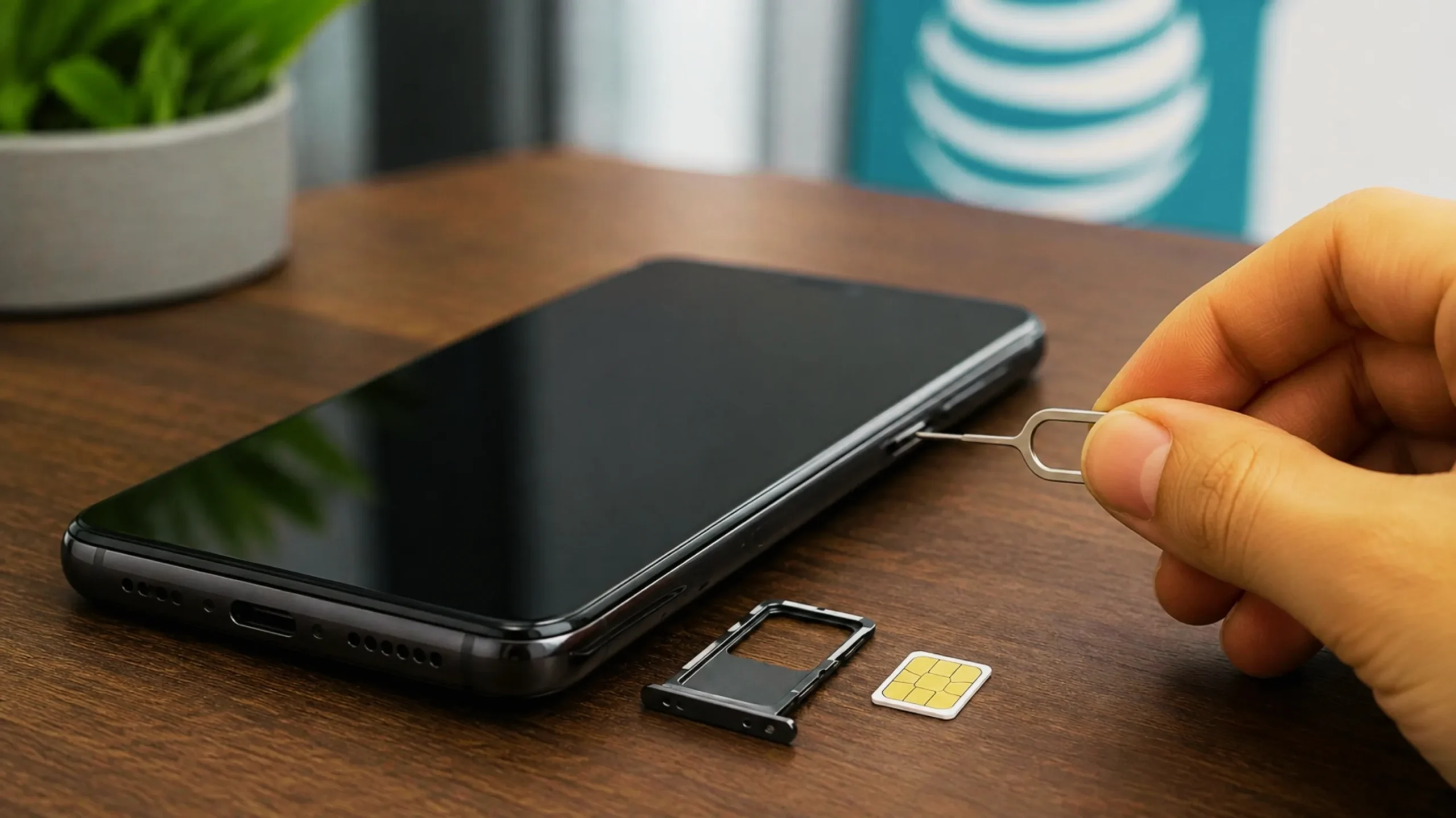
Unlocking an AT&T phone is free, official, and usually takes less than five minutes of your time — the hard part is knowing whether your device qualifies before you submit anything. This guide walks through the 2026 rules, the exact steps, and what to do when AT&T says no.
Short Answer (TL;DR)
What “SIM Locked” Actually Means
A carrier lock is a software restriction, not a hardware one. Your AT&T phone contains the same radios as the unlocked retail version — AT&T simply tells it to reject SIM cards from other networks. Remove that restriction and the device works exactly as it did before.
People usually want this for one of four reasons, and each one has a different urgency:
- Saves $400–$1,200 vs. a new phone
- Keep your number via porting
- Often under $10 for a week of data
- Works the moment you land
- Typically 10–20% higher offers
- Far larger buyer pool
- No new activation fee
- Works with any compatible SIM
Unlocking a phone you own has been explicitly legal in the United States since the Unlocking Consumer Choice and Wireless Competition Act was signed in August 2014. Meeting your carrier’s requirements is a contract matter, not a criminal one.
AT&T Unlock Eligibility Requirements (2026)
Every unlock request is checked against the same set of conditions. AT&T’s official support documentation lists these criteria, and all of them must pass — one failure blocks the whole request.
Requirements by account type
| Account Type | Time Requirement | Payment Requirement | Auto-Unlock? | Where to Request |
|---|---|---|---|---|
| AT&T Postpaid (Wireless) | 60+ days since purchase | Device paid off in full | Often yes | att.com/deviceunlock |
| AT&T PREPAID | 6 months of paid service | No outstanding balance | No | Portal or Device Unlock app |
| AT&T Business | 60+ days (30-day early upgrade wait) | Contract or installment complete | Rarely | Portal, with company authorization |
| Used phone, no account | Original 60-day/6-month rule applies | Prior owner’s balance must be $0 | No | Portal (IMEI only) |
| Deployed military | Waivable | Waivable with deployment papers | No | Contact AT&T support directly |
The FCC’s proposed nationwide 60-day unlocking mandate — which would require unlocking regardless of payment status — has been through public comment but was never finalized as a universal rule. AT&T formally opposed immediate adoption and asked for a two-year compliance window. Separately, the FCC granted Verizon a waiver in January 2026 releasing it from its own 60-day obligation, which is why Verizon’s rules are now stricter than AT&T’s. For a side-by-side of all three national carriers, Droid Life maintains a current comparison. Bottom line: AT&T’s 60-day postpaid and 6-month prepaid policy is what applies to you today.
Automatic Unlock vs. Manual Request
This is the step most guides skip, and it saves people a lot of pointless form-filling. Since September 2025, AT&T has been silently unlocking many newer flagship devices the moment they become eligible. If yours is one of them, there is nothing to submit.
- Generally applies to recent iPhone, Samsung Galaxy, and Google Pixel flagships activated on or after September 1, 2025
- Triggers once the 60-day and payment conditions are both satisfied
- You get no notification — you have to check manually
- Costs nothing and cannot fail
- Submitted at att.com/deviceunlock with your IMEI
- Email confirmation link must be clicked within 24 hours
- Approval typically within 2 business days
- Complex cases can take 5–7 business days
Check whether you are already unlocked
Do this first — it takes ten seconds and may end the whole process.
- iPhone: Settings → General → About → scroll to Carrier Lock. “No SIM restrictions” means you are already unlocked.
- Samsung Galaxy: Settings → Connections → SIM manager, or simply insert a non-AT&T SIM and see whether it registers.
- Google Pixel & other Android: Settings → Network & internet → SIMs. Alternatively dial *#06# to get your IMEI and check status through AT&T’s unlock status lookup.
- Universal method: Insert an active SIM from any other carrier. If you get signal and can place a call, the phone is unlocked.
Step-by-Step: Unlock Your AT&T SIM Through the Official Portal
This is Method 1, and it works for current customers, former customers, and people who bought an AT&T phone secondhand.
Dial *#06# on the keypad and the 15-digit IMEI appears instantly. You can also find it under Settings → General → About on iPhone, or Settings → About phone on Android. Write it down exactly — a single transposed digit will fail the lookup.
Run through the six checks above before submitting. The two that trip people most often are an installment balance that has not synced to $0 yet, and prepaid accounts that are six months old but do not have six months of paid service behind them.
Open att.com/deviceunlock in any browser and select the option to unlock your device. This is the only official channel, and it is free. If a site asks for payment to do this, you are not on AT&T’s site.
Enter your IMEI and, if you have one, the associated AT&T phone number. Without an account, IMEI alone is sufficient. Confirm you meet the stated requirements and submit.
- Have your name, email, and billing ZIP ready
- Note the request number that appears on screen
AT&T sends a confirmation email containing a verification link. Click it within 24 hours or the request is automatically cancelled and you start over. Check your spam folder if it has not arrived within 15 minutes.
Most requests clear within two business days. You will receive an email or text once the decision is made. If your device supports automatic unlocking, it may simply work before the email arrives.
What happens next depends on your hardware — see the section below. iPhones and most modern Android flagships finish the process on their own; older devices need a code entered manually.
Method 2: The Device Unlock app (some prepaid Androids)
Certain AT&T PREPAID Android phones ship with a pre-installed app called Device Unlock or Unlock. Open it, tap “Permanent unlock,” and the app handles the request over your data connection. Not every prepaid device includes it — if you cannot find the app, use the portal instead.
Need to talk to AT&T directly?
Finishing the Unlock on Your Specific Device
Approval and activation are two different things. Here is what each device family requires once AT&T has said yes.
- Back up to iCloud or a computer
- Insert the new carrier’s SIM, or install its eSIM
- Follow the on-screen activation prompt
- If nothing happens, restart, or complete a backup-and-restore to force the carrier profile update
- Verify under Settings → General → About → Carrier Lock
- Power off, swap in the non-AT&T SIM, power on
- Connect to Wi-Fi so the device can pull its new configuration
- Older models may prompt for a Network Unlock Code (NUC)
- Enter the emailed code exactly once, carefully
- Insert the new SIM — the device prompts for a code
- Enter the 8–16 digit code from AT&T’s email
- Copy and paste where possible to avoid typos
- Stop after two failed attempts and call support
Entering the wrong unlock code too many times will hard-lock your device forever — AT&T itself cannot reverse it. Limits vary by manufacturer: Samsung, Pantech, Microsoft, Dell, HP, and Sonim typically allow around 10 attempts, while LG, Motorola, HTC, Nokia, BlackBerry, Sony, ZTE, and Alcatel allow roughly 5. Treat every attempt as if it were your last, and stop after two failures.
Why AT&T Denied Your Unlock Request (And How to Fix It)
Denials are almost always a timing or data-sync problem rather than a permanent refusal. Match your message to the table below.
| Error or Message | What It Actually Means | How to Fix It |
|---|---|---|
| “Commitment not met” | Billing systems have not registered your $0.00 balance yet | Wait 24–48 hours after the balance shows zero, then resubmit |
| “IMEI not eligible” | Wrong IMEI entered, or the device was never AT&T-branded | Re-dial *#06#, confirm the digits, verify the phone’s origin carrier |
| “Device active on another account” | The previous owner never removed it from their line | Ask the seller to remove it, or provide a proof-of-purchase receipt |
| “Reported lost or stolen” | The IMEI is blacklisted | No unlock is possible. Seek a refund from the seller immediately |
| Prepaid denied after 6 months | Account age counted, but paid service months did not | Confirm all six monthly charges were actually settled, then reapply |
| Request cancelled automatically | The 24-hour email confirmation link expired | Submit a fresh request and click the link immediately |
| Past-due balance flag | Current or final bill is unpaid | Bring the account current, allow one billing cycle, resubmit |
Third-party IMEI unlock sellers charge $20–$80 for something AT&T does free, and they cannot bypass eligibility rules — if your device is not eligible, no one can unlock it legitimately. Any service claiming to unlock a device with an unpaid installment balance or a blacklisted IMEI is either taking your money or applying a workaround that breaks on the next OS update. There is no legal shortcut around the waiting period.
After You Unlock: What Changes and What Doesn’t
If you are about to buy a new phone and already know you want carrier freedom, purchase it directly from Apple, Samsung, Google, or Motorola. Manufacturer-sold devices ship unlocked out of the box and skip carrier waiting periods entirely — no portal, no codes, no 60-day countdown.
The Bottom Line
Unlocking an AT&T SIM is one of the rare carrier processes that is genuinely simple once you understand the gate: 60 days and a zero balance for postpaid, six months of paid service for prepaid, a clean IMEI throughout. Everything else is logistics.
Before you do anything else, check whether your phone is already unlocked — automatic unlocking has quietly resolved this for a large share of recent flagship owners. If it hasn’t, the free portal handles the rest in a couple of business days. And if you are denied, resist the temptation to pay a third party. Almost every denial is a waiting period or a billing sync that resolves itself, and no paid service can override AT&T’s eligibility database.
No. Unlocking through the official AT&T Device Unlock portal is completely free for current customers, former customers, and people who bought an AT&T device secondhand. There is no fee, no processing charge, and no expedite option. Any website charging you for an AT&T unlock is a third-party reseller doing something you can do yourself in five minutes.
Yes. AT&T’s policy allows unlock requests from non-customers as long as the device meets all eligibility requirements. If you bought a used AT&T phone that is fully paid off, more than 60 days old, and not reported lost or stolen, submit a request at att.com/deviceunlock using just the IMEI number. You do not need the previous owner’s account details, though a proof-of-purchase receipt helps if the request is questioned.
Devices that qualify for automatic unlocking are released the moment eligibility is met — instantly, with no request needed. Manual requests submitted through the portal are typically processed within two business days. Complex cases requiring additional verification, such as business-owned devices or disputed ownership, may take five to seven business days. If a week passes with no response, call AT&T support with your request number.
Prepaid eligibility is measured in months of paid, active service — not in how long you have owned the device or how long the account has existed. If you let service lapse for a month, skipped a refill, or the line went inactive at any point, that time does not count toward the six-month total. Confirm that six full monthly charges were actually settled. If you believe all six were paid and you are still denied, contact AT&T support and ask them to review your service history directly.
The device becomes permanently locked and cannot be recovered — not by you, not by a repair shop, and not by AT&T. Attempt limits vary by manufacturer, roughly 10 for Samsung and similar brands and roughly 5 for LG, Motorola, HTC, Nokia, Sony, ZTE, and Alcatel. Copy and paste the code from AT&T’s email rather than typing it, and if two attempts fail, stop immediately and call support rather than trying a third time.
No to both. A carrier unlock changes a permission flag on the network side; it does not modify your operating system, bootloader, or hardware. Manufacturer warranties remain fully valid and you will continue receiving over-the-air updates exactly as before. This is entirely different from bootloader unlocking or rooting, which can void warranties.
It will accept any carrier’s SIM, but coverage quality depends on band support. Modern iPhones and flagship Android devices support broad band coverage across all three major US networks. Older or budget models may lack specific bands used by a given carrier, which can mean weaker indoor signal or no 5G. Check the carrier’s BYOD compatibility tool with your IMEI before switching, and confirm VoLTE support since 3G networks have been shut down nationwide.
This is the single most common denial, and it is almost always a timing issue rather than a real rejection. AT&T’s billing system needs time to propagate your $0.00 balance to the unlock eligibility database. Wait 24 to 48 hours after the balance visibly reaches zero in your account, then submit a fresh request. AT&T’s own guidance for early payoffs is to wait roughly 24 hours before making another unlock request.
Last updated August 2026. Carrier unlock policies, waiting periods, and eligibility criteria change without notice, and the FCC’s rulemaking on device unlocking remains unresolved. Always verify current requirements directly with AT&T before making decisions based on this guide. Unloky is not affiliated with AT&T, Apple, Samsung, or Google. This article is informational only and does not constitute legal advice.