TL;DR — The Honest Quick Answer
First, let’s clear up what “bypass” really means
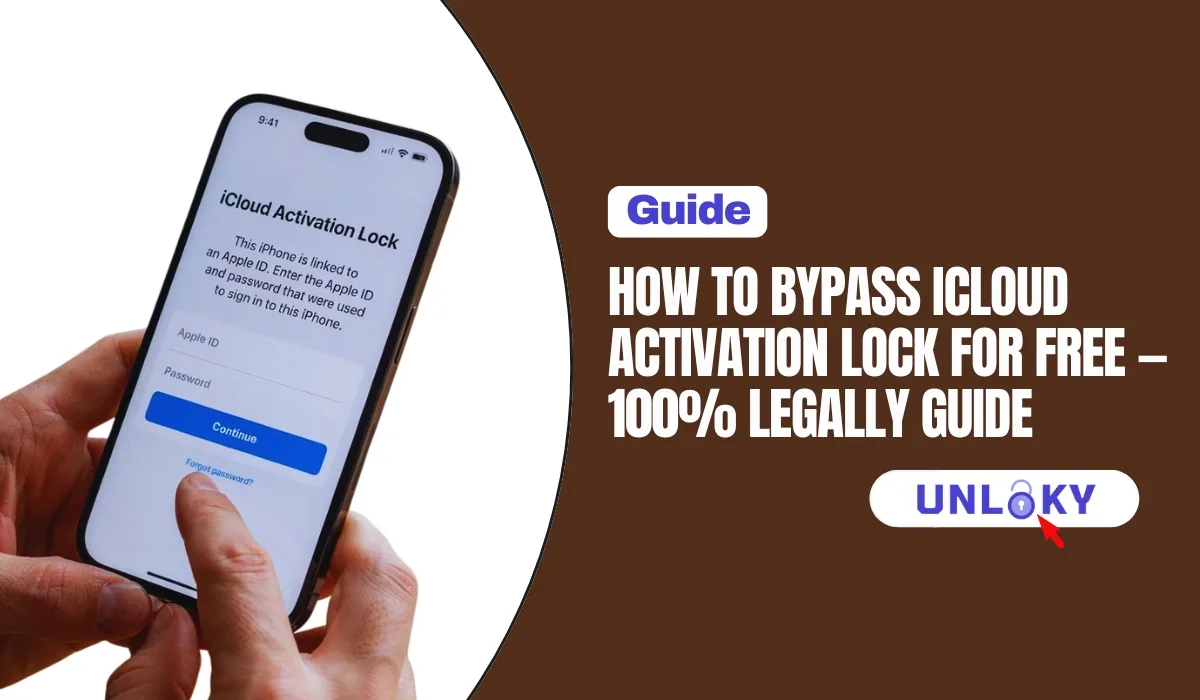
You bought a used iPhone off Marketplace, wiped it, and now you’re staring at a screen asking for someone else’s Apple ID. Or maybe it’s your own phone, you forgot the password, and now you’re locked out of your own device. Either way, you’ve hit iCloud Activation Lock — and you’re probably here because you Googled “bypass it for free.”
Here’s the honest truth most sites won’t tell you upfront: Activation Lock isn’t a network lock you can “trick” with a code. Apple built it to be cryptographically tied to the device’s chip and the owner’s Apple Account, living entirely on Apple’s servers. That’s the whole point — it’s an anti-theft feature. So a genuine “free bypass tool” that permanently unlocks a device you don’t own basically doesn’t exist. What does exist is a handful of completely free, completely legal ways to get past it — and every single one comes down to proving you’re the rightful owner.
Good news: if the phone really is yours (or you bought it legitimately), one of the methods below will almost certainly work. Let’s go.
The 6 legal methods, compared
A quick side-by-side so you can jump straight to the one that fits your situation.
| Method | Cost | Works when… | Time | Success |
|---|---|---|---|---|
| Sign in with Apple ID | Free | It’s your own device | Seconds | Very high |
| Use the device passcode | Free | You know the old screen passcode (iOS 11+) | Seconds | High |
| Previous owner removes it remotely | Free | Seller is reachable & cooperative | ~1 min | Very high |
| Remove via iCloud.com yourself | Free | You have the linked Apple ID login | ~1 min | Very high |
| Apple Activation Lock support request | Free | You have a valid receipt / proof of purchase | Days | Medium |
| IT dept / Apple Business Manager | Free | Device is company- or school-owned (MDM) | Varies | High |
| “Free bypass tool” / IMEI unlock site | Often paid | Basically never (or temporary) | — | Avoid |
Each free method, step by step
Method 01
Ask the previous owner
$0. ~1
/minuteBest for a used phone where you can still reach the seller.
- Seller signs in at iCloud.com/find
- Opens Find My → All Devices
- Selects your iPhone → Remove This Device
- You restart & set up as new
Method 02
Use your Apple ID
$0.
/secondsBest when it’s genuinely your own device.
- On the Activation Lock screen, enter your Apple ID + password
- Forgot it? Reset at iforgot.apple.com
- Enter the 2FA code if prompted
- Tap Next — lock clears instantly
Method 03
Unlock with passcode
$0.
/secondsBest if you know the phone’s old screen passcode (iOS 11+).
- On the lock screen, tap “Unlock with Passcode?”
- Enter the device’s old 4/6-digit passcode
- Confirm the 2FA prompt if it appears
- Activation Lock releases
Method 04
Remove via iCloud.com
$0 · ~1
/minuteBest when you have the linked Apple ID but not the phone in front of you.
- Go to iCloud.com/find, sign in
- Click All Devices → pick the iPhone
- Erase iPhone (if needed), then Remove from Account
- Set the device up fresh
Method 05
Apple support request
$0 ·
/a few daysBest when you bought it legit but can’t reach the seller.
- Start a request at support.apple.com
- Upload a real receipt (serial/IMEI + your name)
- Apple reviews ownership & theft status
- If approved, they remove it remotely
Method 06
Business / school device
$0 ·
/variesBest if the iPhone was issued by a company or institution.
- Contact your IT department or manager
- They release it via Apple Business/School Manager
- Or call AppleCare account security
- Device is removed from the MDM/Apple account
If you set the iPhone up yourself and used two-factor authentication, iOS 11 and later let you clear Activation Lock with just the device passcode — no Apple ID password needed. Tap “Unlock with Passcode?” on the lock screen. Most people skip right past this option and waste an hour resetting their Apple ID for nothing.
The stuff you should not waste money or risk on
Search “free iCloud unlock” and you’ll drown in tools, IMEI services, and DNS tricks all promising a one-click miracle. Here’s the reality, plainly:
- “Free bypass software” (jailbreak-based): at best it gives you a half-working phone — no calls, no App Store, broken on the next iOS update — and many are packed with malware.
- DNS bypass: only reroutes the activation screen. It does not remove the lock, and it disappears on reboot.
- IMEI “unlock” services: IMEI unlocking is for carrier network locks — a totally different system. Activation Lock isn’t stored in any IMEI database, so these can’t touch it.
- Paid removal sites: Apple doesn’t sell or license lock removal to third parties. Consumer-protection agencies have flagged many of these as fraud. If a site wants your money before proof of ownership, walk away.
The one legitimate paid route is an Apple-authorized service provider that removes the lock for verified owners using proof of purchase — but even then, you can usually do the exact same thing yourself, for free, through Apple’s official support request.
Which method should YOU use?
Never hand over cash for an iPhone still sitting on someone’s Apple ID. Ask the seller to go to Settings → [their name] → Sign Out and then Erase All Content and Settings right in front of you. If it boots to the “Hello” setup screen with no Apple ID prompt, you’re clear. This one habit saves more people from Activation Lock headaches than any tool ever could.
Only if you can prove ownership another way. If you have a valid receipt showing the serial number or IMEI and your name, Apple’s free Activation Lock support request is your route. Without either the previous owner’s help or genuine proof of purchase, there’s no legitimate free method — and that’s by design, since the whole feature exists to stop stolen phones from being reused.
No. IMEI unlocking removes carrier network restrictions so you can use a different SIM — that’s a separate system entirely. Activation Lock lives on Apple’s iCloud servers and isn’t stored in any IMEI or carrier database, so an IMEI service literally can’t remove it, no matter what the listing claims.
Generally, no. Most are jailbreak-based and leave you with a crippled phone — no cellular, no App Store, broken after the next update — and a lot of them bundle malware or push you toward a paid upsell. Even when a “bypass” appears to work, the device is still locked in Apple’s records, so it can re-lock at any time. Not worth the risk.
An original receipt or invoice from Apple or an authorized reseller that clearly shows the purchase date, the device’s serial number or IMEI, and the retailer’s details — ideally with your name. Casual bank-transfer screenshots and online order confirmations often get rejected. In 2026 Apple tightened its validation, so the cleaner your documentation, the better your odds.
Yes. They don’t need the physical device. They just sign in at iCloud.com/find on any browser, open Find My, select the iPhone under All Devices, and choose Remove This Device. It clears from their account remotely, and you can then set it up fresh. This is the fastest and cleanest fix there is.
Not at all. Start with the device passcode option (“Unlock with Passcode?”) if you set the phone up with two-factor authentication. If that’s not available, reset your Apple ID password at iforgot.apple.com using a trusted device, phone number, or recovery contact. Once you’re back into your Apple ID, the lock clears normally.
It varies. Some cases are approved in a couple of days; others take longer if Apple asks for more documentation. Apple checks that the device wasn’t reported lost or stolen and that your paperwork matches. If it doesn’t add up, they’ll decline — so submit the strongest proof you have the first time.
The principle is identical across Apple devices: it’s tied to the owner’s Apple Account, and you remove it with the Apple ID password, the device passcode, the previous owner’s remote removal, or an Apple support request with proof of purchase. The exact on-screen steps differ slightly by device, but there’s no free “bypass” for any of them.
Last updated July 2026. This guide covers legal Activation Lock removal for devices you rightfully own. Attempting to remove Activation Lock from a device you don’t own — or that was lost or stolen — may be illegal in your area. We’re not affiliated with Apple; steps and Apple policies can change, so always confirm the current process at support.apple.com. This article is for information only, not legal advice.