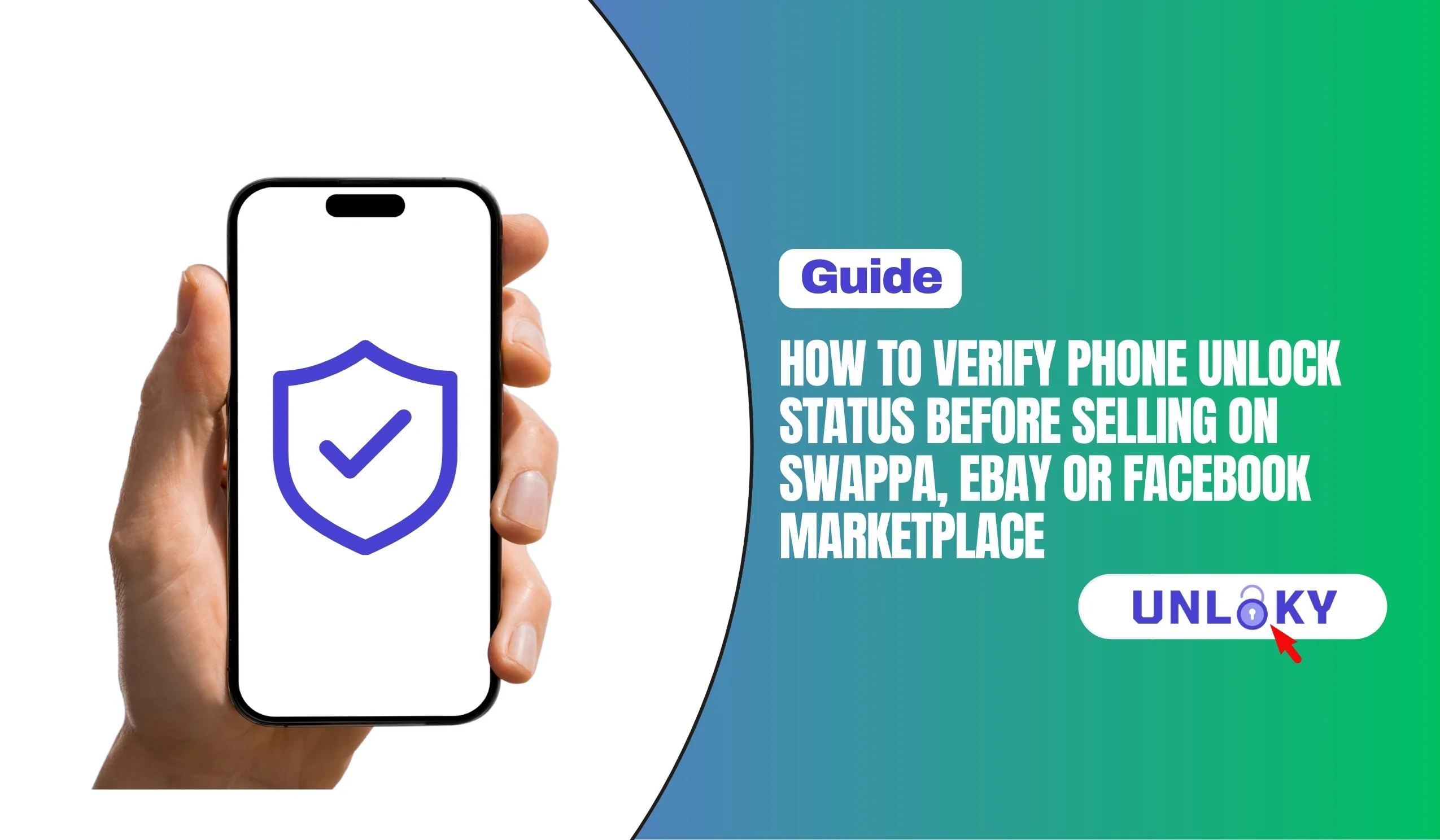
TL;DR — Quick Answer
Why Unlock Status Matters More Than You Think
You just upgraded to the iPhone 16 Pro and want to sell your iPhone 14 on Swappa. You list it, get a buyer within hours, ship it out, and think you’re done. Two days later, the buyer opens a return case: “Phone is carrier locked. Can’t activate on my network.”
Now you’re out shipping costs, your listing is flagged, and your seller rating takes a hit. All because you assumed your phone was unlocked.
Here’s the reality: a phone can be “paid off” but still locked. It can pass a basic IMEI check but be financed (which means the carrier can re-lock it if the original account defaults). It can look perfectly fine in your settings but have a blacklist flag from an insurance claim you never knew about.
In 2026, the used phone market is bigger than ever — and so are the scams. Buyers are savvier. Marketplaces like Swappa require verification. eBay’s Money Back Guarantee almost always sides with the buyer on lock disputes. Facebook Marketplace? Good luck getting your money back if the buyer claims the phone is locked.
This guide walks you through the exact steps professional resellers use to verify a phone before listing. Do these checks once, document everything, and you’ll never lose a sale — or your credibility — to a lock status surprise.
What “Locked” Actually Means (And the 4 Types of Locks)
Not all locks are the same. Before you verify, you need to know what you’re looking for. There are four distinct types of restrictions that can prevent a phone from working for a buyer:
| Lock Type | What It Does | How to Check | How to Fix |
|---|---|---|---|
| Carrier / SIM Lock | Phone only works with original carrier’s SIM | Settings or IMEI check | Request carrier unlock |
| Blacklist / Blocked | IMEI reported lost, stolen, or unpaid | IMEI blacklist check | Contact original carrier (rarely fixable) |
| iCloud / Activation Lock (Apple) | Phone tied to Apple ID; can’t be reset | Settings or Apple check | Sign out of iCloud & Find My |
| Google FRP (Android) | Factory Reset Protection tied to Google account | Settings or reset test | Remove Google account before reset |
A phone can have multiple locks simultaneously. I’ve seen iPhones that were carrier-unlocked but still had iCloud Activation Lock, making them unusable. I’ve seen Android phones that passed every check except Google FRP, which bricks the device after a factory reset. Check all four before you list.
If a phone is blacklisted, you generally cannot fix it unless you are the original account holder who reported it lost or stolen. Blacklisted phones are essentially worthless for cellular use. Some sketchy services claim to “clean” IMEIs — these are illegal in most countries and will get your marketplace account banned. Learn more about blacklist databases
How to Activate Your GigSky eSIM: Step-by-Step
Follow these steps in order. Each one builds on the last. Skip a step, and you risk missing something that kills your sale.
Dial *#06# on the phone to display the hardware IMEI directly from the modem chip. For iPhones, also check Settings > General > About. For Android, check Settings > About Phone > Status. The IMEI on the screen must match the IMEI on the SIM tray and the original box. Any mismatch means the IMEI may have been altered.
iPhone: Settings > General > About > scroll to “Carrier Lock.” It must say “No SIM restrictions.”
Android (stock): Settings > About Phone > Status > “Network Lock” or “SIM Status.” Must say “Unlocked.”
Samsung: Settings > Connections > More connection settings > Network unlock. This is the fastest preliminary check, but it’s not 100% reliable — some phones show “unlocked” here but are still IMEI-locked in carrier databases.
Go to swappa.com/imei and enter your IMEI. Swappa’s tool is GSMA-backed and tells you instantly if the device is clean, blocked, or ready for activation. It’s free, fast, and trusted by the resale industry. For a second opinion, also check IMEI.info for model and warranty details.
This is the only way to be 100% sure. Borrow a SIM from a friend on a different carrier (e.g., if your phone is Verizon, try a T-Mobile or AT&T SIM). Insert it, restart the phone, and try to make a call or use mobile data. If it works, the phone is genuinely carrier-unlocked. If you see “Invalid SIM” or “SIM Not Supported,” it’s still locked.
iPhone: Settings > [Your Name] > Find My. Turn it OFF. Then go to Settings > [Your Name] > Sign Out. Enter your Apple ID password to confirm.
Android: Settings > Accounts > Google > Remove account. Then go to Settings > Security > Find My Device and turn it OFF. After removing accounts, factory reset the phone. If it boots to the setup screen without asking for a previous account password, you’re clear.
For phones over $300, spend the $5–$15 on a professional IMEI report from IMEICheck.com or IMEI.org. These reports show carrier lock status, blacklist history, warranty info, and whether the device is still under a payment plan. Include a screenshot in your listing — it builds massive trust with buyers.
iPhone Specific: The Checks Apple Users Must Do
iPhones have additional layers of protection that Android phones don’t. These are the most common reasons iPhone sales get disputed.
Carrier Lock Check (iPhone)
Go to Settings > General > About. Scroll down to “Carrier Lock.” If it says “No SIM restrictions,” your iPhone is unlocked. If it shows a carrier name (like “AT&T” or “Verizon”), it’s locked to that carrier. Note: some iPhones show “No SIM restrictions” but are still under a payment plan. The carrier can re-lock them remotely if the original account stops paying. That’s why the IMEI check matters.
iCloud / Activation Lock
This is the big one. An iPhone with Activation Lock enabled is essentially a brick to anyone except you. To check: Settings > [Your Name] at the top. If you’re signed in, tap “Sign Out” at the bottom. Enter your Apple ID password. Then go to Settings > [Your Name] > Find My > Find My iPhone and turn it OFF. After signing out, the phone should show “Sign in to your iPhone” at the top of Settings instead of your name.
Apple Warranty & Repair Status
Buyers love knowing the warranty status. Go to checkcoverage.apple.com and enter your IMEI or serial number. You’ll see if the limited warranty is still active, if AppleCare+ is attached, and the estimated expiration date. Screenshots of this page add credibility to your listing.
On Swappa, you can link your IMEI check result directly in the listing. Swappa’s verification badge (green checkmark) appears when the IMEI comes back clean. Listings with verification badges sell 40% faster on average. The $5–$15 you spend on a premium IMEI report pays for itself in faster sales and higher prices.
Android Specific: Samsung, Google Pixel & More
Android verification is trickier because every manufacturer handles settings differently. Here’s how to check the major brands.
Samsung Galaxy
Carrier lock: Settings > Connections > More connection settings > Network unlock. If it says “Permanent unlock” or shows no restrictions, you’re good.
Google FRP: Settings > Accounts and backup > Accounts > Google > Remove account. Then Settings > Biometrics and security > Find My Mobile > turn OFF.
Samsung Knox: Some enterprise-managed Samsung phones have Knox Guard enabled. Check Settings > About phone > Status > Knox warranty void. If it says “0x0,” Knox is intact. If it says “0x1,” Knox has been tripped (usually from rooting), which kills resale value.
Google Pixel
Carrier lock: Settings > Network & internet > SIMs > scroll to “Carrier lock status.”
Google FRP: Settings > Passwords & accounts > Google > Remove account. Then Settings > Security & privacy > Find My Device > turn OFF.
Bootloader: Pixel phones with unlocked bootloaders (for custom ROMs) show a warning screen on boot. Buyers often avoid these. Re-lock the bootloader via fastboot if you rooted the phone.
Other Android Brands (Motorola, OnePlus, Xiaomi)
Most follow a similar pattern: Settings > About Phone > Status or SIM Status. Look for “Network Lock,” “SIM Lock,” or “Carrier Lock.” If the phone was purchased unlocked directly from the manufacturer, it should show “Unlocked” or “No restrictions.” For Motorola specifically, you can also check Settings > Network & internet > Mobile network > Advanced > Network unlock.
Some budget Android phones sold by carriers (especially Tracfone, Cricket, and Metro) are “permanently” locked and cannot be unlocked even after payment. Check your carrier’s unlock policy before listing. If the phone is ineligible for unlock, disclose it as carrier-locked and price accordingly — or don’t list it at all.
Best Free & Paid IMEI Checkers for Sellers
Not all IMEI checkers are created equal. Some are fast but shallow. Others are thorough but expensive. Here’s what actually works in 2026.
Swappa IMEI Check
GSMA-backed, marketplace trusted
Free
- Clean vs. blocked status
- GSMA global registry data
- Instant results
- No account required
- Directly integrated with Swappa listings
IMEI.info
Largest TAC database, detailed specs
Free
(basic)- Model, warranty, carrier info
- Blacklist status
- IMEI calculator & decoder
- Phone database lookup
- Great for verifying specs match listing
IMEICheck.com
Best for blacklist & carrier lock
$5–$15
/ report- Blacklist & carrier lock verification
- iCloud status check
- Warranty info
- Samsung-specific data
- Detailed PDF report for buyers
IMEI.org
Full device status, carrier-oriented
$5–$15
/ report- Carrier lock/unlock status
- Blacklist, iCloud, MDM/DEP lock
- Warranty & stolen status
- AT&T, Verizon, T-Mobile, Sprint checks
- API available for bulk sellers
Apple Coverage Check
Official Apple warranty verification
Free
- 100% official Apple source
- Warranty & AppleCare status
- Repair eligibility
- Device authenticity
- iPhone & iPad only
Dr.Fone Online Unlock
All-in-one verification platform
Free
(basic)- 20+ verification types
- Blacklist, carrier lock, warranty
- Apple Activation Lock & MDM
- Samsung Knox Guard
- Supports all major brands
| Tool | Price | Blacklist | Carrier Lock | iCloud/FRP | Warranty | Best For |
|---|---|---|---|---|---|---|
| Swappa IMEI | Free | ✓ | — | — | — | Quick clean/blocked check |
| IMEI.info | Free | ✓ | Limited | — | ✓ | Detailed device specs |
| IMEICheck.com | $5–$15 | ✓ | ✓ | ✓ | ✓ | Professional seller reports |
| IMEI.org | $5–$15 | ✓ | ✓ | ✓ | ✓ | Carrier-specific deep checks |
| Apple Coverage | Free | — | — | — | ✓ | iPhone warranty verification |
| Dr.Fone | Free/Paid | ✓ | ✓ | ✓ | ✓ | All-in-one brand coverage |
How to Actually Unlock Your Phone (If It’s Still Locked)
If your checks reveal a carrier lock, don’t panic. Most phones can be unlocked legally and for free — you just need to follow the carrier’s process.
Verizon
Verizon automatically unlocks most phones 60 days after purchase or activation. If your phone is older or didn’t auto-unlock, call Verizon customer service at 1-800-922-0204 or use the online unlock request form. You’ll need the IMEI and account information. Verizon unlock policy
AT&T
AT&T requires the device to be paid off, active on the network for at least 60 days, and not reported lost or stolen. Submit an unlock request at AT&T Device Unlock. You’ll get a confirmation email with a request number. Check status at AT&T device unlock status. Approval usually takes 1–2 business days.
T-Mobile
T-Mobile (and Metro by T-Mobile) unlocks devices automatically after 40 days of service on prepaid or after the device is paid off on postpaid. For manual unlocks, log into your T-Mobile account, go to Accounts > select your line > Check device unlock status. If eligible, T-Mobile will process the unlock within 2 business days. T-Mobile unlock guide
Sprint (Now T-Mobile)
Legacy Sprint devices follow T-Mobile’s unlock policy. If your Sprint phone is eligible, T-Mobile will automatically unlock it. For older devices that don’t support remote unlock, you’ll need to contact T-Mobile support for an unlock code (MCK/MSL).
Military personnel can request early unlocks from any carrier with deployment orders, regardless of the standard waiting period. Bring your orders to a carrier store or upload them through the online unlock portal. This applies even if the device isn’t fully paid off.
Selling on Swappa vs. eBay vs. Facebook Marketplace
Each platform has different verification requirements and buyer protection policies. Know the rules before you list.
| Platform | Verification Required | Buyer Protection | Seller Risk | Best Practice |
|---|---|---|---|---|
| Swappa | IMEI check mandatory | Strong — PayPal protection | Low if verified | Use Swappa IMEI check, link result in listing |
| eBay | Optional but recommended | Very strong — Money Back Guarantee | High — buyers almost always win disputes | Include IMEI report screenshot, describe lock status explicitly |
| Facebook Marketplace | None — self-policed | Minimal — local sales only | Medium — cash deals, no recourse | Meet at carrier store, let buyer verify in person |
| OfferUp / Craigslist | None | None | High — cash, no protection | Only sell to local buyers, meet in public, verify together |
Swappa: The Gold Standard
Swappa is the safest platform for selling used phones because they require IMEI verification before listing. When you enter your IMEI, Swappa checks it against the GSMA global registry. If it’s clean, you get a green verification badge on your listing. Buyers trust this badge, and listings with it sell faster and for more money.
Swappa also requires photos of the actual device (not stock images), which further builds trust. Their moderation team reviews every listing. The 3% seller fee is worth it for the peace of mind. Swappa’s guide to IMEI checks
eBay: Document Everything
eBay’s Money Back Guarantee almost always sides with the buyer in “not as described” cases. If a buyer claims the phone is locked and you didn’t explicitly state it was unlocked, you’ll lose the case. Protect yourself by:
- Taking a screenshot of the Settings > Carrier Lock screen showing “No SIM restrictions”
- Including the IMEI in the listing description (buyers will ask for it anyway)
- Stating explicitly: “This phone is carrier-unlocked and has been tested with [Carrier X] SIM”
- Using eBay’s “Item specifics” to select “Unlocked” as the carrier
Facebook Marketplace: Verify In Person
For local cash sales, meet at the buyer’s carrier store. Let them insert their SIM and verify the phone works on their network before they hand over cash. This eliminates all doubt. If they refuse to meet at a store, that’s a red flag. Safe Facebook Marketplace phone deals
Common Mistakes That Get Sellers Banned or Scammed
I’ve seen sellers make the same errors over and over. Avoid these, and you’ll stay safe.
- Assuming “paid off” means “unlocked”: A phone can be fully paid off but still carrier-locked. Verizon auto-unlocks after 60 days, but AT&T and T-Mobile require you to request the unlock. Always verify with a SIM swap test.
- Sharing the IMEI publicly: Never post your IMEI in public forums, social media comments, or unencrypted messages. Scammers can use it to clone your device or file fraudulent insurance claims. Only share IMEI with serious buyers via private message or in the listing itself (marketplaces mask it partially).
- Forgetting to sign out of accounts: An iPhone signed into your iCloud is useless to the buyer. They’ll get stuck at the Activation Lock screen. Always sign out completely, then factory reset.
- Not factory resetting: Even if you deleted your photos and apps, personal data remains in hidden caches. A full factory reset (Settings > General > Transfer or Reset iPhone > Erase All Content and Settings) is mandatory.
- Selling a financed phone: If you still owe money on the phone through a carrier payment plan, the carrier can blacklist it if you stop paying — even after you’ve sold it. The buyer gets a brick, and you get a chargeback. Only sell phones you own outright.
- Ignoring the “Find My” status: Find My iPhone and Google’s Find My Device must be turned OFF before shipping. If left on, the buyer can’t activate the phone, and you’ll have to remotely disable it — which looks suspicious and delays the sale.
A common buyer scam is to claim the phone is “locked” after receiving it, then demand a partial refund while keeping the device. Protect yourself by taking a video of the phone showing “No SIM restrictions” in Settings, the successful SIM swap test, and the factory reset process. Upload this video to a private YouTube link and share it with the buyer before shipping. Documentation wins disputes.
The Bottom Line
Selling a used phone doesn’t have to be stressful. The key is verification before listing, not after. Run the settings check, run the IMEI check, test with a different SIM, sign out of all accounts, factory reset, and document everything. Spend $5 on a premium IMEI report for phones over $300 — it pays for itself in faster sales and fewer disputes.
If your phone is locked, unlock it first. Every major carrier has a free unlock process, and most take less than 48 hours. An unlocked phone sells for 30–50% more and attracts buyers who would otherwise skip your listing.
And remember: transparency wins. Buyers will pay more and leave better reviews when they trust you. Show your work. Include screenshots. Record a video. The 10 minutes you spend verifying your phone saves hours of headache later — and keeps your seller reputation spotless.
Yes, but you must disclose it as locked in your listing, and expect to get 30–50% less than an unlocked equivalent. Some buyers specifically seek locked phones for parts or to use on the original carrier’s network. Never list a locked phone as “unlocked” or “unknown” — that’s fraud, and marketplaces will ban you. On Swappa, locked phones cannot be listed at all unless they’re sold for parts.
Most carriers process unlock requests within 1–2 business days if the device is eligible. T-Mobile auto-unlocks eligible devices within 2 business days of request submission. Verizon auto-unlocks most phones after 60 days with no action needed. AT&T typically approves within 24–48 hours. If your request is denied, the carrier will tell you why — usually because the device isn’t paid off, hasn’t been active long enough, or was reported lost/stolen.
Blacklisting usually happens for three reasons: (1) the phone was reported lost or stolen by the original owner, (2) there’s an unpaid balance on a financing plan, or (3) an insurance claim was filed on the device. If you’re the original owner and it was blacklisted in error, contact your carrier with proof of purchase and ask them to remove it. If you bought the phone used and it’s blacklisted, you’re likely out of luck. The carrier will only talk to the original account holder. This is why IMEI checks before buying are critical.
Generally yes, but be smart. The IMEI itself is not sensitive personal data — it’s a hardware identifier, not a password. However, scammers can use your IMEI to file fraudulent insurance claims or clone your device. Share it only with serious buyers, not in public comments. On Swappa and eBay, the IMEI is partially masked in listings (showing only the first and last few digits). Only share the full IMEI via private message once the buyer is committed. Never share your serial number publicly — it’s more sensitive than the IMEI.
“Unlocked” means the phone can accept any carrier’s SIM card — it’s not tied to a specific network. “Carrier unlocked” is the same thing; it’s just specifying that the carrier removed the restriction (as opposed to being factory unlocked, which means it was never locked in the first place). A phone bought directly from Apple or Samsung is “factory unlocked.” A phone bought from AT&T and later unlocked through AT&T’s process is “carrier unlocked.” Functionally, they’re identical to the buyer.
Rarely, but yes. If a phone was unlocked through a carrier’s official process, it stays unlocked permanently. However, if the phone is still under a payment plan and the original account holder stops paying, some carriers (especially AT&T and T-Mobile) can re-lock the device or blacklist it remotely. This is why you should only sell phones you own outright — not ones you’re still making payments on. Factory-unlocked phones (bought directly from the manufacturer) cannot be re-locked.
Yes, always. Remove your SIM card and any microSD cards before shipping. Your SIM contains your phone number, contacts, and text messages. Leaving it in is a privacy risk and a hassle — the buyer doesn’t want your number, and you don’t want them accidentally using your plan. After removing the SIM, factory reset the phone. This ensures no personal data remains.
Yes. eSIMs are digital SIM profiles stored on the phone itself. On iPhone, go to Settings > Cellular > tap your eSIM plan > Remove Cellular Plan. On Android, go to Settings > Network & internet > SIMs > tap the eSIM > Remove. If you don’t remove the eSIM, the buyer may not be able to add their own eSIM plan, or worse, they might accidentally use your cellular service. Always remove both physical SIMs and eSIM profiles before selling.
Information is accurate as of July 2026. Carrier unlock policies, marketplace rules, and IMEI database coverage are subject to change. Always verify current policies directly with your carrier or marketplace before selling. IMEI checking tools vary in accuracy; use multiple sources for high-value transactions. This guide is for informational purposes only and does not constitute legal advice. Reselling blacklisted devices may be illegal in your jurisdiction. Always comply with local laws and marketplace terms of service.