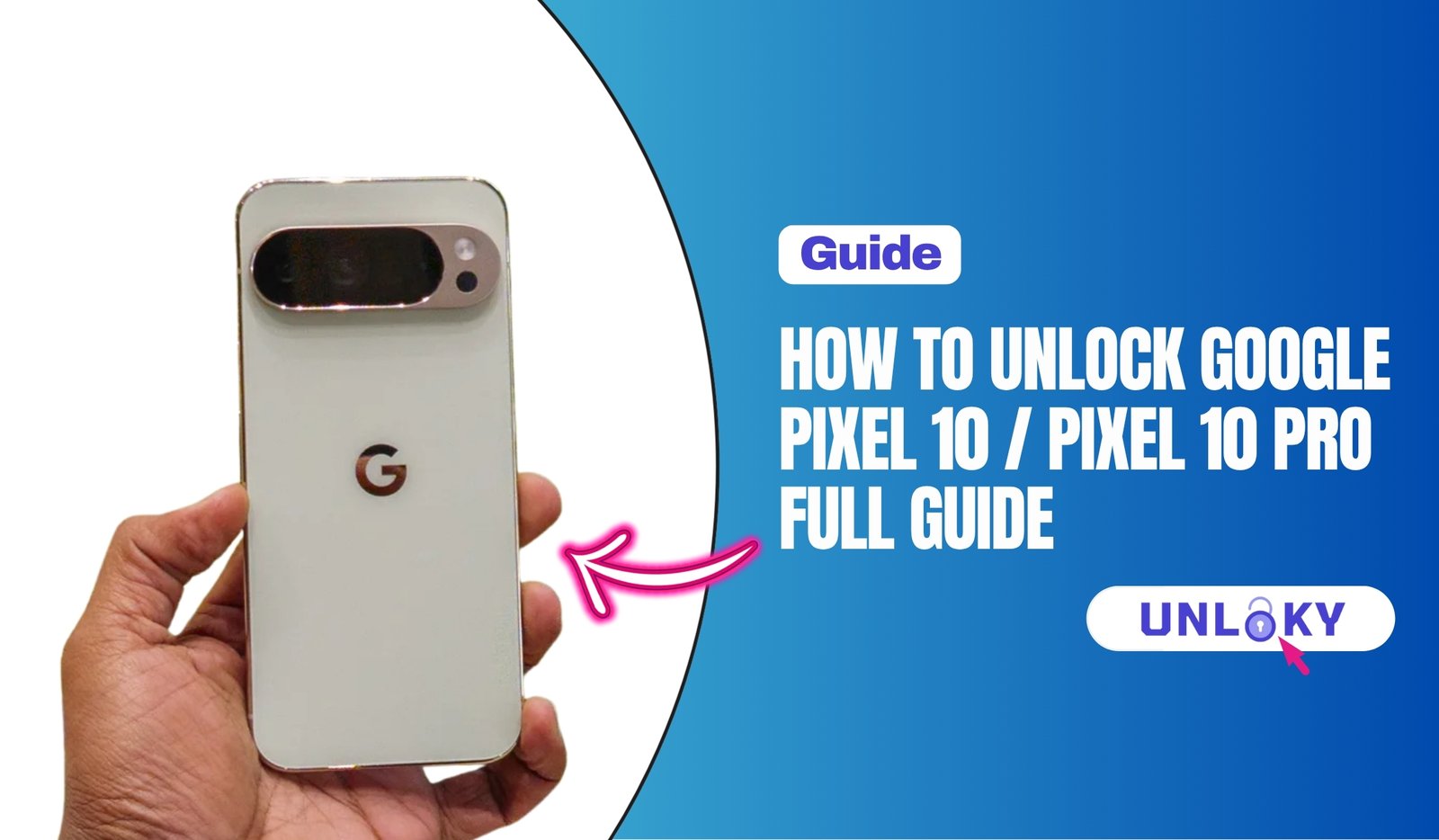
You searched for how to unlock your Pixel 10, but here’s the thing — “unlock” can mean three completely different things, and the answer depends on which one you actually need.
Maybe you bought your Pixel 10 from a carrier and now want to switch to a different network. Maybe you got locked out of the device itself and can’t remember the screen password. Or maybe you’re the kind of person who likes to tinker, and you want to unlock the bootloader so you can install GrapheneOS or root the phone.
All three are real situations, and people land on the same Google search for all three. So this guide covers everything — carrier unlocking for the Pixel 10, Pixel 10 Pro, Pixel 10 Pro XL, and Pixel 10 Pro Fold; lock screen recovery without a password; and the full bootloader unlock process with OEM unlocking explained properly. Let’s get into it.
Key Takeaways
- “Unlock” means three different things. Carrier unlock removes network restrictions, screen unlock recovers a forgotten password, and bootloader unlock enables custom ROMs and rooting — each has a completely different process.
- Carrier unlocking is always free. AT&T, T-Mobile, and Verizon will unlock your Pixel 10 once the device is paid off and active for 40 to 60 days. Skip any website charging for an unlock code.
- Forgot your password? You’ll have to wipe the phone. Use Google’s Find My Device service or recovery mode to factory reset — there’s no bypass that preserves your data.
- Bootloader unlocking depends on where you bought the phone. Pixel 10 models from the Google Store unlock easily. Carrier-bought units in the U.S. often have the OEM unlocking toggle permanently greyed out, even after carrier unlock.
- Pixel 10 Pro XL and Pixel 10 Pro Fold use the same process. All Pixel 10 family devices share the same fastboot commands, OEM unlock steps, and rooting workflow — the form factor doesn’t change anything.
What “Unlock” Actually Means for Your Pixel 10
Before we dig in, it helps to know which of the three locks you’re dealing with, because the steps are completely different.
Carrier lock is a software restriction your carrier puts on the phone so it only works on their network. You can still use the phone normally — make calls, install apps, do anything — but if you put a SIM from a different carrier into it, you’ll get a “SIM network unlock PIN” prompt or a no-service message.
Screen lock is the PIN, pattern, password, or fingerprint you use to get into the phone. If you forgot it, you can’t access anything until you reset the device.
Bootloader lock is a deeper system-level restriction that prevents you from flashing custom ROMs, rooting the phone, or installing alternative operating systems like GrapheneOS. Most people never touch this. If you’re not modding the phone, you can skip the bootloader section entirely.
Different locks, different fixes. Now let’s tackle each one.
How to Unlock Google Pixel 10 / Pixel 10 Pro for Any Carrier
This is what most people mean when they say “unlock my Pixel.” You want to take your AT&T Pixel 10 to T-Mobile, or use your Verizon Pixel 10 Pro on a prepaid carrier in another country. The fix is to request an official unlock from the carrier the device is locked to.
First, find your IMEI. Open the Phone app and dial *#06# — your IMEI will pop up on screen. You can also find it under Settings → About phone. Write that 15-digit number down. Every carrier needs it to process the unlock.
Now here’s how it works with each of the big three U.S. networks.
AT&T
AT&T will unlock your Pixel 10 once the device is fully paid off, the account is in good standing, and the phone has been active for at least 60 days. Submit the request through AT&T’s device unlock portal with your IMEI. Approval usually lands in your email within 48 hours. Once approved, AT&T will send instructions — most commonly, you just pop in a non-AT&T SIM and the phone unlocks on its own.
T-Mobile
T-Mobile postpaid lines qualify after 40 days of active service with the device fully paid off. Prepaid is stricter — typically 365 days of activity or over $100 in refills. The good part is T-Mobile pushes the unlock over the air automatically. You don’t need to call. If you’ve waited and nothing’s happened, open the T-Life app, go to Device Unlock, and trigger it manually.
Verizon
Verizon changed its rules in early 2026. The old auto-unlock after 60 days is gone — now your postpaid Pixel unlocks once it’s fully paid off, while prepaid needs 365 days of service. Paying off online may add a short waiting period before the unlock applies.
If your situation involves Sprint legacy accounts, prepaid carriers, or international networks, our detailed walkthrough on how to unlock an iPhone SIM with Verizon, AT&T, Sprint, or T-Mobile covers carrier-specific quirks that also apply to Pixels.
Pixel 10 Carrier Unlock Requirements at a Glance
| Carrier | Postpaid Rule | Prepaid Rule | Support Line |
|---|---|---|---|
| AT&T | Paid off + 60 days | 6 months active | 1-800-331-0500 |
| T-Mobile | Paid off + 40 days | 365 days / $100 refills | 1-800-937-8997 |
| Verizon | Device paid in full | 365 days active | 1-800-922-0204 |
| Google Store | Already unlocked for any carrier | No action needed | |
How to Get a Google Pixel Unlock Code
A lot of people search for a “Google Pixel unlock code” and assume it’s like older flip phones where you type a magic 8-digit number to unlock the SIM. That’s not quite how it works on the Pixel 10.
Most modern Pixels — including the Pixel 10, 10 Pro, 10 Pro XL, and 10 Pro Fold — use server-side carrier unlocking. The carrier sends an unlock command directly to the phone over the network. You don’t enter a code by hand most of the time.
That said, some older carriers and international networks still use the manual code method. If yours does, your carrier will give you an 8 to 16 digit SIM Network Unlock PIN. You insert a non-original SIM, power on the phone, and when it prompts for the code, you enter it carefully. Enter the code you received from your carrier exactly as provided. Double-check each digit. Most phones only give you a few attempts before locking the unlock function entirely, so it’s worth being careful.
If a website is offering to sell you a “Pixel 10 unlock code” for $30 or $50, walk away. Real unlock codes come from the carrier that locked the device, and they’re free. Paid services either resell the same official request you can do yourself, or they’re scams.
We’ve covered the full process in our guide on how to unlock the Google Pixel 9 with any network — the steps are essentially identical for the Pixel 10 series.
How to Unlock Google Pixel 10 / Pixel 10 Pro Without Password
This is a different problem. You’re not trying to switch networks — you’re locked out of the device itself because you forgot your PIN, pattern, or password.
There’s no clever trick that bypasses this. Android’s security model is built specifically to prevent that. What you can do is reset the phone using one of two routes.
Option 1: Find My Device
If you set up the phone with a Google account (which you almost certainly did), open google.com/android/find on any computer or phone, sign in with the same Google account, select your Pixel 10, and choose Factory reset device. This wipes the phone clean, including the lock screen.
Option 2: Recovery mode
Power the phone off completely. Hold the Power and Volume Down buttons together until you see the bootloader menu. Use the volume keys to navigate to Recovery mode and press Power to select. From the recovery screen, choose Wipe data / factory reset.
Either way, the phone resets and you start fresh. When it boots back up, you’ll be asked to sign in with the Google account that was previously on the device — Factory Reset Protection (FRP) means a stolen phone can’t just be wiped and resold. As long as you remember your Google account password, you’re fine.
For step-by-step screenshots and edge cases — like what to do if you also forgot your Google password — our full guide on how to unlock a Google Pixel without a password walks through every scenario.
Pixel 10 Unlock Bootloader: Step by Step
Now we’re in modder territory. Unlocking the bootloader on a Pixel 10 lets you flash custom ROMs, install GrapheneOS, root the device, or experiment with system-level changes. It’s a one-way street for most people — once you cross it, you’ve lost some warranty coverage and certain DRM-protected apps (like Netflix in HD or banking apps) may stop working.
Before anything, back up everything. Unlocking the bootloader factory-resets the device. There’s no exception to this rule.
You’ll need a Windows, Mac, or Linux computer with ADB and Fastboot tools installed, and a USB-C cable.
Pixel 10 Pro OEM Unlocking
The first step is enabling the OEM unlocking toggle inside Android itself. Here’s how:
Open Settings → About phone. Tap Build number seven times until it says “You are now a developer.” Go back, open Settings → System → Developer options, and find OEM unlocking. Toggle it on.
If the toggle is greyed out and won’t flip, your bootloader is locked at the carrier or firmware level. That’s a problem we’ll cover in the next section.
Once OEM unlocking is enabled, the actual flashing step is straightforward:
- Connect your Pixel 10 Pro to your computer with a USB-C cable.
- Open a terminal or command prompt where ADB is installed.
- Run
adb reboot bootloader. The phone restarts into fastboot mode. - Run
fastboot flashing unlock. - On the phone, use the volume keys to select Unlock the bootloader and press the power button to confirm.
The phone wipes itself and reboots. When it comes back up, the bootloader is unlocked. You can verify with fastboot getvar unlocked — it should show “unlocked: yes.”
What About Carrier Versions?
This is where things get frustrating. Pixels purchased directly from the Google Store come with the OEM unlocking toggle available. Pixels purchased from carriers — especially Verizon, AT&T, and T-Mobile in the United States — often have it permanently greyed out, even after you complete the carrier SIM unlock.
In Canada, every Pixel must legally be unlockable, so carrier-bought units work fine for bootloader unlocking. In Mexico and parts of Europe, results vary by carrier. In the U.S., it’s mostly bad news — carrier-locked SKUs frequently won’t allow OEM unlocking ever, regardless of how long you own the device.
If your goal is to install GrapheneOS or flash a custom ROM, the safest path is to buy your Pixel 10 directly from the Google Store unlocked. We’ve broken down the deeper technical difference in our guide on unlock bootloader vs rooting — what’s the real difference, which is worth reading before you start.
Unlock Pixel 10 Pro XL and Pixel 10 Pro Fold Root
Good news here — the Pixel 10 Pro XL and Pixel 10 Pro Fold follow the exact same bootloader unlock process as the standard Pixel 10 Pro. Same Tensor chip family, same Android version, same fastboot commands.
For the Pixel 10 Pro Fold root process specifically: unlock the bootloader using the steps above, boot into fastboot mode, flash a patched boot image using Magisk (the standard Android root solution), and reboot. The folding form factor doesn’t change anything about the rooting process — it’s all software, and the firmware structure is identical to the slab Pixels.
One caveat for the Fold: because it’s a more expensive device and parts are harder to find, think twice before rooting. A failed root or bad flash that bricks the device is way more painful at Pixel Fold prices than on a regular Pixel 10.
Things to Know Before You Unlock Anything
A few honest warnings, because there are real trade-offs.
Carrier unlocking has zero downsides. It’s free, official, and doesn’t void anything. Just request it from your carrier and move on.
Lock-screen unlocking always involves wiping the device. There’s no way around that. Make sure your Google account credentials are written down somewhere safe before you reset.
Bootloader unlocking is the one with real consequences. You lose some warranty protection, certain apps stop working (banking apps, some streaming services, Pokémon Go), the device shows a warning screen on every boot, and you’ve increased your attack surface if the phone is ever stolen. None of these are necessarily dealbreakers, but you should know about them before you start.
Also worth knowing: the Pixel 10 series uses Google’s eSIM-first approach in the U.S. If you also need to transfer your eSIM as part of an unlock or device change, our guide on Pixel unlock policy, eSIM transfer, and Pixel Fold covers the moving parts.
The Bottom Line
The Pixel 10 lineup is one of the most flexible Android phone families on the market, but only if you know which unlock you actually need. Carrier unlocking is free and easy — just ask your carrier. Resetting a forgotten password takes ten minutes through Find My Device. Bootloader unlocking is more involved, more risky, and gated by where you bought the phone.
Whatever your situation, start with the right step. Don’t reset a phone when you really need a carrier unlock. Don’t try to flash custom ROMs without checking the OEM unlocking toggle first. And if you bought your Pixel 10 from a U.S. carrier specifically to install a custom OS, double-check that the toggle works before you commit.
Need to walk through any of this in more depth? Unloky has step-by-step guides for every unlock scenario across iPhone, Pixel, Samsung, and more. Bookmark us, and we’ll get you through whatever comes next.
Usually not. Almost every U.S. carrier requires the device to be fully paid off before they’ll process a carrier unlock. AT&T, T-Mobile, and Verizon all check for a zero balance on the device installment plan before approving the request. If you’re financing your Pixel 10 and want to unlock it sooner, the fastest path is to pay off the remaining balance — once that’s clear and you’ve passed the carrier’s minimum waiting period (40 to 60 days depending on the carrier), the unlock usually goes through within 24 to 48 hours. Bootloader unlocking is a separate story; on a Google Store unit, you can unlock the bootloader even while the phone is financed, since that lock has nothing to do with your carrier.
It depends entirely on where you bought it. Pixel 10 Pro units purchased directly from the Google Store, Amazon, or Best Buy as “unlocked” models ship carrier-unlocked out of the box — you can drop in any SIM or activate any eSIM on any compatible network. Pixel 10 Pro units bought through AT&T, T-Mobile, Verizon, or another carrier are locked to that network until you meet the carrier’s unlock requirements. The easiest way to tell is to check the phone itself: open Settings → Network & internet → SIMs, or try inserting a SIM from a different carrier. If it works, you’re unlocked. If you see a “SIM not allowed” message, the phone is still locked.
Yes, but the right method depends on what kind of lock you’re dealing with. For a carrier lock, contact the carrier the phone is tied to and request an official unlock once you meet their eligibility rules — it’s free. For a screen lock (forgotten PIN, pattern, or password), you’ll need to factory reset the phone using Google’s Find My Device service or recovery mode, which wipes the data but unlocks the device. For a bootloader lock, you’ll need a computer with ADB and fastboot tools and the OEM unlocking toggle enabled in developer options. All three are doable on the Pixel 10, but each one has a completely different process — make sure you’re following the right one for your situation.
Pixels sold directly through the Google Store are always carrier unlocked from day one. They’re factory unlocked and compatible with every major U.S. carrier, plus most international networks. Pixels sold through carriers (Verizon, AT&T, T-Mobile, or international operators like Telcel and Telus) ship with a carrier lock that has to be removed before the phone can be used on other networks. So the simple rule: if you bought it from Google, it’s unlocked. If you bought it from a carrier, it’s probably locked until you complete their unlock process.
The fastest way is to insert a SIM from a different carrier and see what happens. If the phone connects to the new network normally, it’s unlocked. If you see an error like “SIM not supported” or a prompt asking for a network unlock PIN, it’s locked.
You can also check from within Android: open Settings → Network & internet → SIMs. On some Pixel 10 models, you’ll see a “Carrier lock” or “SIM lock” status listed. For a more technical confirmation, dial *#*#4636#*#* on the phone keypad to open the testing menu — though Google has been phasing out this code on newer Android versions, so it may or may not work on your build.
Easiest of all: call your carrier and ask. They’ll tell you the status in 30 seconds.
No. These are two completely separate systems. Carrier unlocking removes the SIM restriction so you can use the phone on any network. Bootloader unlocking is a deeper system-level change that lets you flash custom ROMs, root the device, or install alternative operating systems like GrapheneOS.
The frustrating reality with U.S. carrier-bought Pixel 10 models is that even after you successfully complete the carrier SIM unlock, the OEM unlocking toggle in developer options often stays permanently greyed out. That’s because the bootloader lock is baked into the carrier SKU at the firmware level, not tied to your service contract. If your goal is to unlock the bootloader for custom ROMs or rooting, the only reliable path is to buy your Pixel 10 directly from the Google Store as an unlocked model — carrier units almost always disappoint here, no matter how long you wait.