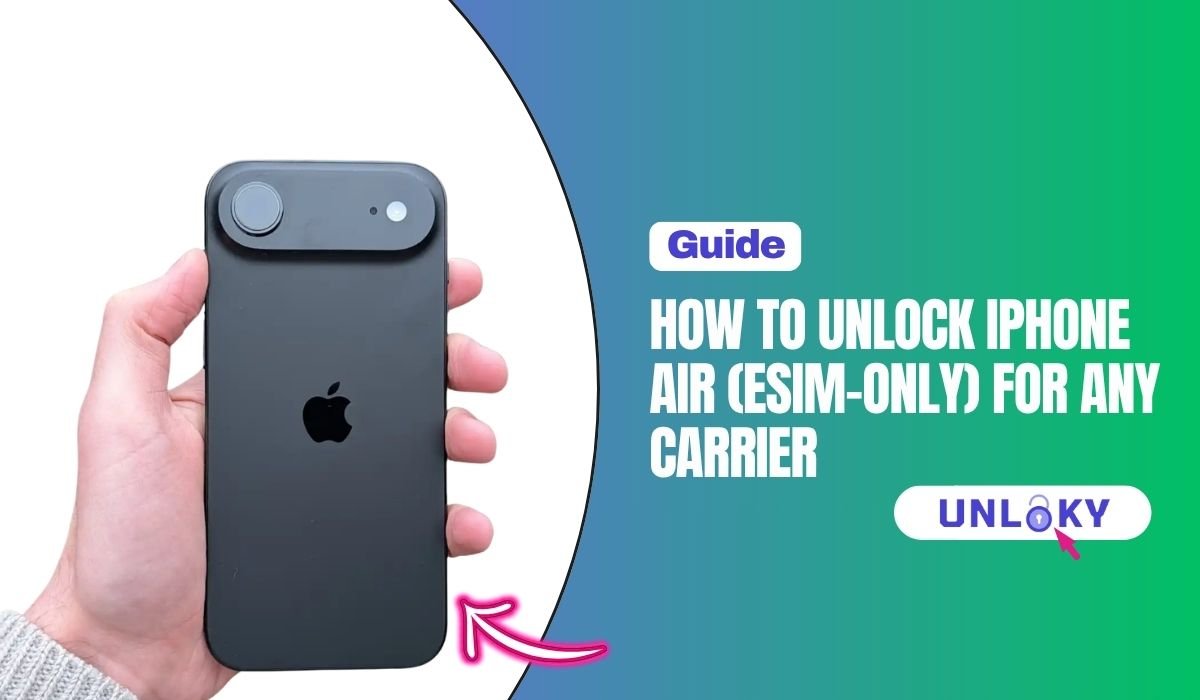
So you bought the iPhone Air, the thinnest iPhone Apple has ever made — and now you’re stuck on one carrier. Or maybe you picked one up secondhand and the network it’s tied to won’t let you switch. Either way, you’re here because that lock has to go.
Here’s the thing about the iPhone Air that throws a lot of people off: there’s no SIM tray. None. Not in the U.S., not in Europe, not anywhere. It’s the first iPhone Apple released as fully eSIM-only worldwide, which means the old “just swap in another SIM card” trick doesn’t apply. Unlocking works a little differently now, and if you try the wrong method, you’ll waste hours.
In this guide, I’ll walk you through exactly how to unlock iPhone Air for any carrier, whether you’re with AT&T, T-Mobile, Verizon, or someone else. You’ll learn how to check the lock status in under a minute, the free official method most people overlook, what to do if you don’t have the original passcode, and how to switch carriers without ever touching a computer. Let’s get into it.
TL;DR — Quick Answer
Why the iPhone Air Is Different (and Why Unlocking Matters More Now)
The iPhone Air is part of Apple’s broader push toward an all-digital cellular setup. With no physical SIM slot, every line on the phone runs through an eSIM profile. All iPhone 17 family devices, including the iPhone Air, can store eight or more eSIM profiles, with two active at any time. That’s actually great for travelers and people who juggle work and personal numbers — but only if the device is unlocked.
When your iPhone Air is carrier-locked, it will only accept eSIM profiles from the carrier it’s tied to. You can add as many lines as you want from that one provider, but the moment you try to install a travel eSIM from Airalo, a cheap MVNO plan, or even a friend’s spare line from another network, the phone simply refuses. A locked iPhone can only use services from the carrier it’s tied to. An unlocked iPhone works with any compatible carrier worldwide. No workaround changes that.
So the unlock isn’t optional if you want flexibility. It’s the gate.
How to Check If Your iPhone Air Is Locked or Unlocked
Before you do anything else, find out where you actually stand. This takes about ten seconds.
Open the Settings app on your iPhone Air, tap General, then About, and scroll all the way down until you see a line called Carrier Lock.
If it says No SIM restrictions, congratulations — your iPhone Air is already unlocked and you can skip most of this guide. If your iPhone is unlocked, “No SIM Restrictions” will appear next to Carrier Lock. Just install any eSIM you want.
If you see the name of a carrier instead (like “AT&T” or “T-Mobile”) or a message saying “SIM locked,” your phone is locked to that network and you’ll need to follow the unlock process below.
One quick note: if you’re checking a used iPhone Air before buying it, this is exactly where to look. Don’t trust the seller’s word — open Settings yourself.
Carrier unlock policies at a glance
Each US carrier has its own rulebook. Some are friendlier than others. Here’s the side-by-side, current as of 2026:
| Carrier | Wait Time | Auto-Unlock? | Account Status |
|---|---|---|---|
| Verizon | 60 days from activation | Yes | Active, in good standing |
| T-Mobile | 40 days active on network | Sometimes | Device paid off, no fraud holds |
| AT&T | Until device is paid off | Sometimes | Installment plan complete, 60+ days |
| Boost / Cricket / Metro | 6–12 months typical | No | Active prepaid service, paid off |
How to Unlock iPhone Air for Any Carrier: Step-by-Step
The official way to unlock iPhone Air is to ask the carrier it’s locked to. There’s no jailbreak, no shady app, no “secret code” floating around forums that actually works on the Air. Apple’s eSIM-only architecture closed those doors. The good news? When you meet the carrier’s requirements, the unlock itself is usually free and processes in a few hours to a few days.
Here’s how it works with each of the big three U.S. carriers.
Unlock iPhone Air on AT&T
AT&T won’t unlock the phone until you’ve paid it off completely. If you bought it on a 36-month installment plan, that’s basically three years. Once the balance hits zero and the account is in good standing, you submit a request through AT&T’s online unlock portal. Approval usually lands in your email within two business days.
- Make sure your device is fully paid off and the account isn’t past due
- Go to Unlock an AT&T device and start a new request
- Enter your IMEI — find it under Settings → General → About → IMEI
- Submit and wait for the confirmation email (usually 1–2 days)
- Restart your iPhone Air after you get the confirmation
Unlock iPhone Air on T-Mobile
T-Mobile’s policy says the device has to be active on the network for at least 40 days before it qualifies. For postpaid lines, that’s usually all you need plus a paid-off device. For prepaid (Metro by T-Mobile included), the wait is longer — 365 days of active service in most cases.
- Open the T-Mobile app on the phone you’re unlocking
- Go to Account → Device Settings → Mobile Device Unlock
- The app will automatically check eligibility and start the unlock if you qualify
- If it doesn’t auto-process, call T-Mobile and request manual review
- Once approved, restart the iPhone and connect to Wi-Fi to finish
Unlock iPhone Air on Verizon
This is where 2026 got interesting. The FCC granted Verizon a waiver in January 2026 that ended the old “auto-unlock after 60 days” rule. Now, Verizon postpaid devices have to be fully paid off before they’ll unlock — no automatic time-based release. There’s no waiting period beyond that, which is actually simpler in some ways, but it means if you’re still making device payments, you’re still locked.
For Verizon prepaid lines, the rule is now 365 days of active service before the iPhone Air can be unlocked. That’s a major shift from the old policy, so if you bought your iPhone Air on a Verizon prepaid plan, be prepared for the long wait.
For a deeper breakdown across all four major U.S. networks, we’ve got a full guide on how to unlock an iPhone SIM with Verizon, AT&T, Sprint, or T-Mobile that goes carrier-by-carrier.
How to Unlock iPhone Air for Free
Here’s the part most people miss: every official unlock from your carrier is free. You don’t pay a dime as long as you meet the eligibility rules. Paid unlock services exist, and a few are legitimate for older iPhones, but for the iPhone Air specifically, third-party services have very limited success because of how Apple ties the eSIM profile to the carrier lock at the activation level.
If you want the no-cost route, stick with your carrier. We’ve put together a separate walkthrough on how to unlock a U.S. iPhone for free that covers eligibility tricks most users don’t know about — like how paying off your installment plan early can move up your unlock date by months.
What you should avoid: anyone offering a “guaranteed iPhone Air unlock” through a website for $30 or $50. Nine times out of ten, they’re either pulling the same official request you can do yourself, or they’re a flat-out scam.
How to Unlock iPhone Air Without a Computer
Good news here — you don’t need a computer at all. Because the iPhone Air uses eSIM only, the entire unlock process happens through your carrier’s app, website, or a quick phone call. No iTunes restore, no Finder, no USB cable.
The full flow looks like this from your iPhone alone:
Open your carrier’s app (myAT&T, T-Mobile, My Verizon, or whatever applies). Find the “Unlock device” or “Device support” section and submit the unlock request with your IMEI. Wait for the email or push notification confirming the unlock. Restart your iPhone Air. Check Settings → General → About to confirm “No SIM restrictions” now appears.
That’s it. The whole thing can be done on your couch in your pajamas.
How to Unlock iPhone Air Without the Passcode
This is where things get tricky, and I want to be straight with you: unlocking the carrier lock without the device passcode is one challenge, but unlocking the screen passcode itself is a completely different problem. People often confuse the two.
If you can’t get past the lock screen on your iPhone Air, you’ll need to reset the device first before the carrier can do anything useful with it. We cover that situation in detail in our guide on how to unlock iPhone when you forgot the passcode.
And if the device was previously owned by someone else and is now stuck on Activation Lock, that’s a separate hurdle — Apple’s iCloud lock has nothing to do with the carrier. Our walkthrough on how to remove Activation Lock from an iPhone without the previous owner explains the legitimate paths forward, including Apple’s ownership verification process.
For the carrier lock itself, you genuinely need account access, not the device passcode. So if you have your AT&T or T-Mobile login but forgot the iPhone’s screen code, submit the unlock request first — it’ll be ready by the time you reset the phone.
After You Unlock: Activating a New eSIM
Once your iPhone Air shows “No SIM restrictions,” you’re free to install any compatible eSIM. Most carriers send a QR code by email after you sign up — just open the Camera app, point it at the code, and follow the prompts. Some carriers, like T-Mobile and Visible, also have apps that install the eSIM automatically.
If anything goes sideways during activation — the eSIM won’t install, no service after install, the line appears but won’t make calls — don’t panic. Most issues are simple network registration hiccups. Our guide on how to fix eSIM not working on any iPhone covers the common fixes in order of likelihood.
The Bottom Line
Unlocking your iPhone Air opens up everything the eSIM-only design was built for: instant carrier switches, cheap international data, dual lines from different providers, and freedom from being stuck with whichever network you started on. The process is free through any major U.S. carrier as long as you meet a few simple requirements — usually full payment and a couple months of active service.
If your iPhone Air is eligible right now, head to your carrier’s website or app and submit the unlock request today. It costs nothing and takes minutes. And if you run into trouble at any step, or you’re dealing with a tougher situation like a forgotten passcode or activation lock, Unloky has step-by-step guides for every scenario — bookmark us and we’ll walk you through it.
No. The iPhone Air is the first iPhone Apple has shipped without a physical SIM tray in any market. Every iPhone Air, no matter where it was bought, is eSIM-only.
Verizon auto-unlocks 60 days after activation. T-Mobile takes 40 days plus a request through the app. AT&T requires the device to be fully paid off, which can be up to three years on a long installment plan. Once you submit the request and qualify, approval usually lands within 24 to 48 hours.
No. The carrier lock is stored on a server the carrier controls, then synced to Apple. There’s no jailbreak, no code, and no third-party service that can legitimately bypass it. Anyone selling you a “free unlock code” for an iPhone is running a scam.
No. Carrier unlocking is a sanctioned process under FCC rules in the US. Apple’s warranty isn’t affected. Only jailbreaking the iPhone — which is a different thing — can void warranty coverage.
Yes, carriers are required to unlock eligible devices at no charge as long as you meet their requirements. If a carrier rep tries to charge you, ask to escalate.
You’ll need to know which carrier locked it. Check Settings → General → About → Carrier Lock to see the carrier name. The unlock has to go through the original account holder in most cases. If they’re cooperative, they can submit the request from their end. If not, AT&T and T-Mobile sometimes allow third-party unlocks for paid-off devices, but Verizon usually won’t.
Yes, once unlocked. The iPhone Air stores 8 or more eSIM profiles and can run two of them active simultaneously — one for calls and texts, one for data, or both lines doing everything. This is useful for keeping a home number active while using a local or travel eSIM abroad.
Usually no. A simple restart is enough to apply the new unlock status. A factory reset is only needed in rare cases where Carrier Lock keeps showing the old carrier even after the unlock was confirmed by the carrier.