

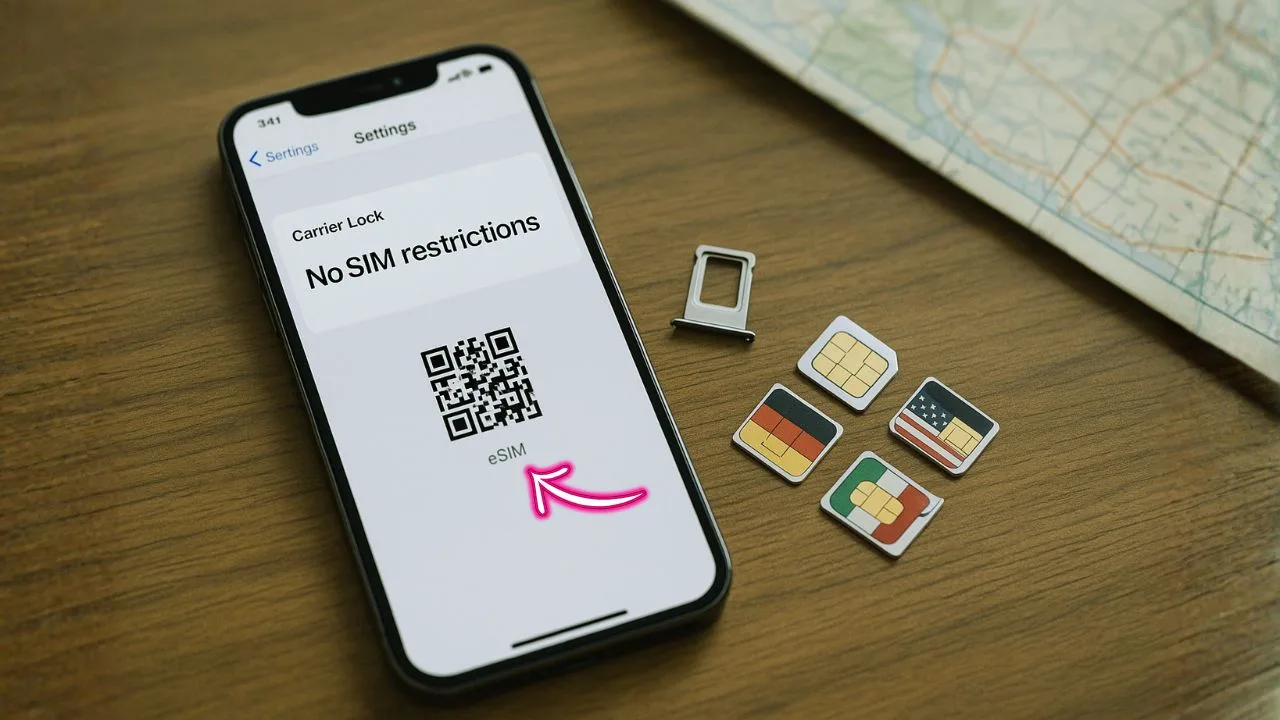
Buying or using an unlocked iPhone sounds simple, but it often raises questions. What exactly does “unlocked” mean? How do you check it on your phone? Is factory unlocked different from carrier unlocked? Will an unlocked iPhone support 5G on your carrier? And what about eSIM, dual SIM, and international travel? This guide answers all of that in plain language you can act on right away.
If you’re looking for a friendly, thorough walkthrough with real steps, you’re in the right place. We’ll cover how to check your lock status, how to switch carriers, how to use eSIM, what to do if your iPhone says “SIM Not Supported,” how to avoid blacklisted devices, and smart ways to shop for a safe, truly unlocked iPhone in 2025.
TL;DR — Quick Answer: An unlocked iPhone isn’t tied to one carrier. It accepts any compatible SIM or eSIM, works for travel with local plans, and often has better resale value. To check yours: go to Settings > General > About and look for Carrier Lock. If it shows No SIM restrictions, you’re unlocked. If it lists a specific carrier, you need that carrier to unlock it. Avoid “Activation Lock” confusion: that’s an Apple ID lock and is different from carrier lock. When buying used, always check the IMEI for blacklist status and confirm the phone is both not carrier-locked and not Activation Locked.
Key Takeaways
- Activation is simple: With an unlocked iPhone—new or refurbished—you just pick a compatible plan, insert a SIM or activate an eSIM, and follow on-screen prompts to finish setup.
- Most Apple-sold iPhones are unlocked: iPhones bought directly from Apple (online or in-store) are generally unlocked, except certain carrier-specific promotions that may impose a lock.
- Best Buy options: Best Buy sells unlocked and refurbished iPhones (e.g., restored iPhone 15 Pro Max). These typically activate quickly with your chosen carrier, but you should still confirm the phone shows Settings > General > About > Carrier Lock: “No SIM restrictions.”
- Refurbished can be great value: Certified refurbished/unlocked units often include free shipping and 30-day returns—letting you test coverage and performance with minimal risk.
- Check compatibility before you buy: Make sure your carrier plan supports the phone’s bands and 5G, and be ready to use eSIM if the model lacks a physical SIM tray.
What “Unlocked iPhone” Really Means
An unlocked iPhone can use SIM cards (and eSIMs) from different carriers without asking for permission. You can swap a physical SIM or install a new eSIM profile and start service with a different network. You won’t have to contact Apple; the lock is controlled by carriers.
There are two common paths to an unlocked iPhone:
- Factory unlocked: Sold unlocked from day one (for example, buying directly from Apple at full price or certain retailers that sell the “SIM-free” model).
- Carrier unlocked: Originally sold by a carrier with a lock, later unlocked after meeting eligibility rules (paid off, account in good standing, wait period completed).
Both end states are similar—your phone accepts compatible SIMs and eSIMs—but factory unlocked devices are simpler to use from day one and tend to avoid delays or eligibility rules.
📖 Also Read: How to Unlock an iPhone Without a Password
Why Choose an Unlocked iPhone
Freedom to switch: Try new carriers, chase better prices or coverage, and avoid being trapped in a long plan.
Travel flexibility: Land in another country, grab a local eSIM or physical SIM, and pay local rates.
Resale value: Unlocked phones usually sell faster and for more money.
Multi-line convenience: Use dual SIM (eSIM + physical SIM, or dual eSIM on newer models) to keep work and personal lines separate.
No carrier bloatware: With many carriers minimalize pre-installs, but factory unlocked models are the “cleanest” experience.
How To Check If Your iPhone Is Unlocked
The fastest way:
- Open Settings.
- Tap General > About.
- Scroll to Carrier Lock.
- If you see No SIM restrictions, your iPhone is unlocked.
If it shows a specific carrier, your device is locked to that carrier.
You can also test with another carrier’s physical SIM or eSIM. If the phone connects and you can make calls, your device is likely unlocked and compatible. If you get “SIM Not Supported” or “SIM Invalid,” it’s either locked or incompatible with that network.
Tip: “Unlocked” doesn’t guarantee band compatibility. Most modern iPhones support a wide range of LTE and 5G bands, but if you use niche networks or travel to remote regions, double-check bands on the carrier’s site.
Carrier Lock vs Activation Lock (Don’t Mix Them Up)
People often confuse these two:
- Carrier Lock is a restriction placed by a mobile carrier (like AT&T, Verizon, T-Mobile, etc.). It only affects which network your phone can use. The carrier can remove this lock when you’re eligible.
- Activation Lock (also called “iPhone Locked to Owner”) is tied to the previous owner’s Apple ID via Find My iPhone. This is a security feature to deter theft. Only the Apple ID owner can remove it.
You can have:
- An unlocked phone that is Activation Locked (bad for buyers; avoid).
- A carrier-locked phone that is not Activation Locked (fine to use with that carrier, but you can’t switch carriers yet).
When buying used, verify both:
- Carrier status (unlocked vs locked).
- Apple ID status (Activation Lock must be off). On the device, go to Settings > [user name]; it should show the current owner or be signed out. On the setup screen, if it asks for someone else’s Apple ID, walk away.
How To Get a Locked iPhone Unlocked by Your Carrier
If your iPhone is locked, you typically must:
- Fulfill eligibility: Pay off the phone, complete any required active service period, and ensure the account has no overdue balance.
- Request the unlock:
- Contact your carrier’s support (app, website, or phone) and ask for a device unlock.
- Provide your IMEI (find it in Settings > General > About).
- Wait for confirmation:
- Carriers push an unlock to Apple’s activation servers.
- You may see the unlock after a restart or after inserting a new SIM.
- Test:
- Insert a different carrier’s SIM or activate a new eSIM to confirm.
Important: Unlocking won’t remove Activation Lock. If you’re buying second-hand, make sure the device is signed out of the previous owner’s Apple ID before paying.
📖 Also Read: Simple Ways To Activate A New Phone Without A SIM Card
eSIM on an Unlocked iPhone
Many recent iPhones support eSIM, and some markets have eSIM-only models (no physical SIM tray). With eSIM:
- You can add multiple plans and switch between them in Settings.
- Setup often happens instantly using a QR code, carrier app, or manual activation code.
- For travel, buy a local eSIM or an international roaming eSIM from a reputable provider and install it before you fly or upon arrival.
- Unlocked status is still required if you plan to use a plan from a different carrier. If your device is locked, it will only accept eSIMs from the locking carrier.
Where to manage eSIMs: Settings > Cellular (or Mobile Data) > Add eSIM. You’ll see installed plans and can choose which line handles voice, data, and iMessage/FaceTime.
Dual SIM: One iPhone, Two Lines
An unlocked iPhone makes dual SIM more useful:
- Keep one line for work, another for personal.
- Use a home carrier and a local travel plan at the same time.
- Set one line for voice/SMS and the other for data, based on price or coverage.
You can name each line (e.g., “Work” and “Travel”), choose the default line for calls and iMessage, and switch data lines on the fly.
Will an Unlocked iPhone Get 5G On Your Carrier?
Usually yes, but it depends on:
- Carrier 5G bands in your region.
- Model-specific support (US models sometimes have mmWave; some international models might not).
- Carrier settings and plan eligibility.
If you insert a new SIM and you don’t see 5G, check:
- Settings > Cellular > Cellular Data Options > Voice & Data and pick 5G Auto/On if available.
- Install carrier settings update when prompted.
- Confirm your plan includes 5G access.
If your model lacks a critical band used by your carrier’s 5G in your region, you’ll fall back to LTE even if the phone is unlocked.
📖 Also Read: Can’t Find Your Assurance Wireless Activation PIN? Here’s What To Do
International Travel With an Unlocked iPhone
An unlocked iPhone shines abroad. You can:
- Buy a local eSIM with a few taps, often cheaper than roaming.
- Keep your home SIM/eSIM active for banking OTPs while routing data to the local plan.
- Use apps like WhatsApp, FaceTime, and iMessage as usual once data is live.
Before your trip:
- Check if your iPhone supports the local bands.
- Confirm eSIM availability at your destination.
- If your phone is eSIM-only, plan ahead so you’re not scrambling at the airport.
APN Settings After You Switch
Most of the time, APN (Access Point Name) settings load automatically via carrier settings. If data or MMS fails after a swap:
- Go to Settings > Cellular > Cellular Data Network (on some carriers this is locked and won’t show).
- Enter the APN values from your carrier’s support page.
- Toggle Airplane Mode off/on, or restart the phone.
If you can’t edit APN and data isn’t working, contact the carrier. They can push updated settings or confirm your plan provisioning.
How To Avoid Blacklisted or Problem Devices
A blacklist flag (reported lost, stolen, or due to fraud) can block cellular service even on an “unlocked” device. Protect yourself when buying used:
- Check the IMEI/serial on a trusted checker before paying.
- Verify no outstanding balance with the original carrier (some carriers refuse to unlock if money is owed).
- Confirm the seller has signed out of iCloud and turned Find My off (no Activation Lock).
- If possible, meet at a carrier store to test a live SIM/eSIM on the spot.
If a phone is blacklisted in one country, it may still work elsewhere—but that’s a risky bet. Always aim for a clean IMEI.
Buying an Unlocked iPhone: Best Practices
New from Apple or an authorized retailer:
- Easiest way to get a factory unlocked device.
- Clean warranty and support.
- Often the best 5G band coverage for your region.
Carrier stores:
- You may get a better plan bundle, but phones are often locked at first.
- If you need unlocked later, check the exact unlock policy before signing.
Refurbished and used marketplaces:
- Great value, but do your homework: IMEI, Activation Lock off, battery health, and physical condition.
- Ask for proof the device shows No SIM restrictions in Settings.
Trade-ins and financing:
- Financing through carriers generally means a period before unlocking.
- Financing through Apple or a retailer can still yield a factory unlocked unit, depending on the program.
Common Issues After Switching SIMs
“SIM Not Supported” or “SIM Invalid”
- Your phone is still locked to a different carrier.
- It can also mean the SIM is damaged or improperly seated.
- Fix: Verify lock status in About, reseat the SIM, or ask the carrier to unlock.
No data or MMS
- APN settings missing or plan not provisioned correctly.
- Fix: Update carrier settings, enter APN manually if allowed, or contact the carrier.
No 5G option
- Model or plan doesn’t support 5G for that network, or a critical band is missing.
- Fix: Confirm plan, update carrier settings, or accept LTE if your model lacks required bands.
eSIM won’t activate
- Wrong QR or activation code, region restriction, or device still locked.
- Fix: Double-check the QR, ensure you’re unlocked, and try activating via the carrier app.
Is It Worth Paying Extra For an Unlocked iPhone?
In many cases, yes. If you value flexibility—switching carriers, using cheaper travel data, or reselling later—a factory unlocked phone is stress-free. If you’re attracted by carrier discounts, read the fine print on unlocking timelines. A deal that locks you in for 24 months might cost more than it looks if you plan to switch early or travel often.
Step-By-Step: Move From Carrier A To Carrier B With an Unlocked iPhone
- Back up your iPhone (iCloud or Finder).
- Confirm unlocked status in About.
- Port your number: Start at Carrier B. Give them your number and account PIN from Carrier A.
- Activate SIM or eSIM from Carrier B: Scan QR/use app/insert SIM.
- Choose which line handles data, iMessage, and FaceTime.
- Test calls, texts, data, and Wi-Fi Calling.
- If MMS or data fails, check for carrier settings update or APN configuration.
- When everything works, cancel any leftover add-ons with Carrier A.
Battery Health, Performance, And Updates
Unlocked vs locked doesn’t affect battery health or performance. What does matter:
- Battery health (check Settings > Battery > Battery Health & Charging). Lower health can shorten runtime.
- iOS version: Stay current for bug fixes and better eSIM handling.
- Carrier settings: Accept updates when prompted; they improve network compatibility.
FAQs About Unlocked iPhones
Can Apple unlock my carrier-locked iPhone?
No. Apple doesn’t control carrier locks. Only carriers can remove their lock.
Does unlocked mean my iPhone will work on every carrier worldwide?
No. Unlocked means no carrier restriction, but hardware band support and regional model differences still apply.
Can an unlocked iPhone become locked again?
Not under normal circumstances. Once properly unlocked in Apple’s activation servers, it stays unlocked.
Is a “clean IMEI” the same as unlocked?
No. A clean IMEI means it’s not reported lost or stolen. The device can still be carrier-locked.
I’m buying used. What one thing must I check first?
Make sure Activation Lock is off and the device shows No SIM restrictions in About before paying.
Do unlocked iPhones get updates slower?
No. iOS updates come from Apple, not your carrier, and unlocked phones often get updates as fast or faster than carrier-branded models.
Can I finance a factory unlocked iPhone?
In many places, yes—retailers and Apple offer financing that doesn’t impose a carrier lock. Read the terms carefully.
A Simple Checklist Before You Buy
- Check Carrier Lock: No SIM restrictions.
- Confirm Activation Lock is off (signed out of Apple ID, Find My off).
- Verify IMEI is clean (not blacklisted).
- Ask about model number and regional variant for 5G/LTE band support.
- Test with a live SIM/eSIM if possible.
- Review battery health and overall condition.
- Keep proof of sale and device details.
The Bottom Line
An unlocked iPhone gives you control. You choose the carrier, plan, and price that fit your life. Whether you’re traveling, chasing better 5G coverage, or keeping separate lines for work and home, the unlocked route gives you options. If you’re buying used, be careful and verify the essentials—Carrier Lock, Activation Lock, and IMEI. If you’re unlocking a carrier device, follow the policy steps, be patient, and test with a new SIM or eSIM once it’s approved.
With a little prep and the checks in this guide, you can switch fast, save money, and use your iPhone on your terms.


