

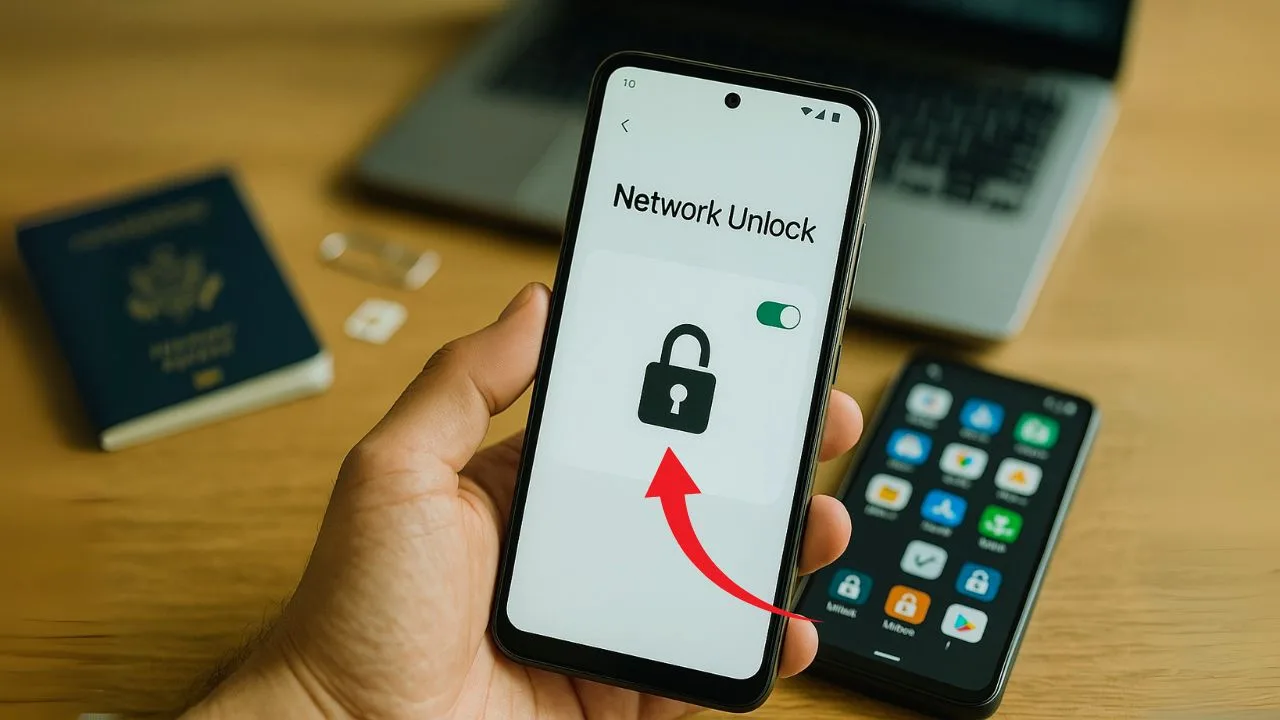
If you search the Play Store for “free phone unlock,” you’ll see a wall of apps that promise a quick SIM unlock with a tap. Some say they “unlock any phone, any carrier, worldwide.” Others talk about instant IMEI unlocks or one-click codes. It sounds great especially if you’re traveling or switching carriers and just want your Android to work on a new network.
But do these free Android unlock apps actually work? The short answer is: not the way most people expect. On modern phones, a real network/SIM unlock is not something a third-party app can perform on its own. In almost every case, the unlock must be approved on your carrier’s side and then applied to your device. That’s why the most reliable “unlock apps” are either built into your phone’s settings (for T-Mobile/Metro devices and some models) or they’re official carrier tools, not random downloads.
This guide explains how unlocking really works today, what the different kinds of “unlock” mean (they’re often mixed up), which apps are legitimate, which ones are just marketing wrappers, and the safest path to get your Android unlocked for free without getting burned.
Key Takeaways
- A true SIM/network unlock is controlled by your carrier via your phone’s IMEI. Most “free unlock apps” can’t perform a real unlock—only official carrier tools or the built-in Network Unlock option on supported Androids can, and only when you’re eligible.
- The safest, free path is always the carrier route: Verizon auto-unlocks after its hold period, T-Mobile/Metro uses Network Unlock (often remote), and AT&T processes requests through its online portal.
- Many apps you’ll find are just guides, IMEI funnels, or APN editors. They may help with setup after an unlock, but they do not remove a SIM lock. Avoid sideloaded “bypass” APKs for security reasons.
- To confirm status, insert a different carrier’s SIM and test. After approval, reboot, set the APN if data doesn’t work, and keep your unlock confirmation as proof. Be cautious with paid IMEI services and only use payment methods that allow disputes.
What “unlocking” actually means (and what it doesn’t)
People use “unlock” to mean a lot of things. Here’s the simple way to sort it out:
Network/SIM unlock: Removes the carrier lock so your phone accepts other carriers’ SIM or eSIM. This is what you want for switching providers or using a local SIM when you travel.
Screen/PIN unlock: Lets you into the phone when you forgot your passcode. Not the same thing.
FRP/Google account lock: Factory Reset Protection that stops a thief from using a wiped phone without the original Google account. Not the same as network unlock, and bypassing it is a security circumvention we won’t help with.
Bootloader unlock (for rooting): Opens low-level firmware for custom ROMs. Has nothing to do with carrier/SIM restrictions and can void warranties.
This article is about network/SIM unlocking—the legal, carrier-controlled process that lets your Android accept other SIMs.
📖 Also Read: How to Unlock Your Phone for Use in Canada, the UK, and Europe
How unlocking really works in 2025
Today’s unlock is almost always a database change on the carrier’s side tied to your phone’s IMEI. Once your carrier marks your IMEI as “unlocked,” your phone fetches that status and removes the restriction. U.S. carriers agreed to unlock devices that meet their eligibility rules under the CTIA Consumer Code (the FCC has pages summarizing these commitments and proposals to standardize timelines).
That’s the key reason third-party “free unlock” apps can’t magically unlock modern Android phones: they don’t control the carrier’s database. Only your carrier (or the original equipment manufacturer working with the carrier) can flip that switch for a genuine SIM unlock.
So… do free Android “phone unlock” apps work?
The blunt truth
Outside of official carrier tools or built-in “Network Unlock” in Settings on some devices, most free unlock apps don’t actually unlock your phone. Many are:
- Guides or checkers disguised as unlockers (they display info or link you to a website).
- IMEI “unlock” storefronts inside an app (you submit an IMEI and pay later).
- APN/network togglers that can make data work on an already-unlocked phone—but they don’t remove a SIM lock.
- Sideloaded APKs that claim to “bypass” locks (often shady, sometimes malicious).
Play Store policies strongly limit apps that attempt to bypass device restrictions or security measures, which is another reason you don’t see legitimate “one-tap unlockers” for network locks.
The important exception
Some carriers—most notably T-Mobile and Metro by T-Mobile—support unlock through a built-in app or Network Unlock in the phone’s Settings after you meet their policy. That’s real, because it talks to the carrier’s servers and applies an approved unlock to your IMEI.
📖 Also Read: How to Unlock Your Phone to Use With eSIM Only (No Physical SIM)
The only “unlock apps” that consistently work
1) Built-in “Network Unlock” (T-Mobile/Metro and select OEM models)
On many T-Mobile family phones (Samsung, OnePlus, some LG and others), you’ll see Settings → Connections/Network → Network Unlock (wording varies). When your line and phone are eligible, tapping Permanent Unlock requests the unlock from T-Mobile’s servers and applies it automatically. T-Mobile also says that if your device supports remote unlock and you’re eligible, they will unlock it automatically within two business days—no extra app needed.
2) Carrier self-service (not an app, but free and official)
AT&T: Use the official online Device Unlock portal. If your phone meets AT&T’s criteria (paid off, not lost/stolen, etc.), they approve the unlock and your Android picks it up over the air or after you insert a non-AT&T SIM.
Verizon: Verizon locks new phones for 60 days after activation, then automatically unlocks them if the device wasn’t flagged for fraud. No app. No form. Just wait out the window.
TracFone group (Straight Talk, Total, Simple Mobile, etc.): They have a published unlock policy with timelines and eligibility for brands they manage. Expect requirements like service time and “not reported lost or stolen.”
The FCC continues to spotlight these unlocking commitments and, as of January 2025, has been considering rules to standardize a 60-day unlock after activation across all providers. That process is ongoing, but it shows the direction of policy.
The kinds of “unlock apps” you’ll actually see—and what they really do
Because a real SIM unlock requires a carrier-side change, most of the apps you find fall into one of these buckets:
IMEI “unlock” apps
These promise unlocks for any carrier via IMEI. In practice they often forward you to a paid website, collect your IMEI, or sell “eligibility checks.” Some may be harmless middlemen, but you should treat them like any online service: research thoroughly and pay with a method that lets you dispute charges if the service isn’t delivered. You can find Play listings that make sweeping claims—always read the fine print and reviews with skepticism.
APN editors and network mode switchers
These help configure data/MMS on a phone that is already unlocked or on the right carrier. They do not remove a SIM lock. If your phone says “SIM network unlock PIN” or “SIM not supported,” an APN app won’t fix that.
Eligibility checkers
They estimate if your phone might be unlockable. Without access to your carrier’s internal systems, they can’t confirm eligibility with certainty. Some checkers simply read device info that you could see in Settings.
FRP/Google account bypass tools (avoid)
These are not SIM unlocks. They try to defeat anti-theft protection and may violate policies, raise legal issues, or be outright malware. Don’t sideload these and don’t expect Play-approved apps to do this.
Why most third-party unlock apps can’t do what they claim
- The lock isn’t on your phone alone. It’s enforced by the carrier via your IMEI. Unless the carrier marks your IMEI as unlocked, your phone will relock or refuse other SIMs.
- Android and Play policies discourage bypass tools. Apps that try to defeat security restrictions don’t last long on Play. Many shady tools circulate off-store—exactly where malware thrives. Keep Play Protect on and be careful with sideloading. (Google publicly reports that millions of apps are blocked each year for policy or security violations.)
- Carriers have clear policies and automated unlocks. Verizon’s 60-day auto-unlock is policy. T-Mobile does server-side remote unlocks. AT&T uses an official portal. Legit unlocks flow through these channels, not random apps.
📖 Also Read: Unlocking a Foldable Phone: Galaxy Z Fold vs Flip
How to unlock your Android for free (the safe, real paths)
Step 1: Check if the phone is already unlocked.
Pop in a SIM from another carrier. If it registers signal and data after a restart and APN setup, you’re unlocked. If you see “SIM not supported” or “Network unlock required,” you’re locked. (This quick SIM-swap check is a reliable test endorsed by many Android resources.)
Step 2: Match the phone to the original carrier.
Figure out who sold/locked the phone (box, receipt, Settings → About phone → “Carrier” can help). Unlocking is handled by the original locking carrier, even if you’re using a different provider today.
Step 3: Use the carrier’s free unlock path.
- T-Mobile/Metro: Check eligibility in your account. If eligible, try Settings → Network Unlock → Permanent Unlock. If your model supports remote unlock, T-Mobile says it will unlock automatically within two business days when eligible.
- AT&T: Go to the AT&T Device Unlock portal. Submit the IMEI. When approved, the unlock applies over the air or after inserting a non-AT&T SIM.
- Verizon: Nothing to do. After 60 days, they unlock automatically unless there’s fraud.
- TracFone brands (Straight Talk/Total etc.): Check the brand’s unified policy page for timelines and steps.
Step 4: Reboot and test.
Insert the new SIM, restart, and set the APN if data doesn’t work right away (Settings → Network & Internet → SIMs → Access Point Names). APN setup is normal and separate from unlocking.
Step 5: Keep proof.
Save approval emails or screenshots showing “unlocked.” If you ever run into a future lock message, these help support resolve it quickly.
“Top free unlock apps” people ask about—reality check
Since readers often arrive with a shortlist from search results, here’s how to evaluate what you see:
- Apps claiming “free IMEI unlock for any carrier.”
Reality: They typically collect your IMEI and route you to paid services later, or they present generic guides. If an app says it can unlock any carrier or any phone instantly, be skeptical. - Carrier-branded or OEM “Device/Network Unlock.”
Reality: These are the only apps that actually unlock, because they talk to the carrier’s server and apply an approved change. They work only if your device and line meet policy. (On many modern Androids, this isn’t even a separate app anymore—it’s a Settings menu.) - APN Editors
Reality: Useful after unlocking to fix data/MMS. They cannot remove a SIM lock. - FRP Bypass tools
Reality: Not about SIM unlock; often unsafe or policy-violating. Don’t use them; we won’t provide bypass steps.
What about paid IMEI “whitelist” services?
You’ll find many sites (and some apps that link to them) offering to “whitelist” your IMEI in carrier databases for a fee. Results are all over the place. Some deliver, some don’t, some demand extra payments after an initial “eligibility check.” Complaint boards are full of mixed experiences—use caution, and prefer official channels first. If you ever try these, pay with a method that allows chargebacks and read refund terms carefully.
Safety tips before you try any unlock app or service
- Stick to official paths first. Free, predictable, and safest. The FCC/CTIA framework exists so consumers can unlock after meeting carrier rules.
- Avoid sideloaded “unlock” APKs. Off-store tools are risky and dodge Play’s security checks. Keep Play Protect on.
- Don’t share personal IDs casually. For unlocking, carriers may ask for account info but random apps should not need your passport or SSN.
- Protect your IMEI. Treat it like a serial number. Only give it to trusted parties (your carrier, manufacturer) when needed.
- Watch for upsells and bait-and-switch. If a service quotes one price, then demands more to “release” a code, walk away and dispute the charge. Complaint pages are filled with this pattern.
Common myths about free unlock apps
Myth 1: There’s an app that unlocks any Android for free.
Reality: Not for modern phones. Unlocking is tied to carrier approval on your IMEI, not a trick a third-party app can perform locally.
Myth 2: I can root my phone to remove the SIM lock.
Reality: Rooting/bootloader tweaks don’t toggle IMEI status in the carrier database. You can break features or fail SafetyNet/Play Integrity without gaining an unlock.
Myth 3: An APN editor will fix “SIM network unlock PIN.”
Reality: APNs affect data routing, not lock status. If you’re seeing “SIM not supported,” you need a carrier unlock—APNs won’t help.
Myth 4: “FRP bypass” is the same as SIM unlock.
Reality: FRP is anti-theft for your Google account after a reset. It’s unrelated and we won’t help bypass it.
When an app does help (and when it won’t)
An app helps when it’s your carrier’s official unlock mechanism—usually T-Mobile/Metro via Network Unlock in Settings or a built-in Device Unlock client. It won’t help if:
- Your phone isn’t eligible (not paid off, too new on the network, flagged for fraud/theft).
- Your phone is from a different carrier (you must unlock with the original carrier).
- The model is region-locked or blacklisted (reported lost/stolen). In those cases, legitimate carriers won’t unlock it.
Quick carrier policy snapshots (USA)
- Verizon: Auto-unlocks after 60 days of paid active service, unless fraud/stolen. No app required.
- T-Mobile/Metro: Unlock after eligibility—often through Network Unlock in Settings; T-Mobile may also remote-unlock automatically within two business days once eligible for supported models.
- AT&T: Use the official Device Unlock portal; must be paid off, not reported lost/stolen, generally at least ~60 days on network for many lines.
- TracFone family (Straight Talk/Total/Simple Mobile): See the TFW unlock policy page for brand-specific timelines and rules.
Policy details change over time, so always check your carrier’s current page before you start.
How to tell if your Android is unlocked (the simple test)
The easiest check is the oldest trick: try another carrier’s SIM. If you can place a call and use data after a restart (and APN setup if needed), you’re unlocked. If you see “SIM not supported” or “Enter network unlock code,” you’re still locked. You can also ask your carrier or visit a store to confirm.
Are “free unlock apps” safe?
Applications that merely explain the process or check device info are usually harmless, but they may not deliver any real unlock. Apps that claim to bypass a lock are either misleading or risky. Google Play’s Device & Network Abuse policies are designed to keep such tools off the store, which is why many so-called “one-tap unlockers” exist only as sideloaded APKs from questionable sites. Avoid them.
If you’re in a hurry
- Verizon: If you just activated, you almost certainly need to wait 60 days; after that, it’s automatic.
- T-Mobile/Metro: Check eligibility, then use Network Unlock in Settings for an immediate unlock if supported.
- AT&T: Submit the IMEI at the official portal; approvals can be quick if everything’s in order.
No third-party app will speed this up if your device isn’t eligible yet.
Frequently asked questions
Do free unlock apps really work?
Only if you mean your carrier’s official unlock flow (for example, T-Mobile’s Network Unlock). Generic “free unlock” apps rarely do the real unlock because they don’t control your carrier’s database.
Is unlocking legal?
In the U.S., carriers committed to unlocking consumer devices that meet policy terms, and the FCC provides guidance for consumers. That’s the normal, legal path—and it’s free.
How long does unlocking take?
It depends on the carrier. Verizon is automatic after 60 days; T-Mobile may remote-unlock eligible phones within two business days; AT&T approvals vary and arrive via the portal.
Can I unlock a financed phone?
Most carriers require that the device is paid off (and not reported lost/stolen). Check your carrier’s policy page for the exact rules.
What if an app asks for money after saying it’s free?
That’s common. Many “free” apps are just front ends for paid IMEI services. Research the company, read refund terms, and pay with a method that allows disputes if promises aren’t kept.
My phone says “SIM not supported” after an approved unlock.
Restart, insert the non-original SIM again, ensure you’re on Wi-Fi/mobile data, and wait a few minutes. Some models need a server check after first boot with the new SIM. If issues persist, contact the carrier with your approval email.
Is bootloader unlocking the same as SIM unlocking?
No. Bootloader unlock is for developers/enthusiasts and doesn’t change SIM lock status.
What about FRP bypass apps?
Those target anti-theft measures after a factory reset. They’re unrelated to SIM unlock and often violate policies. We won’t guide on bypassing them.
Bottom line
- A true SIM unlock is a carrier-approved change linked to your IMEI.
- The only “apps” that genuinely unlock are official, like T-Mobile’s Network Unlock inside Settings or a carrier-provided client.
- Most “free unlock” apps on Play are guides, checkers, or funnels to paid sites—not magic unlockers.
- The safest, free path is always your carrier’s official process; many phones unlock automatically once eligible.
Use that knowledge to save time, avoid shady downloads, and get your Android truly unlocked—without paying for empty promises.


