

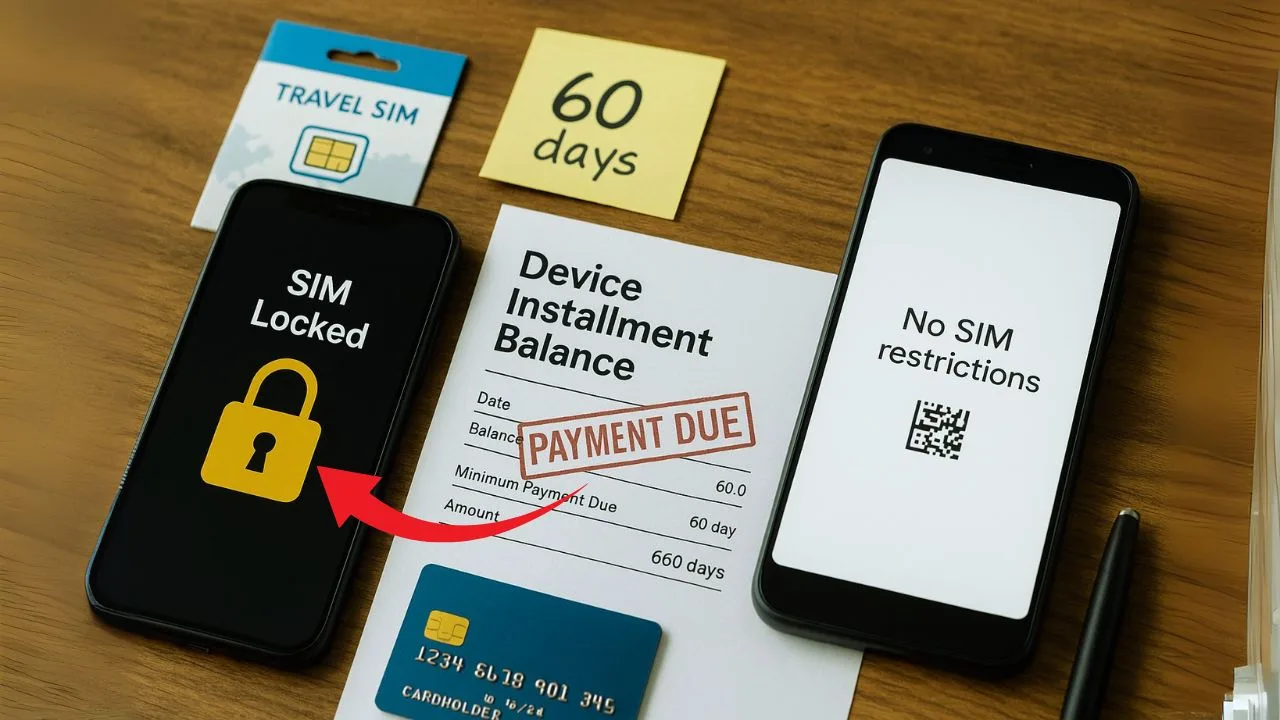
If you’re still paying off your phone and want to use it on another carrier—or sell it—your first question is simple: can you unlock it now, or do you have to finish the payments first? The honest answer is, “it depends.” Different carriers set different rules, and those rules change over time. In this clear, up-to-date guide, you’ll learn how “payments due” affects unlocking, the current policies for major U.S. carriers, what’s allowed (and what’s not), and practical steps to get an unlock legally and safely.
Key Takeaways
- Most postpaid lines (like AT&T and T-Mobile) require the device to be paid off before unlocking, while Verizon postpaid typically auto-unlocks after 60 days from activation even if you’re still financing—unless there’s a fraud or lost/stolen flag.
- Your account must be in good standing, the phone must not be blacklisted, and many prepaid brands (Cricket, Metro, Boost) use a time-on-network requirement (e.g., 6–12 months) rather than payoff.
- Confirm lock status, meet the carrier’s rule (time or payoff), then request through the official portal/app. Save payoff receipts, confirmation emails, and screenshots—these fix most “still ineligible” glitches fast.
- If you can’t meet the rule yet, consider a fast payoff or wait out the timeline. For travel, use an unlocked backup, international eSIM, or hotspot. Avoid “instant whitelist” third-party unlocks—they’re risky and can be reversed.
The short answer
Sometimes yes, sometimes no. If you’re on Verizon postpaid, phones are typically automatically unlocked 60 days after activation, even if you’re still making monthly payments—unless the device is flagged for fraud or reported lost/stolen.
On AT&T and T-Mobile, a financed phone generally must be paid off in full before they’ll unlock it (plus a minimum active-service period).
On prepaid brands like Cricket, Metro by T-Mobile, and Boost, unlocking depends mostly on how long the phone has been active with paid service (for example, 6 months, 365 days, or 12 months). Financing status is usually separate.
Because policies are updated, always verify the latest rules before you act. The sections below explain the logic behind these policies—and exactly what to do next.
📖 Also Read: Unlocking Dual SIM Phones: Can Both Slots Be Carrier Unlocked?
Why carriers lock phones (in one minute)
Carriers lock phones to reduce fraud and protect subsidies. If a phone is sold at a discount or financed over time, a network lock helps ensure the customer keeps the service long enough for the carrier to recoup its costs. Once a device meets the provider’s requirements (time on network, good standing, paid-off balance, not reported lost/stolen), carriers remove the lock—either automatically or after a request. U.S. rules and proposals also push providers toward more consistent, consumer-friendly unlocking timelines.
What “payments due” really means
“Payments due” can describe several situations, and each one affects unlocking differently:
Device installment balance: You’re financing the phone itself through your carrier. Many providers (notably AT&T and T-Mobile) require this balance to be paid in full before unlocking.
Monthly service bill: You’re current on the phone but late on the plan. Carriers can require your account to be in good standing (no past-due bill) at the time of the unlock request.
Prepaid service time: There’s no installment loan, but your device must complete a minimum number of active, paid days on that brand before it becomes eligible.
Carrier-by-carrier: Can you unlock while you still owe?
Verizon (postpaid & prepaid)
Postpaid: Devices bought from Verizon are locked for 60 days. After that, Verizon unlocks them automatically, and it doesn’t depend on whether your installment plan is fully paid—unless the phone is flagged as stolen or purchased fraudulently. That 60-day lock is the only lock period; they do not re-lock later.
Prepaid: Most Verizon prepaid devices unlock after 60 days of paid active service and “ordinary usage.”
What it means for “payments due”: With Verizon postpaid, you can usually be mid-payments and still end up unlocked after day 60, provided there’s no fraud/loss report. If your account goes delinquent or there’s a chargeback, expect problems—unlocks can be denied or reversed in fraud scenarios.
Note: In 2025, Verizon asked the FCC to relax/extend the 60-day rule; keep an eye on this debate, but today’s consumer-facing policy remains 60 days.
📖 Also Read: What Is SIM Swap and How It Affects Phone Unlocking
AT&T (postpaid, business, and prepaid)
AT&T’s policy states your installment balance must be $0 before the device is eligible. You’ll also need at least 60 days since purchase on many accounts, a current (not past-due) bill, and the device can’t be lost/stolen or tied to fraud. AT&T Prepaid usually requires six months of paid service.
What it means for “payments due”: If your phone is still financed, AT&T will not unlock it. You’ll need to pay it off, satisfy the timing rules, and make sure your account is current.
T-Mobile (postpaid & prepaid)
Postpaid: A phone must be active on T-Mobile for at least 40 days, and if it was financed or leased, all payments must be satisfied. Canceled accounts must have a $0 balance.
Prepaid: 365 days since activation, or a special spend threshold for earlier unlocks, plus other standard conditions.
What it means for “payments due”: On T-Mobile postpaid, if you still owe on the device, you can’t unlock it. Finish the EIP (equipment installment plan) first; then, T-Mobile will unlock automatically if your device supports remote unlock.
Cricket Wireless (AT&T’s prepaid brand)
Cricket requires a device to be active for at least six months of paid service and not be reported lost/stolen or tied to fraud. Many Android phones unlock through the myCricket app once eligible.
What it means for “payments due”: There’s usually no carrier installment loan on Cricket, but the six-month clock is the gate. If you haven’t hit six months of paid service, you’re not eligible.
Metro by T-Mobile (prepaid) Metro devices must have 365 days since activation, and the device can’t be reported lost/stolen or blocked. Metro says eligible devices are unlocked automatically within two business days.
What it means for “payments due”: There’s no “payoff” requirement in the policy, but time on network (365 days) controls unlock eligibility.
Boost (Boost Mobile & Boost Infinite)
- Boost Mobile (prepaid): Boost says it will unlock eligible prepaid devices one year after initial activation, once payment/usage conditions are met; eligible devices unlock automatically within two business days after eligibility.
- Boost Infinite (postpaid): If you bought a phone from Boost Infinite on financing, they unlock after you fulfill the financing plan (or otherwise meet eligibility).
What it means for “payments due”: On Boost Infinite, you must finish financing first. On Boost Mobile, expect ~12 months active before an unlock.
Is unlocking with a balance “illegal”?
Unlocking itself isn’t illegal—carriers now routinely unlock when rules are met—but bypassing a carrier’s policy (for example, paying a stranger for a “database” or “whitelist” unlock) can violate terms of service, risk permanent blacklisting, and expose you to scams. U.S. policy discussions are actually moving toward earlier, more standardized unlock timelines (for example, 60-day proposals), but those proposals do not require carriers to unlock a device that’s flagged for fraud, lost/stolen, or otherwise fails eligibility checks.
Practical paths to an unlock—even if you still owe
Unlocking a phone that still has payments due is all about knowing which rule applies to your line and working that path with clean paperwork. Use the steps below to move forward without guesswork or risky shortcuts.
📖 Also Read: How to Unlock a Carrier-Locked Apple Watch to Use with Any Network
1) Pin down your carrier’s “gate” first
Every carrier has one main gate you must clear before an unlock happens. Identify yours and plan around it.
Verizon (postpaid or prepaid):
If you bought the phone from Verizon, the usual gate is time, not payoff. Wait the standard lock period (commonly 60 days from activation on postpaid; a similar 60 days of paid service on many prepaid devices). When that window passes, the device should unlock on its own. If it doesn’t, call support and ask them to check for red flags like a loss/theft report or fraud hold. Those flags must be cleared before an unlock can stick.
AT&T and T-Mobile (postpaid):
Here, the gate is payoff. If your phone is still being financed, settle the device balance first. Once the account shows a zero device balance—and you’ve met the carrier’s minimum active-service period—submit your unlock request or let the automatic unlock kick in if your model supports it.
Cricket, Metro, and Boost (prepaid brands):
These brands rely on time on network. Keep the line active and paid until you pass the brand’s minimum active days (for example, several months up to a year, depending on the brand and model). Once you hit that mark, use the app or contact support to complete the unlock.
Why this step matters:
If you attack the wrong gate (for example, paying off a phone on a brand that only cares about months of service), you’ll spend money and still be stuck. Confirm your gate first, then act.
2) Consider a fast payoff—then give it time to post
If you’re on AT&T or T-Mobile and you can afford it, a lump-sum payoff can be the quickest route. Pay the device off, keep the receipt, and wait for the system to update (often 24–48 hours). Then request the unlock. If the tool says you still owe, share your receipt or payment confirmation and ask support to refresh your eligibility.
Tip: If you paid by card or online banking, take screenshots that show the last four digits of the account, the posted date, and the confirmation number. These details help agents find the payment in their system.
3) Ask about documented exceptions (they exist)
Some situations allow early unlocks even when you haven’t hit the usual gate:
- Active-duty military deployment: Many carriers offer an early unlock with deployment orders. Have your documents ready and request a “military exception.”
- System or billing glitches after payoff: If your balance shows $0 but the portal still blocks you, escalate politely. Provide proof of payoff and ask for a manual review.
- Ownership issues: If you purchased the device second-hand and it’s eligible, ask about a path to unlock by confirming proof of purchase and clean status.
When you talk to support, be brief and specific:
I’ve completed my device payoff on [date]. The portal still says I owe. I have the receipt—can you refresh my eligibility or open a ticket to correct it?”
4) Traveling soon and still locked? Use a safe workaround
If your trip starts before your unlock window ends, you still have options that don’t involve sketchy “backdoor” services:
- Carry an unlocked backup: Use a spare unlocked phone for the trip with a local SIM or eSIM.
- Use an international eSIM on a second device: Keep your main phone on your home line for calls and use the second device for travel data.
- Portable hotspot: A travel hotspot paired with your main phone over Wi-Fi can keep you online without touching the SIM lock at all.
These workarounds aren’t as seamless as a true unlock, but they protect your main device from shady services that can get your IMEI flagged later.
5) Buying or selling a financed phone? Use this quick checklist
A few smart checks can save you from headaches and blacklists.
Keep proof of everything.
Save activation dates, payoff receipts, email confirmations, and chat transcripts. If something goes sideways, these documents get you to a supervisor faster.
Confirm lock status on the phone itself.
iPhone: Settings → General → About → Carrier Lock. “No SIM restrictions” means unlocked.
Android: Insert a SIM from a different carrier and see if it registers on the network without a PIN/unlock prompt.
Verify the timeline that controls eligibility.
Ask for the original activation date and which gate applies (days on network vs. payoff). A recent activation may mean months left before an unlock is allowed—even if you pay in full today.
Match the IMEI to the paperwork.
Make sure the printed or emailed receipt shows the same IMEI as the device in your hand.
Avoid “instant whitelisting” services.
Anyone claiming they can unlock any IMEI “in minutes” is likely abusing internal systems. Those unlocks are unstable and can be reversed—sometimes with the IMEI flagged afterward.
A simple script for calling support (use and adapt)
- You: “Hi, I’m calling about an unlock. My device is eligible because [I reached 60 days / I paid the device off on DATE / I completed the active-service requirement]. The portal still shows me as ineligible. Could you please check for any fraud or lost/stolen flags and refresh my eligibility? I have the payoff receipt if you need it.”
- If they push back: “Thanks—could you note my account and open a ticket? I can upload the receipt and the IMEI screen right now.”
Common mistakes to avoid
- Paying off the device when your brand only cares about time on network. You’ll spend money yet still need to wait.
- Relying on third-party “database” unlocks. They may work for a week and then vanish, leaving you blocked.
- Forgetting dual-SIM details. If your phone has IMEI1 and IMEI2, make sure the carrier clears the lock for the slot you plan to use (physical SIM or eSIM).
- Assuming an unlock fixes blacklist issues. A phone reported lost/stolen or tied to fraud won’t be made usable just because the SIM lock is lifted.
Bottom line
If you still owe on the phone, the unlock path is shaped by one gate—time (common on prepaid), payoff (common on postpaid), or both. Identify your gate, gather proof, and work the official path. If the clock hasn’t run out and you’re traveling, choose a safe workaround instead of risky “instant” unlocks. With clear steps and clean records, you’ll either unlock the right way or be ready the moment you cross your carrier’s line.
Common scenarios, answered quickly
“I’m on Verizon postpaid, still financing the phone—can I unlock?”
Yes, after 60 days, unless it’s flagged for fraud or reported lost/stolen. Verizon handles this automatically; there’s no separate “paid in full” requirement for standard postpaid.
“I’m on AT&T, and I owe $200 on my installment. Can I unlock now?”
No. AT&T requires your installment balance to be $0, the device to be at least 60 days old, not lost/stolen, and your account in good standing. Pay off first; then unlock.
“I’m on T-Mobile with a financed device. Can I unlock?”
No—not until you’ve paid it off, kept it active at least 40 days, and cleared any account balance if the line was canceled.
“My Cricket/Metro/Boost phone is fully paid, but they won’t unlock.”
Payment alone isn’t the gate. You must complete the time-on-network rule (Cricket: 6 months; Metro: 365 days; Boost Mobile: 12 months).
“Will my phone be re-locked if I stop paying later?”
With Verizon postpaid, phones aren’t re-locked after the 60-day window; but any fraud/loss issue can block an unlock or activation. Other carriers don’t re-lock after a legitimate unlock either, but they can reject new unlock requests or refuse activation on their own network if there’s a debt, fraud, or blacklist flag.
Step-by-step: How to unlock the right way
Follow these steps in order. Each step is short, clear, and actionable so you can finish the job without guesswork.
Step 1: Find your IMEI(s)
Open your phone’s settings and note every IMEI you see.
iPhone: Settings → General → About → IMEI (you may see multiple entries for eSIM and physical SIM).
Android: Settings → About phone → Status → IMEI (or dial *#06# to display it).
If your phone is dual-SIM, you’ll have IMEI1 and IMEI2. Save them both in a note or take a screenshot—support may ask for them.
Step 2: Check your current lock status
Before you do anything else, confirm whether the phone is already unlocked.
iPhone: Settings → General → About → Carrier Lock. If it says “No SIM restrictions,” you’re done.
Android: The easiest check is to insert a SIM/eSIM from another carrier. If it registers on the network (you see bars and can place a call), it’s unlocked. If you get “SIM network unlock PIN” or “SIM not supported,” it’s still locked.
Step 3: Match your situation to your carrier’s rule (“the gate”)
Identify the single rule that controls your unlock eligibility.
Verizon: Wait 60 days from activation (postpaid) or 60 days of paid active service (most prepaid). After that, the device should unlock automatically. If it doesn’t, call support and ask them to check for a fraud or lost/stolen flag.
AT&T / T-Mobile (postpaid): The gate is payoff. Clear the device balance, meet the minimum time requirement (e.g., 40–60+ days on network), and make sure the account is in good standing.
Cricket / Metro / Boost (prepaid): The gate is time on network. Keep the line active and paid until you cross the brand’s unlock window (e.g., 6 months, 365 days, or 12 months, depending on brand/model).
Step 4: Get eligible (and create a paper trail)
Do the action that clears your gate—and keep proof.
- If your gate is time, mark the calendar and keep service active.
- If your gate is payoff, pay the device off, save the receipt, and give 24–48 hours for systems to update.
- Make sure your account balance isn’t past due.
- If you bought the phone second-hand, gather proof of purchase with the matching IMEI.
Step 5: Request the unlock (if it isn’t automatic)
Once you’re eligible, complete the request the right way:
AT&T: Use the official unlock portal and follow the prompts. Enter the correct IMEI (IMEI1 for the slot you’ll use).
T-Mobile: Many models auto-unlock when eligible. If not, contact support in your T-Mobile account or use the built-in Network Unlock option (on some Android models: Settings → Connections → More connection settings → Network Unlock).
Cricket: Open the myCricket app and follow the on-screen unlock steps when eligible.
Metro / Boost: Unlocks typically process automatically once you meet the timeline. If nothing happens within two business days, contact support and ask for a manual refresh.
Verizon: After the 60-day window, the device should be unlocked without a request. If not, call support and ask them to review any fraud/loss holds and push the unlock.
Step 6: Apply the unlock on the phone
Most unlocks are server-side, but your phone may need a nudge:
- Connect to Wi-Fi or mobile data.
- Insert the new carrier’s SIM (or add the new eSIM).
- If you see “SIM not supported” or “Enter network unlock code,” follow the prompt. If your carrier doesn’t use codes, restart and try activation again while connected to Wi-Fi.
Step 7: Restart and test everything
Power the phone off and on. Then confirm the basics work with the new carrier:
Call & text: Place a normal call and send/receive an SMS and an MMS (picture message).
Data: Open a webpage. If data doesn’t work, add or update the APN in cellular settings (the new carrier provides the values).
Dual-SIM users: Test both lines. If only one line connects, make sure the correct IMEI slot (IMEI1 or IMEI2) is the one that was unlocked and is active for your SIM/eSIM.
Step 8: If denied, fix the exact blocker—don’t guess
Common reasons and quick fixes:
- Still financed / unpaid balance: Finish the payoff; wait for it to post; retry.
- Time requirement not met: Keep service active until the date; set a reminder to retry.
- Account not in good standing: Clear any past-due amount; ask support to refresh eligibility.
- Fraud or lost/stolen flag: Only the carrier can remove these. If you’re the rightful owner, provide proof of purchase and ask for a review.
When you contact support, be short and specific:
“Hi, my device meets the unlock rules. IMEI: [last 6 digits]. I paid it off on [DATE] and the account is current. Could you refresh eligibility or open a ticket?”
Step 9: Save your win
After you’re unlocked and tested, save:
- A screenshot of “No SIM restrictions” (iPhone) or proof the new SIM connects (Android).
- Your unlock confirmation email/chat transcript.
- Your payoff receipt (if you had to pay off).
These records solve 90% of future headaches—especially if you sell the phone or switch carriers again.
That’s it. Work the right gate (time or payoff), keep clean proof, request the unlock through the official channel, then restart and test. If anything stalls, a calm call with your IMEI, dates, and receipts usually gets it across the finish line.
Final Tips (to save money and stress)
Plan ahead. If you’re switching carriers soon, look at your unlock timeline now. You may need to time your payoff or one more month of prepaid service.
Keep receipts. If you pay off a device, save proof and wait 24–48 hours before submitting an unlock, especially on AT&T.
Know the policy debates. Industry rules are evolving; the FCC has floated 60-day unlock requirements across the board. That could make things easier over time—but today, you’re still bound by your carrier’s current policy.


