

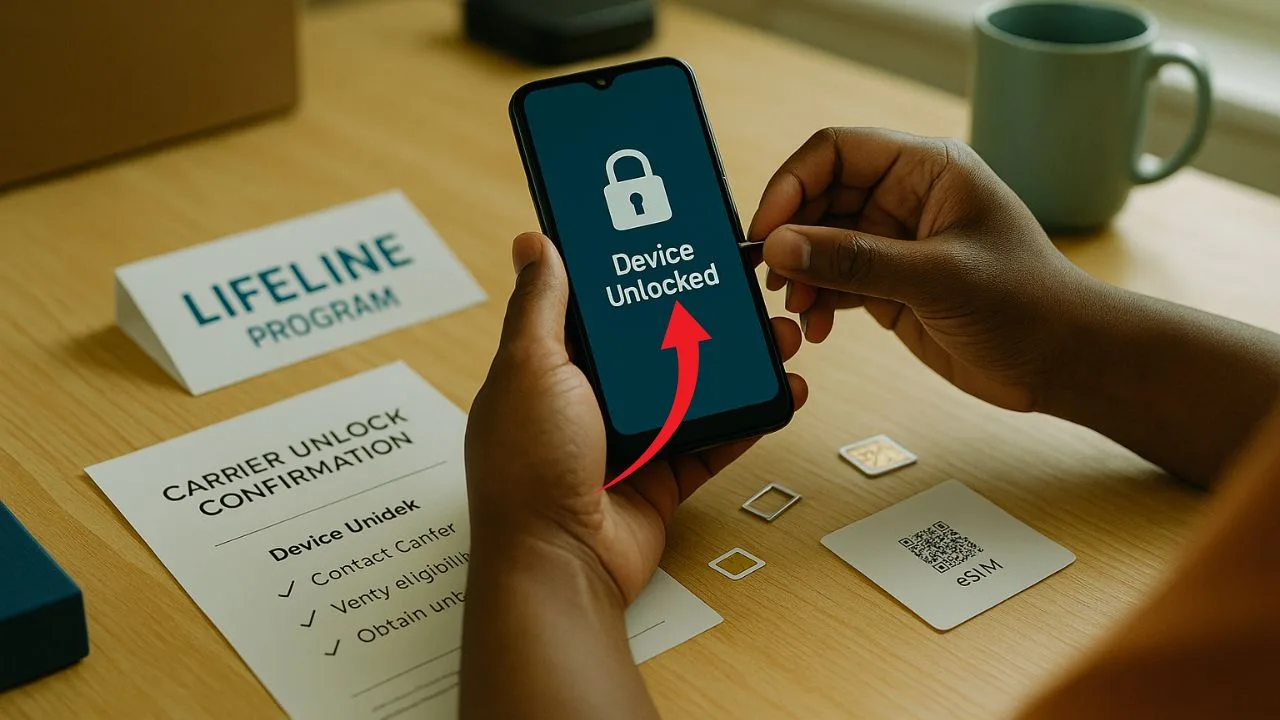
If you received a free or low-cost phone through a government program, you may be wondering: Can I unlock it and use it with another carrier? In most cases, yes—once you meet the carrier’s eligibility rules. This guide breaks down how unlocking works for Lifeline phones, what changed after the Affordable Connectivity Program (ACP) ended, and the exact steps to take so you can switch networks without surprises.
Key Takeaways
- You can unlock a free government phone—but only through the original carrier.
Contact the provider that issued the device (e.g., Assurance Wireless). Unlocking depends on meeting that carrier’s policy (active service time, clean history, no loss/theft flags). - Follow a simple flow: IMEI → eligibility → request → confirm.
Grab your IMEI (*#06#), verify you’re eligible, submit the unlock (or wait for auto-unlock), then insert a new SIM/eSIM and test calls, texts, and data. - Resets and “secret codes” won’t remove a carrier lock.
Factory resets don’t affect network locks. Unlocking is legal but must follow the carrier’s rules; keep your confirmation email/ticket once it’s done. - Eligibility and compatibility both matter.
Any required payments/tenure must be met, and not every device can be unlocked. After unlocking, the phone must still support the new carrier’s bands/VoLTE—use the BYOD checker and set the correct APN.
What counts as a “free government phone”?
Lifeline, in plain language
Lifeline is a long-running FCC program that lowers the cost of phone or internet service for eligible low-income households. Most people see it as a monthly discount (up to $9.25, or up to $34.25 on Tribal lands) that participating providers apply to your service. Some carriers also offer a low-cost or no-cost device with the plan, which is where “free government phone” comes from. Lifeline still exists today and is administered by USAC (the Universal Service Administrative Company).
What happened to the ACP bonus?
The Affordable Connectivity Program (ACP) was a separate, newer subsidy that helped with broadband bills and sometimes bundled phone offerings. It stopped accepting new applications on February 7, 2024, and ended due to lack of funding—with the FCC noting June 1, 2024 as the point when ACP benefits ended. If your device or service originally came through an ACP-bundled offer, that benefit no longer applies, but your unlocking rights are separate from ACP and still governed by carrier rules and FCC policy.
Do Lifeline or ACP change the unlocking rules?
Short answer: No. Whether you bought a phone retail, got it on a postpaid contract, or received it from a Lifeline/ACP provider, the same national unlocking framework applies. In 2014–2015, the wireless industry and the FCC established common standards—often called the CTIA unlocking commitment—that require carriers to unlock devices once they’re eligible (time-on-network and other criteria). The FCC’s consumer guide explains those commitments and your right to request an unlock.
What that means for you: a Lifeline phone can be unlocked when it meets the provider’s eligibility conditions, just like other phones. Those conditions vary a bit by carrier or brand (for example, number of days of active service, account in good standing, not flagged as lost/stolen).
The national baseline: what “eligible for unlock” usually means
While every provider writes its own policy, most share a few common points drawn from the CTIA/FCC framework:
Active service for a set time. Postpaid phones are typically eligible once obligations are met; prepaid (which is how many Lifeline devices are set up) often require up to one year or a shorter, set number of days, depending on the brand.
Good standing and clean history. The phone can’t be reported as lost, stolen, or fraudulently obtained, and it shouldn’t be blocked for non-payment.
Unlock method and timing. Some carriers automatically unlock when the device becomes eligible; others require you to request it. Either way, once eligible, the carrier must unlock it or provide a clear path to do so.
📖 Also Read: Phone Unlock Tips That Actually Work (even for “no volume” keywords)
Real-world policies from popular Lifeline brands
Policies can change. Always check your provider’s current page before you act. The examples below show the kinds of rules you’ll see.
Assurance Wireless (on the T-Mobile network)
Assurance says that once a device is eligible, it will automatically and remotely unlock the phone within about two business days if the hardware supports it. If the device can’t be unlocked over the air, they provide instructions or an alternate method. This is helpful because it means many users won’t need to chase an agent once they’ve met the requirements.
SafeLink Wireless (a TracFone brand on Verizon’s network)
TracFone’s official unlocking policy (which covers brands like SafeLink, Straight Talk, etc.) was updated April 1, 2025. For devices activated on Verizon’s network on or after November 23, 2021, the policy states an automatic unlock after paid activation and 60 days of paid active service. If you’re on a Lifeline plan that didn’t include “paid” service, contact SafeLink support—some cases need manual review or use separate criteria for subsidy-based service.
TruConnect
TruConnect’s policy follows the national baseline: upon request, the company will unlock no later than one year after the initial activation (subject to reasonable usage and other standard limits). If you think you qualify earlier or have military orders, reach out and ask them to review your account.
How to check whether your Lifeline phone is locked
You don’t need special tools to start. Try these quick checks:
iPhone:
Go to Settings → General → About → Carrier Lock.
If you see “No SIM restrictions,” your iPhone is already unlocked.
Android (varies by brand):
Insert a SIM from a different carrier. If you see “SIM network unlock PIN” or “Network unlock request,” the device is still locked. Some Android models also show carrier lock info in Settings → About phone → Status.
If you’re unsure, call or chat your provider and ask:
- Is my device SIM-locked to your network?
- If yes, what date will it become eligible, and what steps do I need to complete?
📖 Also Read: Unlock Your Phone & Prepare for International Travel
Step-by-step: unlock a free government phone
- Find your IMEI. Dial *#06# or check the box/Settings. Write down both IMEI and IMEI2 (if your phone has dual SIM/eSIM).
- Confirm eligibility. Ask support for your activation date, days of active service, and whether your account is in good standing. If the policy requires “paid” days and you’re on a $0 Lifeline plan, ask whether there’s a Lifeline exception or an alternate path.
- Request the unlock (if not automatic). Use the official unlock page or customer care. Assurance often unlocks automatically once you qualify; still, it’s fine to check your status if you think you’re eligible.
- Complete any final steps. Some phones unlock over the air after a restart. Others require you to insert a non-original SIM and enter a code, or follow steps in a message from the carrier.
- Test with another SIM or eSIM. Pop in a different carrier’s SIM (or add an eSIM) and make a test call. If you get a network error, toggle airplane mode, reboot, and check APN settings.
- Keep your records. Take note of the date your unlock was processed and any confirmation numbers in case you run into issues later.
Common roadblocks—and simple fixes
“Your phone was flagged lost/stolen.”
Unlocking is denied in this case. If it’s an error, you’ll need to work with the provider to clear the status.
“Not enough days of active service.”
Check your brand’s specific rule (e.g., 60+60 days for TracFone/Verizon lines under the April 2025 update) and set a reminder to try again once you’ve hit the mark.
“It says unlocked, but my new SIM won’t work.”
Unlocking only removes the network lock. The phone still has to be compatible with the new carrier’s bands and technologies. Use the new carrier’s BYOD checker and confirm the device supports VoLTE/5G bands they require.
“My plan ended when ACP ended.”
Unlocking rights are independent of ACP. Even if your discount changed, you can still request an unlock once you meet the device policy.
“I have military deployment orders.”
Ask about accelerated unlocking or exceptions. Many carriers include them in their policies under the CTIA commitment.
Will unlocking cancel my Lifeline?
No. Unlocking just removes the carrier lock on the device. Your Lifeline benefit is a discount applied to service. You may keep Lifeline with your current provider, or you can transfer your Lifeline to another participating provider if you choose—subject to program rules and the other provider’s device compatibility. For official Lifeline program details, USAC’s pages are the source of truth.
📖 Also Read: How to Unlock Samsung Galaxy S22 Ultra for Any Carrier
After you unlock: smart ways to save
Shop MVNOs that fit your coverage map. Many Lifeline phones ride on big networks (Verizon or T-Mobile). If your phone is compatible, an MVNO on the same network often offers low monthly prices.
Check low-income plans. Even post-ACP, some carriers and cities offer discounted plans or community programs. Your local library or community center may keep a list.
Mind 5G bands and eSIM. If your phone supports eSIM, adding a trial plan is a quick way to test coverage before you switch for good.
FAQs (quick hits)
What is the master code to unlock any phone?
There isn’t a universal “master code.” Network unlocking is tied to your phone’s IMEI and your carrier’s policy. iPhones are unlocked remotely through Apple’s activation servers (no code), and most Android phones use an IMEI-specific NCK code or a server push from the carrier once you’re eligible. Beware of “secret codes” you see online—those won’t legitimately remove a carrier lock and can even disable your device. For lawful unlocking, go through your carrier’s process.
Can a locked phone be unlocked for free?
Usually, yes—if you’re eligible under your carrier’s policy. U.S. carriers are expected to unlock eligible devices (postpaid once obligations are met; prepaid no later than one year, consistent with reasonable terms). Many providers even unlock automatically once you qualify.
Do government phones have SIM cards?
Most modern “free government phones” (from Lifeline providers) are standard smartphones that use a SIM card or eSIM, just like retail phones. Lifeline is simply a monthly discount on service—the hardware works the same way as any other compatible phone.
What is the FCC unlocking rule?
In plain terms: carriers must unlock your phone once it’s eligible. Postpaid devices get unlocked upon request after you’ve met contract/financing terms; prepaid devices must be unlocked no later than one year after activation (with reasonable usage/payment requirements). Providers shouldn’t unlock lost/stolen devices, and there are military deployment accommodations. Many carriers also auto-unlock eligible phones. (The FCC has open proceedings considering a uniform 60-day unlock standard; check the latest status.)
What does *#9900 do?
On Samsung phones, dialing *#9900# opens the SysDump tool used for collecting logs and debugging. It’s not an unlock code and won’t remove a carrier lock.
Which code is used to unlock a phone for free?
There’s no single free dialer code that unlocks all phones. If your device is eligible, the carrier either pushes a remote unlock (common on iPhone and many Android models) or provides an IMEI-specific unlock code for compatible Android devices—at no extra charge for eligible customers. Any site claiming a universal unlock code is not legitimate. Start with your carrier’s official unlock page/support.
The bottom line
Yes—you can unlock a free government phone once it meets your provider’s policy. Lifeline keeps helping with monthly service, ACP has ended, and none of that stops you from unlocking when you’re eligible. Check your brand’s timeline, confirm your device status, and request the unlock. After that, test a new SIM or eSIM, and move to the plan that fits your budget and coverage.
You deserve the freedom to choose your network. With the steps above—and a quick look at your provider’s current policy—you’ll get there smoothly.


