Locked Out of Your Laptop? Here’s What You Really Need to Know
We’ve all been there. You fire up your laptop, ready to dive into work, stream a movie, or finish that last-minute college assignment—and boom—you’re greeted with a password screen you just can’t get past. Whether you forgot your Windows 10/11 password, bought a used device with no login info, or are helping someone else regain access, the panic is real. So, how do you bypass a laptop password without losing all your data or doing something shady?
If you’re searching for how to bypass a laptop password on Windows 10 or 11, you’re not alone—and yes, there are legitimate ways to do it.
✅ Quick Answer: How to Bypass a Laptop Password on Windows 10/11
If you’re locked out of your Windows 10 or 11 laptop, you can bypass the password in a few safe ways depending on the type of account. For local accounts, you can use Safe Mode with Command Prompt to reset the password by typing a simple command. If it’s a Microsoft account, just visit the official Microsoft password reset page and follow the prompts to create a new password. Another option is using a second administrator account—if one exists—to change the locked account’s password. For more stubborn cases, trusted third-party tools like PassFab or Windows Password Reset can help without erasing your data. Use a factory reset only if you’re okay with losing everything on the device.
🧠 Why People Search This (And Why It’s More Common Than You Think)
I remember helping my cousin recover her old Dell laptop she hadn’t touched in over a year. She couldn’t remember the password, had no reset disk, and didn’t want to lose her photos. Sound familiar?
On forums like Reddit, users share the same pain:
“Bought a used HP, seller didn’t wipe it properly. Can’t log in. Any ideas without wiping the whole thing?” – r/techsupport
And over on X (Twitter), it’s a trending topic every time Microsoft rolls out a major update—people get locked out more often than you’d expect.
Don’t Miss It: Hard Reset vs. Factory Reset: What’s the Real Difference? (Explained Simply)
🔑 Method 1: Use a Password Reset Disk (If You Have One)
Let’s start with the simplest—but least likely—method.
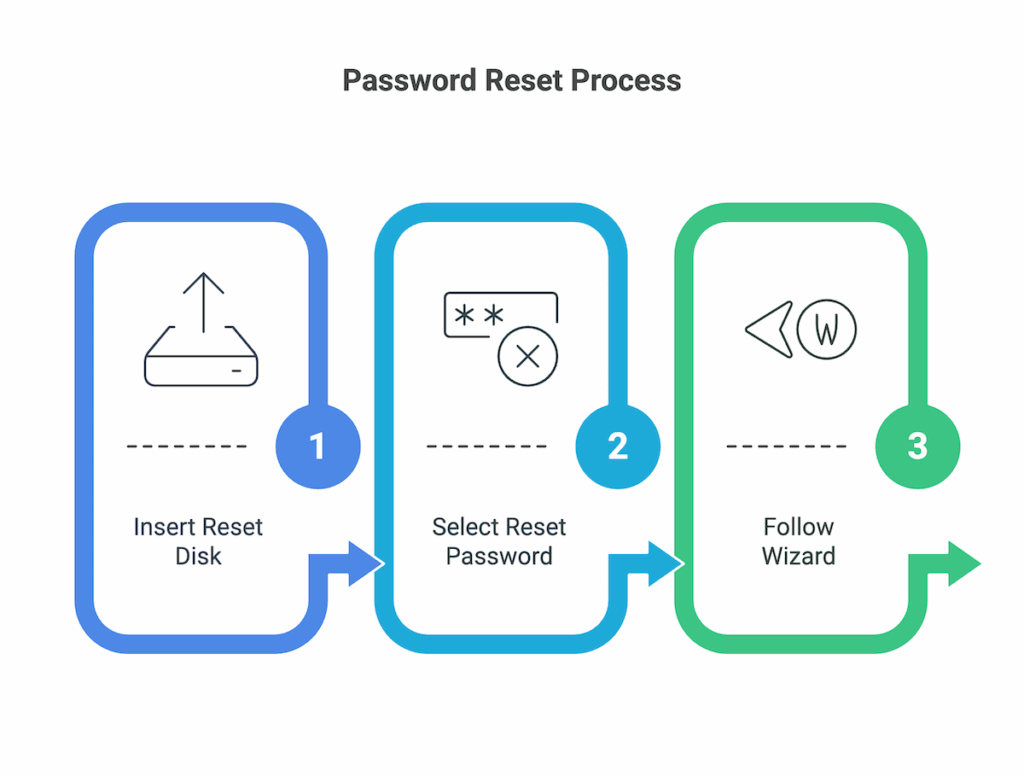
Steps:
- Insert the reset disk (usually a USB drive you created earlier).
- On the login screen, select “Reset password”.
- Follow the wizard to set a new one.
If you didn’t make one, skip ahead. Most users don’t create this in advance (no shame in that).
👥 Method 2: Use Another Admin Account
If another administrator account exists:
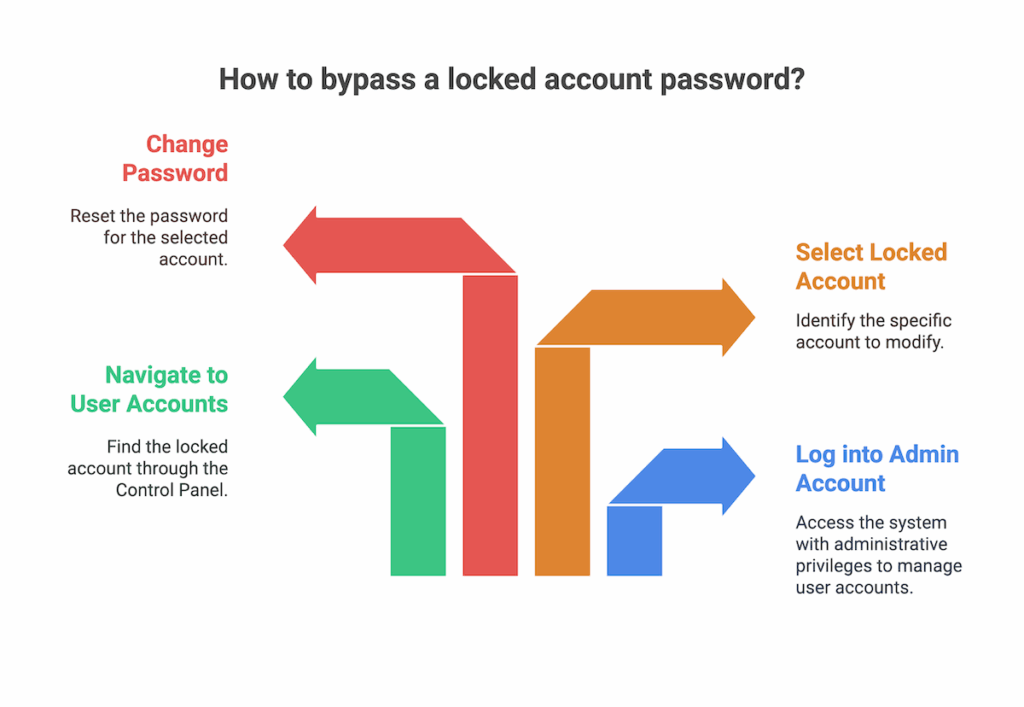
- Log into the admin account.
- Go to Control Panel > User Accounts > Manage another account.
- Select the locked account.
- Click Change the password.
You’re in.
📝 Pro Tip: This works only if a second admin account is active and accessible.
⚙️ Method 3: Boot into Safe Mode with Command Prompt
This is more technical but powerful. It works especially well on local accounts.
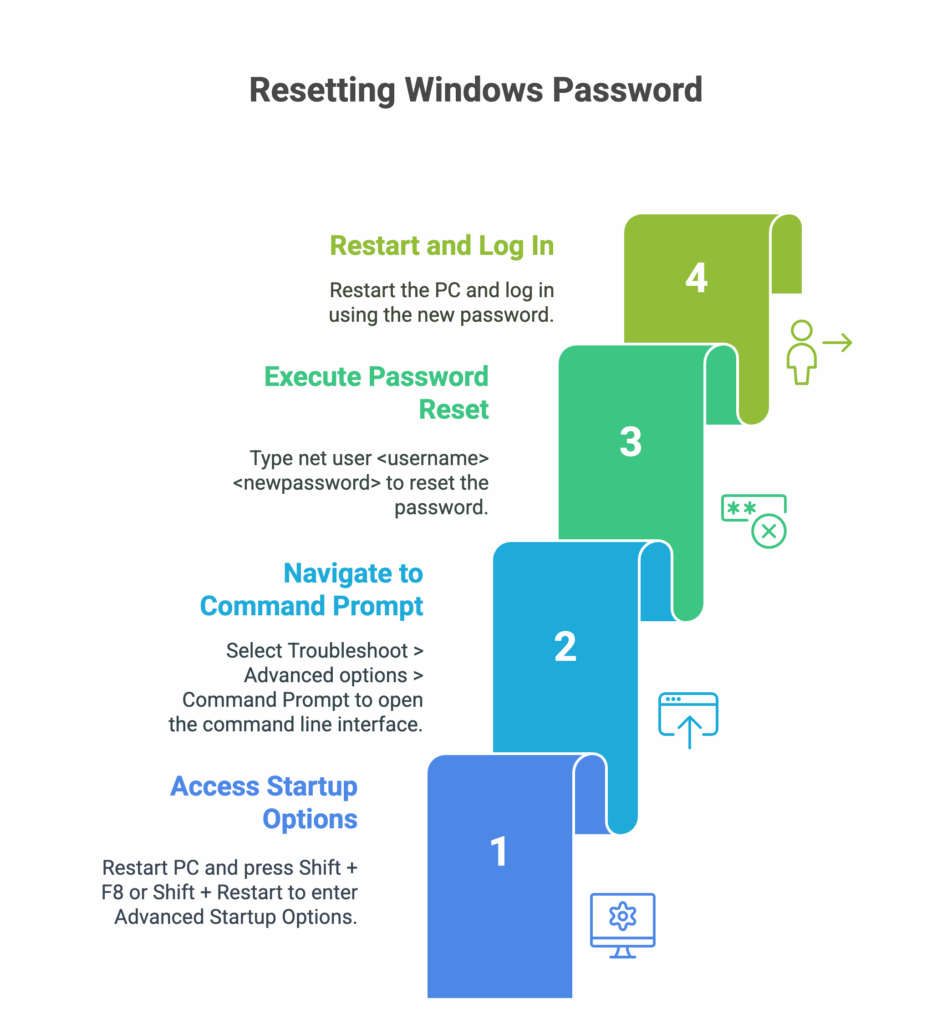
How to Do It:
- Restart your PC and press Shift + F8 or Shift + Restart to get to Advanced Startup Options.
- Select: Troubleshoot > Advanced options > Command Prompt.
- In the command line, type: net user <your username> <newpassword> Replace
<your username>and<newpassword>with the actual details. - Restart and log in using the new password.
✅ Works on local accounts, not Microsoft-linked ones.
Don’t Miss It: Secret Code To Unlock Android Phone Password Master Code
🌐 Method 4: Reset Microsoft Account Password Online
If you’re using a Microsoft account (most people do now), this is the easiest method.

Steps:
- Visit: Microsoft Recover your account page
- Follow the prompts to verify your identity (email/SMS).
- Reset your password.
Once done, restart your laptop and log in with the new password.
🛠️ Method 5: Use Trusted Third-Party Software
When all else fails—and you don’t want to factory reset—tools like:
…can help. These tools boot from USB, scan user accounts, and allow password resets.
⚠️ Caution: Always download from the official websites. Many fake “free unlockers” contain malware.
🔁 Method 6: Factory Reset (If You’re Okay Losing Data)
This is your last resort. It wipes everything and starts fresh.
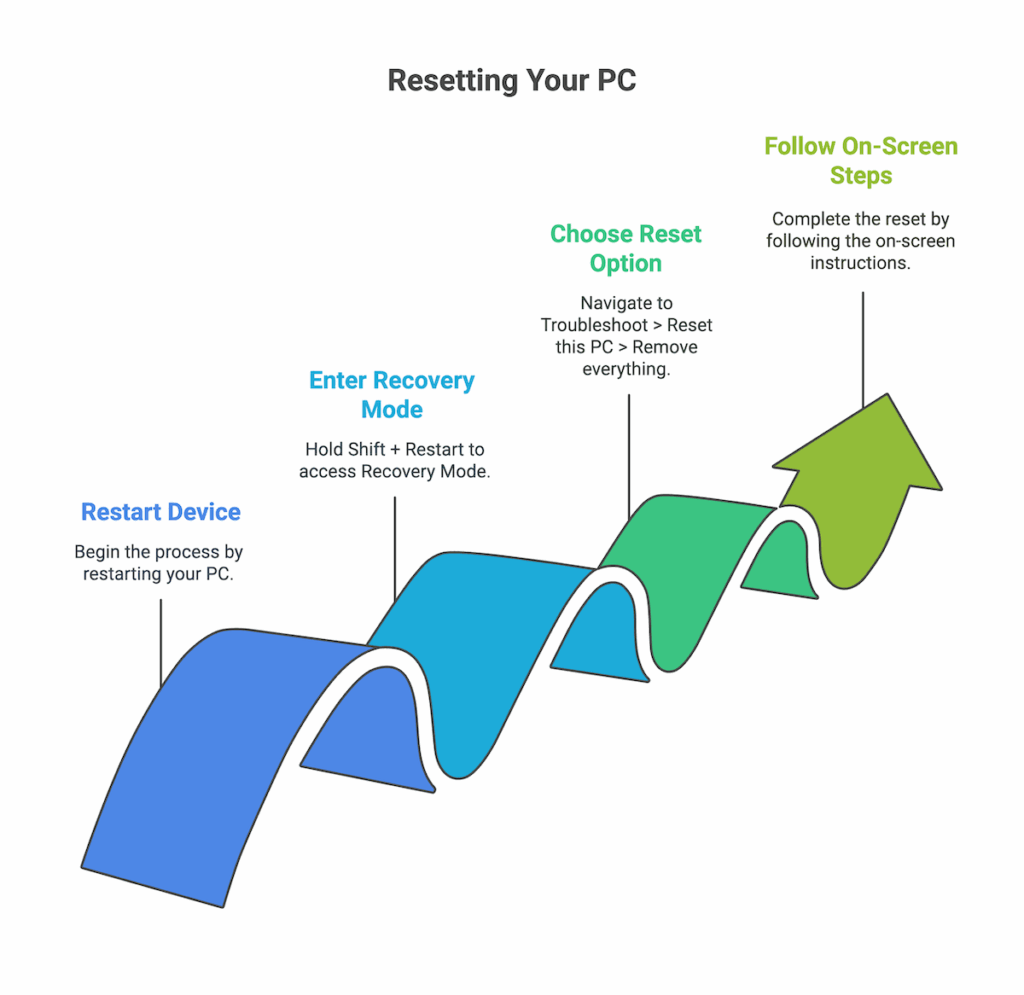
To Reset:
- Restart the device.
- Hold Shift + Restart to get into Recovery Mode.
- Choose Troubleshoot > Reset this PC > Remove everything.
- Follow on-screen steps.
You’ll regain access, but all files will be erased unless backed up.
📱 Why Mobile Users Search for This (And How They Can Relate)
A lot of readers come here from their smartphones, especially when their laptop is locked and they’re scrambling for a fix. They want quick, trustworthy, and data-safe solutions—without needing another PC or deep tech skills.
And that’s exactly what this guide delivers.
Don’t Miss It: How To Unlock A Motorola Phone To Use On Any Network
🔄 Comparison Table: Which Bypass Method Fits Your Situation?
| Method | Account Type | Data Loss | Skill Needed | Best For |
|---|---|---|---|---|
| Password Reset Disk | Local | No | Low | Prepared users |
| Another Admin Account | Local/Microsoft | No | Low | Family/Shared devices |
| Command Prompt | Local | No | Medium | Tech-savvy users |
| Microsoft Online Reset | Microsoft | No | Low | Microsoft account users |
| Third-Party Software | Local/Microsoft | No | Medium | Locked-out users with USB access |
| Factory Reset | Local/Microsoft | Yes | Medium | Users ready to start fresh |
📢 Frequently Asked Questions (FAQs)
1. Is bypassing a laptop password illegal?
If it’s your device, or you have permission from the owner, it’s legal. Just don’t use these methods on someone else’s device without consent.
2. Can I bypass a password without losing data?
Yes! Most methods here (except factory reset) allow you to keep your files.
3. What if I’m locked out of a company or school laptop?
In most cases, you’ll need IT admin access. These devices often have stronger security like BitLocker.
4. Do these methods work on both Windows 10 and 11?
Absolutely. The steps are nearly identical on both OS versions.
5. What about BIOS or BitLocker passwords?
This guide covers Windows login passwords. BIOS and BitLocker are different layers of security and harder to bypass.
🧭 Final Thoughts: Don’t Panic, Just Pick the Right Fix
Getting locked out of your Windows 10/11 laptop can feel like the end of the world—but it isn’t. Whether you forgot your password or bought a second-hand device, there’s almost always a safe, data-preserving, and legal way back in.
👉 My recommendation? If you’re using a Microsoft account, reset it online—it’s the fastest and safest option. For local accounts, the Command Prompt or a third-party unlocker works well.