

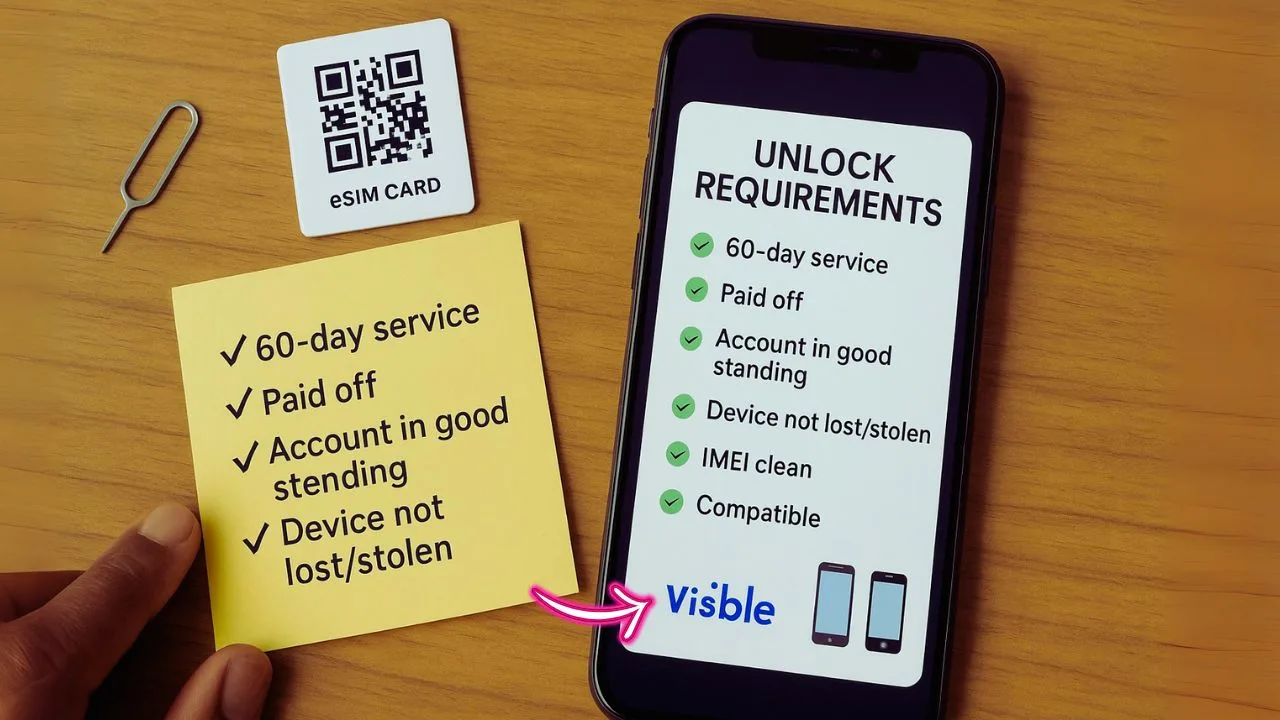
Unlocking a phone should not feel like a puzzle. Here is the straight talk on Visible Wireless Unlock Requirements Esim and what actually gets your device free to move.
Visible phones, including eSIM models, start locked for 60 days. An eSIM is a built-in digital SIM, so you can switch carriers without a plastic card. After 60 days of paid service, Visible unlocks the phone automatically if the account is clean and the device is not reported lost or stolen.
There is one more catch. Your phone still has to work on the new carrier’s radio bands. Service members who get orders outside coverage can ask Visible Care for an early unlock. Little steps matter, from generating the eSIM QR code to restarting your device at the end.
Follow the rules and you get fewer headaches, faster moves, and a smoother trip when you switch plans or travel. Miss a step and things can drag. Let’s break it down, then you can move with confidence.
Key Takeaways
- Visible unlocks devices after 60 days of continuous paid service if the account is in good standing and not flagged for fraud.
- Phones reported lost or stolen are not eligible for unlocking under Visible’s policy as of 2024.
- Active military with relocation orders outside coverage can request early unlocking by contacting Visible Care and providing documentation.
- Automatic unlocking applies to both physical SIM and eSIM phones once you meet all criteria.
- Before switching carriers, check network compatibility with your phone’s IMEI using a carrier checker.
What Are Visible Wireless Unlock Requirements?
Visible requires 60 days of paid service before a device can be unlocked. This applies to both physical SIM and eSIM activation. Your account must be in good standing during that time, and the device cannot be reported lost or stolen. Visible also runs fraud checks as part of its standard policy.
If your phone is tied to any funny business like theft or fraud, unlock requests will get blocked.
Meet those rules and the phone unlocks automatically after day 60. Service members with relocation orders outside coverage can contact Visible Care to request an early unlock under the military exemption.
📖 Also Read: Tracfone Unlock Request Denied? 7 Reasons And How To Fix Each One
Visible’s Phone Unlock Policy
Visible’s policy is clear, and it applies to both eSIM and physical SIM lines. Here is how the timing and account rules work so you do not get stuck with a locked device.
What Is the 60-Day Continuous Paid Service Requirement?
The 60-day clock starts the day your plan is activated and paid. Keep service active with normal use that follows the terms of service. Do not report the device lost or stolen during this period, or unlocking will be blocked even if you paid.
After the 60 days, unlocking happens automatically for both SIM types. Military users with official orders outside coverage can request an exemption by submitting documents to customer support. The goal is to confirm the device is eligible and the account is legit before the lock lifts.
How Do You Comply with Visible’s Terms of Service?
Pay on time for 60 straight days and use the phone in a normal way. That means calling, texting, and using data, not any unusual activity. If the device is ever flagged as lost or stolen, it is not unlockable.
Active military with relocation orders can request an exception by contacting Visible Care through approved support channels. Activation must occur within coverage and through normal steps.
I paid my bill every month for two months straight and stuck to everyday use—the unlock happened automatically just like they promised!
Stick to the rules and you will hit the unlock window without drama.
What Device Status Is Required for Unlocking?
Your device needs 60 days of active, paid service on Visible. It must follow the terms of service and cannot be listed as lost or stolen. These rules are the same for physical SIM and eSIM phones.
Military members with relocation orders can ask for an early unlock. If the phone is reported lost or stolen, eligibility ends right away.
📖 Also Read: IMEI Blacklist Clean Vs. Carrier Unlock: The Legal Differences Explained
When Does Automatic Unlocking Occur After 60 Days?
Automatic unlocking kicks in right after you complete 60 days of paid service. The account must be current, and the device must not be flagged. Once those checks clear, there is nothing else to do.
Issues like unpaid bills or device status problems can delay unlocking. After approval, you can prepare for eSIM setup or a carrier change if you plan to move.
Unlocking an eSIM-Activated Phone
eSIM setup looks techy, but it is straightforward. Follow these steps and you will be ready to activate or switch without a plastic card.
How Do You Generate the eSIM QR Code?
Your eSIM QR code lets your device download the mobile plan profile. Here is how to create it from your Visible account.
- Log in to your Visible account in a web browser for full controls.
- Find and select Generate eSIM QR Code in your account dashboard.
- Confirm your phone supports eSIM. Some older models do not.
- Click to create the QR code, then save a copy by email or screenshot.
- Open Settings on your phone, choose Add Cellular Plan or Add eSIM.
- Scan the QR code from a second screen or a printout.
- Let the phone download the plan profile and connect to Visible.
- Restart the phone after setup to lock in the new settings.
Next, activate the eSIM on your specific device using these quick steps.
How Do You Activate eSIM on Your Device?
Activation takes only a few minutes. You will need internet access and your Visible login.
- Sign in to your Visible account and generate your eSIM QR code.
- Open Settings, tap Cellular or Mobile Network, then choose Add eSIM.
- Select Use QR Code and scan the code from your Visible account.
- Wait while the device installs the new SIM profile.
- Confirm Visible appears under your cellular network settings.
- Restart your phone to complete configuration without glitches.
- Place a quick call or run a speed test to confirm activation.
If you hit a snag, recheck Wi-Fi and scan the code again.
Why Should You Restart Your Phone for Final Setup?
A restart refreshes the system so new network settings apply correctly. Skipping this step can cause activation errors, weak data, or dropped calls.
Scanning the QR code loads the eSIM details. The reboot helps the phone finalize changes so calls, texts, and data work smoothly on Visible.
📖 Also Read: How to Unlock a Spectrum Mobile Phone Without the Original Account
Key Considerations for Unlocking
Think of this as a quick fit check before you move to a new carrier.
Is Your Device Compatible with Other Networks?
Carriers use different frequency bands and network tech like GSM or CDMA. An unlocked phone still needs the right bands to make calls and use data on a new carrier.
Some major carriers block certain models due to software rules. International carriers may have extra limits too. Look up your exact model number and check bands before you switch, or you could end up with poor signal and slow data.
What Are the Exceptions for Military Personnel with Relocation Orders?
Service members with relocation orders outside Visible coverage do not need to wait the full 60 days. Contact Visible Care and request an early unlock under the military policy.
This applies to both physical SIM and eSIM devices. Provide proof of orders, and support will process the request.
For everyone else, the standard 60-day paid service rule still applies.
Are There Account Restrictions When Purchasing Phones from Visible?
Devices bought from Visible tie to an active account in good standing. Only eligible accounts can activate and later unlock those phones.
Unpaid balances or terms violations can block activation or unlocking. Each device links to one plan per account. If you run multiple lines, use separate plans under separate accounts as needed.
Benefits of Using eSIM with Visible
eSIM cuts the wait and the tiny tools. Setup is quick, clean, and done in your settings.
How Does eSIM Provide a Faster Activation Process?
There is no shipping, tray pin, or card swap. Open your Visible account, scan a QR code, and follow the prompts. Most people are live in minutes.
Fewer parts mean fewer errors. A quick restart often finishes the job. You keep service for 60 days while locked, then, once unlocked, you can switch if your phone is compatible.
What Are the Advantages of Not Needing a Physical SIM Card?
No tiny card to lose, bend, or break. No tray to pop out. Activation happens on-screen, so it is cleaner and faster.
Plan changes are easier with an eSIM. You can add, remove, or move lines without waiting for mail or visiting a store. The 60-day unlock rule still applies, just without handling plastic.
How Does eSIM Streamline Service Setup?
Visible sends a QR code in your account, and your phone does the rest. Scan, tap a few confirmations, and you are ready to go.
The process is the same for both eSIM and physical SIM when it comes to unlocking. After 60 days of paid service, devices unlock automatically. Military users with relocation orders can speed things up through support.
Steps to Ensure a Smooth Unlocking Process
Do a quick checklist now so you are not stuck later.
How Do You Verify Device Compatibility Before Unlocking?
First, confirm your phone supports the new carrier’s network tech and bands. If the bands do not match, calls might fail and data can crawl.
Use a carrier’s online IMEI checker for instant results. Make sure the device is not listed as lost or stolen. Also pay off any balance or contract tied to the phone before you try to unlock.
How Do You Confirm Account and Device Eligibility?
Sign in to the Visible app or website and check your account status. You need 60 days of paid service with normal use and no flags. Devices marked lost, stolen, or linked to fraud are not eligible.
Look for an eligible or unlocked label in your device details after day 60. If it still shows locked, contact Visible Care. Military members with relocation orders can request an exemption by providing proof.
Conclusion
Visible’s process is simple if you follow the steps. Keep service active and paid for 60 days, stay within the terms, and the system unlocks your device automatically. That applies to both physical SIM and eSIM phones.
Plan to move later? Check your phone’s bands and use an IMEI checker with the new carrier first. Military users with relocation orders can contact Visible Care for an early unlock. Do those things and you will handle Visible Wireless Unlock Requirements Esim without stress, then switch plans on your schedule.
FAQs
1. What are the unlock requirements for Visible Wireless eSIM?
To unlock your Visible Wireless eSIM, you need to keep your account active and in good standing for at least 60 days. If you meet this, they’ll unlock it automatically. No magic tricks or secret handshakes required.
2. Can I use my unlocked Visible Wireless eSIM on any phone?
You can use an unlocked eSIM with most phones that support digital SIM cards, but not every device plays nice. Double-check if your gadget supports eSIM before making the leap.
3. How do I know if my Visible Wireless line is eligible for unlocking?
If you’ve paid your bills on time and kept service active for two months straight, chances are high you’re eligible. Still unsure? Log into your account or chat with customer care; they’ll clear things up faster than a summer storm.
4. What should I do if my phone says “eSIM locked” after meeting all requirements?
Sometimes technology throws a curveball even when you follow the rules by the book. Restart your device first; sometimes that’s all it takes to shake things loose. If it stays locked, reach out to support—they’ve seen it all and can walk you through next steps without breaking a sweat.


