TL;DR — The Honest Quick Answer
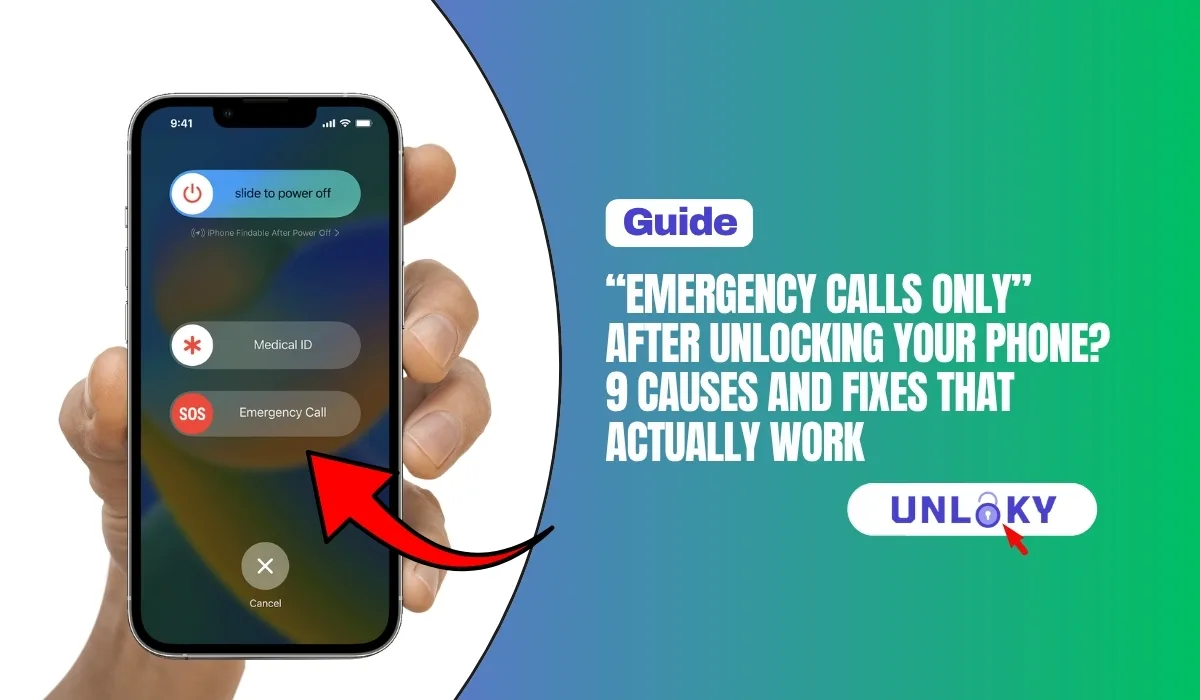
“Emergency Calls Only” after an unlock almost never means the unlock failed. It usually means your phone can see a network but isn’t registered on one yet. The most common culprits are a SIM that hasn’t been activated on the new carrier, the phone still searching for the old network, or missing APN/carrier settings.
Try this first (fixes it for most people in under 10 minutes): restart the phone → reseat the SIM (or reinstall the eSIM) → toggle Airplane Mode → go to network settings and select your carrier manually → accept any carrier settings update. If it still fails, check whether the SIM was actually activated and confirm the IMEI isn’t blacklisted.
You waited out the unlock period, got the confirmation email, popped in a shiny new SIM — and your phone greets you with “Emergency Calls Only.” No bars. No data. Just a message that sounds way scarier than it usually is.
Here’s the good news: in our experience helping readers troubleshoot this exact issue, the unlock itself is rarely the problem. The message simply means your phone can detect cell towers (which is why 911 still works — that’s required by law on any available network) but hasn’t been allowed to register for normal service. Something between your SIM, your settings, and your new carrier’s system is out of sync.
This guide walks through every real cause we’ve seen in 2026 — from simple SIM hiccups to VoLTE provisioning quirks and blacklisted IMEIs — with honest notes on which ones you can fix yourself and which ones need a carrier phone call.
What “Emergency Calls Only” Actually Means
Every phone constantly scans for nearby towers. When it finds one, it asks to register — basically, “Hi, my SIM belongs to Carrier X, can I have service?” If the tower says no (wrong carrier, inactive SIM, blocked device), your phone falls back to emergency-only mode. By law, any capable network must still carry your 911 call, even without a valid SIM.
So the message tells you three useful things:
- Your radio hardware works. The phone can see towers, so the antenna and modem are fine.
- There is coverage where you’re standing. At least one network is reachable.
- Registration is being refused or failing. That’s the part we need to fix.
The FCC granted Verizon a waiver in January 2026, ending its old automatic 60-day unlock rule for new activations. Most U.S. carriers now unlock on request under the industry’s voluntary CTIA Consumer Code once eligibility rules are met. Translation: it’s now easier than ever to think your phone is unlocked when the lock hasn’t actually been removed yet. Always confirm the unlock is complete before blaming the SIM.
All 9 Causes at a Glance
| # | Cause | How to Tell | Fix Difficulty | Typical Fix Time |
|---|---|---|---|---|
| 1 | Unlock not fully processed | Old carrier’s SIM works; new SIM shows “SIM not supported” or no service | Easy | Minutes to 2 days |
| 2 | New SIM not activated / provisioned | SIM shows no service in any phone | Easy | 15 min – 24 hrs |
| 3 | Phone stuck searching old network | Manual network search finds your carrier but won’t auto-connect | Easy | 2 minutes |
| 4 | Missing carrier settings / APN | Calls fail or only data fails; no carrier update installed | Easy | 5 minutes |
| 5 | SIM seated badly or damaged | Signal flickers; “No SIM” errors appear randomly | Easy | 5 minutes |
| 6 | VoLTE not enabled or supported | Data works but calls show emergency-only; older/imported phone | Medium | 10 min – carrier call |
| 7 | Band incompatibility (imported phones) | Weak/no signal everywhere even after all fixes | Hard | Not fixable — swap carrier or phone |
| 8 | eSIM transfer or profile glitch | eSIM shows “activating” forever or vanished after reset | Medium | 15 min – carrier call |
| 9 | Blacklisted IMEI | Every carrier refuses service; IMEI checker flags “blocked” | Hard | Depends on cause |
The 9 Causes, Explained (With Fixes)
The Unlock Wasn’t Fully Processed
The New SIM Isn’t Activated Yet
Your Phone Is Still Hunting for the Old Network
Missing Carrier Settings or Wrong APN
The SIM Is Seated Badly or Damaged
VoLTE Isn’t Enabled (or Isn’t Supported)
Band Incompatibility
eSIM Profile Glitches
Blacklisted IMEI
*#06# to get your IMEI, then run it through a reputable free IMEI checker. If it comes back blocked and you were the original owner (say, over a billing dispute), the carrier that flagged it can remove the block once it’s resolved. If you bought the phone used, contact the seller for a refund — legitimate removal is only possible through the carrier that placed the block.If a website promises to remove a blacklist or “fix” your IMEI for a fee, walk away. Changing an IMEI is illegal in the U.S., these services rarely work, and the “fix” often reverses within weeks — after your money is gone. Only the carrier that blocked the device can unblock it.
The 10-Minute Fix Sequence (Do These In Order)
Work through these steps top to bottom. Most readers are back online before step 6.
A full power cycle forces a fresh network registration. Skip the temptation to skip this — it alone resolves a surprising share of cases.
Power off, eject, wipe the contacts, reinsert. For eSIM, confirm the profile shows as active and turned on.
This resets all radios and triggers a new tower search without a full reboot.
Turn off automatic network selection, scan, and pick your new carrier from the list. This breaks the phone’s habit of chasing the old network.
On Wi-Fi, check for a carrier settings update (iPhone) or reset APNs to default (Android).
Check the carrier app. If a number port is in progress, give it up to 24 hours before panicking.
Make sure LTE/5G calling is switched on. If there’s no toggle, ask the carrier to provision it.
Settings → General → Transfer or Reset → Reset Network Settings (iPhone) or Settings → System → Reset options (Android). This wipes saved Wi-Fi passwords, so note them first.
Your SIM in another phone, and another working SIM in yours. Ten minutes of testing tells you exactly which side is broken.
Ask three specific questions: Is my line active? Is my IMEI registered and VoLTE-provisioned on your network? Is there any block on this device? Specific questions get past the script.
Nearly every “Emergency Calls Only” mystery is solved by one experiment. If your SIM fails in a second phone, the problem is the SIM or the account. If a friend’s working SIM also fails in your phone, the problem is your device — usually the unlock, VoLTE support, bands, or the IMEI. Run this test before any long support call and you’ll cut the conversation in half.
Who to Call: Carrier Support Numbers
If the self-fixes don’t land, this issue ends with a phone call. Here’s where to reach the major U.S. carriers directly:
| Carrier | Support Number | What to Ask For |
|---|---|---|
| AT&T | 855-223-0558 | SIM provisioning & IMEI/VoLTE whitelist check |
| Verizon | 1-800-VERIZON | Device registration & unlock status (policies changed Jan 2026) |
| T-Mobile | 844-839-5057 | Line activation, port status & band compatibility |
| Spectrum Mobile | 866-870-4127 | eSIM re-issue & activation troubleshooting |
| Xfinity Mobile | 877-667-1529 | SIM activation & device compatibility check |
| Cox Mobile | 866-280-7115 | Line provisioning & SIM replacement |
How to Avoid This Next Time You Unlock a Phone
- Get written confirmation the unlock is complete — not just “requested.” Since the FCC’s January 2026 Verizon waiver, most carriers only unlock on request under eligibility rules, so “I’ve had it 60 days” no longer guarantees anything on new activations.
- Check band and VoLTE compatibility before buying the plan. Every major carrier has a free “bring your own device” IMEI checker — 60 seconds there saves days of frustration.
- Run an IMEI blacklist check on any used phone before paying. Meet the seller with
*#06#ready. - Keep the old SIM until the new one works. Don’t cancel the old line the same day you activate the new one — overlapping for 24 hours gives ports room to complete.
- Do the first activation on Wi-Fi. Carrier settings, eSIM profiles, and unlock confirmations all download faster and more reliably.
“Unlocked” and “compatible” are different promises. An unlocked phone may work on any carrier; a compatible phone will. Unlocking only removes software restrictions — it can’t add missing bands, force VoLTE approval, or clear a blacklist. If a used-phone listing says only “unlocked,” verify the rest yourself.
Because your phone can see a network but hasn’t been allowed to register on it. Nine times out of ten it’s not the unlock — it’s an inactive SIM, the phone still searching for the old carrier, or missing carrier settings. Restart, reseat the SIM, select the network manually, and update carrier settings before assuming anything worse.
Yes. U.S. rules require any reachable network to carry emergency calls, even from phones with no active SIM at all. That’s exactly why the message exists — regular service is blocked, but emergency service never is (as long as any network signal is present).
Give a fresh activation 15–30 minutes, and a number port up to 24 hours. During a port, brief “Emergency Calls Only” periods are completely normal while your number moves between carriers. If you’re past 24 hours, start the fix sequence in this guide.
Usually no — a still-locked phone more often shows “SIM Not Supported” or “SIM Not Valid” instead. But it’s worth confirming, especially in 2026: after the FCC’s January waiver, Verizon devices activated after late January no longer unlock automatically at 60 days, so double-check you received an actual unlock confirmation, not just a request receipt.
That’s the classic VoLTE symptom. Since 3G networks shut down, all U.S. voice calls travel over LTE/5G. If your phone isn’t VoLTE-provisioned or approved on the new carrier, data can flow while voice is refused. Enable VoLTE in settings, and if there’s no toggle, ask the carrier to provision your IMEI.
Rarely, and it should be your last resort. A network settings reset (which keeps your data) fixes almost everything a factory reset would. A full wipe can also delete eSIM profiles, potentially making things worse. Only factory reset after the SIM cross-test proves the problem is inside your phone’s software.
Most likely a band or VoLTE mismatch. Phones built for other regions often lack the specific LTE/5G bands U.S. carriers use, or aren’t on the carrier’s approved calling list. Compare your exact model number’s bands against the carrier’s requirements. If they don’t overlap well, no software fix will help — you’ll need a different carrier or device.
Only by the carrier that placed the block, and only when the underlying issue (unpaid balance, false theft report) is resolved by the original owner. Paid “IMEI cleaning” services are scams or worse — tampering with an IMEI is illegal in the U.S. If you unknowingly bought a blacklisted phone, pursue a refund through the seller or your payment provider.
This guide is for general information only. Carrier policies, unlock eligibility rules, network compatibility, and support numbers can change at any time — always confirm details directly with your carrier before making decisions. Unloky may receive compensation when you call listed numbers or sign up for services through this page; this never affects our troubleshooting advice, which is based on independent research. Last verified: August 8, 2026.