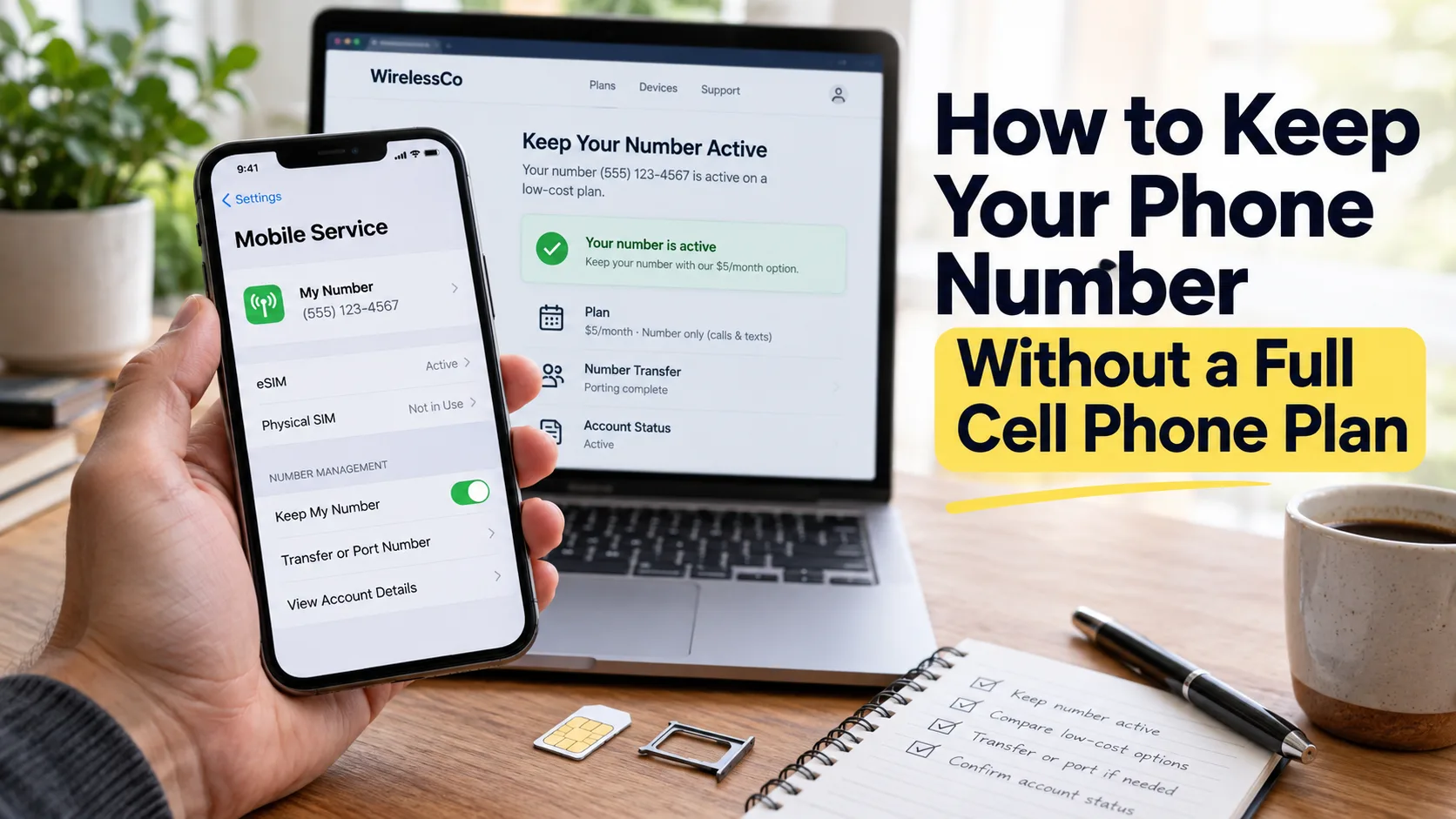
You can keep your US phone number by moving it to a number parking service, Google Voice, or a basic prepaid plan. Choose based on whether you need to save the number, answer calls, or receive bank texts.
Key Takeaways
Quick Answer
To keep your phone number without a full cell phone plan, transfer it to a parking service for storage, Google Voice for internet-based calls and texts, or a low-cost prepaid carrier for cellular service. Keep your current line active until the transfer finishes, and check bank-text support before choosing.
What Does Keeping Your Phone Number Actually Mean?
Keeping a number and keeping a working cell phone line are different things. You may want a familiar number saved for later, but that does not mean you need unlimited data, a large calling allowance, or a costly carrier package.
Number parking holds your number with another provider. Basic parking usually gives callers a recorded message rather than ringing your phone. Texting, voicemail, and forwarding depend on the service and any extras you buy.
Internet-based phone service, also called VoIP, lets you handle calls through an app or website. Google Voice is one example. With internet calling enabled, you can use Wi-Fi instead of keeping a cellular voice plan for that number.
A basic prepaid plan keeps a cellular line running with a small allowance. You still pay for service, but you can skip the large data package.
Removing your SIM or switching off mobile data does not create a number-saving arrangement. Set up the replacement service first. NumberBarn, for example, warns that an expired parking plan can result in your number being released.
Before comparing prices, ask yourself: “Do I only want this number saved, or do I still need people and accounts to reach me through it?” Your answer will narrow the choices quickly.
Option 1: Park Your Phone Number for Later
Parking makes sense when you want to keep an old number but rarely use it. Perhaps you have a second line, are taking a long break from work, or want to save a number that relatives already know.
Think about what a caller should experience during that break. A recording may be enough for a spare number. A number still used by customers or a doctor’s office may need voicemail or forwarding.
NumberBarn: Storage With Optional Features
NumberBarn’s parking plan currently costs $2.99 per month, with a $5 one-time port-in fee. Basic parking includes a recorded greeting and incoming call logs. Text messaging costs another $1 per month, while voicemail costs another $2 per month.
That makes parking with texting $3.99 per month before applicable charges. Parking with both texting and voicemail is $5.99. Its separate call-forwarding plan starts at $6.99 per month and includes 600 minutes; texting remains an extra.
Choose basic parking if your main goal is saving the number. Add a feature because you need it, rather than assuming every parking subscription includes it.
Forwarding also requires a destination. If calls need to ring another phone number, factor the cost of that destination service into your budget.
Park My Phone: Check the Offer Details
Park My Phone offers a basic Deep Freeze service. At the time of checking, its homepage advertises $2 per month and a $5 promotional porting fee. Its pricing page instead lists $3 per month when paid annually and a $15 porting fee. Confirm the offer, payment term, and renewal price before paying.
The homepage lists text messaging as a separate $5 monthly add-on. Voicemail, forwarding, and app calling are other service choices. A low advertised parking rate therefore does not tell you what a working calling-and-texting setup will cost.
Option 2: Transfer Your Number to Google Voice
Google Voice can suit someone who wants to keep using a number mainly through Wi-Fi. You handle calls, messages, and voicemail through Google’s service rather than buying a full mobile package for that number.
Understand the Free Personal Service
Google’s basic personal Voice service has no monthly subscription charge. Google also sells paid Voice plans, so check which version you are selecting. Keeping an existing eligible mobile number requires a $20 one-time port-in payment.
When calling from the US, almost all calls to US and Canadian numbers are free. Some destinations cost extra, and international calls have separate rates. Personal text messages to supported US and Canadian numbers are also free, though your internet connection may have a cost.
This can work well if you spend most of your time at home on Wi-Fi. Consider where you need to be reachable, however. A setup that works at your kitchen table may be less useful while you are driving or walking outside.
Check Eligibility Before You Cancel Anything
Google does not accept every number. Its personal porting instructions require an active US mobile number and say US-based users must make and update port requests while in the US. Check eligibility before planning around the service.
If your number is already at NumberBarn, a direct transfer to personal Google Voice is not supported because it is classified as landline. NumberBarn describes moving it through a compatible mobile carrier first.
Also, linking a number for forwarding is different from transferring it. You must complete a port-in to move your existing number to Google Voice. Simply adding it as a linked number does not replace its current carrier service.
For app calls, open Voice settings, select Making and receiving calls, and choose Prefer Wi-Fi and mobile data. Start calls inside the Voice app.
Basic personal Google Voice does not support 911 calling. Keep another suitable way to contact emergency services. Bank-text limits, discussed below, also matter when deciding whether it can replace your mobile line.
Option 3: Use a Cheap Prepaid Plan Without Much Data
If you need a working mobile number, a small prepaid plan deserves a close look. You are paying to keep basic cellular service, rather than paying mainly for a large data allowance.
This approach is often worth considering when your number is tied to important accounts. It can also suit a backup phone used for a few calls each month.
Ultra Mobile PayGo
Ultra Mobile PayGo advertises $3 per month for 100 calling minutes, 100 texts, and 100MB of data. Taxes, fees, starter costs, and extra usage can add to that amount. Confirm PayGo availability and the correct SIM before ordering.
The small data allowance needs care. Ultra warns that extra data use can spend funds from your PayGo wallet. Its terms require enough wallet balance for the recurring charge; otherwise, service is suspended and can later be canceled.
Use Wi-Fi for downloads and app updates, and watch your balance. A small plan is useful only if it stays funded.
Tello’s No-Data Plan
Tello’s current no-data option lists $5 per billing cycle for 300 calling minutes and unlimited texts. Taxes and applicable charges are extra. Its plans renew every 30 days.
A no-data plan can suit you if Wi-Fi covers your internet needs and you still want ordinary calls and texts. Check your phone’s compatibility before purchasing either prepaid option.
If your phone is locked to your current carrier, you may need to unlock it before using another provider’s SIM. Number transfer and phone unlocking are separate tasks.
Our guide to unlocking a phone for another network explains the device side of switching.
Compare the Main Ways to Keep Your Number
Prices checked in October 2026. Confirm current charges, eligibility, and included features before ordering.
| Service | Advertised base cost | Best fit | Main limitation |
|---|---|---|---|
| NumberBarn parking | $2.99/month, plus $5 port-in | Saving a rarely used number | Texts and voicemail cost extra |
| Park My Phone Deep Freeze | Homepage promotion: $2/month, plus $5 port-in | Basic number storage | Pricing page shows different terms |
| Basic personal Google Voice | $20 port-in; $0 monthly subscription | Wi-Fi calls and personal texts | Eligibility and bank-text limits |
| Ultra Mobile PayGo | $3 per 30-day cycle | Light cellular use | Small allowances and wallet upkeep |
| Tello no-data plan | $5 per 30-day cycle | Calls and unlimited texts | No mobile data included |
The figures above come from the providers’ published pages. Parking and app services offer different functions from a cellular line, so compare what you need alongside the price.
Will You Still Receive Bank Verification Texts?
Receiving normal texts does not prove that bank verification codes will work. A service may accept a message from a friend while a bank refuses to send an account code.
Google says some banks and subscription services do not send texts to Google Voice numbers. NumberBarn says its numbers are classified as landline, or wireline, numbers, and delivery depends on the sender’s policy.
If banking access is your main reason for keeping a number, my practical recommendation is to consider a basic cellular plan first. That avoids the specific VoIP and landline restrictions above, although it cannot guarantee every code will arrive.
Before moving your number, review the sign-in methods for your bank, main email account, and other essential services. Set up an authenticator app, passkey, recovery code, or another method where the account supports it.
Ask your bank whether it accepts the type of number you plan to use. Do not rely only on a provider’s compatibility list: NumberBarn notes that a sender’s support can change.
After the transfer, test each important account separately. One successful bank login does not confirm that every fraud alert, payment service, or password reset will work.
How to Keep Your US Phone Number While Abroad
Start with how you expect to use the number overseas. Someone saving it for a return trip has different needs from someone answering US calls every week.
For storage alone, compare parking plans. For regular conversations, consider internet calling. For accounts that require a cellular number, look at a prepaid service with suitable international features.
Tello supports calling and texting through native Wi-Fi Calling on compatible devices. Its guidance says calls over Wi-Fi abroad use your regular plan minutes. Confirm device support, destination restrictions, and current roaming terms before leaving.
Carrier Wi-Fi Calling and a VoIP app are different setups. Do not assume an app automatically provides every feature available through your phone’s built-in calling settings.
Test calls and texts before traveling. If needed, use a local SIM or travel data plan for internet access. A data-only travel eSIM does not, by itself, move your US number or replace its number-holding service.
If you want Google Voice, arrange the transfer early enough to meet its US porting requirements. Avoid making a major number change just before boarding a flight or while dealing with a banking problem.
How to Transfer Your Number Without Losing It
A number transfer is also called a port. The new provider requests the move, but you must supply accurate details and approve any required checks.
Step 1: Keep Your Current Line Active
Do not cancel first. Google and NumberBarn both tell customers to keep existing service active until the transfer is confirmed. If a prepaid renewal falls during the process, keep enough funds available to maintain the line.
Step 2: Check Number and Device Compatibility
Use the new provider’s number eligibility checker. For a cellular plan, also check the phone’s compatibility and unlock status. These checks answer different questions: whether the number can move, and whether the device can use the new service.
Step 3: Gather the Correct Account Details
Get your account number, authorized account name, service address, ZIP code, and required PIN. Use the details your current carrier has on file. A prepaid account number may differ from your phone number, so verify it.
Some carriers require a separate number transfer PIN. Verizon, for example, uses one for standard monthly accounts and requires Number Lock to be turned off before a move. Follow your own carrier’s instructions; do not guess which PIN is needed.
Step 4: Review Costs and Save Important Information
Ask how leaving affects device installments, promotions, and other lines. Verizon warns that remaining device balances must be paid and connected-device lines may require separate cancellation. Porting does not erase existing debts or contract obligations.
Save important voicemail, account records, and recovery codes before the change. Use a secure recovery method for your new account that does not depend entirely on the number being moved.
Step 5: Request a Port Through the New Provider
Choose the option to bring or transfer your existing number. Review the number and account details before submitting. If the line belongs to a shared account, make sure the authorized account holder can help with approval.
Step 6: Watch for Approval Requests and Delays
Check your email, messages, and transfer status. If the request is rejected, ask for the exact reason and correct the affected detail.
Allow time for completion. Google says numbers can take up to 48 hours to transfer and texts up to three business days. NumberBarn notes that transfers can take several business days or longer, depending on the provider and number type.
Step 7: Test the Services You Purchased
Call your number from another phone. Check the greeting, voicemail, or ringing behavior you selected. Send and receive a text if your service includes texting, then test important verification messages.
For a cellular plan, test without Wi-Fi as well. For app calling, check that calls reach the app when it is in the background.
Step 8: Confirm What Happened to the Old Account
A completed port may close the old line, but it may leave other services running. Confirm cancellation, review the final bill, and check any remaining tablet or watch subscriptions. Keep the transfer confirmation for your records.
Check the Real Cost and Keep the Account Active
Compare the total for the time you expect to keep the number. Include setup fees, texting, voicemail, taxes, and any destination line needed for forwarding.
For example, twelve months of NumberBarn’s basic $2.99 parking costs $35.88, or $40.88 with its $5 port-in fee, before applicable charges. Adding texting for those months raises that total to $52.88. These are simple calculations from its published prices.
Also check the billing cycle. A 30-day prepaid cycle is shorter than a calendar month, so twelve renewals do not cover a full 365-day year.
Ask your current carrier whether a temporary hold is available before moving a number for a short break. Eligibility, billing, and time limits vary. Verizon’s current suspension options, for example, focus on lost or stolen devices and military deployment rather than a general vacation hold.
For paid services, keep payment details current and review failed-payment notices. If you later switch again, transfer the number before closing its holding account.
Yes, if you first move the number to another suitable provider or use a carrier-approved holding option. Keep the old service active until the port is confirmed. Canceling first can make the transfer harder and put the number at risk.
Basic personal Google Voice has no monthly subscription fee, but transferring an existing eligible mobile number costs $20. You also need internet access for app use. Free services that issue a new number do not automatically preserve the number you already have.
Compare small cellular plans first if your bank requires a mobile number. Check coverage, total charges, and overseas support if needed. Google Voice and parked landline numbers may fail the bank’s rules even when ordinary texting works.
Usually, if the receiving carrier accepts it. Check portability, collect the parking provider’s transfer details, and keep the account active until completion. NumberBarn’s port-out instructions specifically advise checking support for transfers from a landline provider.
Yes, for app calls over a working internet connection, with the appropriate calling settings enabled. That does not provide cellular coverage or turn the free personal service into an emergency calling plan.