

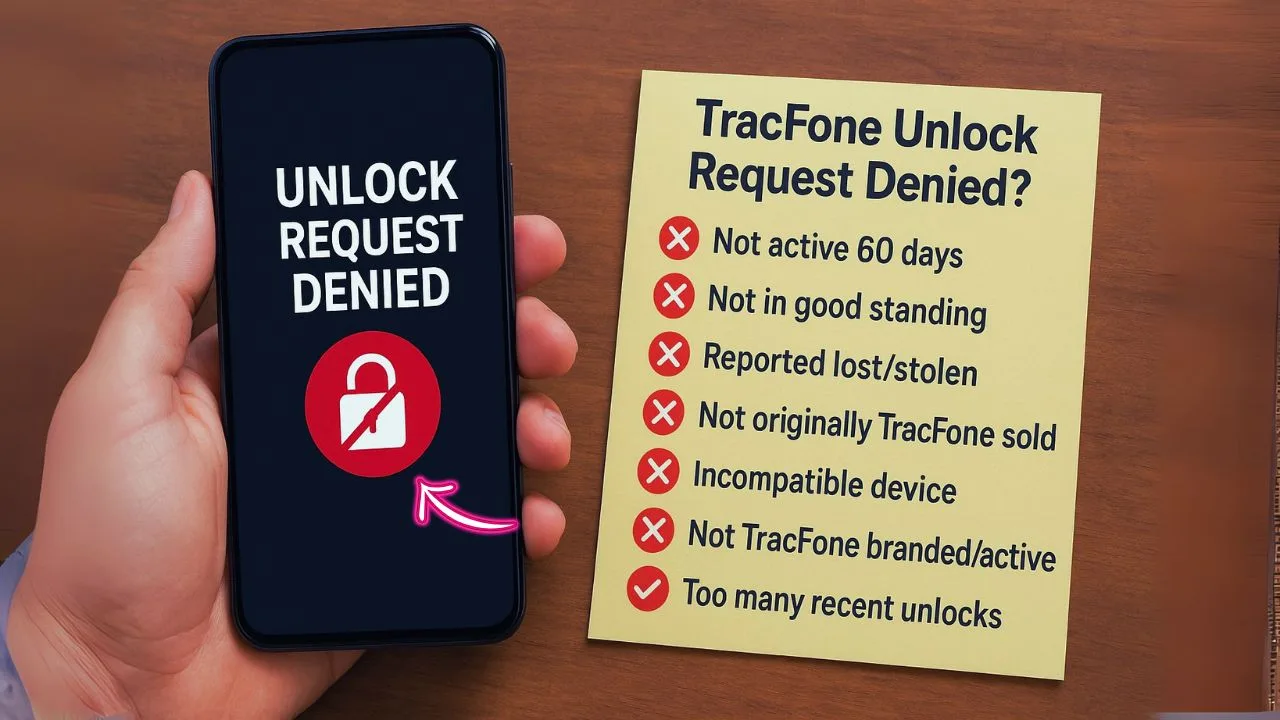
Tracfone makes prepaid service simple, and it also has a clear unlock policy. Unlocking means your phone is no longer tied to one carrier, so you can pop in another SIM card and go. If your Tracfone unlock request gets denied, it usually comes down to fixable issues.
Since February 2015, federal rules require carriers to unlock devices once certain standards are met. Depending on the phone and activation date, that window is often 60 days, sometimes up to 12 months. You also need a clean account with no unpaid charges. Miss one requirement, and you may see a denial right away.
Most denials come from six areas: eligibility problems, unpaid balances, not enough active time, wrong unlock codes, device glitches, or mistakes on the request form. A few smart checks can save you hours. Confirm your IMEI by dialing *#06#, settle any bills, and use official Tracfone support channels.
One more thing: entering the wrong code five times can lock some phones from future tries. That is a headache you can avoid. Try a quick restart and a software update before you contact customer support. The steps below explain each common reason and how to fix it so you can finish the unlock and move on.
Key Takeaways
- Most Tracfone unlock denials come from eligibility gaps, unpaid balances, short active time, wrong codes, technical issues, or errors in the request form.
- Federal rules set in February 2015 say carriers must unlock phones after eligibility is met, often 60 days of service, sometimes 12 months, with no overdue payments.
- Check your IMEI with *#06#, pay any outstanding charges, and use official Tracfone support for unlock requests to avoid delays.
- Five wrong code attempts can block many phones from future tries. Get your code from Tracfone directly.
- Restart the phone and update the software before calling support if the unlock fails for unclear reasons.
Overview of Tracfone and its unlocking policy
Tracfone is a prepaid carrier in the United States. Many people pick it for no contracts and low costs. Most Tracfone phones start locked, which means you cannot switch carriers right away.
The policy allows unlocking once you meet set rules. Many newer devices need at least 60 days of active service. Older lines and certain models may require up to 12 months. Your account must be in good standing and the phone cannot be reported lost or stolen.
Those 2015 rules made requests simpler across all carriers, including Tracfone. More people now unlock for travel or to try another carrier. Check eligibility first and have your IMEI ready to keep the process smooth.
Importance of unlocking for users
Unlocking gives you options. You can switch to a better plan, try another carrier’s coverage, or use a local SIM card while traveling. That can save real money over time.
An unlocked phone can also be easier to sell, since buyers like flexibility. If you understand why requests get denied, you can fix issues fast and unlock without stress.
📖 Also Read: IMEI Blacklist Clean Vs. Carrier Unlock: The Legal Differences Explained
Reason 1: Device Eligibility Issues
Eligibility trips up plenty of people. Think of it like a checklist. If one box is not checked, the door stays shut.
Explanation of eligibility criteria
Tracfone requires active service for a set time, often 60 days, sometimes 12 months. Your account must have no overdue balance and no flag for fraud. The device cannot be reported lost or stolen.
You should also request the unlock while the phone is still active on Tracfone. Tracfone limits unlocks to one per customer every 12 months. Some older models use tech that may not work well on every other carrier, even after unlocking.
Steps for checking eligibility
You can check eligibility in minutes. Here is the simple path.
- Dial *#06# to get your IMEI, the 15 digit device ID Tracfone will check.
- Go to Tracfone’s unlock portal or call support. Have your IMEI and SIM details ready.
- Confirm your service time. Many devices need at least 60 days, some need 12 months.
- Verify there are no unpaid charges on the account. Any debt will block unlocking.
- Make sure the phone is fully activated on Tracfone’s network.
- Confirm the phone was never reported lost or stolen. Flags stop unlocks right away.
Next, clear any overdue balance that could be holding you back.
📖 Also Read: How to Unlock a Spectrum Mobile Phone Without the Original Account
Reason 2: Outstanding Balances or Payments
If money is still owed, the unlock will not go through. Pay first, then try again.
Importance of having a good account standing
Carriers want to see every bill paid on time. Late fees and missed payments get noticed. Any balance due can trigger a fast denial of your unlock request.
A clean account tells Tracfone you are a reliable customer who follows the rules. Even a small unpaid amount can stall the process. Clear it, and your odds improve right away.
How to clear outstanding balances
Here is a quick checklist to wipe out balances and move forward.
- Sign in to your Tracfone account or app to see unpaid items tied to your line.
- Review recent statements for missed payments, fees, or plan renewals.
- Use Tracfone’s automated payment options online or by phone to pay fast.
- Pay in cash at an authorized retailer if you prefer in person checkout.
- Call support if the balance looks wrong. Agents can fix billing errors.
- Ask for a breakdown if charges are confusing so you know what you are paying.
- Save receipts or confirmation emails. Proof helps if questions come up later.
Once your balance hits zero, your unlock request has a fair shot.
Reason 3: Not Using the Phone for the Required Time Period
Unlock timing matters. It is like trying to harvest before the crop is ready.
Specific duration requirements
Many newer Tracfone devices require 60 days of active service. Some older phones and plans still need 12 months. During that time, your phone must stay active on a paid Tracfone plan without long gaps.
Ask too early, and the system will decline your request. Mark your activation date on a calendar. Set a reminder a week before your target date so you can check again.
Recommended actions to take if the time requirement hasn’t been met
If you are early, do not stress. Use the time wisely.
- Keep using the phone with a Tracfone SIM for calls, texts, and data.
- Set reminders for your exact eligibility date to avoid more waiting.
- Do not let service lapse. Renew plans on time to keep the clock moving.
- Call support for your specific eligibility date if you are unsure.
- Check activation records and emails. Prior use might count in your favor.
- Watch your online dashboard for activation and payment history.
- If you need a flexible option now, use another Tracfone ready device while this one reaches eligibility.
Reason 4: Entering the Incorrect Unlock Code
Typing the wrong code is like putting the wrong key in a lock. Slow down, then try again the right way.
Common mistakes and tips for ensuring the correct code is used
One typo can block progress. These steps help prevent that.
- Check each digit before you hit enter. One wrong number can fail the attempt.
- Use codes only from Tracfone’s site or support. Random sites often give bad codes.
- Make sure the phone actually asks for a code. If not, it could be unlocked already or have another issue.
- Do not use a code from a friend’s phone. Every IMEI has its own code.
- Stop after a few misses. Many phones block the SIM slot after five wrong tries.
- Enter the code with no extra spaces or symbols.
- Restart the phone, then reenter the correct code if the first try fails.
Careful entry now saves you from bigger problems later.
📖 Also Read: Boost Infinite vs. Boost Mobile: Which One Lets You Unlock Faster?
Reason 5: Technical Issues with the Device
Even a healthy phone can glitch. A tiny bug can trip an unlock request.
Potential software malfunctions
Software bugs may appear after an update or from a cranky app. The phone might spin on a loading screen or refuse to accept the code. It feels random, but a quick reset often clears it.
A restart, a software update, or reseating the SIM can steady things. Resetting network settings also helps in many cases. If the issue sticks, support can check behind the scenes.
Steps for troubleshooting and resolving issues
Try these steps in order. They fix most device level problems that block unlocking.
- Turn the phone off and back on to clear minor software errors.
- Remove the SIM card, wipe it gently with a soft cloth, then reinsert it firmly.
- Install the latest system update available for your model.
- Test with a different carrier’s SIM. If it asks for a code, the phone is still locked.
- Reset network settings under Settings, General Management, Reset, Reset Network Settings.
- Uninstall apps that might interfere, like VPNs or some security tools.
- Contact Tracfone support if the problem remains. Some fixes need their tools.
Be patient. A steady, step by step approach solves most problems here.
Reason 6: Incorrect Request Submission
A small typo or missing field can derail the whole request. Slow is smooth, smooth is fast.
Overview of the proper unlock request process
Start by confirming that your device meets Tracfone’s eligibility rules. Make sure your account is paid up and free of flags. Have your IMEI, SIM info, and activation date ready.
Use the official site or call support to submit the request. Fill out every field carefully and double check your entries. If something is unclear, ask support before submitting. Guessing leads to delays.
How to accurately submit a request
Here is a simple plan to submit a clean request the first time.
- Dial *#06# to get the IMEI. You will need it for the form.
- Check your account details first so they match what you submit.
- Complete every required field on Tracfone’s unlock request page.
- Use your current email and phone number for replies and status updates.
- Upload extra documents if asked, such as proof of purchase or ID.
- Confirm eligibility with Tracfone’s tool or support before you send.
- Save the confirmation number or take a screenshot after submitting.
- Follow up within two business days if you hear nothing.
- Check your spam folder for Tracfone emails that might land there.
Clean data in, faster approval out. That is the goal.
Conclusion
If your Tracfone unlock request was denied, you can still win. Fix the block, try again, and your phone can work on the carrier you choose.
Recap of the common reasons for unlock denial
Most denials come from eligibility gaps, unpaid balances, short active time, wrong codes, software issues, or mistakes in the form. These are all fixable with simple checks. Tackle the basics first to save time with customer support later.
Encouragement to follow the outlined solutions for successful unlocking
Take it step by step. Confirm eligibility, clear balances, submit a clean request, and test again with a different SIM card after activation. If a glitch pops up, work through the fixes here or contact support.
Do that, and unlocking usually falls into place. Then you can choose the plan and network that fits your life, with fewer limits and fewer surprises.
FAQs
1. Why did Tracfone deny my unlock request?
Tracfone might have denied your unlock request for several reasons. Maybe your phone is not active long enough, or you still owe money on it. Sometimes, the device was reported lost or stolen, which throws a wrench in things. If the account details do not match their records, that can also block your path.
2. What should I do if my Tracfone unlock request gets rejected because of unpaid bills?
First step: pay off any outstanding balance tied to your device. Once paid up, give customer service another ring and ask them to review your case again; sometimes all it takes is clearing up those loose ends.
3. Can I fix an unlock denial if my phone has not been active for twelve months?
If you are short on time with the same SIM card, keep using the phone until you hit that one-year mark. After twelve months of continuous use with Tracfone’s network, try submitting a new unlock request.
4. How can I resolve an issue if my device was flagged as lost or stolen by mistake?
Contact Tracfone support right away and explain what happened; mistakes happen more often than folks think! Provide proof of purchase or ownership when asked so they can clear up any confusion and get you back on track toward unlocking your phone.


