


Ever held your phone, staring at the screen, wondering if you should tap “Factory Reset” or try a “Hard Reset” first?
You’re not alone.
A lot of users in the U.S.—especially those dealing with laggy Androids or misbehaving iPhones—find themselves stuck between these two techy-sounding options. At first glance, they may seem like the same thing. Spoiler alert: they’re not. And clicking the wrong one could mean the difference between fixing a glitch or wiping your phone clean.
So today, I’m diving into what really separates a hard reset from a factory reset—in plain English. Whether you’re troubleshooting a phone that won’t boot, trying to fix app crashes, or prepping your device for resale, understanding this difference can save your data and your sanity.
Let’s clear it up.
✅ Quick Answer: Hard Reset vs. Factory Reset — What’s the Real Difference?
A hard reset is a forceful restart of your phone, usually done by pressing certain buttons like the power and volume keys. It helps fix common issues like freezing or crashing. Most of the time, it doesn’t erase your data—just clears temporary memory.
On the other hand, a factory reset erases everything. It wipes all your apps, settings, photos, and personal info, returning your device to its original state—just like when you first bought it. It’s mainly used for serious problems or when you’re selling or giving away your phone.
In short:
- A hard reset refreshes your phone without deleting data.
- A factory reset wipes everything and starts fresh.
They sound similar, but they serve very different purposes—especially when it comes to keeping your data safe.
Don’t Miss It: Secret Code To Unlock Android Phone Password Master Code
What’s the Difference Between Hard Reset and Factory Reset?
Here’s the quick breakdown:
| Reset Type | What It Does | Used For | Erases Personal Data? |
|---|---|---|---|
| Hard Reset | Forces the device to reboot and clears temporary system memory (RAM). | Freezing, crashing, or unresponsive phones. | ❌ No |
| Factory Reset | Restores device to its original state when it left the factory. | Fix major bugs, wipe personal data before resale. | ✅ Yes |
TL;DR:
A hard reset is like restarting your computer when it’s frozen.
A factory reset is like reformatting your computer and deleting everything on it.
🧠 Let’s Break It Down (In Real-World Terms)
🔁 What Is a Hard Reset?
Think of a hard reset as a forced reboot. It doesn’t go deep into the system, and it won’t mess with your files. It’s like pulling out your laptop’s battery (remember those days?) and popping it back in when it freezes.
Here’s what a hard reset does:

- Clears the random-access memory (RAM).
- Forces the operating system to restart.
- Kills stuck processes and resets background tasks.
🔄 When Should You Use a Hard Reset?
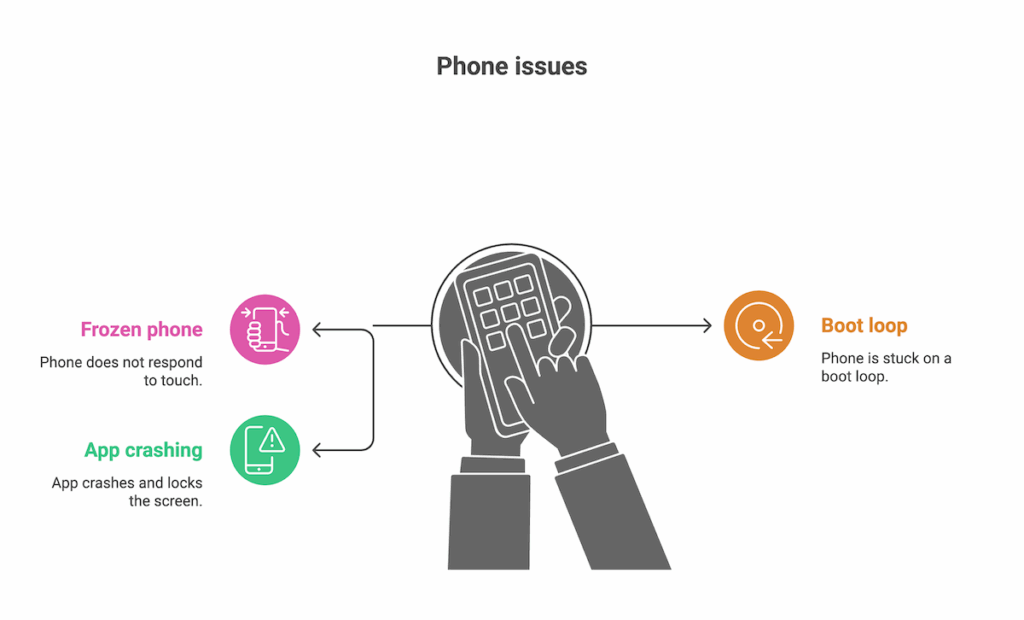
- Your phone is frozen and won’t respond to touch.
- It’s stuck on a boot loop or won’t get past the logo.
- An app crashes repeatedly and forces the screen to lock.
⚠️ How to Perform a Hard Reset
For Android:
- Hold down the Power + Volume Down buttons until the phone reboots.

For iPhone:
- Quickly press Volume Up, then Volume Down, then hold Power until the Apple logo shows.
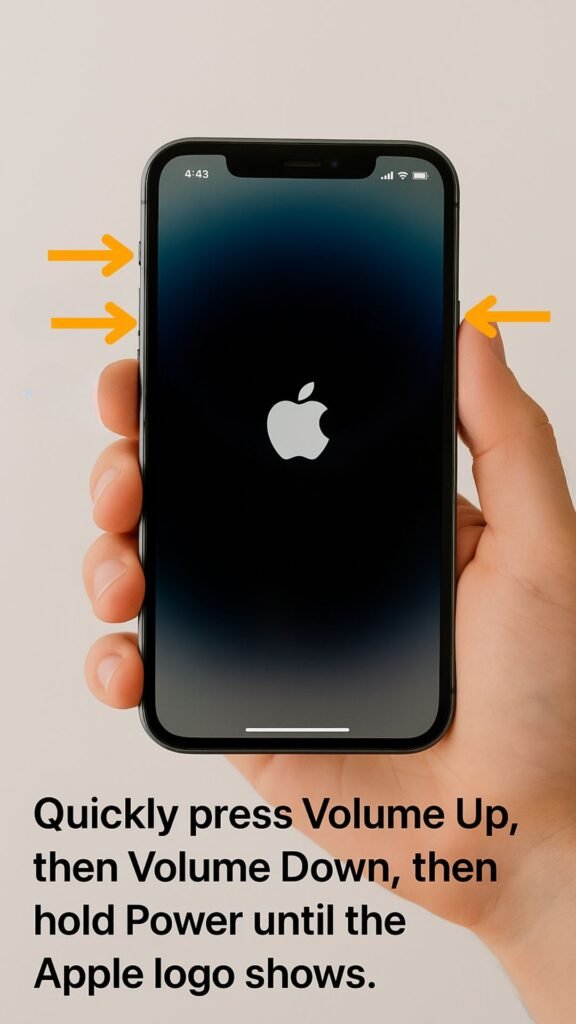
💡 No need to worry about your data—everything stays intact.
Don’t Miss It: How To Unlock A Motorola Phone To Use On Any Network
🧹 What Is a Factory Reset?
Now, this is the nuclear option. A factory reset wipes everything and brings your phone back to day one—like you just pulled it out of the box.
Here’s what it does:

- Deletes apps, settings, photos, texts, and other personal data.
- Removes stored accounts and configurations.
- Reinstalls the system’s default firmware.
It’s basically starting over.
🎯 When Should You Factory Reset?

- You’re selling or giving away your phone.
- You want to remove malware or spyware.
- Your phone is too buggy or slow, even after updates.
- You’ve forgotten your password and recovery methods failed (especially if paired with Google FRP/iCloud Lock bypass attempts).
🧑💻 In My Experience…
As someone who’s reviewed over 100 smartphones for tech blogs and YouTube channels, I’ve hard reset countless phones that just needed a little “digital CPR.” But when I’m shipping a device off to a buyer? That’s a 100% factory reset moment—no shortcuts.
Once, I sold a Pixel 5 without doing a factory reset. The buyer got access to my Google Photos backup 😬. Lesson learned. Always factory reset if you’re handing over a phone.
💬 What Are People Saying Online?
Reddit Chatter
On r/Android, users often say things like:
“A hard reset is like a timeout for your phone. A factory reset? That’s a total memory wipe.”
The distinction is loud and clear in those threads—especially for users troubleshooting endless boot loops or random crashing apps.
X/Twitter Buzz
On X (formerly Twitter), I’ve seen posts like:
“My Android froze mid-call. Hard reset saved me. Didn’t lose a single text.”
— @TechDadNY
“Only do a factory reset if you have EVERYTHING backed up. Ask me how I know 🥲”
— @PixelPanic
It’s clear: folks in the US are learning the hard way—and they’re sharing the knowledge.
Don’t Miss It: How To Unlock A Straight Talk Phone
🔍 Key Differences Recap Table
| Feature | Hard Reset | Factory Reset |
|---|---|---|
| Speed | Fast (just a reboot) | Takes longer |
| Data Impact | No data loss | Wipes everything |
| Best For | Frozen or unresponsive device | Prepping phone for resale, malware issues |
| Access Needed | Physical buttons | Menu access (Settings or Recovery) |
| Risk Level | Low | High (if unbacked data) |
📌 Frequently Asked Questions
1. Does a hard reset delete everything?
Nope! A hard reset only restarts your phone and clears temporary memory. Your data stays safe.
2. Is hard reset the same as reboot or restart?
Not exactly. A restart uses the phone’s menu. A hard reset is done via button combos when the screen is unresponsive.
3. Can I recover data after a factory reset?
Maybe—if you had backups. Otherwise, once it’s gone, it’s really gone. Some paid data recovery tools might help, but results vary.
4. What if I forgot my phone’s password—should I hard reset or factory reset?
If you’re locked out, a factory reset through recovery mode might be your only choice. But beware—this will wipe everything and might trigger FRP/iCloud Lock.
5. Is factory reset safe for my phone’s hardware?
Yes. It won’t damage the hardware. But avoid doing it frequently, as reinstalling system files over and over could cause minor wear on storage chips.
🎯 Final Takeaway: Use the Right Tool for the Job
Here’s the bottom line:
- Hard reset is for quick fixes and frozen screens.
- Factory reset is for deep cleanups and serious overhauls.
If your phone just needs a gentle nudge? Try a hard reset.
Getting ready to sell or trade in? Factory reset that thing.
Before doing either, always back up your important stuff—just in case.\
💬 Your Turn: What’s Your Experience?
Ever lost data from a factory reset you thought was a “quick reboot”? Or saved your Android from the brink with a hard reset?
Let me know on Twitter (@TechTalkWithRob) or comment below if you’re reading this on our blog. If you’re still not sure which reset is right for your phone, drop your model in the comments—I’ll walk you through it.


