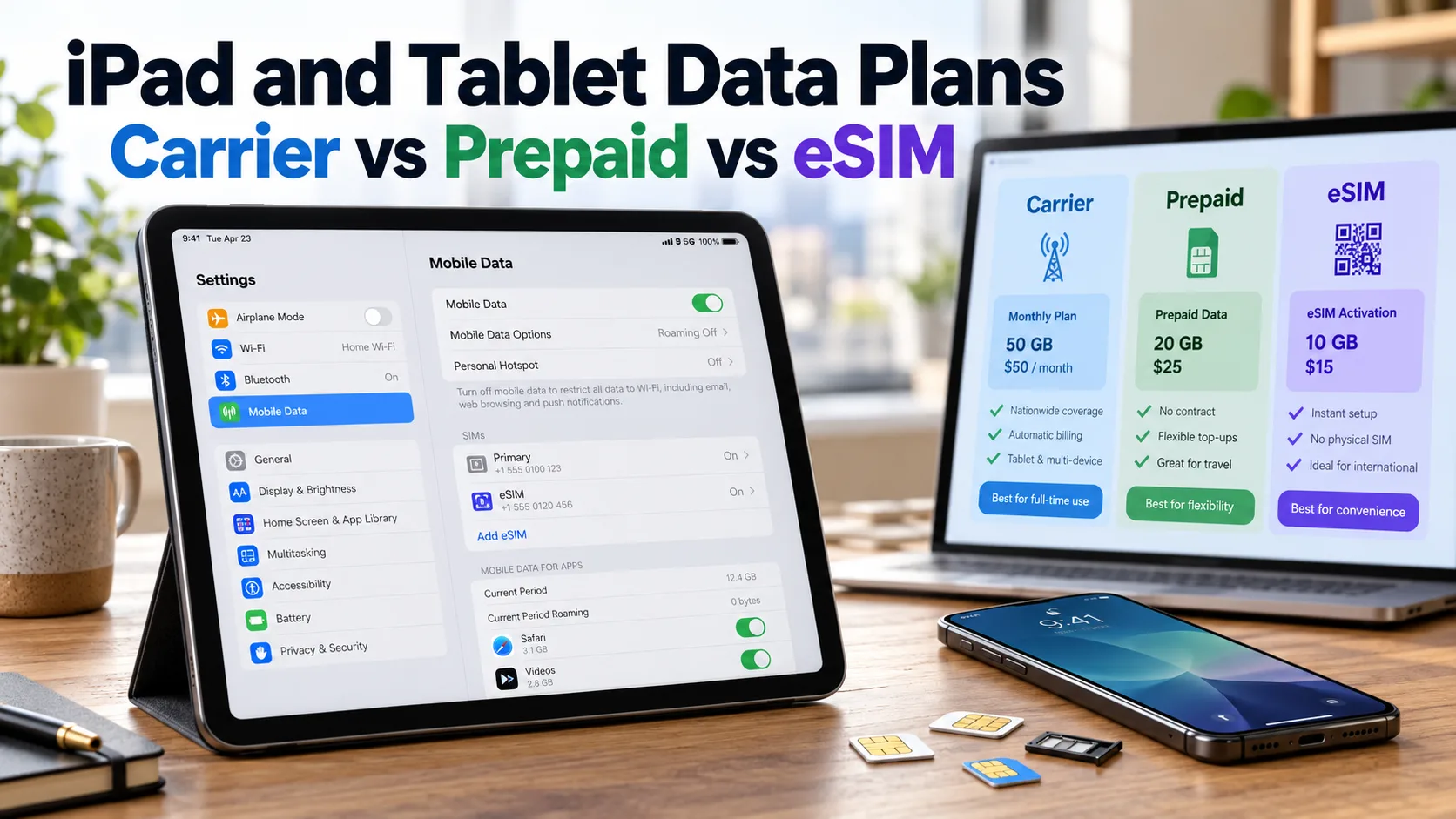
An unlocked cellular tablet lets you choose a compatible data provider. The best plan depends on your coverage, data use, budget, and travel needs.
Key Takeaways
Quick Answer
Unlocked cellular iPads and tablets can use compatible carrier, prepaid, and data-only plans. A carrier add-on may cost less if you already have an eligible phone line. Prepaid works well for separate service or occasional use. eSIM lets you install a supported plan digitally, including monthly plans and short-term passes.
What Carrier, Prepaid, and eSIM Really Mean
These terms describe different parts of your service. A major carrier operates a mobile network. You can buy service directly from that carrier or through a smaller provider that uses its network.
Prepaid means you pay before using the service. Postpaid plans usually bill you monthly and may offer discounts when you add a tablet to a phone account.
An eSIM is a digital SIM built into a supported device. It can carry a prepaid or postpaid plan. Choosing eSIM does not automatically give you cheaper service, unlimited data, or better coverage.
Check Your Tablet Before Buying a Plan
You need a cellular model. A Wi-Fi-only iPad cannot gain a direct cellular connection by downloading an eSIM. It can connect through Wi-Fi or a phone hotspot instead.
Check your exact model and whether it supports a physical SIM, eSIM, or both. Some newer cellular iPads have no physical SIM tray.
Unlocked status also does not guarantee that every carrier accepts your tablet. Run its IMEI through the provider’s compatibility checker before paying. An IMEI identifies your device; it does not add missing network support.
On an iPad, you can find the IMEI under Settings > General > About. Android menu names vary, so look under About tablet or check the manufacturer’s instructions.
Major Carrier Tablet Plans
T-Mobile Tablet Essentials and Unlimited
T-Mobile lists Tablet Essentials 2.0 at $15 per month with 5GB of high-speed data. After that, speeds drop to up to 600 Kbps. This can suit light browsing, though the slower connection may struggle with video.
Tablet Unlimited 2.0 costs $20 per month at the advertised rate. It includes unlimited high-speed data, but network priority rules still apply. Speeds may be lower during congestion, with further reductions possible after 50GB of monthly use.
Both prices require qualifying AutoPay and an eligible voice line. Taxes and fees are extra, and T-Mobile lists a $35 device connection charge. Without a qualifying voice line, the monthly price can be up to $40 higher. Confirm your account’s rate before choosing.
Verizon Tablet Plans and Phone-Line Discounts
Verizon’s Unlimited tablet plan starts as low as $20 per month, while Unlimited Plus starts as low as $25. Those rates require the connected-device discount available with certain smartphone plans. Having any Verizon phone line is not enough.
Without that discount, the listed tablet rates are $40 and $50 when added to an account with an unlimited smartphone line. A tablet-only first line costs $80 for Welcome, $100 for Unlimited, or $110 for Unlimited Plus, before taxes and fees.
The cheaper Welcome option can be as low as $10 with the discount, but it includes only 2GB of high-speed data before speeds fall to up to 1 Mbps. Match the data allowance to your needs, not just the starting price.
AT&T DataConnect for Larger Data Allowances
AT&T lists DataConnect 50GB at $55 per month and 100GB at $90 per month for one line. These prices include eligible AutoPay and paperless billing discounts; taxes and fees cost extra.
These plans serve selected tablets and other data devices. They may suit you if AT&T coverage works well where you use your tablet and you want a separate data allowance.
Watch the overage rule. AT&T adds $10 for each extra 5GB used within a billing cycle. A capped plan can become costly if you stream heavily.
Prepaid and Shared Data Options
Tello for a Separate Budget Plan
Tello lists a 10GB data-only plan for $13 per month, with no annual contract. Its plans renew every 30 days. This is a useful option to compare when you want tablet service without buying a major carrier phone line.
Tello uses T-Mobile’s network, but check your tablet’s IMEI before ordering. Its device rules matter, especially for tablets that differ from the models sold in the United States. Ask support if the checker gives an unclear result.
AT&T Prepaid for Monthly or Annual Service
AT&T’s tablet shopping page advertises 20GB per month for an average of $20 monthly when you pay $240 upfront for 12 months. That is an annual purchase, so it does not offer the same flexibility as paying one month at a time.
The page also lists monthly prepaid options: 15GB for $35, 50GB for $55, and 100GB for $90. Check the offer and final payment during signup, since prices and availability can change.
An annual plan makes more sense after you have tested coverage and know you will keep the service.
Google Fi for Existing Eligible Customers
Google Fi lets customers on Flexible or Unlimited Premium add compatible tablets through data-only SIMs without an extra line fee. Both data-only eSIMs and physical SIM cards are supported for eligible devices.
Tablet use counts toward the phone plan’s data usage. On Flexible, that can increase your usage charges. On Unlimited Premium, it uses part of your high-speed allowance.
Unlimited Standard and Unlimited Essentials do not support data-only SIMs. Check your current plan before ordering. Fi also does not support tethering from devices using its data-only SIMs.
eSIM Options for Occasional Use and Travel
AT&T Unlimited Day Pass for iPads
AT&T’s Unlimited Day Pass costs $3 plus taxes for 24 hours of data on an eligible unlocked, eSIM-capable iPad. You can use it even if your phone service comes from another carrier.
Activation begins shortly after purchase, so buy it when you are ready to use it. The pass avoids a recurring monthly subscription, but AT&T may slow speeds when its network is busy. Check the eligible iPad list before buying.
Hotspot data is excluded, so this pass cannot provide a shared connection for your laptop.
For occasional outings, daily pricing can be practical. Four paid passes cost $12 before taxes. Ten cost $30, which makes a monthly plan worth comparing. These are cost examples; the plans may offer different data limits and features.
Travel eSIM Plans
A travel eSIM may let you buy local or regional data for a trip. Apple supports using compatible local carriers and worldwide eSIM providers on supported iPads.
Before paying, check tablet support, covered countries, data limits, and when the plan expires. Also check whether its validity starts at purchase, installation, or first network connection. Those details affect how much useful service you receive.
Compare Plans by How You Use Your Tablet
| Your situation | Option to compare first | Main detail to check |
|---|---|---|
| You already have an eligible phone plan | Carrier tablet add-on | Whether your account gets the discount |
| You need service without another phone line | Standalone prepaid | Device approval and the full renewal price |
| You need data on a few days | Daily eSIM pass | Eligible models and activation time |
| You travel abroad | Local or regional eSIM | Countries, data allowance, and expiry |
Suppose you use an iPad mostly at home and take it out twice a month. A short-term pass could cost less than keeping a monthly tablet line active.
Now suppose you use a tablet for work every weekday. A monthly plan with enough high-speed data may offer better value. If a discount requires changing your phone plan, include that added phone cost in your comparison.
How Much Tablet Data Do You Need?
Check a month of actual usage before buying a large plan. Start with a smaller allowance if most of your browsing happens on Wi-Fi. Video calls, streaming, cloud backups, and large downloads can increase mobile data use quickly.
Keep app updates and large downloads on Wi-Fi when possible. Download shows or maps before leaving home if the app allows it.
Read what happens when you reach the data limit. Some plans slow the connection, while others charge for more data. Unlimited plans can still have congestion rules, video limits, or separate hotspot allowances.
How to Activate a Tablet Data Plan
Android setup menus vary by brand. Follow the carrier’s instructions for your model. To stop a monthly plan, use the provider’s cancellation process; removing an eSIM may not stop billing.
Yes. You can buy a Wi-Fi + Cellular iPad and activate a compatible carrier data plan. Some carriers also offer financing when you add a tablet line. A Wi-Fi-only iPad cannot connect directly to a cellular network.
Yes. Carriers offer cellular-enabled tablets with data plans. You can also bring a compatible unlocked tablet to a provider that supports it. Before signing up, check the tablet’s network compatibility and whether it uses a physical SIM, eSIM, or both.
Yes, if you have a supported Wi-Fi + Cellular iPad. With participating carriers, open Settings → Cellular Data → Find a New Plan and follow the instructions. Other providers use a carrier app, website, or QR code to set up service.
Choose an unlimited tablet plan from a carrier such as Verizon or T-Mobile, confirm compatibility, and activate service. Discounted prices may require an eligible phone plan or AutoPay. Check the terms: unlimited plans can still have speed reductions, video limits, and separate hotspot allowances.
Not automatically. eSIM changes how you install service. Compare the plan’s price, data allowance, and conditions to judge value. A carrier may offer the same plan through either SIM type.